
Products compared
Amazon
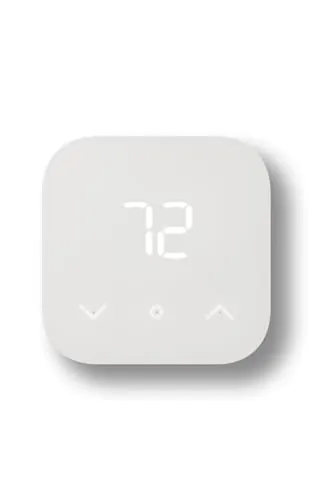
Amazon Smart Thermostat
US Amazon Smart Thermostat; confirm the exact model and separate adapter eligibility before purchase.
Model S6ED3R
Amazon ASIN B08J4C8871
Sensi
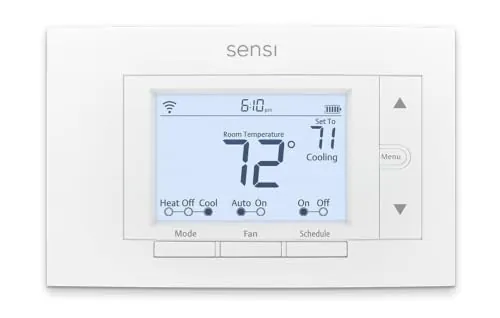
Sensi Smart Thermostat
US Sensi smart thermostat; C-wire conditions depend on system type and HomeKit use.
Model ST55
Amazon ASIN B01NB1OB0I
Differences that matter
What matters most to you?
Choose a priority to see what it changes.
Sources for Where schedules are programmed
Sources for Documented system exclusions
Start with the system, not the thermostat app
For a smart thermostat, the first buying question is whether the exact HVAC equipment and power arrangement are supported. Amazon’s compatibility page says the S6ED3R needs a C/Common wire and limits heat-pump support to air-to-air and geothermal, excluding dual-fuel backup gas/oil systems. It allows an adapter only in some cases, subject to its compatibility guidance.
Sensi’s compatibility chart is more conditional than the broad “no C-wire for most systems” line: its conventional heating-and-cooling category is the no-C-wire exception, while heat-only, cool-only, heat-pump and zone setups require a common wire. Its chart also excludes communicating/proprietary, line-voltage, millivolt and RV 12VDC applications. Check the exact system before comparing features.
Choose the scheduling routine you will actually use
Amazon documents schedule setup in the Alexa app. You can still adjust temperature and mode at the thermostat display; when the thermostat is following a schedule, Amazon describes a manual temperature change as a temporary hold through the next scheduled change point.
The ST55 manual describes two distinct paths. When Wi-Fi is disabled, you can set time and a basic seven-day schedule at the wall with four mandatory setpoints. The manual says more robust scheduling and Auto mode are available only in the Sensi app. That makes ST55 the clearer fit only when its limited offline wall program is enough; it is not the same as retaining every connected feature offline.
A two-minute pre-purchase worksheet
1. Write down the exact heating/cooling equipment type and whether the thermostat circuit has a common wire; if uncertain, ask the equipment maker or an HVAC professional to identify it rather than guessing from wire color. 2. Run that equipment through both manufacturers’ checkers, including any heat-pump backup and HomeKit requirements. 3. If Amazon suggests an adapter, confirm the adapter is eligible for that exact configuration and account for it as a separate item. 4. Sketch the schedule you need: if four daily setpoints on the wall without Wi-Fi are enough, the ST55 documents that limited path; for schedules configured in Alexa, Amazon documents that app flow.
This checklist is a planning aid, not wiring or installation instruction. The available Amazon sources do not establish its thermostat schedule behavior during a network or service outage, so do not buy it on an assumed offline schedule requirement.
Product details
Amazon Smart Thermostat
Amazon’s support material makes C-wire or an eligible adapter a first purchase check. Its schedule is configured in Alexa; the display still provides local temperature and mode controls.
Sensi Smart Thermostat
ST55 is the Sensi smart-family model, not Sensi Lite or Touch. Its no-C-wire exception is limited: check the exact system and whether HomeKit is part of the planned setup.
- Common-wire conditions
- No common wire for conventional heating and cooling per the Sensi chart; common wire required for heat-only, cool-only, heat-pump and zone systems, and for HomeKit compatibility. Source
- Wi-Fi-off schedule
- Basic seven-day wall schedule with four mandatory setpoints; more robust scheduling and Auto mode require the Sensi app. Source
Before you buy
Community discussions
Identifying the existing system before buying a thermostat
Amazon Smart Thermostat
An apartment renter considering the Amazon Smart Thermostat could not identify their HVAC equipment and wanted to check compatibility before ordering.
What to check
Confirm the system and thermostat requirements with the owner or installer. Check whether the exact model can run the schedule you need.
Common questions
Does the Amazon Smart Thermostat work without a C-wire?
Amazon says the thermostat requires a C/Common wire. It also says an adapter may work in some situations, so check Amazon’s exact-system compatibility information before treating that as an option; the adapter is sold separately.Does Amazon Smart Thermostat Work with My System?The Amazon Smart Thermostat Display Is Blank (adapter availability)
Can an ST55 run a schedule with Wi-Fi turned off?
Yes, the ST55 manual documents setting the time and a basic seven-day schedule at the thermostat with Wi-Fi disabled. It uses four mandatory setpoints; more robust schedule options and Auto mode require the Sensi app.Sensi Smart Thermostat Manual Operation Guide R-5029-2
Where do I set an Amazon thermostat schedule?
Amazon’s support instructions put schedule setup in the Alexa app. A manual temperature adjustment is a temporary hold until the next scheduled change point.Program Your Home Temperature ScheduleAdjust Your Home Temperature Manually
Is the Sensi ST55 compatible with every heat pump or boiler?
No universal fit is claimed. Sensi’s chart lists heat pumps and several boiler/radiant system types, but says a common wire is required for heat-pump, heat-only and zone systems; use the checker for the exact equipment. Amazon has its own heat-pump restrictions.Check smart thermostat system compatibilityDoes Amazon Smart Thermostat Work with My System?
Sources and scope
Start with the manufacturer’s compatibility check for the exact HVAC equipment and power arrangement. Confirm the exact adapter if needed. The available Amazon documentation does not establish schedule behavior during an internet or service outage. Use the model’s support instructions for operation.
- Does Amazon Smart Thermostat Work with My System?
- Program Your Home Temperature Schedule
- Adjust Your Home Temperature Manually
- The Amazon Smart Thermostat Display Is Blank (adapter availability)
- Sensi smart thermostat (ST55 model and family features)
- Check smart thermostat system compatibility
- Sensi Smart Thermostat Manual Operation Guide R-5029-2
Related comparisons
Sensi ST55 vs Touch 2 ST76: Check C-Wire Fit and Room Sensors
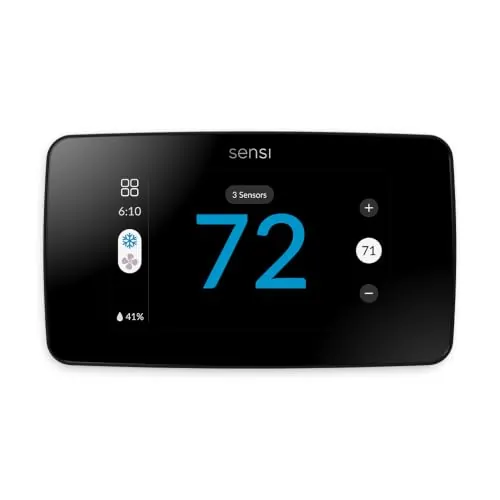
The Sensi Smart Thermostat ST55 and Sensi Touch 2 ST76 differ in power requirements and wall controls. The ST55 does not require a C-wire in most applications, but Sensi lists important exceptions; the ST76 requires a C-wire. The ST76 also works with Sensi Room Sensors, while Sensi says only Touch 2 thermostats are compatible. Confirm your exact HVAC system with Sensi before buying, then choose between the ST55's physical buttons and the ST76's glass touchscreen.
Read comparison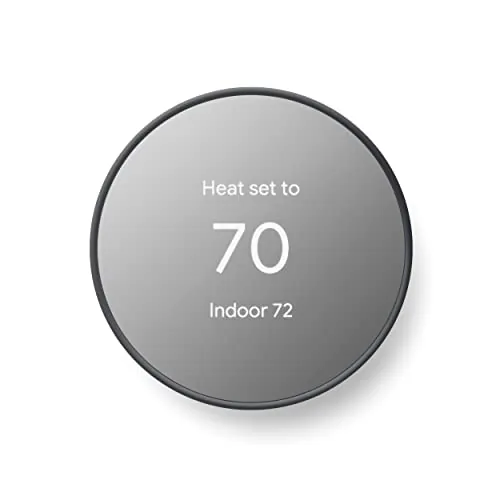
Amazon Smart Thermostat vs Google Nest: Check HVAC Fit Before You Buy
Amazon’s S6ED3R is controlled and set up through Alexa and requires a C wire or a separately sold power adapter. The standard Google Nest Thermostat uses Google Home and may work without a C wire in many homes, but some HVAC systems need a C wire or compatible power accessory. Run the exact-system compatibility check before choosing either model.
Read comparison