
Products compared
Amazon
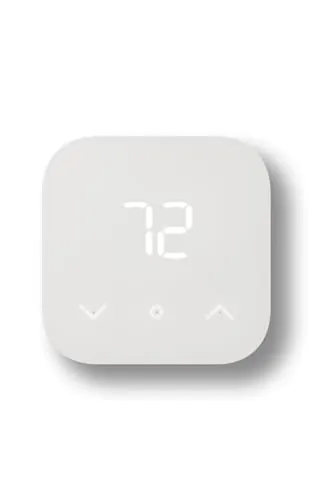
Amazon Smart Thermostat
U.S. Amazon Smart Thermostat model S6ED3R, one-pack. Amazon’s setup material describes Alexa-app setup and a C-wire or compatible adapter power path.
Model S6ED3R
Amazon ASIN B08J4C8871
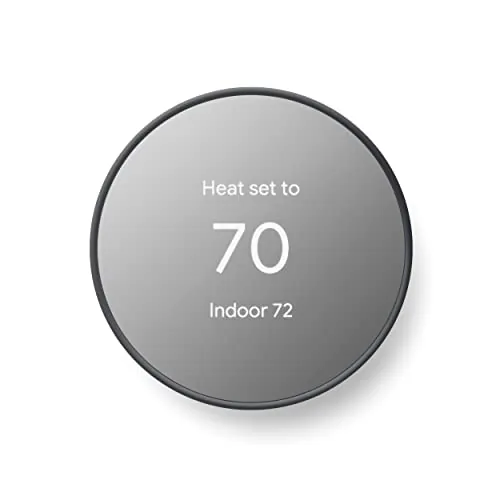
Google Nest Thermostat (Charcoal)
U.S. Charcoal standard Nest Thermostat (not Nest Learning Thermostat), model GA02081-CA / G4CVZ. Google specifies Google Home for app setup and says C-wire need depends on the HVAC system.
Model GA02081-CA / G4CVZ
Amazon ASIN B08HRPDBFF
Differences that matter
What matters most to you?
Choose a priority to see what it changes.
Sources for App for setup and routine control
Sources for C-wire and separate power accessory
Sources for HVAC compatibility boundary
Start with your HVAC system, not the thermostat badge
These are low-voltage smart thermostats, and neither manufacturer’s general description can determine whether a particular furnace, heat pump, boiler or zone setup is supported. Amazon directs buyers to check compatibility before setup and says its unit does not work with 110–240 V HVAC systems. Google likewise recommends its system checker and identifies high-voltage baseboard systems as incompatible for direct installation.
If you are unsure what system the current thermostat controls, stop before ordering. Use the exact manufacturer checker or ask an HVAC professional; this comparison does not provide wiring steps.
The app preference is real, but it is not the whole ecosystem
Amazon’s setup guidance uses Alexa for guided setup and thermostat controls. Google lists Google Home as a requirement for the standard Nest Thermostat, while its specifications also list Alexa voice control when paired with a compatible device. Choose the app you expect to use day to day, but do not read that as an exclusive voice-assistant boundary.
C-wire check: Amazon requires a confirmed power path; Nest varies by system
Amazon’s listing and setup instructions require a C-wire power connection or a compatible, separately sold adapter. The standard Nest is designed to work without a C wire in many homes, but Google says some systems—including certain heating-only, cooling-only, zone-controlled and heat-pump configurations—need a C wire or compatible accessory. That is a system-specific distinction, not a guarantee that Nest will work wire-free in your house.
Before purchase, record the exact HVAC type and use each maker’s checker. Confirm any named power accessory is compatible and whether it is sold separately. Do not proceed based only on the wire labels or the general model description.
A practical before-you-buy checklist
1. Identify the HVAC equipment and system type using its documentation or a qualified professional. 2. Run that exact system through both manufacturer compatibility checkers. 3. Note whether each result requires a C wire or separate compatible power accessory. 4. Choose the app you actually want for schedules and everyday controls. 5. Check the exact U.S. retailer offer for model, color and included accessories; Google lists optional mounting plates separately, so verify them if your wall opening or electrical box needs one.
Product details
Amazon Smart Thermostat
Before you buy
Community discussions
Confirming apartment HVAC compatibility before ordering
Amazon Smart Thermostat
A renter considering Amazon’s Smart Thermostat has an unidentified HVAC system and wants to confirm compatibility before buying or asking the landlord.
What to check
Identify the existing HVAC equipment and check the thermostat maker’s compatibility requirements with the owner or installer before ordering.
Common questions
Does the Amazon Smart Thermostat work without a C wire?
Amazon says its thermostat needs a C-wire power connection or compatible separate power adapter. Check the exact HVAC system with Amazon before ordering; the adapter is not the same as an included in-box item.Amazon Smart Thermostat product pageConnect the Wiring for Your Amazon Smart Thermostat
Does the standard Google Nest Thermostat always work without a C wire?
No. Google says it is designed to work without one in many homes, but some heating-only, cooling-only, zone-controlled and heat-pump systems need a C wire or compatible power accessory. Use Google’s compatibility check for the exact HVAC system.Learn about the common or C wireNest thermostat compatibility
Which app controls each thermostat?
Amazon setup uses the Alexa app. Google lists the Google Home app as a requirement for the standard Nest Thermostat and also documents Alexa voice control when paired with a compatible device.Connect the Wiring for Your Amazon Smart ThermostatNest Thermostat Tech Specs — U.S.
Are these direct replacements for electric baseboard thermostats?
Do not assume so. Amazon says its model is not compatible with 110–240 V HVAC systems; Google identifies high-voltage systems such as electric baseboard heat as incompatible for direct Nest installation. Check the exact system with the manufacturer or an HVAC professional.Amazon Smart Thermostat product pageNest thermostat compatibility
Sources and scope
Check each manufacturer’s compatibility tool with your system type and existing thermostat wire labels. Use the installation guide for the exact model you select.
Related comparisons
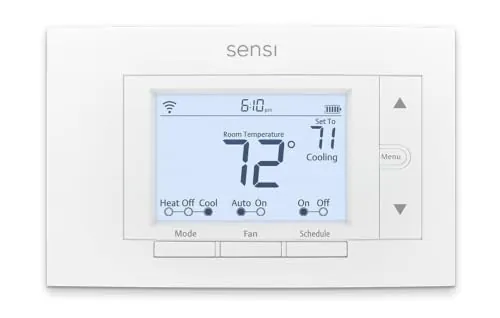
Amazon Smart Thermostat S6ED3R vs Sensi ST55: C-Wire and Schedule Fit
For these exact US thermostats, compatibility comes before app preference. Amazon requires C-wire power unless Amazon confirms its separately purchased adapter will work; ST55 can avoid a C-wire on conventional heat-and-cool systems, but other system types and HomeKit require one. If both qualify, Amazon puts schedule setup in Alexa, while ST55 supports a basic seven-day, four-setpoint wall schedule with Wi-Fi off.
Read comparison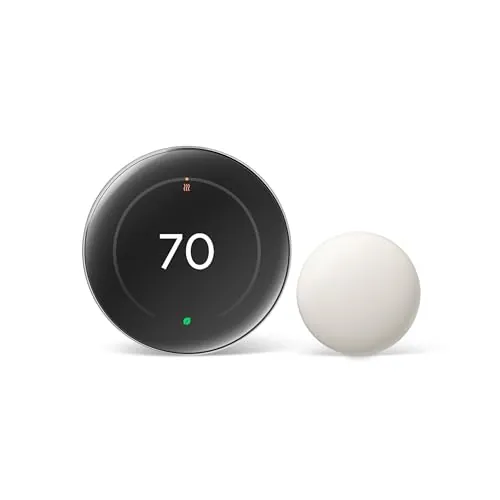
Amazon Smart Thermostat vs Nest Learning Thermostat (4th Gen): Wiring, Apps, and Sensors
These U.S. thermostats differ in setup app, C-wire guidance, and external temperature-sensor options. Amazon's model S6ED3R uses the Alexa app and supports certain separate Echo sensors; the selected Google Nest 4th-gen bundle includes one 2nd-gen Nest Temperature Sensor and requires Google Home for setup. Run each maker's compatibility check for your own HVAC before choosing.
Read comparison