
Products compared
Anker
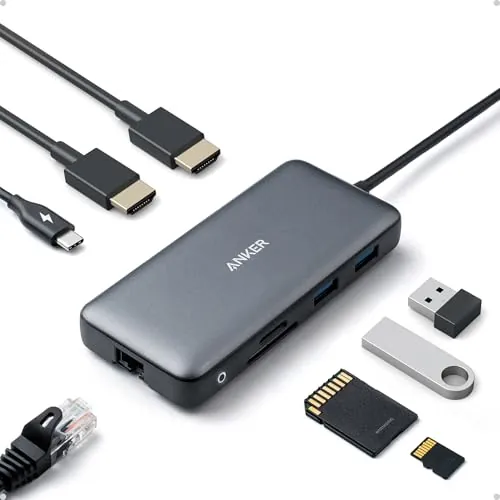
Anker 553 USB-C Hub (8-in-1)
Gray U.S.-tracked listing. listed model code A83800A1; maker pages identify the 553 / A8380 hub family.
Model A83800A1
Amazon ASIN B0874M3KW4
Anker
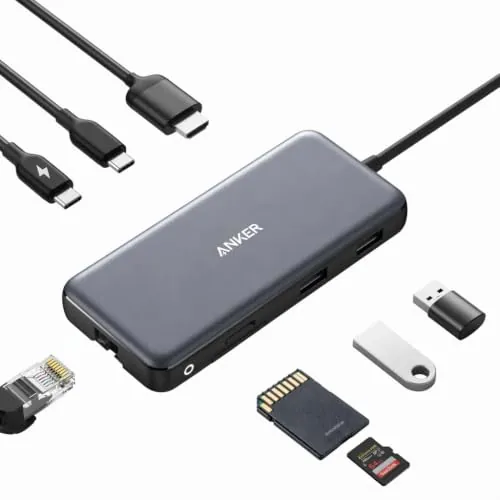
Anker 555 USB-C Hub (8-in-1)
Gray U.S.-tracked listing. listed model code A83830A1; Anker U.S. identifies the 555 base model as A8383.
Model A83830A1
Amazon ASIN B087QZVQJX
Differences that matter
What matters most to you?
Choose a priority to see what it changes.
Sources for USB-C connector role
Sources for Listed USB data-link rates
Sources for USB-C power input and laptop pass-through
Start with the display arrangement, not the port count
The Anker 553 A83800A1 offers two HDMI outputs; the Anker 555 A83830A1 offers one. That does not make the 553 a universal dual-monitor answer. Anker says the 553 needs a host USB-C port with DP Alt Mode, and Mac external displays mirror. For Windows, Anker's U.S. page lists dual 2K60 with DP 1.4 or dual 1080p60 with DP 1.2. The Japan page for the exact A83800A1 code describes different HDMI mode limits. Since these Anker tables disagree, confirm your exact laptop, OS, displays, and requested mode with Anker before buying around a particular resolution or refresh rate.
Anker lists the 555's single HDMI output up to 4K60. Its USB-C data socket is not a video port. Treat 4K60 as the hub's listed capability, not a guarantee that every laptop, cable, and monitor combination will negotiate that mode.
Match the USB-C socket to the device you want to plug in
The 553's USB-C port is the PD input: use it to feed power into the hub for laptop pass-through, not to connect a USB-C storage device or second screen. It exposes two USB-A data ports rated up to 5Gbps. The 555 separates power from data: it has one PD input, one USB-C data port, and two USB-A data ports, with its three data ports rated up to 10Gbps by Anker. Those ratings describe link ceilings; no copy-speed or concurrent-load test is claimed here.
This is the practical choice: choose the 555 if a USB-C peripheral is part of the desk setup and one HDMI display is enough. Choose the 553 if the second HDMI socket matters and your host can provide the display layout you need.
Check power separately from the data and video ports
Both makers' pages describe PD input up to 100W and laptop pass-through up to 85W, with about 15W reserved for hub operation. Reaching that listed ceiling requires an appropriate 100W PD source and USB-C cable; the laptop and power negotiation determine what is actually delivered. The 85W figure should not be treated as guaranteed charging speed. Check whether the exact marketplace package includes a charger and cable before relying on them.
The PD input is distinct from the host connection and the 555's USB-C data port. A port being USB-C shaped does not tell you whether it accepts power, carries data, or outputs video; follow the model-specific port labels.
When neither hub fits
Keep comparing if you need two independent external Mac desktops, both a second HDMI and a USB-C data peripheral, or a specific dual-display mode that Anker has not confirmed for your exact host. Also look elsewhere if your laptop needs more power than the documented 85W pass-through ceiling. A hub's port count and maximum ratings cannot fill in an unsupported host/OS combination.
Product details
Anker 553 USB-C Hub (8-in-1)
Choose this hub when two HDMI sockets are important and your exact laptop/OS can provide the display arrangement you need. Its USB-C port is for PD input, not a USB-C data peripheral.
- Video ports
- Two HDMI outputs. Anker U.S. lists a single display up to 4K60 and Windows dual-display modes that depend on host DP version; Mac external displays mirror. Source
- USB-C role
- USB-C PD input for pass-through charging; Anker's exact A83800A1 product page says this port is not for data transfer or video. Source
- USB data links
- Two USB-A data ports, rated up to 5Gbps by Anker. Source
- Laptop power pass-through
- Up to 85W to the laptop from a 100W PD input, with 15W allocated to the hub; source and cable requirements apply. Source
Anker 555 USB-C Hub (8-in-1)
Choose this hub when one HDMI display is enough and you want a native USB-C data connection alongside USB-A. Its USB-C data socket is not another display output; laptop power uses a separate PD input.
- Video ports
- One HDMI output, specified up to 4K60; the USB-C data port does not output video. Source
- USB-C data port
- One separate USB-C data port rated up to 10Gbps; Anker says it does not output video or charge devices. Source
- USB-A data ports
- Two ports, each listed up to 10Gbps. Source
- Laptop power pass-through
- Up to 85W to the laptop after 15W hub operation from up to 100W PD input; charger is not included on Anker's base-model product page. Source
Before you buy
Community discussions
Match the hub to each computer’s port plan
Anker 553 USB-C Hub (8-in-1)
A buyer linked both the Anker PowerExpand 8-in-1 and 555 8-in-1 while choosing hubs for a MacBook Air M2 and MacBook Pro M2 14-inch, and asked how the models differ.
What to check
Check the exact model code and map each computer’s display and peripheral cables to the selected hub’s listed ports before checkout.
Common questions
Can the Anker 555's USB-C data port drive a second monitor?
No. Anker lists the 555's video output on its single HDMI port and explicitly says its USB-C data port does not support video. Use another hub or dock if you need a second display output.Anker 555 USB-C Hub (8-in-1), U.S. product page
Will the 553 give a Mac two separate external desktops?
Anker says the 553's two HDMI-connected external monitors mirror on Mac rather than showing separate images. If independent desktops are required, do not choose it on the strength of the two HDMI sockets alone.Anker 553 USB-C Hub (8-in-1), U.S. product pageAnker PowerExpand 8-in-1 USB-C PD Media Hub, A83800A1 (Anker Japan official page)
Do either of these hubs guarantee 85W charging or the full HDMI mode with every laptop?
No. Anker lists up to 85W laptop pass-through from a 100W PD input after hub power, and the 553's U.S. display modes depend on host DP version. Check laptop video and power requirements, cable capability, and exact seller bundle before purchase; these are specifications, not compatibility tests.Anker 553 USB-C Hub (8-in-1), U.S. product pageAnker 555 USB-C Hub (8-in-1), U.S. product page
Sources and scope
Specifications-based guide; no host/device matrix, file-transfer, simultaneous-load, or charging tests were performed. Anker's U.S. 553 display-mode table differs from an Anker Japan listing for the same A83800A1 code, so confirm your exact laptop, operating system, and monitor mode with Anker before relying on a dual-display resolution. The manufacturer documentation covers base hub models; it does not independently establish every marketplace package or seller bundle detail for these exact ASINs.
Related comparisons
Plugable UD-3900PDZ vs Anker 575: Mac Displays and Desk Ports
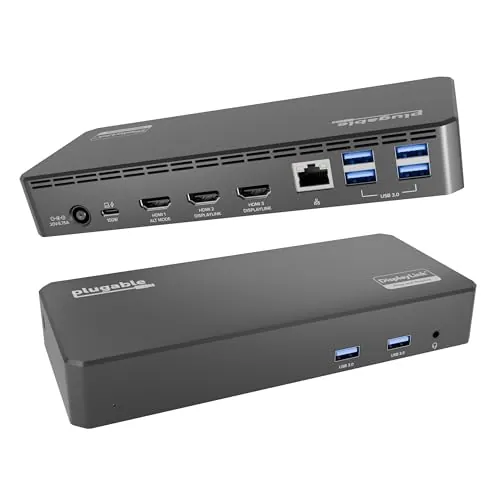
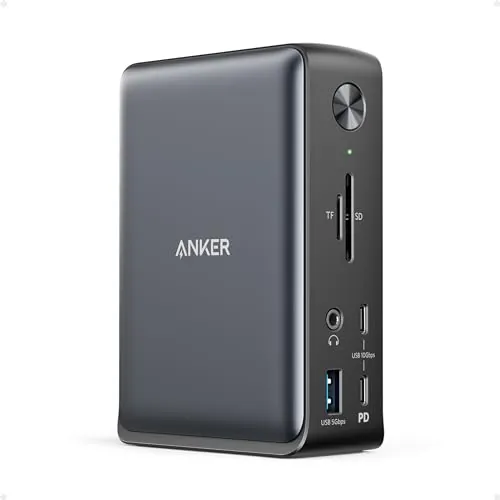
The Plugable UD-3900PDZ is the option to investigate when you need separate workspaces on multiple external Mac displays and can install DisplayLink Manager with its required macOS permission. Anker 575's screens connected through the dock mirror each other on Mac; it suits a single or mirrored external workspace when its USB-C, card-reader and other ports fit your desk.
Read comparison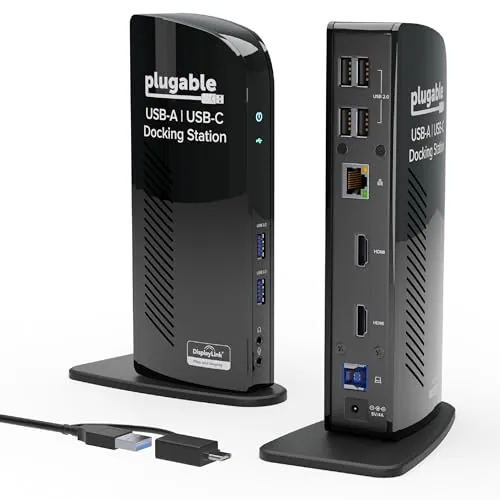
Plugable UD-3900PDZ vs UD-3900: Displays, Drivers and Laptop Charging
The UD-3900PDZ combines one HDMI output fed by USB-C DisplayPort Alt Mode with two DisplayLink outputs and can supply up to 60W or 100W to a compatible laptop, depending on the revision. The dual-HDMI UD-3900 uses DisplayLink for both outputs, connects by USB-A or USB-C, and leaves charging to the laptop’s own adapter. Confirm your display modes, driver access and the label on the exact dock before buying.
Read comparison