
Products compared
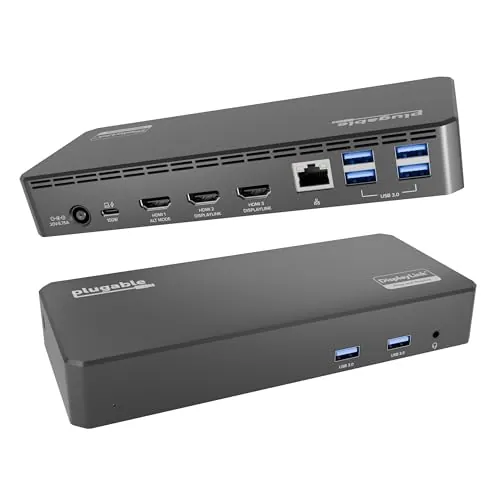
Plugable
Plugable USB-C Triple Display Docking Station
Three HDMI sockets do not use the same path: HDMI 1 takes the laptop's USB-C DisplayPort Alt Mode signal; HDMI 2 and 3 use DisplayLink software. The same model name covers 60W and 100W charging revisions.
Model UD-3900PDZ
Amazon ASIN B08DDH5CPW
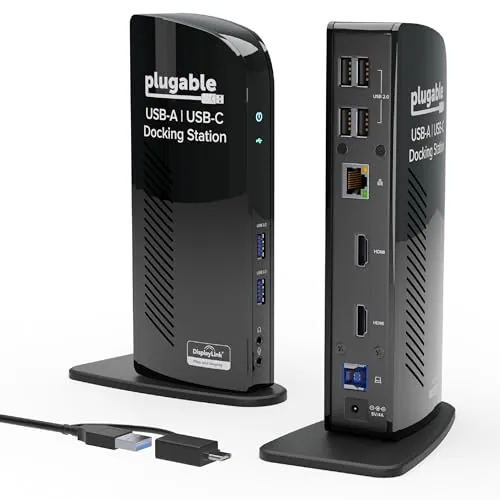
Plugable
Plugable Universal Dual Monitor Docking Station
The compared configuration has two HDMI outputs driven by DisplayLink. Its hybrid host cable connects over USB-A or USB-C data, but the dock does not charge the laptop. Plugable has also sold an older UD-3900 with HDMI plus DVI, so verify the rear-panel sockets if buying old or used stock.
Model UD-3900 (dual-HDMI revision)
Amazon ASIN B00ECDM78E
Differences that matter
Sources for How the monitor signal reaches the HDMI sockets
Start with your laptop's video path
The UD-3900PDZ's three HDMI ports are not interchangeable. HDMI 1 takes video from a laptop's USB-C DisplayPort Alt Mode connection; HDMI 2 and HDMI 3 use DisplayLink. That makes the PDZ the only one here with a documented native-video fallback, but that fallback is one output, not a driver-free three-screen setup.
The UD-3900's two HDMI outputs both depend on DisplayLink. Its USB-A/USB-C host cable describes the data connection; plugging into USB-C does not make either display output native Alt Mode. For either dock, ask whether the operating-system version and workplace policy allow the required driver and permissions before selecting a two-screen workflow.
Match each monitor to a port, not just to a dock name
For the current UD-3900, Plugable lists two HDMI displays at up to 1920×1200 and 60Hz, or one at up to 2560×1440 and 50Hz; it states that 4K is not supported. The current product page identifies the selected comparison configuration as the two-HDMI revision, but older UD-3900 units have an HDMI-plus-DVI layout.
For the PDZ, Plugable lists up to 4K at 30Hz on HDMI 1 and up to 1080p at 60Hz on HDMI 2/3 in its technical specifications. Its exact-model routing article separately lists a 1920×1200 maximum for the DisplayLink outputs. Because those statements differ on the same product, do not rely on 1920×1200 for those ports until Plugable confirms it for your display and setup.
Separate the display decision from the charging decision
The PDZ can charge a compatible USB-C laptop, but its wattage depends on the unit. Plugable's support article says the 60W revision can replace a notebook adapter rated up to 65W, while the 100W revision can replace one rated up to 100W. Check the rear-port or package label, then compare that number with the laptop's own charging requirement; USB-C Power Delivery is not established by connector shape alone.
The UD-3900 has its own power adapter for the dock but does not power the host laptop. Plan on a separate charger even when the host cable uses USB-C. If removing the laptop charger is the deciding factor, the precise PDZ revision and the laptop's input requirement matter more than the product-family name.
A four-check decision before you order
1. Write down the laptop model, host port capabilities and required charging wattage. 2. Confirm DisplayLink is allowed for every screen that will use it. 3. Map the monitor inputs and required resolution/refresh to named dock outputs, getting written clarification for the PDZ's conflicting 1920×1200 listing if needed. 4. Confirm the exact PDZ charging label or, for UD-3900, the rear HDMI/DVI layout in the seller's unit.
If your setup needs one native HDMI signal plus optional DisplayLink screens, or a verified PDZ charging level, evaluate the UD-3900PDZ. If USB-A host data, two DisplayLink-driven HDMI outputs and separate laptop power match the desk, the UD-3900 is the simpler fit. If neither path satisfies your IT policy or display mode, keep looking rather than assuming another USB-C adapter will change the dock's signal path.
Product details
Plugable USB-C Triple Display Docking Station
- Video paths
- HDMI 1 uses host DisplayPort Alt Mode; HDMI 2 and 3 use DisplayLink. The manufacturer lists HDMI 1 up to 4K at 30Hz and lower modes up to 60Hz. Its page's mode table and exact routing article differ on the two DisplayLink outputs' 1920×1200 listing, so confirm that mode if required. Source
- Host charging
- Two hardware revisions exist under this model name: up to 60W or up to 100W USB Power Delivery. Check the box or the rear host-port label on the actual unit and compare with the laptop's charging requirement. Source
Plugable Universal Dual Monitor Docking Station
Before you buy
Community discussions
Checking display connections and charging separately
Plugable USB-C Triple Display Docking Station
A buyer considering the Plugable UD-3900PDZ wants to connect two external monitors to an M1 MacBook Air and asks about laptop charging.
What to check
Map each monitor to a dock output, then check the laptop’s charging requirements as a separate part of your setup.
Common questions
Can the UD-3900PDZ run monitors without DisplayLink?
Plugable says only HDMI 1 works without DisplayLink, and that output needs DisplayPort Alt Mode from the laptop's USB-C port. HDMI 2 and HDMI 3 use DisplayLink software, so the dock's three sockets do not mean three native-video outputs.Plugable USB-C Triple Monitor Docking Station (UD-3900PDZ): specifications and FAQsWhat technology drives each of the display outputs within the UD-3900PDZ?
Will the UD-3900 charge a laptop through its USB-C cable?
No. Plugable says the UD-3900 does not charge the host computer; continue using the laptop's separate charger.Plugable Universal Dual Monitor Docking Station (UD-3900)
How can I tell whether a UD-3900 is the dual-HDMI version?
Check the back of the dock: the current revision has two HDMI outputs, while the legacy revision has one HDMI and one DVI. Plugable also documents serial-number identification for the revisions.Which version of the UD-3900 model docking station do I have?
Does the UD-3900PDZ always provide 100W to the laptop?
No. Plugable documents earlier 60W units and an updated 100W revision under the same model name. Check the package or rear host-port label and confirm the laptop accepts the available USB-C Power Delivery level.Did I get the wrong version of the UD-3900PDZ? 60W vs. 100W charging
Sources and scope
- Plugable USB-C Triple Monitor Docking Station (UD-3900PDZ): specifications and FAQs
- What technology drives each of the display outputs within the UD-3900PDZ?
- Did I get the wrong version of the UD-3900PDZ? 60W vs. 100W charging
- Plugable Universal Dual Monitor Docking Station (UD-3900)
- Which version of the UD-3900 model docking station do I have?
Related comparisons
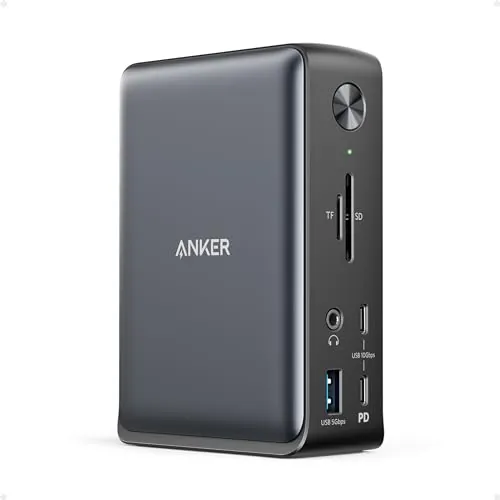
Plugable UD-3900PDZ vs Anker 575: Mac Displays and Desk Ports
The Plugable UD-3900PDZ is the option to investigate when you need separate workspaces on multiple external Mac displays and can install DisplayLink Manager with its required macOS permission. Anker 575's screens connected through the dock mirror each other on Mac; it suits a single or mirrored external workspace when its USB-C, card-reader and other ports fit your desk.
Read comparison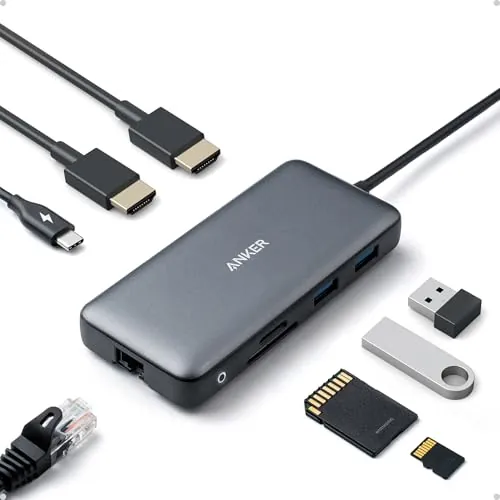
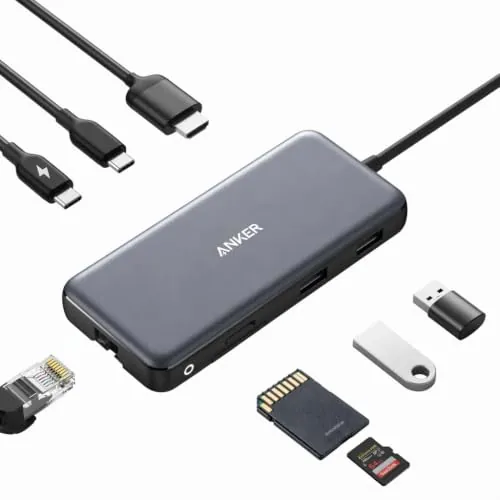
Anker 553 A83800A1 vs 555 A83830A1: Dual HDMI or USB-C Data?
The gray Anker 553 listing (A83800A1) has two HDMI outputs and a USB-C PD input, while the Anker 555 listing (A83830A1) has one HDMI output, a separate USB-C data port, and a USB-C PD input. That port trade-off changes the setup: choose the 553 only after checking your host and exact two-display mode; choose the 555 when one external display plus a USB-C peripheral matters more. Neither hub's printed link rates promise a particular transfer result or host display mode.
Read comparison