
Products compared
Plugable
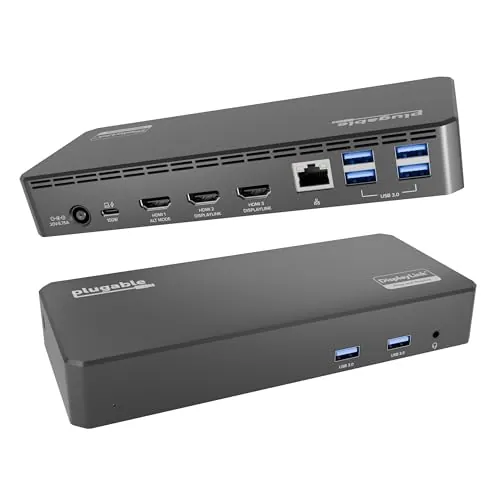
Plugable USB-C Triple Display Docking Station
Exact Plugable UD-3900PDZ; HDMI 1 uses host DisplayPort Alt Mode, while HDMI 2 and 3 use DisplayLink.
Model UD-3900PDZ
Amazon ASIN B08DDH5CPW
Anker
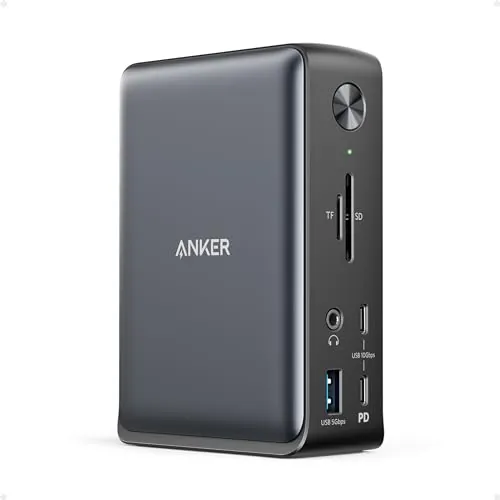
Anker 575 USB-C Docking Station (13-in-1)
listing data-selected Anker 575 SKU A83921A1. The listing data finish wording differs from manufacturer naming, so finish is not used as a comparison claim.
Model A83921A1
Amazon ASIN B088F7SY6S
Differences that matter
What matters most to you?
Choose a priority to see what it changes.
Sources for Separate external Mac workspaces
Sources for Software and Mac permission
Sources for Direct desk peripherals
Start with the Mac display result you need
If you want different apps on two or three external displays, the UD-3900PDZ has a documented Mac route: one HDMI output uses the Mac's video-capable USB-C connection and the other two use DisplayLink. The driver has to be installed and allowed to send display data through macOS Screen Recording permission. A work-managed Mac may need administrator approval.
The Anker 575 takes a simpler Mac route, but its three video sockets should not be read as three independent external workspaces. Anker says the dock uses SST on macOS, so its connected external displays repeat one another. That repeated external desktop can still differ from the Mac's built-in screen, which can be enough for one external workspace or a mirrored pair.
Match each monitor to its output
On Plugable, HDMI 1 is the native Alt Mode path; HDMI 2 and 3 are the DisplayLink paths. The main technical spec lists HDMI 1 up to 4K/30Hz and HDMI 2/3 up to 1080p/60Hz. Its comparison table separately lists 1920×1200 for HDMI 2/3, so a buyer who depends on that mode should confirm the exact combination with Plugable before ordering.
Anker's two HDMI 2.0 ports and DisplayPort provide monitor connector options, but Mac display behavior is still the mirrored external setup Anker documents. Confirm the monitor input and the Mac's USB-C video support rather than choosing by port count alone.
Count the connectors your desk actually uses
Plugable lists six USB-A 5Gbps sockets. Anker's port overview lists three USB-A ports, two downstream USB-C ports, SD and microSD readers, Ethernet and 3.5mm audio. One downstream USB-C port is a charging/data connection; the other is data-only. The dock's upstream host port is not one of those downstream accessory ports.
Write down every device you expect to leave connected: keyboard, mouse, storage, webcam, card, wired network and audio. Then compare connector ends, not the advertised total-port number. A small adapter may be needed if your chosen dock lacks the connector your device uses.
A short pre-buy compatibility check
Record the exact Mac model and macOS version, then verify that its selected USB-C host port supports video. For Anker, confirm DisplayPort Alt Mode; its FAQ says Power Delivery is needed for laptop charging, while lack of Power Delivery does not by itself prevent video and data. Anker says the 575 does not need a driver.
For Plugable, check that DisplayLink Manager is allowed and that the intended HDMI route supports each monitor's required resolution and refresh rate. If the wattage matters, inspect the exact UD-3900PDZ box or rear host-port label: Plugable says the model number stayed the same across its 60W and 100W revisions.
Product details
Plugable USB-C Triple Display Docking Station
UD-3900PDZ divides its three HDMI outputs between one native host-video path and two DisplayLink paths. That is the relevant distinction for a Mac user who wants separate content on more than one external screen; it also makes software approval and the exact monitor mode part of the purchase check.
- Mac external-display route
- One native Alt Mode HDMI output plus two DisplayLink HDMI outputs; the manufacturer documents up to three external displays with DisplayLink installed. Source
- Listed output modes
- Main technical specs list HDMI 1 up to 4K at 30Hz and HDMI 2/3 up to 1080p at 60Hz; the same page's comparison table lists 1920×1200 for HDMI 2/3, so confirm that mode with Plugable if it matters. Source
- Mac software and permission
- DisplayLink software is required for full functionality; macOS requires manual installation and Screen Recording permission for the USB display path. Source
- USB-A sockets
- Six USB-A 5Gbps ports. Source
Anker 575 USB-C Docking Station (13-in-1)
Anker 575 is a better fit to consider when one external Mac workspace or repeated content across external screens is acceptable and the desk benefits from its mix of USB-C, USB-A and memory-card connections. Its three video sockets do not create independent external workspaces on Mac.
- Mac external-display behavior
- Anker says the dock uses SST on macOS: external displays connected through it show the same content as each other, though that content can differ from the Mac's built-in display. Source
- Host connection requirements
- The USB-C host port needs DisplayPort Alt Mode for video; Power Delivery is needed for charging the laptop through the dock. Anker says no driver installation is required. Source
- Desk connections
- Three USB-A ports, two downstream USB-C ports, SD and microSD readers, Ethernet and 3.5mm audio; the laptop's upstream USB-C port is separate. Source
- Laptop charging output
- The upstream host port is listed for up to 85W charging; the exact laptop must support USB-C Power Delivery. Source
Before you buy
Community discussions
A mixed Mac and Windows two-monitor desk
Anker 575 USB-C Docking Station (13-in-1)
A MacBook Pro M1 Pro owner names the Anker 575 A8392 and describes two external monitors that mirrored rather than showing separate displays on the Mac; the same dock and screens worked with a Lenovo laptop. This is one hardware setup, not a universal compatibility result.
What to check
Before buying for two external screens, check the exact Mac model's supported display count and the dock's documented display mode against your intended layout. Confirm each monitor's connection type as well.
Common questions
Does the Anker 575 support MST on a Mac?
Anker says Windows can use MST or SST with separate content on each connected monitor. On Mac, the 575 uses SST, so the external monitors connected through the dock repeat the same content; that external content can differ from the built-in Mac display.What display modes can Anker 575 USB-C Docking Station support?
Does the Plugable UD-3900PDZ need permission on macOS?
Yes. Plugable says full functionality requires DisplayLink software, installed manually on macOS, and Screen Recording permission for its USB graphics path. Without DisplayLink, only the native Alt Mode HDMI output works; managed devices may need administrator approval.UD-3900PDZ USB-C Triple Monitor Docking Station: specifications and FAQs
Are all three Plugable HDMI outputs equivalent?
No. HDMI 1 uses host DisplayPort Alt Mode while HDMI 2 and 3 use DisplayLink. Plugable's main technical specs list up to 4K/30Hz on HDMI 1 and 1080p/60Hz on HDMI 2/3, but a comparison table on the same page lists 1920×1200 for HDMI 2/3. If 1920×1200 is required, confirm it with Plugable for the exact setup.UD-3900PDZ USB-C Triple Monitor Docking Station: specifications and FAQs
Sources and scope
Related comparisons
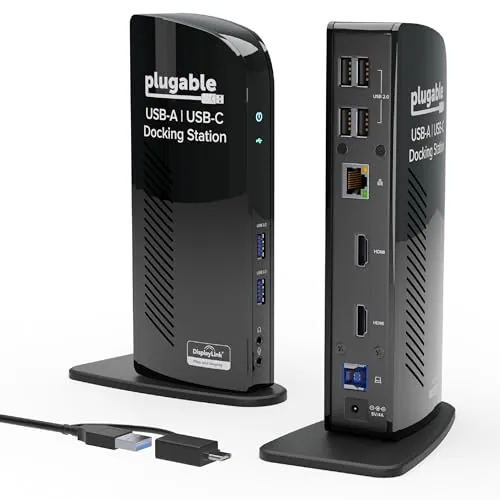
Plugable UD-3900PDZ vs UD-3900: Displays, Drivers and Laptop Charging
The UD-3900PDZ combines one HDMI output fed by USB-C DisplayPort Alt Mode with two DisplayLink outputs and can supply up to 60W or 100W to a compatible laptop, depending on the revision. The dual-HDMI UD-3900 uses DisplayLink for both outputs, connects by USB-A or USB-C, and leaves charging to the laptop’s own adapter. Confirm your display modes, driver access and the label on the exact dock before buying.
Read comparison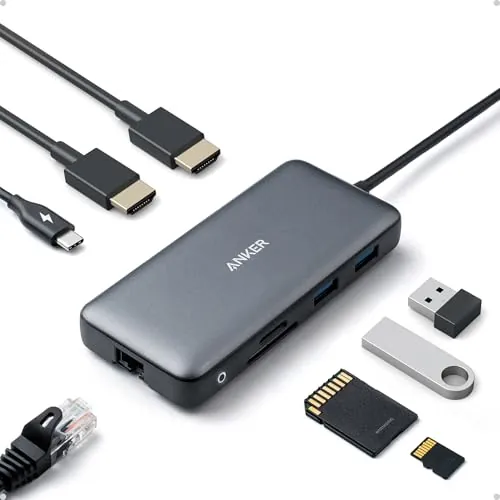
Anker 553 A83800A1 vs 555 A83830A1: Dual HDMI or USB-C Data?
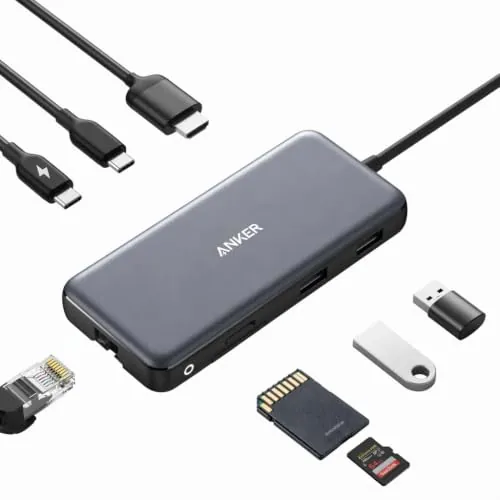
The gray Anker 553 listing (A83800A1) has two HDMI outputs and a USB-C PD input, while the Anker 555 listing (A83830A1) has one HDMI output, a separate USB-C data port, and a USB-C PD input. That port trade-off changes the setup: choose the 553 only after checking your host and exact two-display mode; choose the 555 when one external display plus a USB-C peripheral matters more. Neither hub's printed link rates promise a particular transfer result or host display mode.
Read comparison