
Products compared
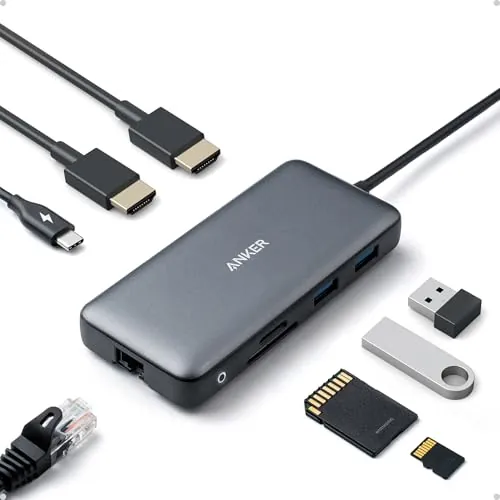
Anker
Anker PowerExpand 8-in-1 USB-C PD Media Hub
Anker 553 USB-C hub. The U.S. model in this comparison is A83800A1.
Model A8380 / A83800A1
Amazon ASIN B0874M3KW4
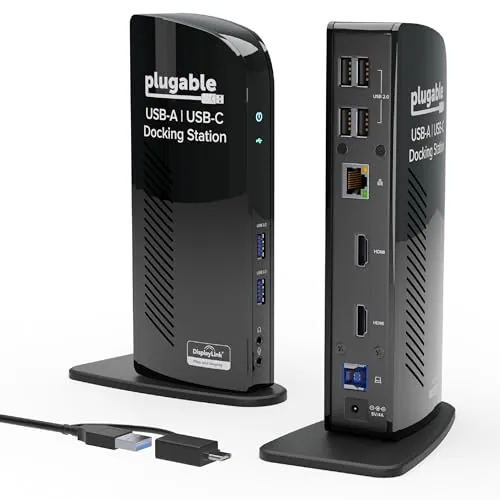
Plugable
Plugable Universal Dual Monitor Docking Station
The updated Plugable UD-3900 has two HDMI outputs. Check the ports in the exact listing before ordering because the original UD-3900 has HDMI and DVI.
Model UD-3900
Amazon ASIN B00ECDM78E
Differences that matter
What matters most to you?
Choose a priority to see what it changes.
Sources for What the laptop port must provide
Sources for Two-screen modes and display limits
Sources for Whether the dock connection charges the laptop
Sources for Which UD-3900 is in the seller's box
Start with the laptop's video path
The Anker A8380 is a USB-C hub whose HDMI output depends on the laptop providing DisplayPort Alt Mode over that port. Anker's page says the host's DisplayPort version determines the available output modes. Before choosing it, check the exact computer specification for DP Alt Mode and DP version; a USB-C-shaped port alone does not establish video support.
The updated Plugable UD-3900 takes video over a USB data connection using DisplayLink. Its supplied hybrid cable connects to USB-A or USB-C, and Plugable lists Windows 10 and 11 with the required display driver installable through Windows Update. That route may fit a laptop with USB-A or a USB-C data port without the Anker video mode, but it still depends on DisplayLink software. For a managed work computer, ask whether that driver is allowed.
Match the published dual-screen modes to your monitors
Anker lists two HDMI outputs and gives different dual-monitor modes for Windows: up to 2K at 60 Hz with a DP 1.4 host or 1080p at 60 Hz with DP 1.2. The same page warns that the host's DP version controls the actual resolution and that its HDMI monitors mirror on Mac laptops. This guide therefore does not treat two sockets as a promise of two independent extended screens on every host.
Plugable lists dual HDMI output up to 1920 × 1200 at 60 Hz and says 4K is not supported on the UD-3900. It describes the dock for productivity use and excludes gaming and HDCP-protected playback. Put the native mode you need for each screen in a note, then check that against the exact laptop plus dock combination rather than relying on a general 'dual monitor' label.
Treat laptop charging as a separate decision
A8380 lists up to 100 W PD input and up to 85 W to a laptop, with a 100 W PD wall charger and USB-C-to-USB-C cable required. This can match a desk that wants hub functions and compatible PD power through the hub connection; verify the laptop's input requirements and required equipment before checkout.
UD-3900 does not charge its host computer. Plugable says the laptop's own power adapter must be connected separately. If one-cable laptop charging is essential, that rules out UD-3900 for this need; if you already keep the laptop charger at the desk, it may not be a deciding factor. These are documented connection arrangements, not a charging-speed comparison.
Verify the UD-3900 version before ordering
Plugable has sold two versions under the UD-3900 name. The original has HDMI and DVI. The February 2025 revision has two HDMI outputs. Check the exact description or a rear-port photo if you need two HDMI sockets.
The practical pre-buy sequence is: confirm the laptop port, compare its two-screen mode with your monitors, decide whether the dock must charge the laptop, then verify Plugable's physical revision. That resolves the main setup mismatches without claiming one dock is faster or produces a better image.
Product details
Anker PowerExpand 8-in-1 USB-C PD Media Hub
- Video connection
- USB-C host connection; display output requires host DisplayPort Alt Mode. Anker lists dual Windows output up to 2K at 60 Hz with DP 1.4 or 1080p at 60 Hz with DP 1.2. Source
- Host charging
- Up to 100 W PD input and up to 85 W PD output to a laptop; Anker says a 100 W PD wall charger and USB-C-to-USB-C cable are required. Source
- HDMI outputs
- Two HDMI outputs; single-display modes and dual-display modes depend on host DisplayPort version. Anker says macOS mirrors the HDMI displays, so this guide does not make a Mac extended-desktop recommendation. Source
Plugable Universal Dual Monitor Docking Station
- Video connection
- Supplied hybrid USB 3.0/USB-C host data cable; video requires DisplayLink software. Plugable lists Windows 10 and 11 with driver installation through Windows Update. Source
- Listed dual-monitor mode
- Two HDMI displays up to 1920 × 1200 at 60 Hz; Plugable says 4K is not supported. Source
- Host charging
- Does not charge the laptop; Plugable says to connect the laptop manufacturer's power adapter separately. Source
Before you buy
Community discussions
Choosing a hub for two different MacBooks
Anker PowerExpand 8-in-1 USB-C PD Media Hub
A buyer linked both the Anker PowerExpand 8-in-1 and 555 8-in-1 while choosing hubs for a MacBook Air M2 and MacBook Pro M2 14-inch, and asked how the models differ.
What to check
For each computer, list external displays, charging and peripherals. Check the exact host-port requirements and choose the ports you actually need on the dock or hub.
Keeping card and USB access for editing
Anker PowerExpand 8-in-1 USB-C PD Media Hub
A MacBook Air M3 buyer linked the exact Anker 553/PowerExpand ASIN and said USB and SD-card access mattered for video editing and screenwriting.
What to check
List the card type and USB devices on your desk. Verify the exact reader and port layout before choosing a hub for editing work.
Common questions
Will any USB-C laptop port send video through the Anker A8380?
No such universal compatibility is established. Anker says the connected device must support DisplayPort Alt Mode, and its published dual-monitor mode depends on the host's DisplayPort version. Check the exact laptop model and port specification first.Anker 553 USB-C Hub (8-in-1), model A8380 product page and display specifications
Can the Plugable UD-3900 charge my laptop while its dock adapter is connected?
No. Plugable says the dock does not charge the host computer; connect the laptop manufacturer's power adapter separately.Can the UD-3900 Docking Station Charge the Host Computer?
Does Plugable's driver installation through Windows Update mean no DisplayLink software is needed?
No. Plugable lists the UD-3900's dual-HDMI video as driver-required, with Windows 10 and 11 driver installation available through Windows Update. If your organization restricts drivers, confirm permission before buying.Plugable UD-3900 product, Windows compatibility and version details
Are all UD-3900 docks dual HDMI?
No. Plugable documents an original UD-3900 with one HDMI and one DVI, and an updated February 2025 version with two HDMI outputs. Confirm the actual version in the seller's package before ordering.Plugable UD-3900 product, Windows compatibility and version details
Does this comparison promise gaming or Mac display compatibility?
No. Plugable says the UD-3900 is not supported for gaming or HDCP-protected content. Anker says its HDMI displays mirror on Mac laptops, and the manufacturer pages contain different system-specific limits. This guide is scoped to Windows productivity; verify other workflows against current exact host support.Plugable UD-3900 product, Windows compatibility and version detailsAnker 553 USB-C Hub (8-in-1), model A8380 product page and display specifications
Sources and scope
This guide is for Windows laptop productivity setups and uses manufacturer specifications and support guidance. No hands-on display, compatibility, charging, latency, image-quality or reliability testing was performed. USB-C alone does not establish that A8380 can output video: the host port must support DisplayPort Alt Mode. UD-3900's model name covers two physical revisions; confirm the two-HDMI version on the exact seller item. No broad Mac compatibility conclusion is made.
Related comparisons
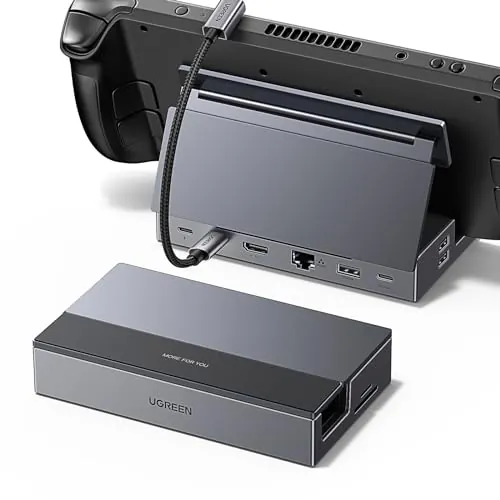
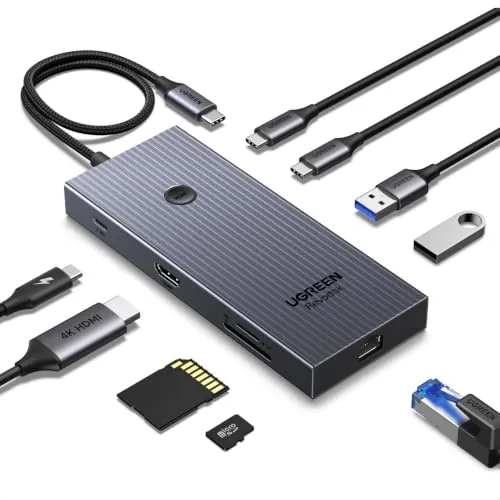
UGREEN 25869 Steam Deck Dock vs Revodok Pro 75028: Stand, Ports and Power
Both assigned UGREEN products are listed by the maker as Steam Deck compatible, but they are not the same kind of desktop setup. The 25869 is an adjustable folding stand dock with one USB-C and one USB-A port labeled 3.1 plus two USB-A 2.0 ports; UGREEN's page does not assign its 10 Gbps figure to individual ports. The Revodok 75028 has a smaller listed hub body and two USB-C data ports, plus a separate USB-C PD input. UGREEN says the 75028 can deliver up to 85 W to a host only with a compatible 100 W charger and cable; both are sold separately. Choose by how you support the handheld, what plugs into the data ports, and how you plan to supply power.
Read comparison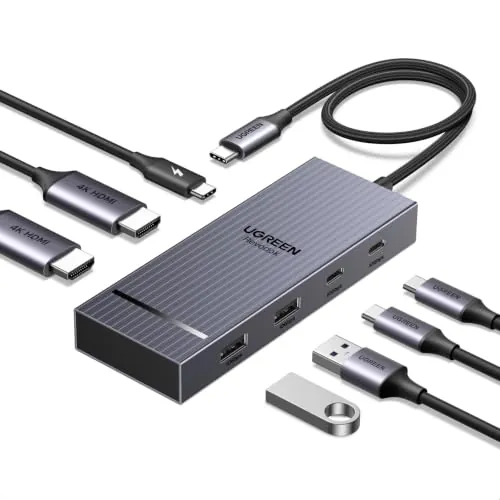
UGREEN Revodok Pro 45365 vs 15534: Choose by Your USB, Network, and Card Workflow
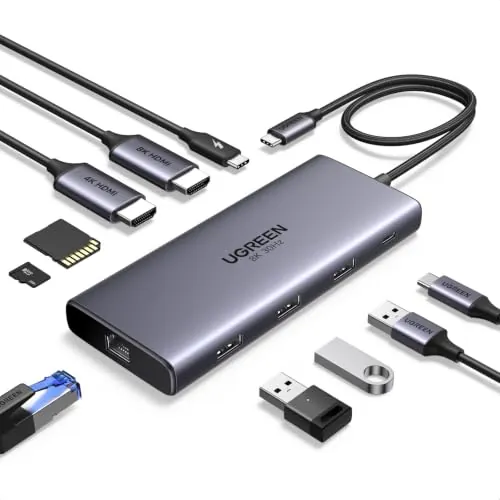
The UGREEN Revodok Pro 45365 lists four USB data ports rated up to 10 Gbps; the Revodok Pro 210 15534 lists a 5 Gbps USB-C and USB-A 3.0 pair, two USB-A 2.0 ports, Gigabit Ethernet, and SD/microSD readers. Both manufacturer pages describe HDMI output and Mac mirroring, and both require a compatible USB-C host. Before ordering, match the exact ASIN and model number to the port diagram: the 45365's public manufacturer pages disagree about Ethernet, while neither exact U.S. Amazon-to-package mapping is confirmed by those pages.
Read comparison