
Products compared
UGREEN
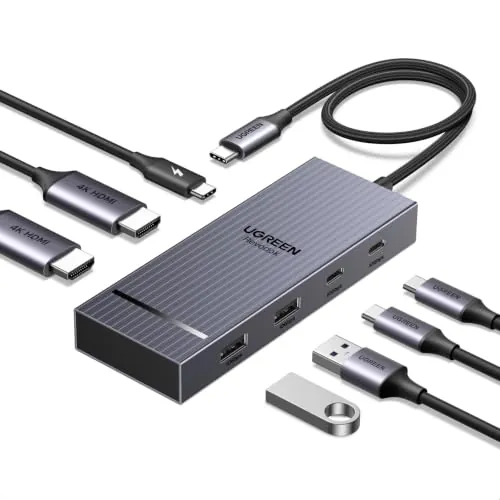
UGREEN Revodok Pro 7-in-1 Docking Station
Confirm that the exact seller offer is model 45365 and compare its port diagram with the connections you need before checkout.
Model 45365
Amazon ASIN B0D1XSKZRJ
UGREEN
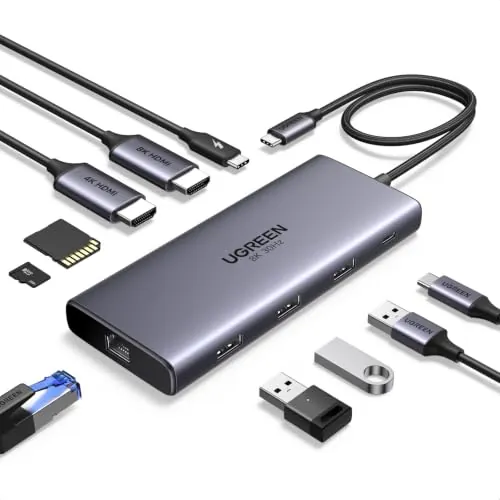
UGREEN Revodok Pro 210 10-in-1 USB-C Hub
Confirm that the exact seller offer is model 15534; check its listing for color and included power accessories before ordering.
Model 15534
Amazon ASIN B0BXDQS4BD
Differences that matter
What matters most to you?
Choose a priority to see what it changes.
Sources for USB data-port mix (manufacturer-rated)
Sources for Display behavior and host conditions
Sources for Power and what to budget separately
Start with the connections you will actually plug in
The core choice is not the 7-in-1 versus 10-in-1 label by itself. On UGREEN's 45365 page, four USB data ports are each listed up to 10 Gbps; the 15534 page gives a different mix: one 5 Gbps USB-C, one 5 Gbps USB-A 3.0, and two USB-A 2.0 ports. If your daily desk setup has several high-link-rate USB peripherals or drives, the 45365's published port mix is the better match on paper. If you mostly attach a keyboard, mouse, and one general-purpose drive, the 15534's slower mix may be enough while leaving its extra ports for other devices. Neither port rating predicts actual file-transfer results.
Draw your desk before ordering: label each device with its connector and required data role, then mark which dock port will serve it. Keep charging separate from data: UGREEN describes each dock's PD port as charging-only, and says the 45365's four fast USB data ports do not charge devices. The 15534's product page likewise says its USB data ports do not provide charging or video output.
Choose Ethernet and card reading only after checking the exact 45365 listing
For camera-card intake and wired networking, the 15534's exact-SKU page is specific: it lists an SD/microSD reader and Gigabit Ethernet. UGREEN's cited Canada page for 45365 instead describes seven connections as two HDMI, four USB data ports, and one PD port, without listing Ethernet or a card reader. However, a second official UGREEN 45365 page advertises Gigabit Ethernet. Because the manufacturer pages conflict, do not treat Ethernet absence or presence as settled for every 45365 offer; compare the exact Amazon ASIN's port diagram and ask the seller if the listing is unclear.
This distinction matters if you want to connect a router by Ethernet or move camera files directly from an SD card without another reader. If the 45365 listing cannot clearly establish the port you need, the 15534 is the clearer documented choice for those connections. The 15534 does not remove the need to verify the actual U.S. package, color, and listing variation.
Check display mode against the laptop, not just the HDMI sockets
Both product pages list two HDMI outputs and advertise up to dual 4K at 60 Hz. The 15534 page also lists a single-screen mode up to 8K at 30 Hz through HDMI 2. Those are manufacturer-stated modes; the pages do not guarantee the same modes with every laptop, operating system, cable, and monitor combination. The 45365 page asks users to check host USB-C capability and says Windows can extend dual screens, while Mac-connected monitors mirror; the 15534 page also states that MacBook displays mirror.
Before buying, write down the laptop model, OS, number of monitors, each monitor's resolution and refresh target, and whether the displays must be independent. Then compare those requirements to the laptop maker's USB-C/Thunderbolt video support and the hub's exact model documentation. If you require two separate Mac desktops, neither cited page establishes that capability.
Budget for charging accessories and confirm the Amazon package
The 15534 page states that it accepts 100 W input and passes through up to 85 W to the laptop, reserving 15 W for other interface operation; it also says the wall charger is not included. The 45365 page labels its port 100 W PD but does not state a matching laptop pass-through output in the cited feature text, and says its charging cable and power adapter are not included. Those figures describe different things, so they are not a direct power-output comparison.
Use the laptop’s power needs and the exact dock instructions to choose a charger and cable. Check whether you already have them, then review the package list for the selected offer; the cited manufacturer pages do not confirm the contents of every U.S. listing.
Product details
UGREEN Revodok Pro 7-in-1 Docking Station
Best fit on paper when the devices you intend to connect can use the 45365's four 10 Gbps-rated USB data ports. Its UGREEN page says Mac-connected displays mirror, and the PD port is for charging rather than data or video. Check the Ethernet discrepancy and exact U.S. box before choosing it for a wired-network setup.
- Listed USB data ports
- Two USB-A and two USB-C ports, each listed up to 10 Gbps; manufacturer says these ports do not provide charging or audio transfer. Source
- Display and PD connections
- Two HDMI ports and one USB-C PD charging-transfer port are listed; charger and charging cable are not included on the cited page. Source
UGREEN Revodok Pro 210 10-in-1 USB-C Hub
A documented match when wired Ethernet and SD/microSD ingest matter more than having four 10 Gbps-rated USB data ports. The cited page says its wall charger is not included and its USB data ports do not charge or output video.
- Listed USB data ports
- One USB-C and one USB-A 3.0 port rated up to 5 Gbps, plus two USB-A 2.0 ports. Source
- Extra desk connections
- The exact-SKU manufacturer page lists Gigabit Ethernet and SD/microSD card readers; it describes up to 85 W laptop pass-through from a 100 W input, with 15 W reserved for other interfaces. Source
Before you buy
Community discussions
One 15534 owner’s work setup uses wired Ethernet
UGREEN Revodok Pro 210 10-in-1 USB-C Hub
In a discussion about finding a hub with Ethernet, a UGREEN 15534 owner says they use it with a wired connection at work.
What to check
If you rely on wired networking, check for an Ethernet port on the exact offer and count how many USB ports your desk setup needs.
Common questions
Which dock has more 10 Gbps USB data ports?
UGREEN lists four on SKU 45365: two USB-A and two USB-C. Its page says these are data ports and do not provide charging or audio transfer. The 15534 page lists one 5 Gbps USB-C data port, one 5 Gbps USB-A 3.0 port, and two USB-A 2.0 ports. Published ratings are not observed transfer speeds.UGREEN Revodok Pro 7-in-1 Docking Station (SKU 45365)UGREEN Revodok Pro 210 10-in-1 USB-C Hub (SKU 15534)
Does the 45365 have Ethernet?
UGREEN's official pages conflict: its Canada 7-in-1 SKU page enumerates HDMI, USB data, and PD but not Ethernet, while another official UGREEN 45365 page advertises Gigabit Ethernet. Verify the exact ASIN's current port diagram or ask the seller before relying on it. The official 15534 page explicitly lists Gigabit Ethernet.UGREEN Revodok Pro 7-in-1 Docking Station (SKU 45365)UGREEN Revodok Pro 45365 UK product pageUGREEN Revodok Pro 210 10-in-1 USB-C Hub (SKU 15534)
Can either hub give a Mac two independent external desktops?
The cited UGREEN pages say Mac-connected displays mirror the same content. If you need separate extended desktops, check the exact Mac model and another dock whose manufacturer explicitly supports that setup; these pages do not establish host-by-host compatibility.UGREEN Revodok Pro 7-in-1 Docking Station (SKU 45365)UGREEN Revodok Pro 210 10-in-1 USB-C Hub (SKU 15534)
Are the 100 W labels equivalent laptop charging output?
No. The 45365 page identifies a 100 W PD charging-transfer port without giving a comparable laptop-output figure. For the 15534, UGREEN specifies 100 W input and up to 85 W pass-through while reserving 15 W for other interfaces. Check the exact computer's power needs and supplied accessories.UGREEN Revodok Pro 7-in-1 Docking Station (SKU 45365)UGREEN Revodok Pro 210 10-in-1 USB-C Hub (SKU 15534)
Sources and scope
UGREEN’s regional pages disagree about Ethernet on the 45365. Check the port diagram for the exact U.S. offer. For both hubs, check the host’s USB-C video support, operating system, display configuration and charging setup.
Related comparisons
Anker A8380 vs Plugable UD-3900: Laptop Video Path and Charging
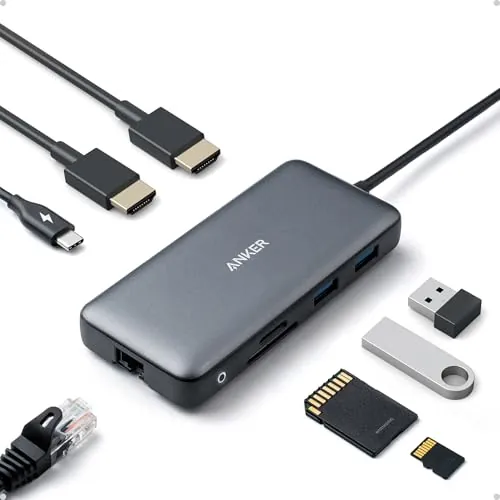
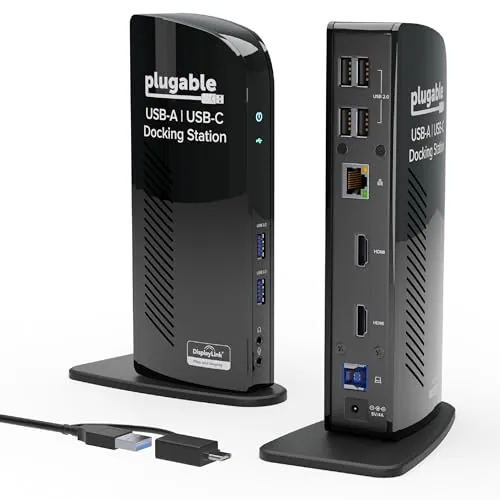
Anker PowerExpand 8-in-1 A8380 and the updated Plugable UD-3900 each support two HDMI displays and use different video paths. The original UD-3900 had one HDMI and one DVI port. A8380 needs USB-C DisplayPort Alt Mode; its listed dual-screen modes depend on the host's DisplayPort version. UD-3900 uses a USB-A/USB-C data connection with DisplayLink software and is listed for two displays up to 1920 × 1200 at 60 Hz. A8380 can pass through up to 85 W from a suitable PD setup; UD-3900 does not charge the laptop. Check your exact port, monitor mode, driver policy and the UD-3900's rear ports before ordering.
Read comparison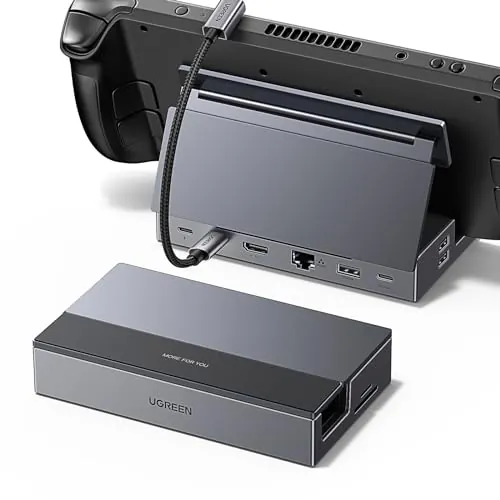
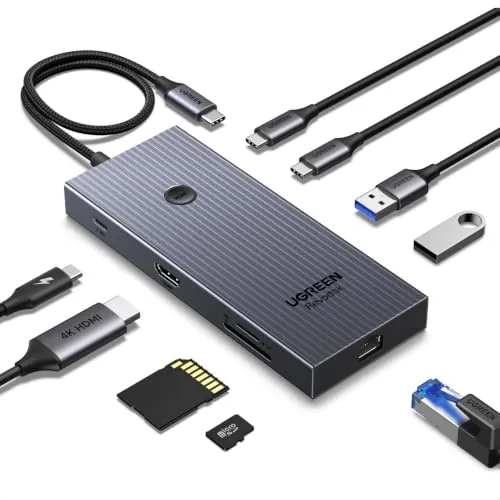
UGREEN 25869 Steam Deck Dock vs Revodok Pro 75028: Stand, Ports and Power
Both assigned UGREEN products are listed by the maker as Steam Deck compatible, but they are not the same kind of desktop setup. The 25869 is an adjustable folding stand dock with one USB-C and one USB-A port labeled 3.1 plus two USB-A 2.0 ports; UGREEN's page does not assign its 10 Gbps figure to individual ports. The Revodok 75028 has a smaller listed hub body and two USB-C data ports, plus a separate USB-C PD input. UGREEN says the 75028 can deliver up to 85 W to a host only with a compatible 100 W charger and cable; both are sold separately. Choose by how you support the handheld, what plugs into the data ports, and how you plan to supply power.
Read comparison