
Products compared
Dell
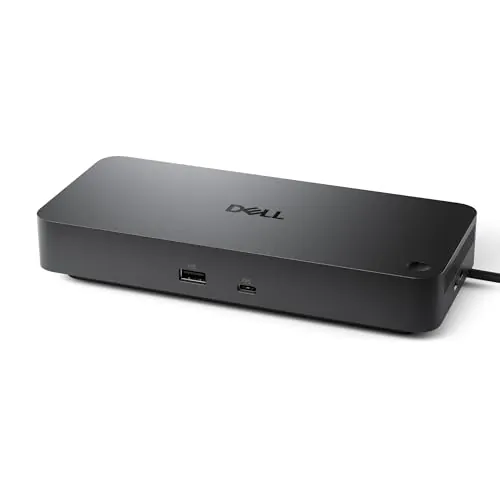
Dell Pro Dock WD25
The Dell Pro WD25 is a powered desktop dock with a fixed host cable routed to either side, multiple video outputs and up to 100 W power delivery on Dell systems (96 W on non-Dell systems). Dell's product page lists Ubuntu and Red Hat versions, but its separate driver-support OS page shows different Linux versions; confirm the exact host release with Dell before relying on Linux support.
Model WD25 (manufacturer part PTC1N)
Amazon ASIN B0FCSHJGGK
Anker
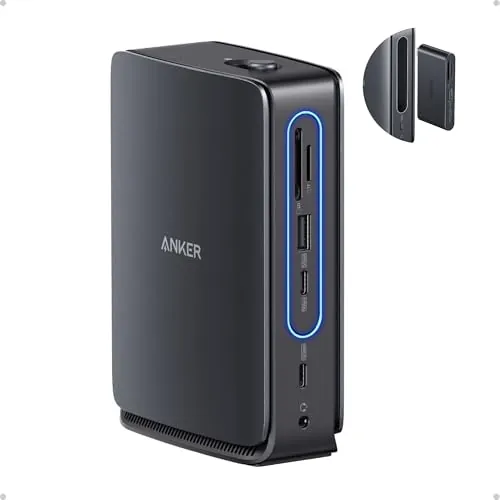
Anker Nano Docking Station (13-in-1, Built-In Removable Hub)
Anker identifies A83C3 as a 13-in-1 dock with a six-port hub that detaches while the dock remains active. Anker lists Windows 10/11 and macOS 13.5 or later, and explicitly says it is not compatible with Linux.
Model A83C3
Amazon ASIN B0FCLC1RMM
Differences that matter
If you want to detach a small hub for mobile use
Anker Nano Docking Station (13-in-1, Built-In Removable Hub) · Anker specifically documents removing its six-port hub while the A83C3 main dock remains active; Dell documents desk cable routing instead.
View A83C3 on Amazon (paid link)Sources for Desk use versus taking a hub along
Start with the laptop, not the dock's maximum
The decisive first check is the exact laptop model and port. Dell's WD25 guide requires USB-C DisplayPort Alt Mode through the host port/controller. Anker's A83C3 compatibility page accepts a host with Thunderbolt 3/4/5, USB4 or DisplayPort Alt Mode, and explains that without Power Delivery it can still carry video and data but will not charge the laptop. If your laptop's specifications call the connector only “USB-C” without describing video and charging capabilities, confirm those details with its manufacturer before choosing either dock.
Next write down your actual screen plan: each monitor's resolution and refresh rate, which HDMI or DisplayPort input it will use, and whether macOS needs separate extended desktops. Anker says A83C3 supports up to three displays, but its dual-4K-at-60-Hz mode requires DSC from both laptop and monitors, and it describes multiple external displays on macOS as mirrored. Dell's WD25 page publishes its own connector/mode combinations and lists four-display support. These are product compatibility claims, not proof that a particular laptop can drive them; use the matching dock table and the laptop's graphics documentation together.
Choose by where the hub needs to be
The A83C3's differentiating workflow is physical: its six-port hub detaches, and Anker says the main dock remains active after it is removed. That can suit someone who wants peripherals to stay at a fixed desk but sometimes carries the smaller hub with a laptop. Anker also warns the removable hub can block adjacent laptop ports on some models, so check the laptop's port spacing and A83C3 dimensions before relying on that arrangement.
Dell documents a different desk choice: the WD25 USB-C cable can route left or right. The product page also identifies the dock's video ports and a separate power input. Neither the source nor this guide assumes the WD25 lacks a detachable hub; the purchase distinction is the specific mobile workflow Anker documents versus Dell's cable placement and OS listing.
Match OS support and charging before checkout
If the laptop runs Linux, remove A83C3 from consideration: Anker explicitly marks A83C3 as not compatible with Linux. Dell's U.S. product page lists Windows 10/11, macOS, Ubuntu 24.04, Red Hat Enterprise Linux 9.6 and ChromeOS 137 for WD25, while Dell's separate driver-support OS page shows Ubuntu 22.04 and Red Hat 9.2/8. Confirm the exact host version with Dell; then verify the laptop port, graphics hardware, drivers and display plan.
Then compare the laptop's required charging input with the dock figures: Dell lists 100 W delivery for Dell systems and 96 W for non-Dell systems; Anker advertises up to 100 W host charging. Anker's support page makes Power Delivery at the host a requirement for laptop charging. Confirm the exact marketplace offer includes the power adapter and cables you need; this guide does not assume that a third-party bundle matches the manufacturer's package.
Product details
Dell Pro Dock WD25
A powered, desk-oriented dock. Its useful differentiators here are Dell's explicit supported-OS list, desk cable routing and published video-output combinations—not a promise that any host can drive the dock's maximum number of screens.
- Host video connection
- USB-C with DisplayPort Alt Mode; the Dell guide says the host port and controller must support Alt Mode for video. Source
- Published operating systems
- Dell's U.S. product page lists Windows 10/11, macOS, Ubuntu 24.04, Red Hat Enterprise Linux 9.6 and ChromeOS 137. A separate Dell driver-support OS page lists Ubuntu 22.04 and Red Hat 9.2/8 instead; verify the exact Linux release with Dell. Source
- Host power delivery
- Dell lists 100 W for Dell systems and 96 W for non-Dell systems; check the laptop's power needs and dock compatibility before assuming it replaces its own charger. Source
- Video ports and routing
- The WD25 product page lists two DisplayPort 1.4 outputs and HDMI 2.1; Dell describes its USB-C cable as routable to the left or right of a desk. Source
Anker Nano Docking Station (13-in-1, Built-In Removable Hub)
A combined desktop dock and portable hub for a workflow where the hub itself is sometimes useful away from the main dock. Its host OS, USB-C video and charging requirements still need to match the laptop.
- Detachable hub workflow
- The six-port hub detaches; Anker says the main dock stays active after the hub is removed. Source
- Published operating systems
- Anker lists Windows 10/11 and macOS 13.5 or later, and marks A83C3 incompatible with Linux. Source
- Video and host conditions
- Anker says video requires a host USB-C port with DisplayPort Alt Mode or the listed Thunderbolt/USB4 capability; without Power Delivery, video and data can work but laptop charging will not. Source
- Conditional dual-display mode
- Anker says dual 4K at 60 Hz requires DSC support from both laptop and monitors. USB-C and USB-A downstream ports do not output video; only HDMI and DisplayPort do. Source
Before you buy
Community discussions
Checking a WD25 and Thunderbolt-monitor setup
Dell Pro Dock WD25
A Dell WD25 owner asks whether an LG 24MD4KL Thunderbolt-input monitor can connect through the dock or requires a different Thunderbolt dock. The monitor works directly with the owner’s Dell laptop, but the post does not establish a result through the WD25.
What to check
List the exact host port, monitor input, cable, and display arrangement you plan to use, then check each dock’s documented path. A USB-C cable name by itself does not answer this post’s compatibility question.
Common questions
Will the Anker A83C3 work with a Linux laptop?
No. Anker explicitly says A83C3 is not compatible with Linux. Dell's product page lists Ubuntu 24.04 and Red Hat Enterprise Linux 9.6 for WD25, but Dell's separate driver-support OS page lists Ubuntu 22.04 and Red Hat 9.2/8. Confirm the exact WD25/Linux version with Dell and still check the laptop's USB-C video and graphics limits.Anker Nano Docking Station A83C3 — U.S. product pageDell Pro Dock (WD25) — U.S. product specifications and featuresSupported operating systems for Dell Pro Dock WD25 — Dell SupportDell Pro Dock WD25 User's Guide — Hardware requirements
Does the A83C3 guarantee two 4K monitors at 60 Hz?
No. Anker says its dual-4K-at-60-Hz mode requires DSC support from both the laptop and monitors. It also states video is available through HDMI and DisplayPort, not the dock's downstream USB-C or USB-A ports. Verify the exact laptop and monitor setup.Anker Nano Docking Station A83C3 — U.S. product page
Can I carry the Anker hub separately without disconnecting the desk dock?
Anker says its six-port hub detaches while the main dock stays active. That feature is the clearest reason to choose it for a desk-plus-mobile workflow; the Dell page instead describes routing the WD25 host cable to the left or right.Anker Nano Docking Station A83C3 — U.S. product pageDell Pro Dock (WD25) — U.S. product specifications and features
Will either dock charge every laptop at the advertised wattage?
No such universal guarantee is established here. Dell lists 100 W for Dell systems and 96 W for non-Dell systems. Anker advertises up to 100 W and says its dock will not charge a host whose connection lacks Power Delivery. Compare the exact laptop's USB-C charging requirements and the included power package.Dell Pro Dock (WD25) — U.S. product specifications and featuresAnker Nano Docking Station A83C3 — U.S. product pageWhat Should I Do to Determine If the Dock is Compatible with My Computer? (A83C3) — Anker Support
Sources and scope
This is a source-based feature-fit guide, not hands-on testing. Dell and Anker publish different display-mode tables; actual modes depend on the exact laptop, operating system, graphics hardware, USB-C controller, monitors, cables and selected ports. Anker explicitly excludes Linux; Dell lists specific Linux distributions and versions, but that does not establish that every Linux laptop supports every WD25 feature. Current retail contents and offers can vary, so confirm the exact model and included power/cables at checkout. No multi-display stability, measured performance or price comparison was performed.
- Dell Pro Dock (WD25) — U.S. product specifications and features
- Dell Pro Dock WD25 User's Guide — Hardware requirements
- Supported operating systems for Dell Pro Dock WD25 — Dell Support
- Anker Nano Docking Station A83C3 — U.S. product page
- What Should I Do to Determine If the Dock is Compatible with My Computer? (A83C3) — Anker Support
Related comparisons
Anker 553 A8380 vs Anker 575 A8392: Dual-Display Hub or Powered Dock?
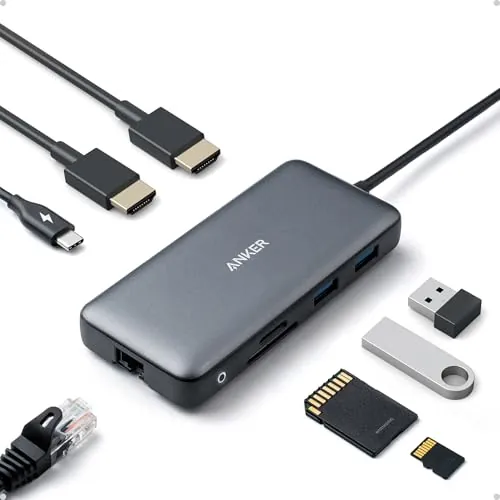
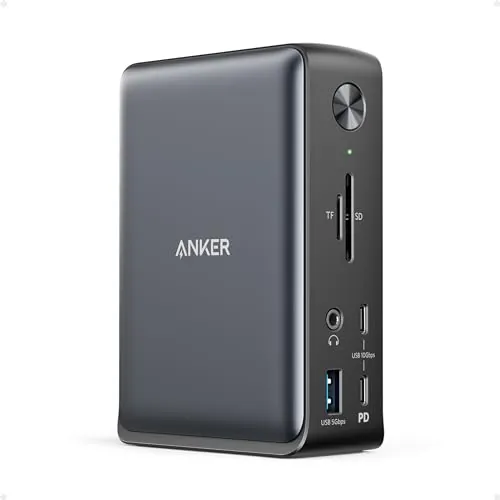
Both assigned Anker products require a host USB-C connection with DisplayPort Alt Mode for video. The 553 A8380 has two HDMI outputs and Anker ties its listed modes to the host's DisplayPort version; its two HDMI displays mirror on Mac. The 575 A8392 adds DisplayPort for a third external display and lists single 4K60, dual 4K30 and triple 1080p modes, with exact output combinations depending on host DP version and operating system. For charging, the 553's pass-through requires a 100W USB-PD wall charger and USB-C cable; the 575 has DC input and an 85W laptop port, but the US product page does not state the selected retail box's adapter contents.
Read comparison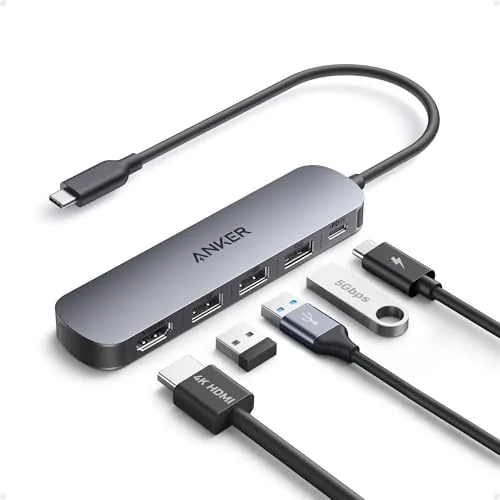
Anker A8357 vs TP-Link UH720: Display Hub or Desk USB Hub?
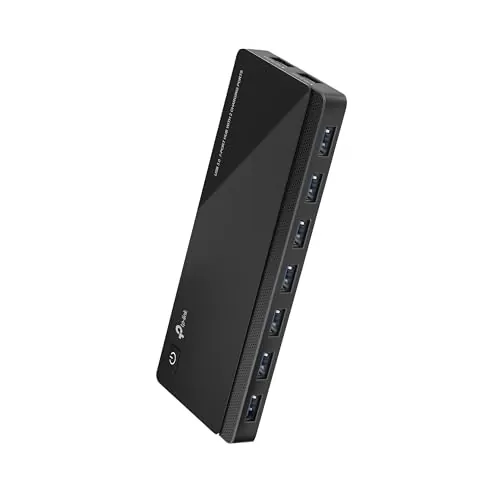
Anker’s exact A8357 documentation lists HDMI, one 5Gbps USB-A data port, two 480Mbps USB-A ports and a charging-only USB-C PD input. HDMI requires DisplayPort Alt Mode on the host, and laptop charging requires Power Delivery. TP-Link’s UH720 lists seven USB-A data ports and two dedicated 5V/2.4A charging ports with a Micro-B upstream connection. Check the UH720 hardware revision and adapter label because the maker’s revision pages list different adapter ratings.
Read comparison