
Products compared
TP-Link
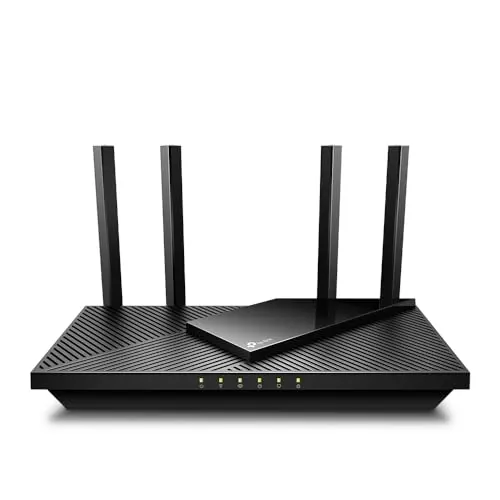
TP-Link Archer AX21 V5 AX1800 Dual-Band Wi-Fi 6 Router
U.S. black Archer AX21, hardware version V5. TP-Link's U.S. page exposes V3, V4 and V5 as distinct hardware-version selections. Its V5 specifications list one Gigabit WAN and four Gigabit LAN ports. Verify the version printed on the exact listing or device label before buying accessories or matching it with an existing mesh node.
Model Archer AX21 V5
Amazon ASIN B08H8ZLKKK

TP-Link
TP-Link Archer BE400 BE6500 Dual-Band Wi-Fi 7 Router
U.S. black Archer BE400. TP-Link labels it a dual-band Wi-Fi 7 router and lists one 2.5 Gbps WAN, one 2.5 Gbps LAN, and three 1 Gbps LAN ports. The product is EasyMesh-compatible; the maker says client support is required for MLO and other listed Wi-Fi features.
Model Archer BE400
Amazon ASIN B0DVBP5L6Y
Differences that matter
What matters most to you?
Choose a priority to see what it changes.
Sources for Wired port budget and link-rate mix
Sources for Wi-Fi generation, frequency bands and MLO
Sources for Mesh planning and version checks
Sources for First setup path
Count LAN sockets, then check which one needs more than gigabit
The port count is easy to misread: each router has four LAN jacks. The AX21 V5 lists all four as Gigabit. The BE400 has three 1 Gbps LAN jacks plus one 2.5 Gbps LAN jack, and its WAN port is 2.5 Gbps. That is a different allocation, not an increase in the number of wired devices you can plug in directly.
Before paying for the BE400, label your WAN connection and each wired device. The 2.5G WAN matters only if the service and modem can supply that rate; the 2.5G LAN matters only for a compatible endpoint and cable. TP-Link says actual rates are limited by service, equipment, port, cable and environment, so do not treat the hardware label as a measured result.
Wi-Fi 7 is a client-and-band choice, not a coverage promise
TP-Link lists the AX21 V5 as dual-band Wi-Fi 6 and the BE400 as dual-band Wi-Fi 7. The BE400 page's radio list names 5 GHz and 2.4 GHz; it does not list 6 GHz. If your reason for upgrading is a Wi-Fi 7 laptop or phone, check the exact client support for MLO and other features as well as its operating-system or driver requirements.
The BE400's manufacturer footnote says client devices need to support the corresponding Wi-Fi feature. That is a compatibility check, not evidence that this router will deliver a particular range, latency or throughput in your home.
Verify mesh by exact model, revision and firmware
The AX21 V5 page describes adding EasyMesh-compatible devices in its overview, while the V5 specification list also names OneMesh support. The BE400 is listed as EasyMesh-compatible. Since the page uses separate mesh labels for the AX21 and calls out firmware limits for BE400 pairings, check the exact extender model and hardware version against TP-Link's current compatibility information before buying a second node.
Both pages describe Tether-based setup. AX21 V5 also names a web interface; the BE400's reviewed setup instructions describe using the Tether app. If your setup depends on a particular control method, confirm the model-specific manual or support page rather than assuming the same steps.
Product details
TP-Link Archer AX21 V5 AX1800 Dual-Band Wi-Fi 6 Router
- Wi-Fi standard and bands
- Wi-Fi 6; dual-band 2.4 GHz and 5 GHz Source
- Ethernet ports
- 1× Gigabit WAN and 4× Gigabit LAN Source
- Mesh listing
- Overview describes EasyMesh-compatible expansion; V5 specifications separately list OneMesh support. Check exact extender compatibility and firmware before pairing. Source
- Setup
- TP-Link lists Tether app or web interface setup and management. Source
TP-Link Archer BE400 BE6500 Dual-Band Wi-Fi 7 Router
- Wi-Fi standard and bands
- Wi-Fi 7; dual-band 5 GHz and 2.4 GHz; no 6 GHz band is listed on the U.S. specifications page Source
- Ethernet ports
- 1× 2.5 Gbps WAN, 1× 2.5 Gbps LAN and 3× 1 Gbps LAN Source
- MLO and mesh
- MLO and EasyMesh-compatible features are listed; corresponding client feature support is required, and EasyMesh may depend on compatible firmware or later software updates. Source
- Setup
- The listed setup path uses the Tether app to configure the router after connecting it to a modem and power. Source
Before you buy
Community discussions
Checking download and upload separately on Windows
TP-Link Archer AX21 V5 AX1800 Dual-Band Wi-Fi 6 Router
One user reported very slow Windows downloads with an Archer AX21 US V5.46 on firmware 1.1.2 while uploads remained much faster. They saw it on Wi-Fi and wired Ethernet. The report covers that setup and hardware subrevision.
What to check
Before choosing a multi-gig replacement, test the planned Windows endpoint over the existing wired link and compare download with upload. Check that the actual gateway and endpoint can use the faster connection.
Common questions
Does the Archer BE400 have a 6 GHz Wi-Fi band?
The U.S. Archer BE400 page calls it dual-band and its listed radio bands are 5 GHz and 2.4 GHz. It does not list a 6 GHz band. Check the current model-specific specifications if the 6 GHz band is a requirement.Archer BE400 | BE6500 Dual-Band Wi-Fi 7 Router
Does the BE400 have more Ethernet jacks than the AX21 V5?
Both list four LAN ports. The AX21 V5 has four Gigabit LAN ports; the BE400 has one 2.5 Gbps LAN and three 1 Gbps LAN ports, plus a 2.5 Gbps WAN instead of a 1 Gbps WAN.Archer AX21 | AX1800 Dual-Band Wi-Fi 6 RouterArcher BE400 | BE6500 Dual-Band Wi-Fi 7 Router
Will my Wi-Fi 7 phone use MLO with the BE400?
The router page lists MLO, but TP-Link says clients must support MLO and the corresponding Wi-Fi features. Verify your exact phone or computer model and software support; the router's feature list alone does not confirm client behavior.Archer BE400 | BE6500 Dual-Band Wi-Fi 7 Router
Can I reuse an existing TP-Link mesh extender with either router?
Do not assume compatibility from the TP-Link brand alone. The AX21 V5 page mentions EasyMesh in its overview and separately lists OneMesh support; the BE400 lists EasyMesh and notes that firmware conflicts or later updates may affect some pairings. Check the exact router revision, extender model and firmware on TP-Link's compatibility information.Archer AX21 | AX1800 Dual-Band Wi-Fi 6 RouterArcher BE400 | BE6500 Dual-Band Wi-Fi 7 Router
Sources and scope
This guide compares the U.S. manufacturer-listed features for Archer AX21 V5 and Archer BE400; it is not a throughput, latency, coverage, interference, security, reliability, or mesh-roaming test. Both pages describe dual-band operation and list 5 GHz and 2.4 GHz, so Wi-Fi 7 on the BE400 should not be read as a third 6 GHz band. MLO and other Wi-Fi-generation features require compatible clients. TP-Link's AX21 V5 page describes EasyMesh in its overview but separately lists OneMesh support in the specifications; confirm the exact router revision, firmware, and compatibility list for the mesh node you intend to use. The BE400's EasyMesh note also warns that firmware conflicts or later updates can affect support. A multi-gigabit port alone does not establish an internet speed; service, modem, cable, and client ports also matter.
Related comparisons

Deco X55 3-Pack vs Archer BE400: Three-Node Mesh or Wi-Fi 7 Router?
The selected US offers are TP-Link Deco X55 3-pack ASIN B09PRB1MZM and one Archer BE400 ASIN B0DVBP5L6Y. X55 is a three-unit Wi-Fi 6 Deco mesh kit with three Gigabit ports on each node. BE400 is a single Wi-Fi 7 router; TP-Link’s US specifications list one 2.5Gbps WAN, one 2.5Gbps LAN and three 1Gbps LAN ports, with EasyMesh support. TP-Link says Deco Mesh and Archer EasyMesh cannot form one unified mesh. Before choosing, map the rooms, modem, Ethernet jacks and wired clients; for BE400, also confirm the exact hardware version and clarify an Amazon box-contents field that says Archer BE230 even though the listing model is BE400.
Read comparison
TP-Link Archer BE400 vs BE230: Match Wi-Fi Tier to Your Wired Setup
The assigned US listings are Archer BE400 ASIN B0DVBP5L6Y (one unit) and Archer BE230 ASIN B0DC99N2T8 (one unit). TP-Link's US pages show the same port count on both: one 2.5Gbps WAN, one 2.5Gbps LAN, and three 1Gbps LAN ports, plus USB 3.0. The main published distinction is wireless class: BE400 is BE6500 dual-band Wi-Fi 7 with six external antennas; BE230 is BE3600 dual-band Wi-Fi 7 with four. Before choosing, draw the modem-to-router connection and list each wired endpoint by link rate. The BE400 Amazon page's captured model fields identify BE400, but a separate box field names BE230; confirm the shipped item with the seller. Neither Amazon listing establishes the unit's hardware revision.
Read comparison