
Products compared

TP-Link
TP-Link Deco X55 AX3000 WiFi 6 Mesh System (3-Pack)
The selected listing and Amazon ASIN identify the Deco X55 three-pack: Amazon lists Deco X55(3-Pack), model Deco X55, and three units. TP-Link's US page identifies the X55 as Wi-Fi 6 and specifies three Gigabit WAN/LAN auto-sensing ports per Deco unit. This is a mesh kit with three nodes, not three independent router upgrades to the Archer EasyMesh network.
Model Deco X55 (3-Pack)
Amazon ASIN B09PRB1MZM

TP-Link
TP-Link Archer BE400 BE6500 Dual-Band Wi-Fi 7 Router (Single Unit)
The selected Amazon US ASIN identifies model Archer BE400, one router, and the Wi-Fi 7 / BE6500 style. TP-Link's current US support page is for BE400 V1.60 and says V1.0 = V1.6 under its version-label convention; its US datasheet lists the port layout below. The Amazon page does not identify the unit's hardware revision. Its item details say model number Archer BE400, but its separate 'What's in the box' field names an Archer BE230 router, which conflicts with both the model and TP-Link's BE400 package contents. Confirm the exact carton/model with the seller before relying on that listing.
Model Archer BE400
Amazon ASIN B0DVBP5L6Y
Differences that matter
What matters most to you?
Choose a priority to see what it changes.
Sources for One router versus a three-node kit
Sources for Wi-Fi generation and what it can establish
Sources for Multi-gig WAN and wired-client map
Sources for Backhaul, wall jacks, and node placement
Sources for Exact US model and included item check
First decide whether you need three nodes or one router
The assigned pair is not a three-node kit versus another three-node kit. Amazon identifies B09PRB1MZM as a Deco X55 3-pack with three X55 units; B0DVBP5L6Y identifies one Archer BE400. TP-Link publishes the X55 pack contents as three nodes, three power adapters and one Ethernet cable, while BE400 is documented as a single router.
The mesh systems are not interchangeable. TP-Link says Deco Mesh and Archer EasyMesh cannot make one unified mesh network, and they do not provide seamless roaming between those systems. Select the system that matches what you already own and whether you plan to distribute nodes through multiple rooms.
Use the generation labels to check client fit, not predict a winner
TP-Link specifies Wi-Fi 6 for Deco X55 and dual-band Wi-Fi 7 for Archer BE400. Check the standards and features your current and planned devices support. The BE400 datasheet says Wi-Fi 7 features such as MLO require compatible client features; the generation name alone does not upgrade older devices.
The page does not claim BE400 is faster or covers more space than three X55 nodes. TP-Link's headline rates are specification figures, and no matched placement test for this home or pair is cited.
Plan the BE400 multi-gig path end to end
Before paying for a 2.5Gbps port, list the ISP plan, modem/router output, cables and wired endpoints. TP-Link lists a 2.5Gbps WAN and one 2.5Gbps LAN on the BE400, plus three 1Gbps LAN ports. The higher-rate path requires compatible service and modem equipment, and the one multi-gig LAN is the only direct 2.5Gbps LAN socket in the listed layout.
If several wired clients need multi-gig links, plan a compatible multi-gig switch from that 2.5Gbps LAN port or compare a router with more multi-gig LAN ports. If your wired devices need only Gigabit, label each connection against the three Gigabit LAN ports. Interface ratings are not a measured throughput promise.
Map X55 node positions, Ethernet runs and power outlets
On a simple floor plan, mark the modem, the main X55, the two satellite rooms, power outlets, wall-jack ends and wired devices. TP-Link recommends setting up all Deco units wirelessly first, then connecting Ethernet. In Router mode, wired satellite Decos connect to the main Deco LAN or a switch downstream of it; any satellite without a cable continues on wireless backhaul. Access Point mode has separate wiring rules.
Count devices and backhaul at each node against three Gigabit WAN/LAN auto-sensing ports per X55. If your must-have wired path needs a 2.5Gbps link, X55's listed Gigabit ports do not provide that interface. This map checks whether the chosen system fits your cables and rooms; it does not predict signal coverage.
Verify the exact BE400 listing and hardware version
Amazon's item details for B0DVBP5L6Y identify model number Archer BE400 and one unit, but the same page's 'What's in the box' field names Archer BE230. TP-Link's US BE400 datasheet lists an Archer BE400 router in its package contents. Treat this as an unresolved listing conflict: ask the seller to confirm the router and carton before purchase rather than treating the BE230 string as a confirmed accessory or ignoring it.
The listing does not expose a BE400 hardware revision. TP-Link's current US support page is labeled V1.60 and states V1.0 maps to V1.6/V1.8 using its version notation. The port layout in this guide comes from TP-Link's US BE400 product information and V1.6 datasheet; check the hardware label on the delivered router and select the matching US support materials for revision-specific configuration.
Product details
TP-Link Deco X55 AX3000 WiFi 6 Mesh System (3-Pack)
- Pack and node count
- The exact Amazon ASIN B09PRB1MZM is listed as Deco X55(3-Pack), with three Deco X55 units and three power adapters. TP-Link's US page also offers a 3-pack and lists three X55 units in the pack contents. Source
- Wi-Fi and per-node wired ports
- TP-Link identifies Deco X55 as Wi-Fi 6 and lists three Gigabit Ethernet ports per unit with WAN/LAN auto-sensing. These are Gigabit links; the figures do not establish home throughput or an internet speed result. Source
- Backhaul and main-node port planning
- TP-Link supports optional Ethernet backhaul. In Router mode, one main-Deco port connects to the modem or upstream router and the other may serve a wired backhaul or a client; satellite nodes must connect downstream of the main Deco LAN. The three X55 nodes can also use wireless backhaul. Source
TP-Link Archer BE400 BE6500 Dual-Band Wi-Fi 7 Router (Single Unit)
- US hardware-version documentation
- TP-Link US support currently publishes Archer BE400 V1.60 materials and states V1.0 = V1.6/V1.8 by its version-label convention; the linked US datasheet is labeled Archer BE400 V1.6. Amazon ASIN B0DVBP5L6Y identifies model BE400 but does not show which hardware revision is in the offer. Check the device label and use its matching US support materials. Source
- WAN and LAN port layout
- TP-Link's US BE400 V1.6 datasheet lists one 2.5Gbps WAN port, one 2.5Gbps LAN port, and three 1Gbps LAN ports. It is one multi-gig WAN connection plus one multi-gig wired LAN connection; multiple multi-gig wired clients may require a separate compatible multi-gig switch. Port ratings do not guarantee actual throughput. Source
- Wi-Fi and mesh capability
- TP-Link identifies Archer BE400 as a dual-band Wi-Fi 7 router and lists EasyMesh compatibility. Its compatibility guidance says Deco Mesh and Archer EasyMesh cannot form one unified network; any EasyMesh expansion should be checked against the exact hardware version and firmware of the intended devices. Source
Before you buy
Community discussions
Planning Ethernet for a satellite that will not link wirelessly
TP-Link Deco X55 AX3000 WiFi 6 Mesh System (3-Pack)
A Deco X55 owner with three units reported that one satellite worked when wired to the main unit but disconnected when the cable was removed. Another satellite was connected wirelessly upstairs.
What to check
Test signal in the room where you would put the farthest Deco. Check whether you can run an Ethernet link there if one router does not cover that room reliably.
Common questions
Can Deco X55 nodes join the Archer BE400 EasyMesh network?
TP-Link says Deco Mesh and Archer EasyMesh are different systems and cannot form one unified mesh; an Archer and Deco system used alongside one another also do not provide seamless roaming between those systems. Choose the X55 three-pack for a Deco mesh, or plan BE400 expansion with a specifically compatible EasyMesh device and firmware.TP-Link US support: Deco, OneMesh, EasyMesh, and Omada compatibilityTP-Link US: Archer BE400 BE6500 Dual-Band Wi-Fi 7 RouterTP-Link US: Deco X55 Wi-Fi 6 mesh, 3-pack contents and port specifications
How many 2.5Gbps LAN ports does the Archer BE400 have?
TP-Link's US BE400 datasheet lists one 2.5Gbps WAN, one 2.5Gbps LAN, and three 1Gbps LAN ports. If you need multiple multi-gig wired clients, one 2.5Gbps LAN is not enough for multiple direct connections; compare a router with more multi-gig LAN ports or evaluate a compatible multi-gig switch. Port rates do not guarantee observed throughput.TP-Link US: Archer BE400 1.0 / V1.6 datasheetTP-Link US: Archer BE400 BE6500 Dual-Band Wi-Fi 7 Router
Which BE400 US hardware version is ASIN B0DVBP5L6Y?
The Amazon item details show model number Archer BE400 but do not identify a hardware revision. TP-Link's current US support page provides BE400 V1.6 materials and explains that its V1.0 label maps to V1.6/V1.8 by the version-label convention. Check the label on the exact unit and follow the matching US support page; do not infer revision from the ASIN alone.Amazon US listing: TP-Link Archer BE400, ASIN B0DVBP5L6YTP-Link US support: Archer BE400 hardware versions and downloads
Why does the BE400 Amazon page mention an Archer BE230 in the box?
The selected page lists Archer BE400 as the model number and one unit, but its separate box-contents field names an Archer BE230. TP-Link's BE400 datasheet lists a BE400 router in its package contents. The listing conflict is unresolved here; ask the seller to confirm the exact item and carton contents before ordering.Amazon US listing: TP-Link Archer BE400, ASIN B0DVBP5L6YTP-Link US: Archer BE400 1.0 / V1.6 datasheet
Will the BE400 be faster or cover more rooms than three X55 units?
The product pages and datasheet establish listed Wi-Fi standards, port rates and mesh features, not a measured result for your home. A three-node placement can address different rooms, while a single router's result depends on placement and building conditions. Compare the clients, wired plan and floor layout; seek a test of the exact configuration if measured coverage or speed is decisive.TP-Link US: Deco X55 Wi-Fi 6 mesh, 3-pack contents and port specificationsTP-Link US: Archer BE400 BE6500 Dual-Band Wi-Fi 7 RouterTP-Link US: Archer BE400 1.0 / V1.6 datasheet
Sources and scope
The selected BE400 Amazon ASIN identifies model Archer BE400 but does not identify the unit's hardware version. The listing's model number and separate box-contents field conflict (BE400 versus BE230); verify the exact unit and carton with the seller before purchase. The sourced BE400 US hardware documentation provides the port layout, but no exact ASIN-to-hardware-revision bridge was found. Manufacturer specifications do not establish comparative speed, latency, coverage, or results in a specific home. No prices or security-exploitation claims are included.
- Amazon US listing: TP-Link Deco X55 3-Pack, ASIN B09PRB1MZM
- TP-Link US: Deco X55 Wi-Fi 6 mesh, 3-pack contents and port specifications
- Amazon US listing: TP-Link Archer BE400, ASIN B0DVBP5L6Y
- TP-Link US: Archer BE400 BE6500 Dual-Band Wi-Fi 7 Router
- TP-Link US: Archer BE400 1.0 / V1.6 datasheet
- TP-Link US support: Archer BE400 hardware versions and downloads
- TP-Link US support: Deco, OneMesh, EasyMesh, and Omada compatibility
- TP-Link US support: Deco Ethernet backhaul and wiring rules
Related comparisons
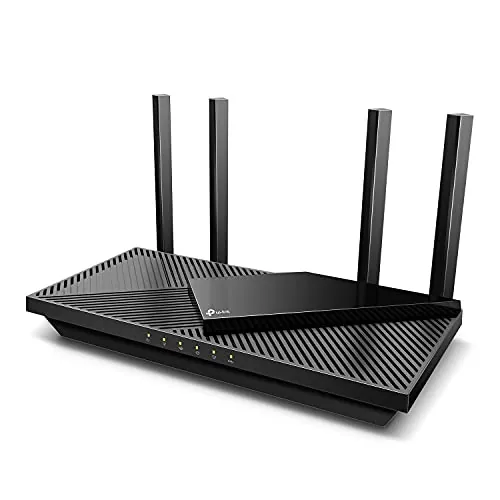
Deco X55 3-Pack vs Archer AX55: Do You Need Three Wi-Fi Nodes?
The assigned Deco X55 is a three-unit Wi-Fi 6 mesh kit; the Archer AX55 offer is one Wi-Fi 6 router. That difference changes where Wi-Fi and Ethernet connections are available. X55 gives you three units to place in separate locations, optional Ethernet backhaul, and three Gigabit ports per unit. AX55 concentrates one Gigabit WAN, four Gigabit LAN ports, and a USB 3.0 port at the router. Before buying, map the modem, rooms that need another node, power outlets, wall Ethernet runs, and wired devices. Both support router and access-point operation, but Archer expansion uses a compatible OneMesh or EasyMesh path and cannot merge with Deco mesh; check the exact AX55 hardware version and firmware if expansion matters.
Read comparison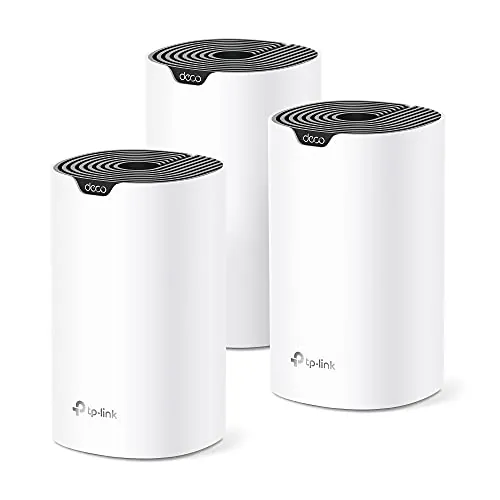
TP-Link Deco X55 vs Deco S4 3-Pack: Wi-Fi Generation, Port Count and Wiring
The selected listing data pair is TP-Link Deco X55 3-pack ASIN B09PRB1MZM versus Deco S4 3-pack ASIN B084GTH5LL. TP-Link documents Wi-Fi 6 and three Gigabit ports per X55 unit. Deco S4 is Wi-Fi 5, but its official US specifications vary by hardware version: V1 lists two Gigabit ports per unit, while V3.60 lists three. The listing data and selected ASIN do not establish which S4 hardware version a live offer contains. Both product pages support optional Ethernet backhaul. Choose by Wi-Fi generation and verified unit-level port needs, not by an assumed speed or coverage result.
Read comparison