
Products compared

TP-Link
TP-Link Deco X55 AX3000 Whole Home Mesh WiFi 6 System (3-Pack)
The current listing information identifies product 574 and ASIN B09PRB1MZM to the Deco X55 three-pack. TP-Link's US X55 page documents Wi-Fi 6 and three Gigabit ports per unit. Confirm the current Amazon listing title and pack count before checkout.
Model Deco X55
Amazon ASIN B09PRB1MZM
TP-Link
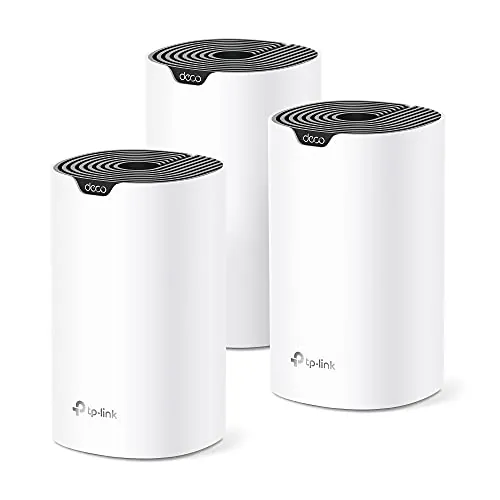
TP-Link Deco S4 Mesh Wi-Fi System (3-Pack)
The current listing information identifies product 7262 and ASIN B084GTH5LL to a white Deco S4 three-pack. TP-Link publishes separate S4 hardware-version pages with different port counts and speed-class labels. The listing data/ASIN evidence available for this assignment does not identify the hardware revision, so check the offer and device label before relying on revision-specific specifications.
Model Deco S4
Amazon ASIN B084GTH5LL
Differences that matter
What matters most to you?
Choose a priority to see what it changes.
Sources for Ports available at each node
Sources for Wired versus wireless backhaul layout
Start by matching the exact three-pack listing
This comparison follows the current listing information identifies: product 574 / ASIN B09PRB1MZM for Deco X55 3 Pack, followed by product 7262 / ASIN B084GTH5LL for Deco S4 3 Pack. Confirm the current offer still shows the same ASIN and three units before checkout.
The S4 hardware version is the key identity caveat. TP-Link's US support selector lists several S4 versions, and the version-specific product pages do not connect B084GTH5LL to one of them. Do not assume the live offer has the ports shown on a particular S4 product page without checking its revision.
Wi-Fi 6 versus Wi-Fi 5 is a standard choice, not a speed verdict
TP-Link identifies X55 as Wi-Fi 6. Its US S4 V1 and V3.60 pages identify those S4 versions as Wi-Fi 5 (802.11ac). If your decision is about the standard, X55 has the documented Wi-Fi 6 feature. Check client support and requirements, and treat the S4 revision as unresolved for this selected ASIN.
The page labels and advertised combined link-rate classes do not say what your provider, devices, layout, radio conditions, or wired connections will deliver. No head-to-head home test is cited here, so the guide does not promise a faster network or greater coverage from either three-pack.
Count ports at each node, especially on the S4
TP-Link specifies three Gigabit ports per X55 unit. For S4, TP-Link's V1 page specifies two ports per node, while its V3.60 page specifies three. That is a real version-specific planning difference, but it does not identify which revision is inside the selected B084GTH5LL offer.
Write down what plugs into the main node (internet uplink, any Ethernet backhaul, and local clients) and each satellite (backhaul and local clients). If the S4's third port would change your setup, confirm the hardware version on the exact offer or device label. Do not infer it from an AC1900/AC1200 label or a product photo.
Map wired and wireless nodes before choosing a three-pack
Sketch the modem, the planned main Deco, and the two satellite positions. Mark nearby power outlets, the room and wall jack at both ends of each Ethernet run, and devices that need a wired connection. Then reserve a port at every node for any backhaul or upstream link and check how many ports remain for clients.
TP-Link says optional Ethernet backhaul can be mixed with wireless backhaul. It recommends setting up all units wirelessly first, then adding Ethernet. In Router mode, connect wired satellites to the main Deco's LAN or to a switch downstream of that LAN; do not connect them directly to the upstream modem/router. Access Point mode uses different wiring rules. This is a practical topology check, not a coverage map or performance estimate.
Product details
TP-Link Deco X55 AX3000 Whole Home Mesh WiFi 6 System (3-Pack)
- Wi-Fi generation
- TP-Link identifies Deco X55 as a Wi-Fi 6 mesh system. This describes its wireless standard, not a guaranteed speed increase in a particular home. Source
- Ethernet ports per node
- TP-Link lists three Gigabit Ethernet ports per Deco X55 unit, with WAN/LAN auto-sensing. Count any port used for the incoming connection, wired backhaul, and nearby wired devices when planning a node. Source
- Ethernet backhaul and operating mode
- TP-Link lists optional Ethernet backhaul and Router and Access Point operating modes. Its setup guidance says to configure the nodes wirelessly first; Router-mode satellites connect to the main Deco LAN or a switch attached to that LAN. Source
TP-Link Deco S4 Mesh Wi-Fi System (3-Pack)
- Wi-Fi generation by official hardware version
- TP-Link's US pages identify Deco S4 V1 and V3.60 as Wi-Fi 5 (802.11ac). Do not treat either version's AC speed tier as a measured household result or as proof of the selected ASIN's hardware revision. Source
- Ports vary by hardware version
- TP-Link lists two Gigabit ports per unit on its S4 V1 page and three on its S4 V3.60 page. The selected listing does not identify which revision is in the current B084GTH5LL offer; verify the exact version before planning a node around a third port. Source
- Ethernet backhaul
- TP-Link's S4 V3.60 page documents optional Ethernet backhaul. Its support site lists multiple S4 hardware versions; check the selected unit's version-specific manual and port layout before installation. Source
Before you buy
Community discussions
Testing connectivity at a satellite on another floor
TP-Link Deco X55 AX3000 Whole Home Mesh WiFi 6 System (3-Pack)
An owner with four Deco X55 nodes on wireless backhaul reported occasional trouble getting a newly started device online near a satellite. Restarting that satellite restored connectivity temporarily in their setup.
What to check
For a three-node layout, decide where you can run Ethernet. Test the planned satellite spots with the devices that normally connect there before buying extra nodes.
Common questions
Is Deco X55 Wi-Fi 6 while Deco S4 is Wi-Fi 5?
TP-Link identifies X55 as Wi-Fi 6. The official US S4 V1 and V3.60 pages identify those revisions as Wi-Fi 5 (802.11ac). The current listing identity does not establish the exact S4 hardware version, so check the offer and unit before applying revision-specific details.TP-Link US: Deco X55 Wi-Fi 6 product specificationsTP-Link US: Deco S4 V3.60 product specificationsTP-Link US: Deco S4 V1 product specifications
How many Ethernet ports does each Deco S4 have?
It depends on the hardware version in TP-Link's US documentation: S4 V1 lists two Gigabit ports per unit and S4 V3.60 lists three. The selected ASIN B084GTH5LL is not mapped to either revision by the evidence available here. Verify the hardware version on the listing or device label before counting a third port.TP-Link US: Deco S4 V1 product specificationsTP-Link US: Deco S4 V3.60 product specificationsTP-Link US support: Deco S4 hardware-version downloads
Can X55 and S4 use Ethernet backhaul?
TP-Link product pages document optional Ethernet backhaul for both model families. Its setup guidance says to first set up the Deco units wirelessly, then connect Ethernet. In Router mode, wired satellite Decos should connect to the main Deco LAN or a switch attached to it; check the separate Access Point wiring guidance if using AP mode.TP-Link US support: Ethernet backhaul setup and wiring rulesTP-Link US: Deco X55 Wi-Fi 6 product specificationsTP-Link US: Deco S4 V3.60 product specifications
Will the X55 be faster or cover more of my home?
The cited specifications establish Wi-Fi standards and features, not a measured head-to-head result in your home. Walls, placement, backhaul, client capabilities, and internet service can all affect outcomes. Use a floor-plan and cable-path check, then compare independent tests for the exact layout if measured performance is your deciding factor.TP-Link US: Deco X55 Wi-Fi 6 product specificationsTP-Link US: Deco S4 V3.60 product specificationsTP-Link US: Deco S4 V1 product specifications
Sources and scope
This guide does not establish the hardware revision included in current Deco S4 ASIN B084GTH5LL offers, and TP-Link's published S4 revisions differ in port count and speed tier. Check the live listing and hardware label before relying on those details. Manufacturer feature specifications and a topology checklist do not establish comparative throughput, coverage, reliability, or results in a particular home.
- Amazon US listing: TP-Link Deco X55 3-Pack, ASIN B09PRB1MZM
- TP-Link US: Deco X55 Wi-Fi 6 product specifications
- Amazon US listing: TP-Link Deco S4 3-Pack, ASIN B084GTH5LL
- TP-Link US: Deco S4 V3.60 product specifications
- TP-Link US: Deco S4 V1 product specifications
- TP-Link US support: Deco S4 hardware-version downloads
- TP-Link US support: Ethernet backhaul setup and wiring rules
Related comparisons
Deco X55 3-Pack vs Archer AX55: Do You Need Three Wi-Fi Nodes?
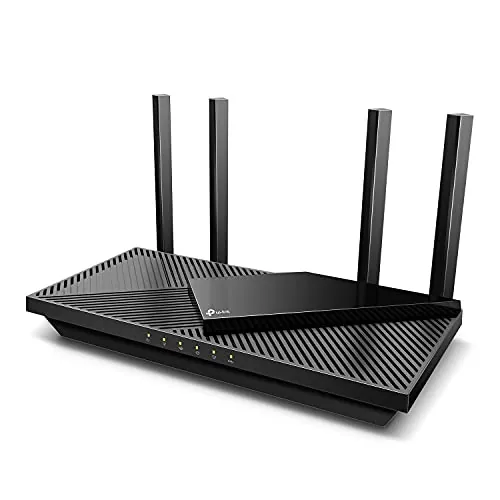
The assigned Deco X55 is a three-unit Wi-Fi 6 mesh kit; the Archer AX55 offer is one Wi-Fi 6 router. That difference changes where Wi-Fi and Ethernet connections are available. X55 gives you three units to place in separate locations, optional Ethernet backhaul, and three Gigabit ports per unit. AX55 concentrates one Gigabit WAN, four Gigabit LAN ports, and a USB 3.0 port at the router. Before buying, map the modem, rooms that need another node, power outlets, wall Ethernet runs, and wired devices. Both support router and access-point operation, but Archer expansion uses a compatible OneMesh or EasyMesh path and cannot merge with Deco mesh; check the exact AX55 hardware version and firmware if expansion matters.
Read comparison
Deco X55 3-Pack vs Archer BE400: Three-Node Mesh or Wi-Fi 7 Router?
The selected US offers are TP-Link Deco X55 3-pack ASIN B09PRB1MZM and one Archer BE400 ASIN B0DVBP5L6Y. X55 is a three-unit Wi-Fi 6 Deco mesh kit with three Gigabit ports on each node. BE400 is a single Wi-Fi 7 router; TP-Link’s US specifications list one 2.5Gbps WAN, one 2.5Gbps LAN and three 1Gbps LAN ports, with EasyMesh support. TP-Link says Deco Mesh and Archer EasyMesh cannot form one unified mesh. Before choosing, map the rooms, modem, Ethernet jacks and wired clients; for BE400, also confirm the exact hardware version and clarify an Amazon box-contents field that says Archer BE230 even though the listing model is BE400.
Read comparison