Pickagu

Wi-Fi Routers

Check the speed of the wired ports you plan to use, the Wi-Fi standards your devices support, and whether the router can join your existing mesh system.

46 comparisons

Wi-Fi Routers comparisons

TP-Link Deco X55 AX3000 Whole Home Mesh Wi-Fi 6 System (3-Pack) · Deco X55
TP-Link Deco X55 AX3000 Whole Home Mesh Wi-Fi 6 System (3-Pack)
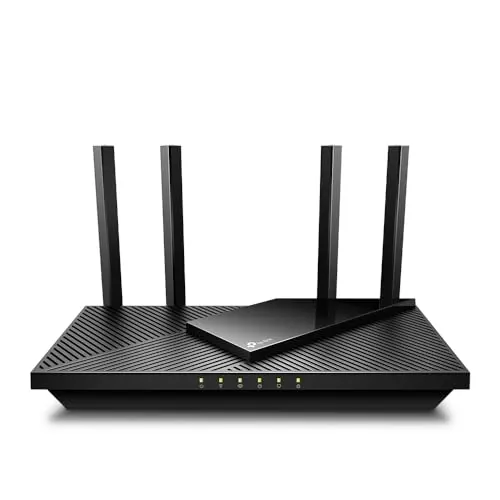
TP-Link Archer AX55 AX3000 Dual-Band Wi-Fi 6 Router · Archer AX55
TP-Link Archer AX55 AX3000 Dual-Band Wi-Fi 6 Router

Deco X55 3-Pack vs Archer AX55: Do You Need Three Wi-Fi Nodes?

The assigned Deco X55 is a three-unit Wi-Fi 6 mesh kit; the Archer AX55 offer is one Wi-Fi 6 router. That difference changes where Wi-Fi and Ethernet connections are available. X55 gives you three units to place in separate locations, optional Ethernet backhaul, and three Gigabit ports per unit. AX55 concentrates one Gigabit WAN, four Gigabit LAN ports, and a USB 3.0 port at the router. Before buying, map the modem, rooms that need another node, power outlets, wall Ethernet runs, and wired devices. Both support router and access-point operation, but Archer expansion uses a compatible OneMesh or EasyMesh path and cannot merge with Deco mesh; check the exact AX55 hardware version and firmware if expansion matters.

Read comparison
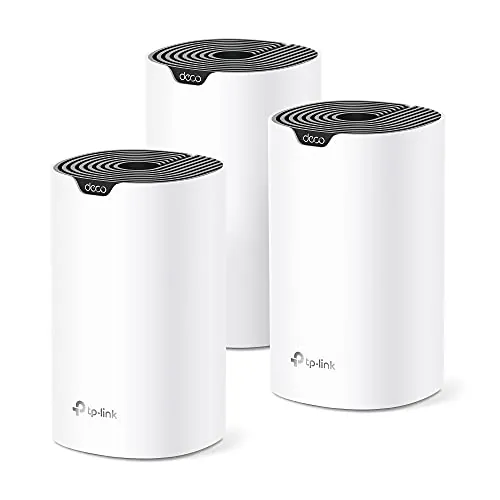

TP-Link Deco X55 AX3000 Whole Home Mesh WiFi 6 System (3-Pack) · Deco X55
TP-Link Deco X55 AX3000 Whole Home Mesh WiFi 6 System (3-Pack)
TP-Link Deco S4 Mesh Wi-Fi System (3-Pack) · Deco S4
TP-Link Deco S4 Mesh Wi-Fi System (3-Pack)

TP-Link Deco X55 vs Deco S4 3-Pack: Wi-Fi Generation, Port Count and Wiring

The selected listing data pair is TP-Link Deco X55 3-pack ASIN B09PRB1MZM versus Deco S4 3-pack ASIN B084GTH5LL. TP-Link documents Wi-Fi 6 and three Gigabit ports per X55 unit. Deco S4 is Wi-Fi 5, but its official US specifications vary by hardware version: V1 lists two Gigabit ports per unit, while V3.60 lists three. The listing data and selected ASIN do not establish which S4 hardware version a live offer contains. Both product pages support optional Ethernet backhaul. Choose by Wi-Fi generation and verified unit-level port needs, not by an assumed speed or coverage result.

Read comparison
TP-Link Deco X55 AX3000 WiFi 6 Mesh System (3-Pack) · Deco X55 (3-Pack)
TP-Link Deco X55 AX3000 WiFi 6 Mesh System (3-Pack)
TP-Link Archer BE400 BE6500 Dual-Band Wi-Fi 7 Router (Single Unit) · Archer BE400
TP-Link Archer BE400 BE6500 Dual-Band Wi-Fi 7 Router (Single Unit)

Deco X55 3-Pack vs Archer BE400: Three-Node Mesh or Wi-Fi 7 Router?

The selected US offers are TP-Link Deco X55 3-pack ASIN B09PRB1MZM and one Archer BE400 ASIN B0DVBP5L6Y. X55 is a three-unit Wi-Fi 6 Deco mesh kit with three Gigabit ports on each node. BE400 is a single Wi-Fi 7 router; TP-Link’s US specifications list one 2.5Gbps WAN, one 2.5Gbps LAN and three 1Gbps LAN ports, with EasyMesh support. TP-Link says Deco Mesh and Archer EasyMesh cannot form one unified mesh. Before choosing, map the rooms, modem, Ethernet jacks and wired clients; for BE400, also confirm the exact hardware version and clarify an Amazon box-contents field that says Archer BE230 even though the listing model is BE400.

Read comparison
TP-Link Archer BE400 BE6500 Dual-Band Wi-Fi 7 Router · Archer BE400
TP-Link Archer BE400 BE6500 Dual-Band Wi-Fi 7 Router
TP-Link Archer BE230 BE3600 Dual-Band Wi-Fi 7 Router · Archer BE230
TP-Link Archer BE230 BE3600 Dual-Band Wi-Fi 7 Router

TP-Link Archer BE400 vs BE230: Match Wi-Fi Tier to Your Wired Setup

The assigned US listings are Archer BE400 ASIN B0DVBP5L6Y (one unit) and Archer BE230 ASIN B0DC99N2T8 (one unit). TP-Link's US pages show the same port count on both: one 2.5Gbps WAN, one 2.5Gbps LAN, and three 1Gbps LAN ports, plus USB 3.0. The main published distinction is wireless class: BE400 is BE6500 dual-band Wi-Fi 7 with six external antennas; BE230 is BE3600 dual-band Wi-Fi 7 with four. Before choosing, draw the modem-to-router connection and list each wired endpoint by link rate. The BE400 Amazon page's captured model fields identify BE400, but a separate box field names BE230; confirm the shipped item with the seller. Neither Amazon listing establishes the unit's hardware revision.

Read comparison
TP-Link Archer BE400 BE6500 Dual-Band Wi-Fi 7 Router · Archer BE400
TP-Link Archer BE400 BE6500 Dual-Band Wi-Fi 7 Router
TP-Link Archer AX55 AX3000 Dual-Band Gigabit Wi-Fi 6 Router · Archer AX55
TP-Link Archer AX55 AX3000 Dual-Band Gigabit Wi-Fi 6 Router

TP-Link Archer BE400 vs AX55: Do You Need 2.5-Gigabit Links?

These are two single-router US listings: Archer BE400 ASIN B0DVBP5L6Y and Archer AX55 ASIN B09G5W9R6R. TP-Link lists BE400 as a dual-band BE6500 Wi-Fi 7 router with one 2.5Gbps WAN, one 2.5Gbps LAN and three 1Gbps LAN ports. AX55 is a dual-band AX3000 Wi-Fi 6 router with one Gigabit WAN and four Gigabit LAN ports. Both have four LAN jacks, but one BE400 LAN jack is multi-gig. If your modem, plan and a wired endpoint can use over 1Gbps, BE400 offers a path AX55 does not; if your network and clients are Gigabit/Wi-Fi 6, the AX55 feature set may already match. Before buying, map modem-to-WAN, then assign the fastest wired endpoint and count remaining LAN clients. The BE400 Amazon listing also has a model/box-field conflict that needs seller confirmation. Neither ASIN page identifies the router's hardware revision.

Read comparison
TP-Link Archer BE400 BE6500 Dual-Band Wi-Fi 7 Router · Archer BE400
TP-Link Archer BE400 BE6500 Dual-Band Wi-Fi 7 Router
TP-Link Archer BE550 BE9300 Tri-Band Wi-Fi 7 Router · Archer BE550
TP-Link Archer BE550 BE9300 Tri-Band Wi-Fi 7 Router

TP-Link Archer BE400 vs BE550: Will You Use 6 GHz and Four 2.5G LAN Ports?

The assigned US listings are one Archer BE400 (ASIN B0DVBP5L6Y) and one Archer BE550 (ASIN B0CJSNSVMR). TP-Link's US pages describe BE400 as dual-band Wi-Fi 7 on 2.4/5GHz with one 2.5Gbps WAN, one 2.5Gbps LAN and three 1Gbps LAN ports. BE550 is tri-band Wi-Fi 7 with 2.4/5/6GHz, one 2.5Gbps WAN and four 2.5Gbps LAN ports. Choose BE550 if you have clients whose exact specifications support 6GHz or need multiple multi-gig wired endpoints. BE400 can fit a 2.4/5GHz household with at most one 2.5G LAN device. Before ordering BE550, verify the hardware revision and confirm your client supports 6GHz; Wi-Fi 7 alone is not enough. The BE400 listing still has a captured BE400-vs-BE230 box-field mismatch that must be confirmed with its seller.

Read comparison
TP-Link Dual-Band BE3600 Wi-Fi 7 Router, Archer BE230 · Archer BE230
TP-Link Dual-Band BE3600 Wi-Fi 7 Router, Archer BE230
TP-Link Tri-Band BE9300 WiFi 7 Router (Archer BE550) · Archer BE550
TP-Link Tri-Band BE9300 WiFi 7 Router (Archer BE550)

TP-Link Archer BE230 vs BE550: Plan Your 6 GHz and Wired Devices

The Archer BE230 is a dual-band Wi-Fi 7 router with one 2.5 Gbps WAN, one 2.5 Gbps LAN and three 1 Gbps LAN ports. The Archer BE550 adds a 6 GHz band and four 2.5 Gbps LAN ports behind a separate 2.5 Gbps WAN. Choose with a port-by-port device list, then check which household devices can use 6 GHz.

Read comparison
ASUS RT-BE9700 Tri-Band WiFi 7 Router · RT-BE9700
ASUS RT-BE9700 Tri-Band WiFi 7 Router
ASUS RT-BE88U Dual-Band WiFi 7 Router · RT-BE88U
ASUS RT-BE88U Dual-Band WiFi 7 Router

ASUS RT-BE9700 vs RT-BE88U: 6GHz Wi-Fi or a Wired-First Setup?

Both are ASUS Wi-Fi 7 routers with AiMesh and a 10Gbps WAN/LAN interface. The RT-BE9700 adds a 6GHz radio and lists up to 320MHz channels there; the dual-band RT-BE88U has no listed 6GHz radio but adds a 10Gbps SFP+ port and four 1Gbps LAN ports. Match the router to the Wi-Fi bands, WAN handoff, wired endpoints and SFP+ equipment in your actual plan. ASUS's RT-BE9700 U.S. product page and technical-spec page differ on the role of its four 2.5Gbps ports, so verify port assignment before finalizing a LAN map.

Read comparison
ASUS RT-BE58U WiFi 7 Router · RT-BE58U
ASUS RT-BE58U WiFi 7 Router
TP-Link Archer BE230 BE3600 Dual-Band Wi-Fi 7 Router · Archer BE230
TP-Link Archer BE230 BE3600 Dual-Band Wi-Fi 7 Router

ASUS RT-BE58U vs TP-Link Archer BE230: Plan Your 2.5G Ports and Mesh

Both are dual-band BE3600 Wi-Fi 7 routers, but the practical wired decision is whether you need a dedicated 2.5G internet input and a separate 2.5G wired device port at the same time. TP-Link documents both ports separately on Archer BE230. ASUS publishes distinct RT-BE58U A1 and V2 hardware documentation, so check the unit label before applying a port diagram or buying a mesh node.

Read comparison
ASUS RT-BE58U WiFi 7 Router · RT-BE58U
ASUS RT-BE58U WiFi 7 Router
ASUS RT-BE88U WiFi 7 Router · RT-BE88U
ASUS RT-BE88U WiFi 7 Router

ASUS RT-BE58U vs RT-BE88U: Check the Port Map Before You Choose

Both are dual-band Wi-Fi 7 routers, and ASUS lists AiMesh support for both. The RT-BE88U is the clearer fit for a home that needs 10G Ethernet or SFP+ and several multi-gig wired links. ASUS's RT-BE58U U.S. spec page and user guide disagree on its Ethernet layout, while the selected listing listing does not identify A1 versus V2; check the box label and matching documentation before planning its wired roles.

Read comparison
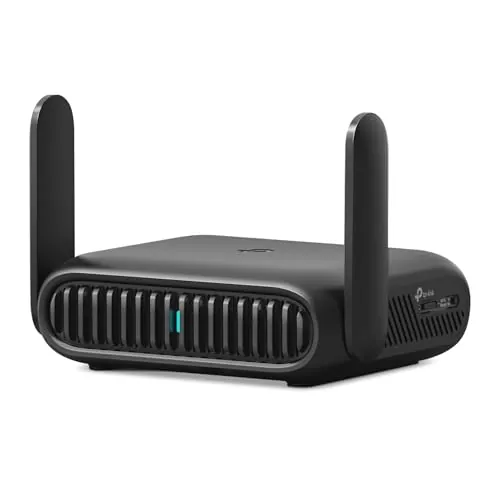
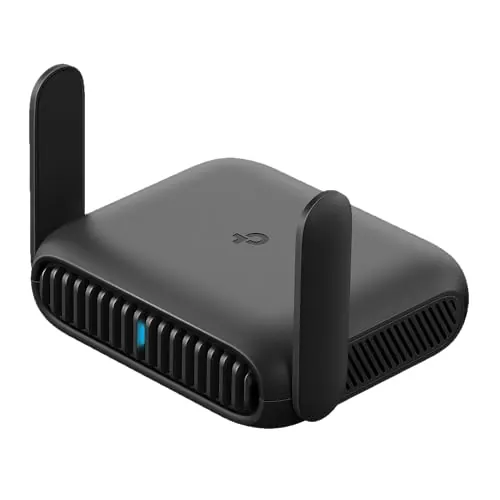
TP-Link Roam 7 BE3600 Wi-Fi 7 Portable Router · TL-WR3602BE
TP-Link Roam 7 BE3600 Wi-Fi 7 Portable Router
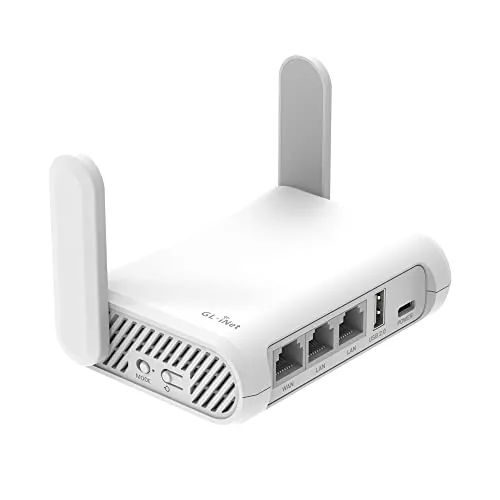
GL.iNet Opal AC1200 Travel Router · GL-SFT1200
GL.iNet Opal AC1200 Travel Router

TP-Link Roam 7 vs GL.iNet Opal: Ports, Travel Modes and Packing Fit

The Roam 7 has one 2.5 Gbps WAN port and one 1 Gbps LAN port; the Opal has one 1 Gbps WAN and two 1 Gbps LAN ports. Both offer travel-friendly ways to use an authorized Ethernet, Wi-Fi or phone-tethered uplink, with different mode labels and setup flows. The Roam 7’s multi-gig WAN matters only when the upstream service and equipment support it; a device on its 1 Gbps LAN does not get a 2.5 Gbps link. Measure the router body and leave room for cables, power and any antennas before packing.

Read comparison
TP-Link Archer BE230 BE3600 Dual-Band Wi-Fi 7 Router · Archer BE230
TP-Link Archer BE230 BE3600 Dual-Band Wi-Fi 7 Router
TP-Link Archer AX55 AX3000 Dual-Band Wi-Fi 6 Router · Archer AX55
TP-Link Archer AX55 AX3000 Dual-Band Wi-Fi 6 Router

TP-Link Archer BE230 vs Archer AX55: Wi-Fi 7, 2.5GbE, and EasyMesh

The U.S. Archer BE230 is a dual-band Wi-Fi 7 router with one 2.5 Gbps WAN, one 2.5 Gbps LAN, and three gigabit LAN ports. Archer AX55 is dual-band Wi-Fi 6 with a gigabit WAN and four gigabit LAN ports. Those labels matter only when your clients, service, modem, cable path, and wired endpoint can use them; listed PHY rates are not a speed test. For whole-home expansion, TP-Link's current pages list both routers for EasyMesh, while AX55 also advertises OneMesh. Check the hardware revision and firmware on the exact unit, and do not assume OneMesh and EasyMesh form one combined system.

Read comparison
TP-Link Archer AX55 AX3000 Dual-Band Wi-Fi 6 Router · Archer AX55
TP-Link Archer AX55 AX3000 Dual-Band Wi-Fi 6 Router
TP-Link Archer BE550 BE9300 Tri-Band Wi-Fi 7 Router · Archer BE550
TP-Link Archer BE550 BE9300 Tri-Band Wi-Fi 7 Router

TP-Link Archer AX55 vs Archer BE550: Wi-Fi Bands, 2.5G Ports and Mesh Fit

The Archer AX55 is a dual-band Wi-Fi 6 router for 2.4GHz/5GHz clients with one Gigabit WAN and four Gigabit LAN ports. The Archer BE550 adds a 6GHz Wi-Fi 7 band, MLO and 320MHz support, plus one 2.5Gbps WAN and four 2.5Gbps LAN ports. Those specifications matter only when your client, local 6GHz rules, internet/modem path, wired endpoints and cabling can use them. The U.S. EasyMesh directory includes both models. Check the exact hardware revision and firmware of any units you plan to pair.

Read comparison
ASUS RT-BE58U WiFi 7 Router · RT-BE58U
ASUS RT-BE58U WiFi 7 Router
TP-Link Archer AX55 AX3000 Wi-Fi 6 Router · Archer AX55
TP-Link Archer AX55 AX3000 Wi-Fi 6 Router

ASUS RT-BE58U vs TP-Link Archer AX55: Wi-Fi 7 or Wi-Fi 6?

Both are dual-band routers using 2.4 and 5 GHz, but the RT-BE58U lists Wi-Fi 7 and client-dependent MLO, while Archer AX55 lists Wi-Fi 6. For wiring, ASUS has a configurable 2.5G WAN/LAN port plus a separate 1G WAN/LAN and three 1G LAN ports; TP-Link lists one fixed Gigabit WAN and four Gigabit LAN ports. Both list access point mode. Choose a mesh ecosystem only after checking that the exact router revision and companion device appear in the manufacturer's compatibility information.

Read comparison
ASUS RT-BE88U WiFi 7 Router · RT-BE88U
ASUS RT-BE88U WiFi 7 Router
TP-Link Archer BE550 Wi-Fi 7 Router · Archer BE550
TP-Link Archer BE550 Wi-Fi 7 Router

ASUS RT-BE88U vs TP-Link Archer BE550: Match the Router to Your Clients and Ports

The TP-Link Archer BE550 lists a 6 GHz band and five 2.5 Gbps Ethernet ports. The ASUS RT-BE88U instead documents a 10G SFP+ connection, a 10G WAN/LAN port, and a wider mix of 2.5G and Gigabit ports. Map your clients, modem and wired devices before choosing; these specifications do not establish real-world speed or coverage.

Read comparison
ASUS RT-BE88U Dual-Band WiFi 7 Router · RT-BE88U
ASUS RT-BE88U Dual-Band WiFi 7 Router
TP-Link Archer AX55 AX3000 Dual-Band Wi-Fi 6 Router · Archer AX55
TP-Link Archer AX55 AX3000 Dual-Band Wi-Fi 6 Router

ASUS RT-BE88U vs TP-Link Archer AX55: Wi-Fi 7 Ports or Wi-Fi 6 Gigabit?

Both are dual-band routers for 2.4GHz and 5GHz. The ASUS RT-BE88U adds Wi-Fi 7/MLO and a broad mix of configurable 10Gbps, 2.5Gbps, SFP+, and Gigabit connections; the TP-Link Archer AX55 is a Wi-Fi 6 router with one Gigabit WAN and four Gigabit LAN ports. For an existing mesh plan, check the vendor system and exact TP-Link hardware revision before buying: these are separate ASUS AiMesh and TP-Link EasyMesh paths, with no verified cross-vendor mesh promise.

Read comparison
ASUS RT-BE58U Dual-Band Wi-Fi 7 Router · RT-BE58U
ASUS RT-BE58U Dual-Band Wi-Fi 7 Router
TP-Link Archer BE550 BE9300 Tri-Band Wi-Fi 7 Router · Archer BE550
TP-Link Archer BE550 BE9300 Tri-Band Wi-Fi 7 Router

ASUS RT-BE58U vs TP-Link Archer BE550: Check Client Bands, Ports and Mesh

The ASUS RT-BE58U is a dual-band Wi-Fi 7 router for 2.4GHz and 5GHz clients, with MLO documented across those two bands and one 2.5G WAN/LAN combo port. TP-Link's U.S. Archer BE550 adds a 6GHz band for compatible clients and lists one dedicated 2.5G WAN plus four 2.5G LAN ports. For whole-home expansion, ASUS lists AiMesh compatibility and TP-Link lists EasyMesh compatibility; confirm that a node belongs to the system you plan to use instead of assuming the two ecosystems interoperate. These are feature and port-fit differences, not coverage or throughput test results.

Read comparison
ASUS RT-BE88U Dual-Band WiFi 7 Router · RT-BE88U
ASUS RT-BE88U Dual-Band WiFi 7 Router
TP-Link Archer BE230 BE3600 Dual-Band Wi-Fi 7 Router · Archer BE230
TP-Link Archer BE230 BE3600 Dual-Band Wi-Fi 7 Router

ASUS RT-BE88U vs TP-Link Archer BE230: Radio Specs, 10G Ports, or EasyMesh?

Both are dual-band Wi-Fi 7 routers with 2.4GHz and 5GHz radios. ASUS lists higher per-band maximum PHY rates and a more flexible wired port layout, including 10G and SFP+ options; TP-Link lists a fixed 2.5G WAN, one 2.5G LAN, three gigabit LAN ports, USB 3.0, and EasyMesh support. Compare your actual clients, modem/switch ports, and existing mesh gear; these specifications do not predict home throughput or coverage.

Read comparison
ASUS RT-BE9700 WiFi 7 Router · RT-BE9700
ASUS RT-BE9700 WiFi 7 Router
TP-Link Archer BE550 BE9300 Tri-Band Wi-Fi 7 Router · Archer BE550
TP-Link Archer BE550 BE9300 Tri-Band Wi-Fi 7 Router

ASUS RT-BE9700 vs TP-Link Archer BE550: Plan the Ports and Mesh First

Both are U.S. tri-band Wi-Fi 7 routers with listed 2.4, 5 and 6 GHz operation. The RT-BE9700 adds a 10 Gbps WAN/LAN option and AiMesh support; the Archer BE550 has one fixed 2.5 Gbps WAN port, four fixed 2.5 Gbps LAN ports and EasyMesh. Check your modem, wired-device count, existing mesh nodes and the BE550 hardware version before ordering.

Read comparison
TP-Link Roam 7 BE3600 Travel Router · TL-WR3602BE
TP-Link Roam 7 BE3600 Travel Router
TP-Link Roam 6 AX1500 Travel Router · TL-WR1512X
TP-Link Roam 6 AX1500 Travel Router

TP-Link Roam 7 vs Roam 6 AX1500: Travel Uplink, Ports and Power

Both routers document the same seven travel modes, including Ethernet router, hotspot, USB tethering, modem, access point, range extender and client modes. Roam 7 adds a documented 2.5 Gbps WAN option and Wi-Fi 7; Roam 6 is a Wi-Fi 6 gigabit setup. TP-Link's U.S. materials conflict on Roam 6's USB data port and power details, so verify the exact unit if those decide your purchase.

Read comparison
TP-Link Roam 6 AX1500 Travel Router · TL-WR1512X
TP-Link Roam 6 AX1500 Travel Router
GL.iNet Opal Travel Router · GL-SFT1200
GL.iNet Opal Travel Router

TP-Link Roam 6 vs GL.iNet Opal: Travel Router Ports, USB and Power

The TP-Link Roam 6 TL-WR1512X documents a Tether captive-portal flow and several travel modes; GL.iNet Opal GL-SFT1200 documents repeater, Ethernet and USB-tethering paths and lists two LAN ports. Compare the exact uplink and cable plan. TP-Link's own product page and guide conflict on USB and power details, so verify its current adapter requirements before packing a substitute.

Read comparison
TP-Link Archer AX21 V5 AX1800 Dual-Band Wi-Fi 6 Router · Archer AX21 V5 (hardware subrevision not specified)
TP-Link Archer AX21 V5 AX1800 Dual-Band Wi-Fi 6 Router
TP-Link Archer A54 AC1200 Dual-Band Wi-Fi Router · Archer A54 (hardware revision not specified)
TP-Link Archer A54 AC1200 Dual-Band Wi-Fi Router

TP-Link Archer AX21 V5 vs Archer A54: Wi-Fi 6 or Wi-Fi 5 and Gigabit or Fast Ethernet?

The U.S. Archer AX21 V5 and Archer A54 are both dual-band routers, but their listed standards and ports differ: the AX21 V5 is Wi-Fi 6 with one Gigabit WAN and four Gigabit LAN ports; the A54 is Wi-Fi 5 with one 10/100 WAN and four 10/100 LAN ports. Check your client standards, internet plan and wired devices before buying. Treat mesh support as revision-specific: the listings do not identify every hardware subrevision, and TP-Link's AX21 page mixes EasyMesh and OneMesh references.

Read comparison