
Products compared

TP-Link
TP-Link Archer BE230 BE3600 Dual-Band Wi-Fi 7 Router
U.S. Archer BE230 dual-band Wi-Fi 7 model. TP-Link lists 2.4/5 GHz Wi-Fi 7, two 2.5 Gbps Ethernet ports split between WAN and LAN, plus three gigabit LAN ports. Its U.S. support page offers multiple hardware revisions.
Model Archer BE230
Amazon ASIN B0DC99N2T8
TP-Link
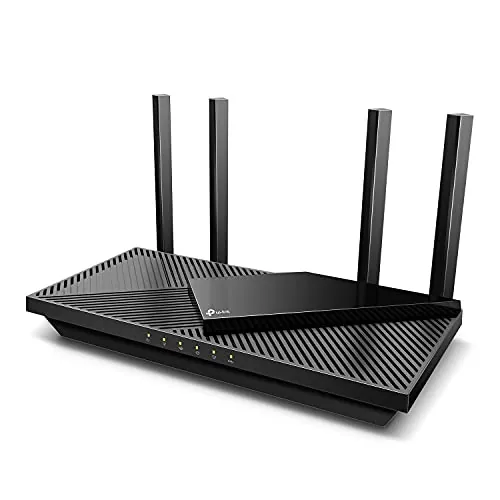
TP-Link Archer AX55 AX3000 Dual-Band Wi-Fi 6 Router
U.S. Archer AX55 dual-band Wi-Fi 6 model. TP-Link lists a gigabit WAN and four gigabit LAN ports. Its current U.S. page advertises OneMesh and EasyMesh; the support page lists several hardware revisions, so check the physical label and corresponding firmware.
Model Archer AX55
Amazon ASIN B09G5W9R6R
Differences that matter
What matters most to you?
Choose a priority to see what it changes.
Sources for Wireless standards, bands, and client support
Sources for WAN and LAN ports for your internet and wired devices
Sources for Whole-home mesh mode and revision check
Start with the clients, not the Wi-Fi generation label
List the phones, laptops, TVs, and other devices that matter most, then note their Wi-Fi generation and supported bands. TP-Link's U.S. page lists BE230 as dual-band Wi-Fi 7 with 2.4 and 5 GHz; AX55 is dual-band Wi-Fi 6 with the same two bands. BE230 lists features such as MLO and 4K-QAM, but TP-Link says compatible client support is required. Neither model adds a 6 GHz band, and the maximum rates in the specification are not a promise of real-world speed or coverage.
If the Wi-Fi 7 client you care about is only a future possibility, the standard label alone may not justify the change. If you need 6 GHz now, compare a different exact model whose U.S. specification lists that band.
Map the wired path to find out whether 2.5GbE matters
Write down the complete path from the service to the endpoint. BE230 has one 2.5 Gbps WAN and one 2.5 Gbps LAN port, followed by three 1 Gbps LAN ports. AX55 has a 1 Gbps WAN and four 1 Gbps LAN ports. For an internet upgrade, the ISP plan and modem/ONT must support the WAN rate. For a fast NAS or workstation, the router LAN port, every switch and cable in between, and the device's network interface must support the same intended link.
That makes the BE230's 2.5 Gbps LAN a fit for one compatible multi-gig wired endpoint; it does not turn all LAN ports multi-gig. If your devices and service stay at gigabit, AX55's four gigabit LAN ports may cover the wired topology without unused multi-gig capacity. Neither router's rate label substitutes for a throughput test on your actual connection.
Treat mesh as a compatibility and firmware check
Both models are listed on TP-Link's current EasyMesh compatibility page by name, and their U.S. product pages describe EasyMesh support. AX55's page also advertises OneMesh. TP-Link distinguishes OneMesh and EasyMesh as separate systems that cannot be combined into one unified mesh network. For a planned router-plus-satellite setup, choose the system first, then check the support list and latest firmware for the exact hardware revisions on both devices.
The listings identify router models, not necessarily the hardware revision that a specific seller will ship. TP-Link's U.S. downloads provide version-specific manuals and firmware and warn users to match the version and purchase region. Read each unit's label before updating or promising seamless roaming. If you cannot confirm the revision or firmware, treat the mesh pairing as unverified and ask TP-Link before purchase.
Use a port and service checklist before checkout
Before replacing a router, record: your ISP plan rate; modem or ONT port rating; whether the switch and cable path can carry a multi-gig link; the wired endpoint's network port; each main client's Wi-Fi generation/band; and any mesh node model and hardware revision. This quickly shows whether BE230's 2.5 Gbps ports or Wi-Fi 7 features have a compatible use in your setup.
If you attach a USB drive, compare the documented server function you need. AX55's U.S. page lists Apple Time Machine, FTP, media, and Samba functions. BE230's page lists FTP, media, and Samba, but does not list Time Machine; that absence on the page is not proof of an immutable hardware limitation. Check the manual for your exact revision and the current feature notes before moving backups.
Product details
TP-Link Archer BE230 BE3600 Dual-Band Wi-Fi 7 Router
- Wi-Fi standards and listed rates
- Dual-band Wi-Fi 7 (802.11be): 5 GHz up to 2,882 Mbps and 2.4 GHz up to 688 Mbps; MLO and 4K-QAM are listed Source
- Ethernet port layout
- 1 × 2.5 Gbps WAN, 1 × 2.5 Gbps LAN, and 3 × 1 Gbps LAN Source
- Mesh and hardware revisions
- EasyMesh-compatible; U.S. support page lists multiple hardware versions and version-specific downloads Source
- USB storage functions listed
- USB 3.0 with FTP, media-server, and Samba-server functions on the listed page Source
TP-Link Archer AX55 AX3000 Dual-Band Wi-Fi 6 Router
- Wi-Fi standards and listed rates
- Dual-band Wi-Fi 6 (802.11ax): 5 GHz up to 2,402 Mbps and 2.4 GHz up to 574 Mbps Source
- Ethernet port layout
- 1 × 1 Gbps WAN and 4 × 1 Gbps LAN Source
- Mesh and hardware revisions
- Current U.S. page advertises OneMesh and EasyMesh; support page lists multiple revisions and revision-specific manuals/firmware Source
- USB storage functions listed
- USB 3.0; TP-Link lists Apple Time Machine, FTP, media-server, and Samba-server functions Source
Before you buy
Community discussions
When a gigabit WAN link negotiates at 100 Mbps
TP-Link Archer AX55 AX3000 Dual-Band Wi-Fi 6 Router
An AX55 user reported that the Ethernet link from their fiber terminal negotiated at 100 Mbps. Forcing 1 Gbps made the router report the WAN cable as unplugged. They did not establish a cause.
What to check
Before upgrading for the BE230’s faster wired path, find whether the gateway and the client you want to speed up both support the intended rate.
Using the AX55 behind an ISP fiber router
TP-Link Archer AX55 AX3000 Dual-Band Wi-Fi 6 Router
One owner used the Archer AX55 in access-point mode while their ISP fiber terminal handled routing. They asked about other layouts after being disappointed with their own results when routing with PPPoE on the AX55.
What to check
If your ISP gateway will keep routing, check whether your upgrade is for wireless coverage in access-point mode or for a faster routed Ethernet path.
Common questions
Does Archer BE230 have a 6 GHz band?
No 6 GHz band appears in TP-Link's U.S. BE230 specification. It lists 2.4 GHz and 5 GHz Wi-Fi 7. If you need 6 GHz, compare a router whose exact U.S. model specification lists that band.Archer BE230 | BE3600 Dual-Band Wi-Fi 7 Router — TP-Link U.S.
Can Archer BE230 deliver multi-gig internet to every wired device?
No. TP-Link lists one 2.5 Gbps WAN, one 2.5 Gbps LAN, and three 1 Gbps LAN ports. A multi-gig link requires a compatible ISP plan, modem, cable path, and endpoint; the other router LAN ports are gigabit.Archer BE230 | BE3600 Dual-Band Wi-Fi 7 Router — TP-Link U.S.
Can I use Archer BE230 and AX55 in the same EasyMesh system?
TP-Link's current EasyMesh compatibility list includes both Archer BE230 and Archer AX55 by model name, and both current product pages list EasyMesh support. Before relying on a particular router pairing, check the hardware revision and latest firmware for each unit. OneMesh and EasyMesh are separate mesh systems and should not be treated as one combined system.Archer BE230 | BE3600 Dual-Band Wi-Fi 7 Router — TP-Link U.S.Archer AX55 | AX3000 Dual Band Gigabit Wi-Fi 6 Router — TP-Link U.S.TP-Link EasyMesh Devices — TP-Link U.S.Can Deco Mesh, OneMesh, EasyMesh, and Omada Mesh Work Together? — TP-Link Support
Which one lists Apple Time Machine support over USB?
TP-Link lists Apple Time Machine among the AX55's USB 3.0 functions. The BE230 U.S. page lists FTP, Media Server, and Samba Server but not Time Machine. Verify the current manual for the hardware revision you receive before relying on a backup workflow.Archer BE230 | BE3600 Dual-Band Wi-Fi 7 Router — TP-Link U.S.Archer AX55 | AX3000 Dual Band Gigabit Wi-Fi 6 Router — TP-Link U.S.
Sources and scope
This guide compares TP-Link's U.S. documentation and listing data identities for Archer BE230 and Archer AX55. It is not a throughput, latency, wireless coverage, or penetration test. The advertised wireless rates are maximum physical signaling rates, not guaranteed internet speeds. A 2.5 Gbps port helps only when the connected service, modem, cable path, switch, and client port support the intended link. Hardware revisions and firmware vary; confirm the label and official download page for the unit being sold. Mesh compatibility labels do not establish a specific topology until both devices' revisions, firmware and desired mesh mode are checked.
- Archer BE230 | BE3600 Dual-Band Wi-Fi 7 Router — TP-Link U.S.
- Archer AX55 | AX3000 Dual Band Gigabit Wi-Fi 6 Router — TP-Link U.S.
- Download for Archer BE230 — TP-Link U.S. Support
- Download for Archer AX55 — TP-Link U.S. Support
- TP-Link EasyMesh Devices — TP-Link U.S.
- Can Deco Mesh, OneMesh, EasyMesh, and Omada Mesh Work Together? — TP-Link Support
- How to Add a Satellite Router or Extender to Your EasyMesh Network — TP-Link Support
Related comparisons

Deco X55 3-Pack vs Archer AX55: Do You Need Three Wi-Fi Nodes?
The assigned Deco X55 is a three-unit Wi-Fi 6 mesh kit; the Archer AX55 offer is one Wi-Fi 6 router. That difference changes where Wi-Fi and Ethernet connections are available. X55 gives you three units to place in separate locations, optional Ethernet backhaul, and three Gigabit ports per unit. AX55 concentrates one Gigabit WAN, four Gigabit LAN ports, and a USB 3.0 port at the router. Before buying, map the modem, rooms that need another node, power outlets, wall Ethernet runs, and wired devices. Both support router and access-point operation, but Archer expansion uses a compatible OneMesh or EasyMesh path and cannot merge with Deco mesh; check the exact AX55 hardware version and firmware if expansion matters.
Read comparison
TP-Link Archer BE400 vs BE230: Match Wi-Fi Tier to Your Wired Setup
The assigned US listings are Archer BE400 ASIN B0DVBP5L6Y (one unit) and Archer BE230 ASIN B0DC99N2T8 (one unit). TP-Link's US pages show the same port count on both: one 2.5Gbps WAN, one 2.5Gbps LAN, and three 1Gbps LAN ports, plus USB 3.0. The main published distinction is wireless class: BE400 is BE6500 dual-band Wi-Fi 7 with six external antennas; BE230 is BE3600 dual-band Wi-Fi 7 with four. Before choosing, draw the modem-to-router connection and list each wired endpoint by link rate. The BE400 Amazon page's captured model fields identify BE400, but a separate box field names BE230; confirm the shipped item with the seller. Neither Amazon listing establishes the unit's hardware revision.
Read comparison