
Products compared
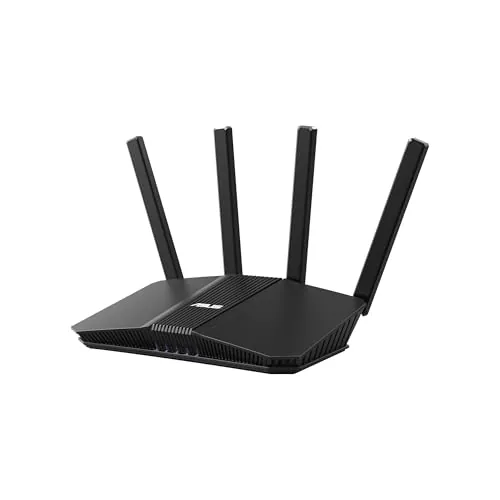
ASUS
ASUS RT-BE58U WiFi 7 Router
selected U.S. listing; the listing and listing identity do not resolve hardware revision A1 versus V2. Match the unit's label to ASUS's corresponding manual before using a port map or firmware.
Model RT-BE58U
Amazon ASIN B0DHWBS9G6

TP-Link
TP-Link Archer BE230 BE3600 Dual-Band Wi-Fi 7 Router
Assigned U.S. Archer BE230 listing. TP-Link's U.S. product page documents the wired ports and EasyMesh support; confirm the exact hardware version and firmware on the unit when checking node compatibility.
Model Archer BE230
Amazon ASIN B0DC99N2T8
Differences that matter
What matters most to you?
Choose a priority to see what it changes.
Sources for 2.5G modem input and wired client at once
Sources for Mesh expansion with existing equipment
Sources for WAN backup and mobile connection workflow
Sources for Router placement and operating role
First draw the ports you need
Write down the modem's Ethernet speed, the wired devices that need 2.5G, and the ordinary 1G devices. Archer BE230's U.S. page explicitly separates 2.5G WAN and 2.5G LAN. ASUS's U.S. RT-BE58U specification instead lists one 2.5G WAN/LAN port and one 1G WAN/LAN port alongside three 1G LAN ports; its hardware version must be checked because ASUS publishes separate A1 and V2 documentation.
This is a port-allocation comparison, not a claim that either router will deliver a particular internet or Wi-Fi speed. The modem, service plan, client ports, cabling and configuration also constrain the connection.
Match the mesh system you already own
If an existing node is part of the purchase, use its exact model and current firmware to check the same manufacturer's compatibility list. ASUS labels its system AiMesh; TP-Link labels BE230 EasyMesh-compatible. Treat those as distinct ecosystems and verify each node rather than assuming any mesh-branded extender will join.
Check the backup and USB workflow
ASUS's specification lists dual WAN, 3G/4G LTE dongle support and 4G/5G auto mobile tethering, while its USB application list includes file and media services. TP-Link describes BE230's USB 3.0 port for external-drive sharing and personal-cloud access. If a phone or cellular modem must provide backup internet, verify the exact supported device and setup steps; USB presence by itself does not prove tethering support.
Use the intended network role
ASUS lists router, access-point and media-bridge modes for RT-BE58U. TP-Link presents BE230 as a router and notes that a separate modem is required for most providers. If your ISP gateway will remain connected, confirm the desired routing/access-point arrangement and follow the manual for the exact hardware and firmware.
Product details
ASUS RT-BE58U WiFi 7 Router
- Published U.S. port layout
- ASUS’s U.S. specifications list five Ethernet sockets. Its user guide shows four. Verify the revision and matching port diagram for the exact unit. Source
- Network role and WAN options
- The U.S. specification lists router, access point and media bridge modes, dual WAN, USB 3G/4G LTE dongle and 4G/5G mobile tethering options. Source
- Mesh
- ASUS identifies RT-BE58U as an AiMesh router and node; check the exact existing node model and firmware before planning expansion. Source
TP-Link Archer BE230 BE3600 Dual-Band Wi-Fi 7 Router
- Ethernet ports
- One dedicated 2.5 Gbps WAN, one dedicated 2.5 Gbps LAN and three 1 Gbps LAN ports. Source
- Mesh
- EasyMesh-compatible with EasyMesh routers and range extenders; check the exact node model and firmware before purchase. Source
- USB use
- USB 3.0 supports sharing files from an external drive and personal-cloud access as described by TP-Link. Source
Before you buy
Community discussions
Counting Ethernet connections for a second access point
TP-Link Archer BE230 BE3600 Dual-Band Wi-Fi 7 Router
A shopper in South Africa considered buying two Archer BE230 routers and using a wired link between them. They also wanted traffic prioritization for their PC and asked how the setup would compare with an ASUS option.
What to check
Count the Ethernet connection for backhaul separately from the one for your PC. Then check what happens to LAN availability when a flexible port is assigned to WAN.
Checking which Archer BE230 hardware revision ships
TP-Link Archer BE230 BE3600 Dual-Band Wi-Fi 7 Router
A shopper found several Archer BE230 hardware revision labels and asked whether revisions affect features, internal hardware, or stability. The post does not verify any differences.
What to check
Check the listed hardware revision for each US offer against the documentation before comparing its port and firmware features.
Common questions
Can the Archer BE230 connect a 2.5G modem and a separate 2.5G wired device?
TP-Link's U.S. product page lists one dedicated 2.5G WAN port and a separate dedicated 2.5G LAN port, so those roles can be assigned separately in a wiring plan. The page also lists three 1G LAN ports. Check the connected modem, switch and client all support the intended link speed.Archer BE230 U.S. Product Page
Which RT-BE58U hardware version is in the selected Amazon listing?
The listing data and assigned Amazon identity say RT-BE58U but do not settle A1 versus V2. ASUS maintains separate A1 and V2 manual/firmware entries and says to check the product or box label. Confirm the exact revision on the unit you receive before applying a port diagram or firmware.RT-BE58U U.S. Support and Hardware Revision DownloadsRT-BE58U U.S. Technical Specifications
Will my existing mesh node work with either router?
Check its exact model and firmware against the matching maker's compatibility information. ASUS lists AiMesh for RT-BE58U and TP-Link lists EasyMesh for BE230; these labels do not establish cross-brand node compatibility.RT-BE58U U.S. Technical SpecificationsArcher BE230 U.S. Product Page
Does the BE230's USB port provide mobile tethering?
TP-Link's U.S. BE230 page describes USB 3.0 external-drive file sharing and personal-cloud access. It does not establish USB cellular tethering, so do not assume that function from the port alone.Archer BE230 U.S. Product Page
Will one router provide faster Wi-Fi coverage or lower latency?
The cited product specifications do not provide a controlled comparison in the same home, client setup and firmware. Choose by documented port roles, mesh equipment and network workflow rather than assuming a speed or coverage winner.RT-BE58U U.S. Technical SpecificationsArcher BE230 U.S. Product Page
Sources and scope
Confirm the exact ASUS RT-BE58U hardware revision. Its U.S. page lists five Ethernet sockets and the ASUS user guide shows four. The ASIN does not identify A1 or V2. TP-Link’s U.S. BE230 specs list dedicated 2.5G WAN and LAN.
Related comparisons

TP-Link Archer BE400 vs BE230: Match Wi-Fi Tier to Your Wired Setup
The assigned US listings are Archer BE400 ASIN B0DVBP5L6Y (one unit) and Archer BE230 ASIN B0DC99N2T8 (one unit). TP-Link's US pages show the same port count on both: one 2.5Gbps WAN, one 2.5Gbps LAN, and three 1Gbps LAN ports, plus USB 3.0. The main published distinction is wireless class: BE400 is BE6500 dual-band Wi-Fi 7 with six external antennas; BE230 is BE3600 dual-band Wi-Fi 7 with four. Before choosing, draw the modem-to-router connection and list each wired endpoint by link rate. The BE400 Amazon page's captured model fields identify BE400, but a separate box field names BE230; confirm the shipped item with the seller. Neither Amazon listing establishes the unit's hardware revision.
Read comparison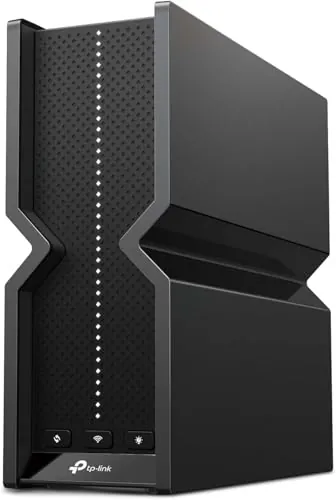
TP-Link Archer BE230 vs BE550: Plan Your 6 GHz and Wired Devices
The Archer BE230 is a dual-band Wi-Fi 7 router with one 2.5 Gbps WAN, one 2.5 Gbps LAN and three 1 Gbps LAN ports. The Archer BE550 adds a 6 GHz band and four 2.5 Gbps LAN ports behind a separate 2.5 Gbps WAN. Choose with a port-by-port device list, then check which household devices can use 6 GHz.
Read comparison