
Products compared

TP-Link
TP-Link Archer BE400 BE6500 Dual-Band Wi-Fi 7 Router
The assigned Amazon US ASIN is listed as one router. Its captured model name and model number say Archer BE400, but a separate 'What's in the box' field says Wi-Fi 7 Router Archer BE230. Confirm the exact carton/model with the seller before relying on the package description. TP-Link US support currently lists BE400 V1.60 materials and states V1.0 = V1.6/V1.8 under its label convention; the Amazon page does not identify which revision is in this ASIN. Verify the delivered unit's label before choosing firmware or revision-specific instructions.
Model Archer BE400
Amazon ASIN B0DVBP5L6Y
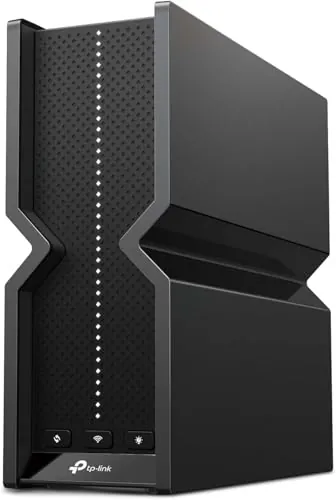
TP-Link
TP-Link Archer BE550 BE9300 Tri-Band Wi-Fi 7 Router
The assigned Amazon US ASIN is listed as one TP-Link Archer BE550 router; the captured Amazon item fields name Archer BE550 and show UPC 840030708367. TP-Link's US page names this same Archer BE550 as a BE9300 tri-band Wi-Fi 7 router and lists 2.4, 5 and 6GHz bands, one 2.5Gbps WAN and four 2.5Gbps LAN ports. TP-Link US support offers BE550 V1, V1.60, V2, V2.26 and V2.60 materials. The retailer page does not identify which hardware revision ships; check the device label. Do not infer a particular revision or port/band variant from the BE9300 class name alone.
Model Archer BE550
Amazon ASIN B0CJSNSVMR
Differences that matter
What matters most to you?
Choose a priority to see what it changes.
Sources for 6GHz availability and client fit
Sources for How many wired devices need 2.5Gbps LAN?
Sources for Internet service and WAN ceiling
Sources for Exact Amazon listing and hardware revision
The key wireless difference is a 6GHz radio, not guaranteed speed
TP-Link's US pages describe BE400 as dual-band Wi-Fi 7 on 2.4GHz and 5GHz; BE550 is tri-band and adds 6GHz. This matters only if a client you plan to use supports 6GHz. TP-Link says that band is for suitable Wi-Fi 6E/7 client devices; older or incompatible devices remain on their supported bands.
BE550 also lists MLO, but a router feature does not establish that a particular phone or laptop uses 6GHz or the desired MLO band pairing. TP-Link says client MLO implementations vary, and partial support may yield limited benefit. No measured speed, coverage or latency result is claimed for this pair.
Count multi-gig endpoints and check the WAN path
Both routers list one 2.5Gbps WAN. BE400 has one 2.5Gbps LAN and three 1Gbps LAN ports; BE550 has four 2.5Gbps LAN ports. Write down the modem/ONT rate and ISP plan, then count the wired PCs, NAS devices and switches that need a 2.5Gbps LAN. BE400 can connect one such endpoint directly; BE550 can connect up to four before a switch is needed, provided the connected endpoints and cabling support those links.
If the ISP plan exceeds 2.5Gbps, neither listed WAN port is rated above that. For a plan at or below that level, modem/ONT, router, cable and client all need compatible interfaces. Port speed describes a link capability, not a measured transfer speed or a guarantee of end-to-end throughput.
Confirm the exact listing and the hardware version
The captured Amazon page for B0DVBP5L6Y identifies Archer BE400 in its model-name and model-number fields, but its separate box field says Archer BE230. Ask the seller to confirm the exact carton/model before relying on that included-item description. This conflict is specific to that BE400 listing; the B0CJSNSVMR listing separately identifies Archer BE550, one unit and UPC 840030708367.
Neither Amazon capture states the hardware revision. TP-Link US support provides multiple version-specific material branches for both models, including BE400 V1.60 and BE550 V1/V1.60/V2/V2.26/V2.60. Check the hardware-version label on the delivered router and follow its corresponding US support documentation. Do not infer that the BE9300 class name establishes a BE550 revision.
Product details
TP-Link Archer BE400 BE6500 Dual-Band Wi-Fi 7 Router
- Wi-Fi bands
- Dual-band Wi-Fi 7: 2.4GHz and 5GHz. It does not provide a 6GHz radio. Source
- WAN/LAN layout
- One 2.5Gbps WAN, one 2.5Gbps LAN and three 1Gbps LAN ports. A 2.5G service path needs compatible plan and equipment; actual throughput depends on the end-to-end network. Source
- US hardware support
- TP-Link US currently lists BE400 V1.60 materials and the label convention V1.0 = V1.6/V1.8. The B0DVBP5L6Y retailer listing does not show its hardware revision. Source
TP-Link Archer BE550 BE9300 Tri-Band Wi-Fi 7 Router
- Wi-Fi bands
- TP-Link's US Archer BE550 page and linked V2.6 datasheet identify a tri-band Wi-Fi 7 router with 2.4GHz, 5GHz and 6GHz bands. 6GHz access requires a suitable 6E/7 client and may depend on regional conditions. Source
- WAN/LAN layout
- One 2.5Gbps WAN and four 2.5Gbps LAN ports, plus USB 3.0. The US model page and linked V2.6 datasheet show this layout. The WAN remains a 2.5Gbps interface; this does not make a faster-than-2.5G internet handoff possible at the router. Source
- US hardware support
- TP-Link US support currently lists BE550 V1, V1.60, V2, V2.26 and V2.60 materials. Amazon ASIN B0CJSNSVMR does not show which revision ships. Source
Before you buy
Community discussions
A BE400 behind the internet provider’s router
TP-Link Archer BE400 BE6500 Dual-Band Wi-Fi 7 Router
A BE400 owner using it behind a separate cable router reported brief interruptions on both Wi-Fi and wired devices.
What to check
Decide which device will route your network. Check the provider’s supported bridge or access-point options and try both wired and wireless clients in the layout you will use.
Testing the exact wired port you need
TP-Link Archer BE550 BE9300 Tri-Band Wi-Fi 7 Router
A BE550 owner said two devices had connectivity trouble on LAN port 1 but worked when connected to other LAN ports.
What to check
If several wired devices will be connected, test them on the ports you plan to use, including their negotiated speeds and whether they get an address.
Common questions
Does BE550 add a 6GHz band over BE400?
Yes. TP-Link's US BE550 page describes a tri-band 2.4/5/6GHz router; the US BE400 page describes a dual-band 2.4/5GHz router. A suitable 6GHz-capable client is required to use that band.Archer BE400 | BE6500 Dual-Band Wi-Fi 7 RouterArcher BE550 | BE9300 Tri-Band Wi-Fi 7 RouterTP-Link Wi-Fi 7 Router and Deco: Frequently Asked Questions
How many 2.5Gbps LAN ports does each model list?
TP-Link lists one 2.5Gbps LAN port on BE400 and four on BE550. Both pages list one 2.5Gbps WAN, so BE550's extra ports are on the LAN side rather than a faster internet WAN.Archer BE400 | BE6500 Dual-Band Wi-Fi 7 RouterArcher BE550 | BE9300 Tri-Band Wi-Fi 7 Router
Will every Wi-Fi 7 client get 6GHz or MLO on BE550?
No. Check the exact client's supported bands and MLO type. TP-Link says 6GHz requires suitable Wi-Fi 6E/7 client hardware and MLO results vary with client implementation. The router's feature list is not a promise for every client.TP-Link Wi-Fi 7 Router and Deco: Frequently Asked QuestionsWhat Is an MLO Network, and Why Does TP-Link MLO Network Performance Vary?
Can either router deliver an internet connection faster than 2.5Gbps?
Both US product pages list a 2.5Gbps WAN port. A faster plan would not be fully used through that listed WAN interface; actual throughput also depends on compatible upstream equipment, cabling and other conditions.Archer BE400 | BE6500 Dual-Band Wi-Fi 7 RouterArcher BE550 | BE9300 Tri-Band Wi-Fi 7 Router
Is the BE400 listing's Archer BE230 box text confirmed?
No. The captured B0DVBP5L6Y Amazon page names Archer BE400 in the model fields but Archer BE230 in a separate box field. Confirm the carton/model with the seller. This observed conflict is specific to the BE400 ASIN and should not be applied to B0CJSNSVMR.TP-Link Archer BE400, ASIN B0DVBP5L6Y
Sources and scope
- Archer BE400 | BE6500 Dual-Band Wi-Fi 7 Router
- Download for Archer BE400
- Archer BE550 | BE9300 Tri-Band Wi-Fi 7 Router
- Download for Archer BE550
- Archer BE550 2.0 Datasheet
- TP-Link Archer BE400, ASIN B0DVBP5L6Y
- TP-Link Archer BE550, ASIN B0CJSNSVMR
- TP-Link Wi-Fi 7 Router and Deco: Frequently Asked Questions
- What Is an MLO Network, and Why Does TP-Link MLO Network Performance Vary?
Related comparisons

Deco X55 3-Pack vs Archer BE400: Three-Node Mesh or Wi-Fi 7 Router?
The selected US offers are TP-Link Deco X55 3-pack ASIN B09PRB1MZM and one Archer BE400 ASIN B0DVBP5L6Y. X55 is a three-unit Wi-Fi 6 Deco mesh kit with three Gigabit ports on each node. BE400 is a single Wi-Fi 7 router; TP-Link’s US specifications list one 2.5Gbps WAN, one 2.5Gbps LAN and three 1Gbps LAN ports, with EasyMesh support. TP-Link says Deco Mesh and Archer EasyMesh cannot form one unified mesh. Before choosing, map the rooms, modem, Ethernet jacks and wired clients; for BE400, also confirm the exact hardware version and clarify an Amazon box-contents field that says Archer BE230 even though the listing model is BE400.
Read comparison
TP-Link Archer BE400 vs BE230: Match Wi-Fi Tier to Your Wired Setup
The assigned US listings are Archer BE400 ASIN B0DVBP5L6Y (one unit) and Archer BE230 ASIN B0DC99N2T8 (one unit). TP-Link's US pages show the same port count on both: one 2.5Gbps WAN, one 2.5Gbps LAN, and three 1Gbps LAN ports, plus USB 3.0. The main published distinction is wireless class: BE400 is BE6500 dual-band Wi-Fi 7 with six external antennas; BE230 is BE3600 dual-band Wi-Fi 7 with four. Before choosing, draw the modem-to-router connection and list each wired endpoint by link rate. The BE400 Amazon page's captured model fields identify BE400, but a separate box field names BE230; confirm the shipped item with the seller. Neither Amazon listing establishes the unit's hardware revision.
Read comparison