
Products compared
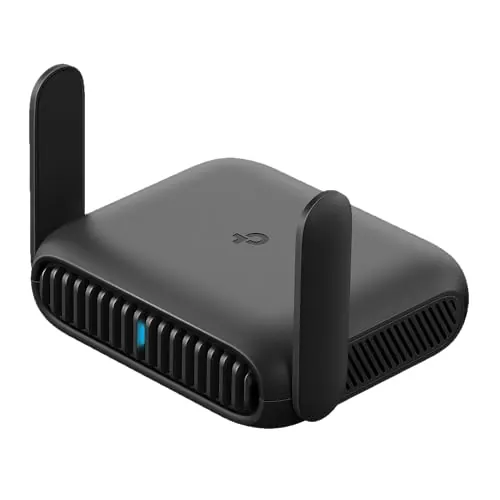
TP-Link
TP-Link Roam 6 AX1500 Travel Router
U.S. model; black single unit in the listing data.
Model TL-WR1512X
Amazon ASIN B0GLP6QL6R
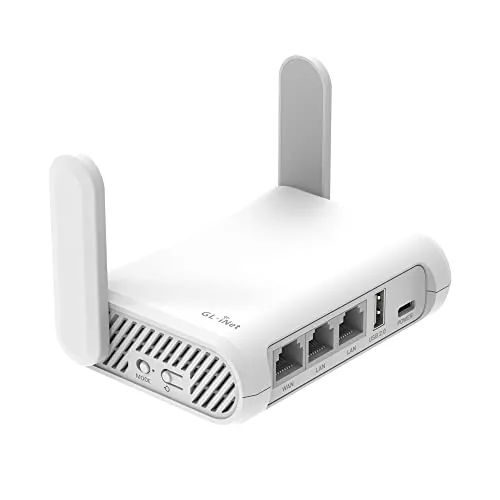
GL.iNet
GL.iNet Opal Travel Router
U.S. model; white single unit in the listing data.
Model GL-SFT1200
Amazon ASIN B09N72FMH5
Differences that matter
What matters most to you?
Choose a priority to see what it changes.
Sources for Travel Wi-Fi uplink workflow
Sources for Direct wired clients with Ethernet WAN upstream
Start with the Internet source you will have
For a hotel or public Wi-Fi trip, both are travel routers that can take an existing connection and create a private network. TP-Link lists Hotspot/WISP mode and describes a one-step captive-portal login through its Tether app. GL.iNet's exact Opal guide documents Repeater setup as: open the Internet page, select a Wi-Fi network, enter its password and apply. The guide says these steps describe the web panel and offers the app as an alternative.
For a wired room connection, both list an Ethernet WAN path. For phone data, both document USB tethering; each also documents use of an external cellular USB modem. The Roam 6 guide lists seven operating modes, while Opal's guide lists Ethernet, Repeater, Tethering and Cellular methods. These are setup options, not evidence that either router supplies cellular service itself or will work with every phone, modem or venue portal.
Count downstream Ethernet ports after choosing WAN
If the router joins the room's Ethernet through WAN, the published layouts leave one LAN port for a wired client on Roam 6 and two on Opal. That can decide whether a laptop, console or other wired device gets its own cable without adding a switch. TP-Link's guide says the Roam 6 WAN port can be reassigned as LAN in Access Point mode, so port roles depend on the operating mode; this is not a universal extra port when WAN is carrying upstream Internet.
Treat USB data and USB-C power as separate connections
The TL-WR1512X guide assigns its USB-C connection to power and a separate USB port to a phone, USB modem or storage; the current product page separately lists USB 2.0 while the guide labels that data port USB 3.0. Because the official pages conflict, this guide does not promise a USB transfer rate. Opal's page lists one USB 2.0 port, and its exact-model manual uses that port for phone tethering or a cellular modem. Both list Type-C separately for power.
Pack the supplied adapter unless your alternate power is confirmed
GL.iNet lists Opal's Type-C input as 5V/3A and its user guide says a power adapter is included. TP-Link's product page and TL-WR1512X guide do not agree on alternate Roam 6 power: the product page says 9V/12V PD/QC for a power bank but also shows 5V PD compatibility in the overview and 12V/1.5A in its hardware table; the guide recommends its included adapter or 5V/3A. Since the difference changes which cable or bank a traveler packs, use the bundled Roam 6 adapter unless TP-Link confirms the correct figure for the exact hardware revision.
Product details
TP-Link Roam 6 AX1500 Travel Router
- Listed Ethernet layout
- 1 Gigabit WAN and 1 Gigabit LAN; the guide says WAN can be reassigned as LAN in Access Point mode. Source
- Documented Internet sources
- Ethernet, existing Wi-Fi hotspot, USB tethering and USB modem among seven listed operating modes. Source
- USB and power note
- Separate USB data and Type-C power ports are described. USB generation and alternate-adapter guidance conflict between the current product page and the model guide. Source
GL.iNet Opal Travel Router
Before you buy
Community discussions
Choosing a travel router around the connection at your destination
GL.iNet Opal Travel Router
A shopper asked about travel routers for a handheld console. An Opal GL-SFT1200 owner described using the router with a hotel Ethernet connection.
What to check
Check whether your destination provides an Ethernet jack or Wi-Fi and how many wired devices you plan to connect.
Common questions
Will either router connect to the Internet without hotel Wi-Fi, Ethernet, a phone, or a USB modem?
The cited setup documents describe an external Internet source: Ethernet, existing Wi-Fi, phone tethering, or an external USB cellular modem. They do not establish built-in cellular service for either listed model.TL-WR1512X Product and Installation GuideGL-SFT1200 (Opal) User Guide
Does the Roam 6's USB-C port carry tethering data?
TP-Link's model guide distinguishes a USB-C power port from a separate USB data port used for tethering, a modem or storage. Its guide and current product page disagree about the data port's USB generation, so check the exact device labels and support materials before buying for a speed-specific use.TL-WR1512X Product and Installation GuideTL-WR1512X | Roam 6 AX1500 Wi-Fi 6 Travel Router
Can I use any USB-C power bank with the Roam 6?
Do not assume that. The TL-WR1512X page and guide state different alternate-power figures. The page recommends an appropriately certified 9V/12V PD/QC adapter while the guide recommends the supplied adapter or 5V/3A. Verify with TP-Link for the exact unit; Opal's published input is Type-C 5V/3A.TL-WR1512X | Roam 6 AX1500 Wi-Fi 6 Travel RouterTL-WR1512X Product and Installation GuideOpal (GL-SFT1200) | Pocket-sized Travel Router
Sources and scope
This is a documentation-based feature-fit comparison, not a network test. Neither manufacturer promises compatibility with every hotel's captive portal. TP-Link's current U.S. product page and TL-WR1512X guide disagree on the USB data-port generation and on power-input guidance; use the supplied adapter and confirm the exact hardware revision before using a third-party power bank. GL.iNet's stated 5V/3A Type-C input is a listed power requirement, not a claim about runtime from a particular bank.
Related comparisons
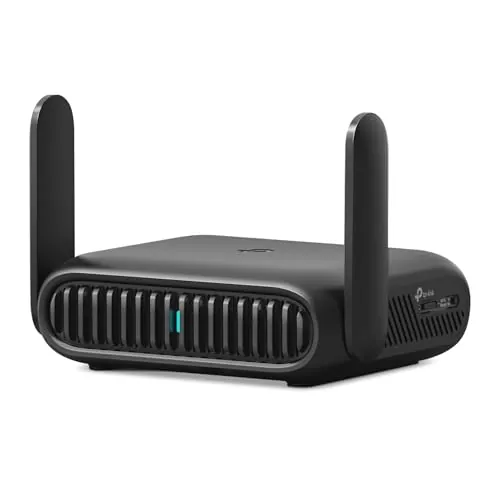
TP-Link Roam 7 vs GL.iNet Opal: Ports, Travel Modes and Packing Fit
The Roam 7 has one 2.5 Gbps WAN port and one 1 Gbps LAN port; the Opal has one 1 Gbps WAN and two 1 Gbps LAN ports. Both offer travel-friendly ways to use an authorized Ethernet, Wi-Fi or phone-tethered uplink, with different mode labels and setup flows. The Roam 7’s multi-gig WAN matters only when the upstream service and equipment support it; a device on its 1 Gbps LAN does not get a 2.5 Gbps link. Measure the router body and leave room for cables, power and any antennas before packing.
Read comparisonTP-Link Roam 7 vs Roam 6 AX1500: Travel Uplink, Ports and Power
Both routers document the same seven travel modes, including Ethernet router, hotspot, USB tethering, modem, access point, range extender and client modes. Roam 7 adds a documented 2.5 Gbps WAN option and Wi-Fi 7; Roam 6 is a Wi-Fi 6 gigabit setup. TP-Link's U.S. materials conflict on Roam 6's USB data port and power details, so verify the exact unit if those decide your purchase.
Read comparison