
Products compared

TP-Link
TP-Link Archer BE400 BE6500 Dual-Band Wi-Fi 7 Router
The assigned Amazon US ASIN is listed as one router. Its captured item details identify model name and number Archer BE400, but a separate 'What's in the box' field names an Archer BE230. Confirm the carton/model with the seller before relying on its package detail. TP-Link's US support selector currently shows BE400 V1.60 materials and states V1.0 = V1.6/V1.8 under its label convention; Amazon does not show which revision is in this ASIN. Check the device label before choosing firmware or revision-specific setup guidance.
Model Archer BE400
Amazon ASIN B0DVBP5L6Y
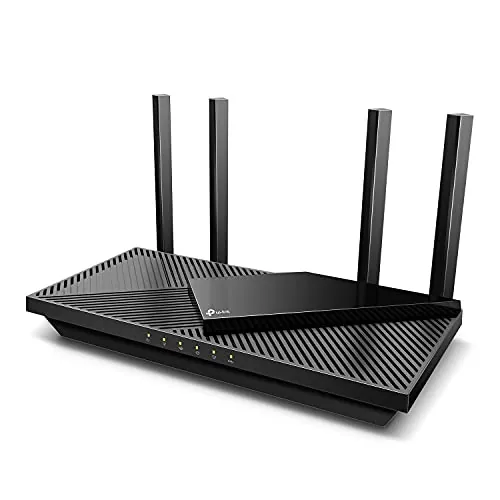
TP-Link
TP-Link Archer AX55 AX3000 Dual-Band Gigabit Wi-Fi 6 Router
The assigned Amazon US ASIN is listed as one TP-Link Archer AX55 router. Its captured item details show Model Name and Model Number Archer AX55, Mfr Part Number Archer AX55 and UPC 840030703041. The listing earlier product-page information does not identify a hardware revision. TP-Link's US support selector lists V1, V1.60, V4 and V4.60 support materials; check the label on the delivered unit before choosing firmware. Do not infer the exact revision from the AX55 family name or this ASIN.
Model Archer AX55
Amazon ASIN B09G5W9R6R
Differences that matter
What matters most to you?
Choose a priority to see what it changes.
Sources for WAN and wired LAN rates
Sources for Wi-Fi generation and client support
Sources for A practical wired-device map
Sources for Exact US listing and revision check
The upgrade is a faster port path and a newer Wi-Fi feature set
TP-Link's US product pages describe BE400 as dual-band Wi-Fi 7 and AX55 as dual-band Wi-Fi 6. BE400 also lists one 2.5Gbps WAN and one 2.5Gbps LAN; AX55 lists a Gigabit WAN. All four of each router's LAN jacks remain available, but BE400 makes one of them 2.5Gbps and AX55 keeps all four at Gigabit.
The BE400's wireless figures and Wi-Fi 7/MLO description are manufacturer specifications, not a prediction of speed or coverage in your home. A client must support the feature to use it. Start with the devices you own and the rate of your internet plan, then decide whether the new port/features solve a real need.
Map the modem and wired endpoints
Draw the connection from modem or ONT to the router WAN and check the ISP plan. Then list each wired endpoint, its network adapter speed and whether it must transfer data above 1Gbps. BE400 can put one such endpoint on its single 2.5Gbps LAN; it can serve multiple multi-gig endpoints only with a compatible switch connected there. The other three router LAN ports are rated at 1Gbps. AX55's WAN and all four LAN ports are Gigabit.
If the plan, modem and all wired clients are Gigabit or slower, the AX55 wired feature set may be enough. If the plan exceeds 1Gbps or one wired device needs a >1Gbps link, BE400 has a matching documented port path, subject to compatible equipment end to end. If you need 2.5Gbps links to two or more clients, account for a switch or compare a different port layout. This is an equipment-planning exercise, not a speed test.
Check exact listings and hardware revisions
The Amazon capture for B0DVBP5L6Y identifies a single Archer BE400 in model-name and model-number fields, but its separate box-contents field says Archer BE230. Confirm which router is in the carton with the seller before relying on the package description. The captured B09G5W9R6R item fields identify a single Archer AX55. These are distinct listing records; the BE400 text conflict is not a claim about the AX55.
Neither Amazon page specifies the hardware revision. TP-Link US support lists BE400 V1.60 materials and AX55 V1/V1.60/V4/V4.60 materials, with revision and regional caveats. Check the exact label on the delivered unit and use that version's support material before applying firmware or revision-specific steps.
Product details
TP-Link Archer BE400 BE6500 Dual-Band Wi-Fi 7 Router
- Wireless standard and listed class
- Dual-band Wi-Fi 7, marketed as BE6500; TP-Link lists 5764 Mbps on 5 GHz and 688 Mbps on 2.4 GHz. Link-rate specifications are not guaranteed internet throughput; Wi-Fi 7 features require supporting clients. Source
- WAN, LAN and USB
- One 2.5 Gbps WAN, one 2.5 Gbps LAN, three 1 Gbps LAN and one USB 3.0 port. 2.5 Gbps use requires compatible modem/service/equipment; actual speed depends on the full path and conditions. Source
- US revision documentation
- TP-Link US support currently presents BE400 V1.60 files and documents the label convention V1.0 = V1.6/V1.8. The B0DVBP5L6Y listing does not identify its revision. Source
TP-Link Archer AX55 AX3000 Dual-Band Gigabit Wi-Fi 6 Router
- Wireless standard and listed class
- Dual-band Wi-Fi 6, marketed as AX3000; TP-Link lists 2402 Mbps on 5 GHz and 574 Mbps on 2.4 GHz. Listed link rates are not guaranteed internet throughput. Source
- WAN, LAN and USB
- One Gigabit WAN, four Gigabit LAN ports and one USB 3.0 port. Source
- US revision documentation
- TP-Link US support currently lists AX55 V1, V1.60, V4 and V4.60 files. The B09G5W9R6R listing does not identify its hardware revision; match the physical device label to the regional support page. Source
Before you buy
Community discussions
When a gigabit WAN link negotiates at 100 Mbps
TP-Link Archer AX55 AX3000 Dual-Band Gigabit Wi-Fi 6 Router
An AX55 user reported that the Ethernet link from their fiber terminal negotiated at 100 Mbps. Forcing 1 Gbps made the router report the WAN cable as unplugged. They did not establish a cause.
What to check
Check the gateway speed and the WAN link speed shown by the router. Compare both with your service tier before choosing the BE400’s 2.5Gbps ports.
Using the AX55 behind an ISP fiber router
TP-Link Archer AX55 AX3000 Dual-Band Gigabit Wi-Fi 6 Router
One owner used the Archer AX55 in access-point mode while their ISP fiber terminal handled routing. They asked about other layouts after being disappointed with their own results when routing with PPPoE on the AX55.
What to check
Confirm what your ISP terminal can handle before moving routing to either Archer. If you keep the terminal in charge, check the access-point setup you will use.
Common questions
Does Archer BE400 have more LAN ports than AX55?
No. TP-Link lists four LAN ports on each. BE400 has one 2.5Gbps LAN and three 1Gbps LAN ports; AX55 has four Gigabit LAN ports. The useful distinction is port rate, not jack count.Archer BE400 | BE6500 Dual-Band Wi-Fi 7 RouterArcher AX55 | AX3000 Dual Band Gigabit Wi-Fi 6 Router
Will BE400 make my internet faster than AX55?
Not by itself. BE400 lists 2.5Gbps WAN/LAN ports, while AX55 lists Gigabit ports, but actual throughput depends on the ISP plan, modem/ONT, cabling, client, configuration and conditions. The Wi-Fi link-rate classes are not measured internet speeds.Archer BE400 | BE6500 Dual-Band Wi-Fi 7 RouterArcher AX55 | AX3000 Dual Band Gigabit Wi-Fi 6 Router
Can my existing Wi-Fi devices use BE400's Wi-Fi 7 features?
TP-Link notes that Wi-Fi 7 features require compatible clients. Check the standard and feature support of the devices you plan to use; the router's Wi-Fi 7 label does not show what an older client can use.Archer BE400 | BE6500 Dual-Band Wi-Fi 7 Router
What is the BE400 listing's box-contents issue?
The captured Amazon details for ASIN B0DVBP5L6Y say Archer BE400 in its model fields but Archer BE230 in its separate box-contents field. The capture cannot establish which model will ship. Confirm with the seller. This issue is specific to that BE400 ASIN.TP-Link Archer BE400, ASIN B0DVBP5L6Y
Can I tell which hardware revision these Amazon listings contain?
No. The captured pages identify model names but not exact hardware revisions. TP-Link US support lists multiple revision-specific files for both families; use the hardware version printed on the delivered unit.TP-Link Archer BE400, ASIN B0DVBP5L6YTP-Link Archer AX55, ASIN B09G5W9R6RDownload for Archer BE400Download for Archer AX55
Sources and scope
Related comparisons

Deco X55 3-Pack vs Archer AX55: Do You Need Three Wi-Fi Nodes?
The assigned Deco X55 is a three-unit Wi-Fi 6 mesh kit; the Archer AX55 offer is one Wi-Fi 6 router. That difference changes where Wi-Fi and Ethernet connections are available. X55 gives you three units to place in separate locations, optional Ethernet backhaul, and three Gigabit ports per unit. AX55 concentrates one Gigabit WAN, four Gigabit LAN ports, and a USB 3.0 port at the router. Before buying, map the modem, rooms that need another node, power outlets, wall Ethernet runs, and wired devices. Both support router and access-point operation, but Archer expansion uses a compatible OneMesh or EasyMesh path and cannot merge with Deco mesh; check the exact AX55 hardware version and firmware if expansion matters.
Read comparisonDeco X55 3-Pack vs Archer BE400: Three-Node Mesh or Wi-Fi 7 Router?
The selected US offers are TP-Link Deco X55 3-pack ASIN B09PRB1MZM and one Archer BE400 ASIN B0DVBP5L6Y. X55 is a three-unit Wi-Fi 6 Deco mesh kit with three Gigabit ports on each node. BE400 is a single Wi-Fi 7 router; TP-Link’s US specifications list one 2.5Gbps WAN, one 2.5Gbps LAN and three 1Gbps LAN ports, with EasyMesh support. TP-Link says Deco Mesh and Archer EasyMesh cannot form one unified mesh. Before choosing, map the rooms, modem, Ethernet jacks and wired clients; for BE400, also confirm the exact hardware version and clarify an Amazon box-contents field that says Archer BE230 even though the listing model is BE400.
Read comparison