
Pickagu

Wi-Fi Routers

Check the speed of the wired ports you plan to use, the Wi-Fi standards your devices support, and whether the router can join your existing mesh system.

46 comparisons

Wi-Fi Routers comparisons

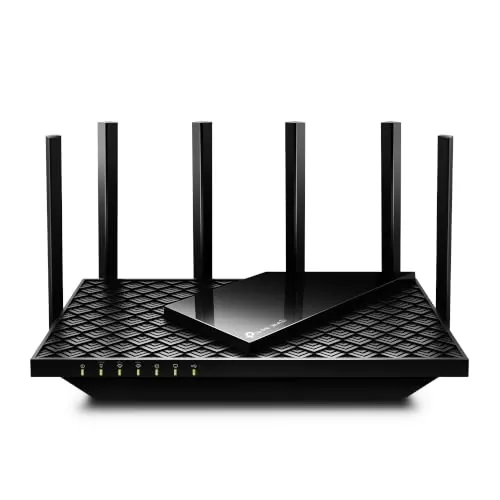
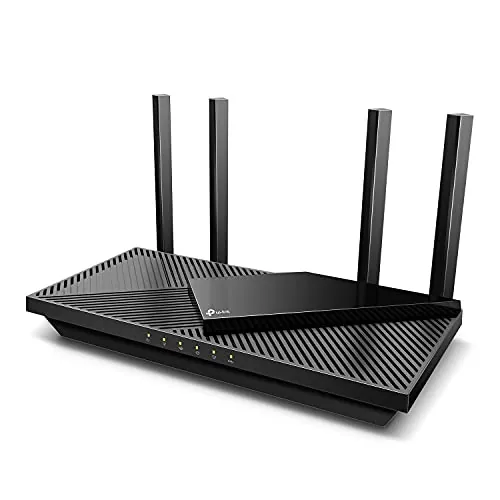
TP-Link Archer AXE75 AXE5400 Tri-Band Wi-Fi 6E Router · Archer AXE75
TP-Link Archer AXE75 AXE5400 Tri-Band Wi-Fi 6E Router
TP-Link Archer BE400 BE6500 Dual-Band Wi-Fi 7 Router · Archer BE400
TP-Link Archer BE400 BE6500 Dual-Band Wi-Fi 7 Router

TP-Link Archer AXE75 vs Archer BE400: 6 GHz, Wi-Fi 7 and Port Revisions

The Archer AXE75 is the tri-band Wi-Fi 6E choice with 2.4, 5 and 6 GHz radios. The Archer BE400 is a dual-band Wi-Fi 7 router with MLO for supported Wi-Fi 7 clients on 2.4/5 GHz, not a 6 GHz radio. For wired gear, BE400's U.S. page lists one 2.5Gbps WAN and one 2.5Gbps LAN. AXE75 V1 lists only gigabit WAN/LAN; the current V2 page adds a 2.5Gbps WAN/LAN port, and the selected AXE75 ASIN does not identify its revision. Choose by your actual clients and wired layout, not advertised aggregate Wi-Fi rates.

Read comparison
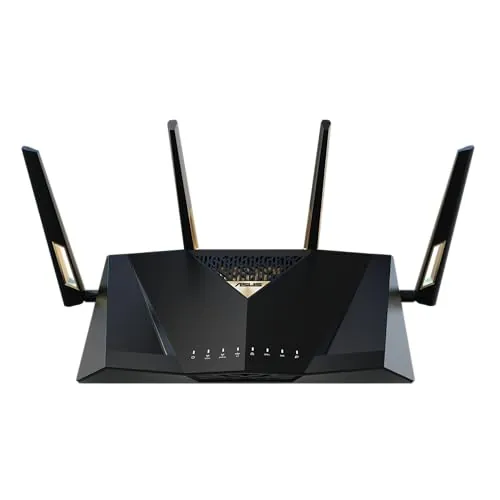
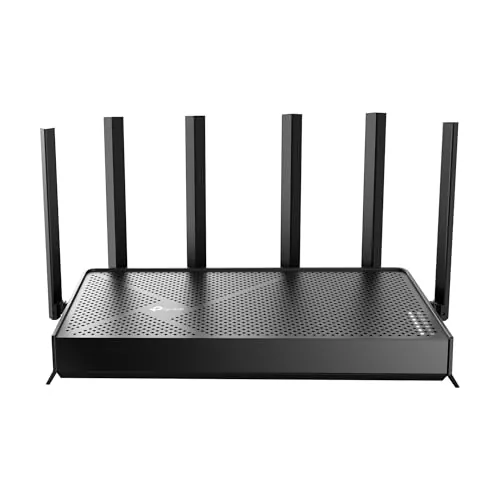
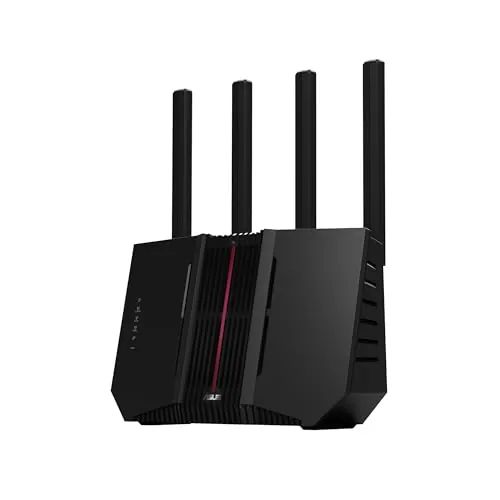
ASUS RT-BE88U WiFi 7 Router · RT-BE88U
ASUS RT-BE88U WiFi 7 Router
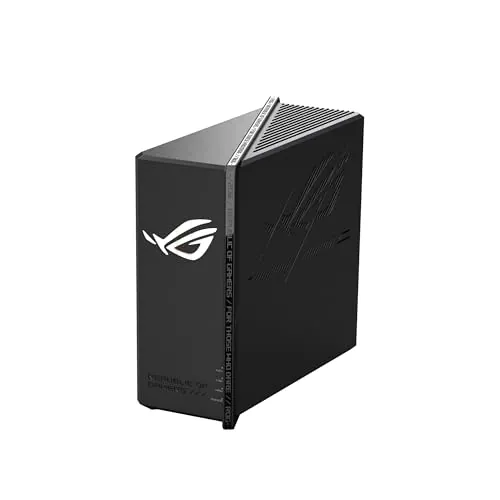
ASUS ROG Strix GS-BE12000 WiFi 7 Gaming Router · GS-BE12000
ASUS ROG Strix GS-BE12000 WiFi 7 Gaming Router

ASUS RT-BE88U vs ROG Strix GS-BE12000: Bands, Ports and AiMesh Fit

These Wi-Fi 7 routers answer different network plans. The ROG Strix GS-BE12000 adds a 6 GHz band and lists one 2.5G WAN plus seven 2.5G LAN ports. The RT-BE88U is dual-band and lists a 10G SFP+ port, a configurable 10G WAN/LAN port, another 2.5G WAN/LAN port, three 2.5G LAN ports and four 1G LAN ports. Compare your client bands, ISP handoff, existing switches and cable endpoints before paying; the port and band lists do not prove real-world speed or coverage.

Read comparison
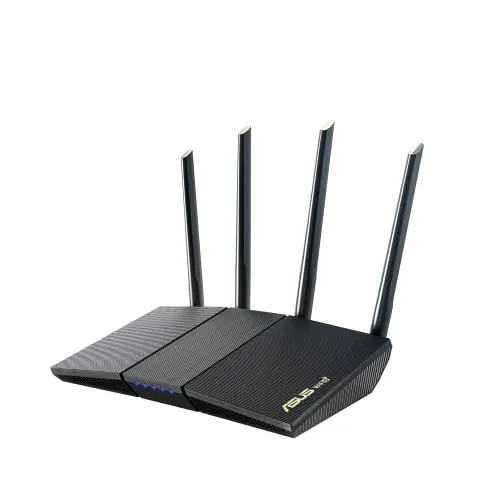
ASUS RT-AX1800S Dual Band WiFi 6 Router — Black · RT-AX1800S
ASUS RT-AX1800S Dual Band WiFi 6 Router — Black
TP-Link Archer AX55 AX3000 Dual-Band Gigabit Wi-Fi 6 Router — Black · Archer AX55
TP-Link Archer AX55 AX3000 Dual-Band Gigabit Wi-Fi 6 Router — Black

ASUS RT-AX1800S vs TP-Link Archer AX55: Mesh Fit and Wired Ports

Both U.S. model pages list one Gigabit WAN and four Gigabit LAN ports, so neither is the fit for a multi-gig wired WAN requirement. RT-AX1800S is listed as an AiMesh router and node. Archer AX55's U.S. product page lists OneMesh and EasyMesh with compatible devices plus a USB 3.0 storage port. TP-Link lists several U.S. AX55 hardware revisions and says availability varies by region; this listing information does not identify which revision is in the selected retail unit. Check the box label and exact compatibility page before buying for mesh expansion.

Read comparison
TP-Link Archer AXE75 Tri-Band Wi-Fi 6E Router · Archer AXE75; hardware revision not established for the selected ASIN
TP-Link Archer AXE75 Tri-Band Wi-Fi 6E Router
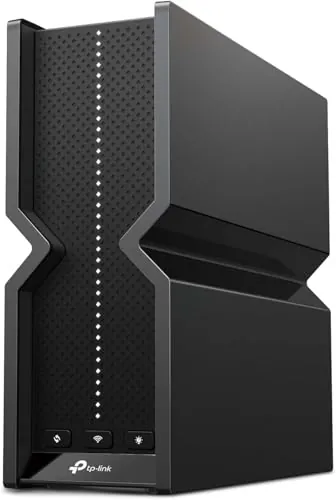
TP-Link Archer BE550 BE9300 Tri-Band Wi-Fi 7 Router · Archer BE550; hardware revision not established for the selected ASIN
TP-Link Archer BE550 BE9300 Tri-Band Wi-Fi 7 Router

TP-Link Archer AXE75 vs Archer BE550: Wi-Fi 7 Clients, Ethernet Ports, and Hardware Revisions

The Archer AXE75 is a Wi-Fi 6E router with a 6 GHz band. The Archer BE550 adds Wi-Fi 7 options including MLO and 320 MHz channels, but those features require compatible clients and 320 MHz on 6 GHz can be region restricted. Wired plans need a separate check: TP-Link lists multiple AXE75 hardware revisions with different Ethernet and mesh specifications, while the selected ASIN does not reveal its revision. Count the WAN connection and wired LAN devices, then compare the underside label on your AXE75 with the exact BE550 revision before treating the BE550 as a port upgrade.

Read comparison
TP-Link Archer BE600 Wi-Fi 7 Router · Archer BE600
TP-Link Archer BE600 Wi-Fi 7 Router
TP-Link Archer BE550 Wi-Fi 7 Router · Archer BE550
TP-Link Archer BE550 Wi-Fi 7 Router

TP-Link Archer BE600 vs BE550: Do You Need a 10G Port?

Both routers have four 2.5Gbps LAN connections available in a normal gateway setup. The BE600 adds a 10Gbps WAN/LAN combo port and a second 2.5Gbps WAN/LAN combo port; the BE550 keeps its 2.5Gbps WAN separate from four 2.5Gbps LAN ports. Map the modem and wired endpoints first, then pay for the BE600 only if its 10G port or combo-port flexibility fits that plan.

Read comparison
TP-Link Archer AX55 AX3000 Dual-Band Wi-Fi 6 Router · Archer AX55
TP-Link Archer AX55 AX3000 Dual-Band Wi-Fi 6 Router
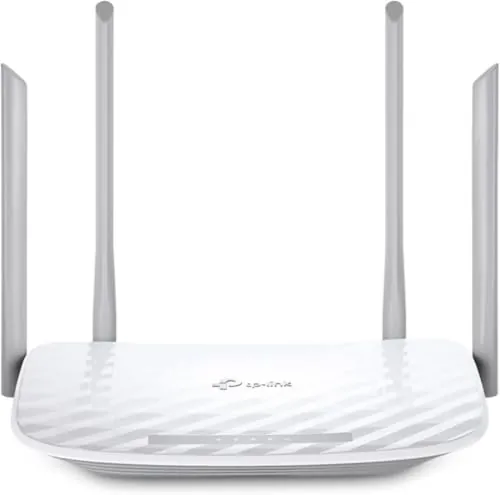
TP-Link Archer A54 AC1200 Dual-Band Wi-Fi Router · Archer A54
TP-Link Archer A54 AC1200 Dual-Band Wi-Fi Router

TP-Link Archer AX55 vs Archer A54: Match Wi-Fi, Ethernet and Setup Needs

The TP-Link Archer AX55 is the spec match for Wi-Fi 6 clients, a broadband or local wired path that should not be capped by 100 Mbps ports, or a USB drive connected to the router. The Archer A54 is a simpler fit when Wi-Fi 5 is enough, all wired links can use 10/100 Mbps, and you do not need router-hosted USB storage. Both require a compatible internet connection and may need a separate modem. TP-Link lists multiple hardware revisions for both families; confirm the label on the exact unit and match its U.S. documentation before relying on revision-specific features or firmware.

Read comparison
ASUS RT-BE9700 WiFi 7 Tri-band Router · RT-BE9700
ASUS RT-BE9700 WiFi 7 Tri-band Router
TP-Link Archer BE230 BE3600 Dual-Band Wi-Fi 7 Router · Archer BE230
TP-Link Archer BE230 BE3600 Dual-Band Wi-Fi 7 Router

ASUS RT-BE9700 vs TP-Link Archer BE230: 6 GHz and Wired Port Fit

Both are U.S. Wi-Fi 7 routers, but their radio bands and Ethernet layouts differ. ASUS lists 2.4, 5, and 6 GHz plus configurable 10G and 2.5G WAN/LAN ports and three dedicated 2.5G LAN ports. TP-Link lists dual-band 2.4/5 GHz, a dedicated 2.5G WAN, one 2.5G LAN, and three 1G LAN ports. Count ports after reserving WAN, then check which bands your actual devices support; specification rates do not predict your home's speed or coverage.

Read comparison
TP-Link Archer AX21 V5 AX1800 Dual-Band Wi-Fi 6 Router · Archer AX21 V5
TP-Link Archer AX21 V5 AX1800 Dual-Band Wi-Fi 6 Router
TP-Link Archer AX55 AX3000 Dual-Band Wi-Fi 6 Router · Archer AX55
TP-Link Archer AX55 AX3000 Dual-Band Wi-Fi 6 Router

TP-Link Archer AX21 V5 vs Archer AX55: USB Sharing, LAN Ports, and HE160

The practical difference is not the wired port count: TP-Link lists one gigabit WAN and four gigabit LAN ports for both models. The U.S. AX55 page additionally lists USB 3.0 storage functions, including Apple Time Machine, FTP, media, and Samba. It also lists 5 GHz HE160, which requires compatible clients and may be unavailable in some regions. The Archer AX21 V5 U.S. page lists 80 MHz 5 GHz Wi-Fi 6 and does not list USB storage. Check the hardware label on either router before selecting firmware or relying on revision-specific features.

Read comparison
TP-Link Archer AX21 V5 · Archer AX21 V5
TP-Link Archer AX21 V5
TP-Link Archer BE550 · Archer BE550
TP-Link Archer BE550

TP-Link Archer AX21 V5 vs Archer BE550: Do You Need 6 GHz or 2.5G Ethernet?

The Archer AX21 V5 is a dual-band Wi-Fi 6 router with Gigabit Ethernet. The tri-band Wi-Fi 7 Archer BE550 adds 6 GHz, five 2.5 Gbps Ethernet ports and a USB 3.0 storage connection. BE550 is the more relevant fit when a confirmed 6 GHz client, multi-gig wired devices or router-attached storage matter; AX21 V5 covers a 2.4/5 GHz and Gigabit-only setup without those requirements.

Read comparison
TP-Link Archer BE600 BE9700 Tri-Band Wi-Fi 7 Router · Archer BE600
TP-Link Archer BE600 BE9700 Tri-Band Wi-Fi 7 Router
ASUS RT-BE88U Dual-Band Wi-Fi 7 Router · RT-BE88U
ASUS RT-BE88U Dual-Band Wi-Fi 7 Router

TP-Link Archer BE600 vs ASUS RT-BE88U: 6 GHz Clients or a More Flexible Wired Plan?

The US Archer BE600 lists 2.4, 5, and 6 GHz bands plus one 10 Gbps WAN/LAN, one 2.5 Gbps WAN/LAN, and three 2.5 Gbps LAN ports. ASUS documents the RT-BE88U as a 2.4/5 GHz dual-band router with a 10G SFP+ port and four 1 Gbps LAN sockets alongside its multi-gig ports. Buy by checking your clients, WAN handoff, wired devices, and mesh plan against the port labels and current regional hardware revision—not by treating advertised totals as real-world speed.

Read comparison
ASUS RT-BE9700 Tri-Band WiFi 7 Router · RT-BE9700
ASUS RT-BE9700 Tri-Band WiFi 7 Router
ROG Strix GS-BE12000 Tri-Band WiFi 7 Gaming Router · GS-BE12000
ROG Strix GS-BE12000 Tri-Band WiFi 7 Gaming Router

ASUS RT-BE9700 vs ROG Strix GS-BE12000: Match the WAN Port and Wi-Fi Clients

Both are tri-band Wi-Fi 7 routers with listed 2×2 6GHz radios and 320MHz support, so start with your client devices and the modem-to-router link. The RT-BE9700 lists one 10Gbps WAN/LAN port and a flexible 2.5Gbps WAN/LAN role; the GS-BE12000 lists one 2.5Gbps WAN and seven 2.5Gbps LAN ports, including two gaming-designated LAN ports. Their listed 5GHz radio layouts differ, but those specifications do not predict household speed or range. Map your WAN and wired devices, then check the exact manual and hardware label before relying on a port role or bundle detail.

Read comparison
TP-Link Archer AXE75 Wi-Fi 6E Router · Archer AXE75
TP-Link Archer AXE75 Wi-Fi 6E Router
ASUS RT-BE88U Dual-Band Wi-Fi 7 Router · RT-BE88U
ASUS RT-BE88U Dual-Band Wi-Fi 7 Router

TP-Link Archer AXE75 vs ASUS RT-BE88U: 6 GHz or Multi-Gig Ports?

Both documented U.S. Archer AXE75 revisions include 2.4, 5, and 6 GHz, but their Ethernet layouts differ: V1 is all Gigabit, while V2 has one 2.5G WAN/LAN port. ASUS RT-BE88U uses 2.4/5 GHz and offers several multi-gig Ethernet ports plus a separate SFP+ socket. Start with the wireless bands your devices support, then assign the internet WAN and each wired endpoint to a specific port.

Read comparison
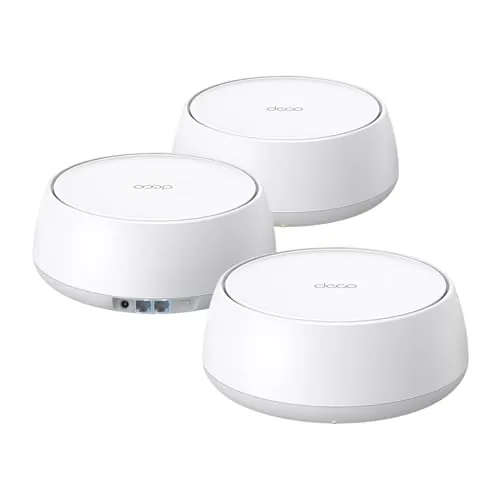
TP-Link Deco BE25 Wi-Fi 7 Mesh System (3-Pack) · Deco BE25 (3-Pack)
TP-Link Deco BE25 Wi-Fi 7 Mesh System (3-Pack)
TP-Link Archer BE230 BE3600 Dual-Band Wi-Fi 7 Router · Archer BE230
TP-Link Archer BE230 BE3600 Dual-Band Wi-Fi 7 Router

Deco BE25 3-Pack vs Archer BE230: Choose a Mesh Kit or One Router

The Deco BE25 offer is a three-unit, dual-band Wi-Fi 7 mesh kit with flexible 2.5GbE ports on each node and optional Ethernet backhaul. Archer BE230 is one dual-band Wi-Fi 7 router with fixed WAN/LAN ports and EasyMesh expansion. Choose by included placement points, wiring plan and ecosystem: Deco and Archer EasyMesh cannot form one unified mesh.

Read comparison
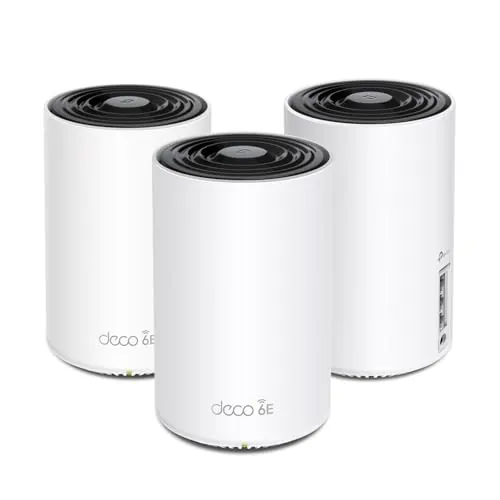
TP-Link Deco XE75 AXE5400 Tri-Band Wi-Fi 6E Mesh System (3-Pack) · Deco XE75, U.S. 3-pack
TP-Link Deco XE75 AXE5400 Tri-Band Wi-Fi 6E Mesh System (3-Pack)
TP-Link Archer AX55 AX3000 Dual-Band Wi-Fi 6 Router · Archer AX55, U.S. hardware revision varies by unit
TP-Link Archer AX55 AX3000 Dual-Band Wi-Fi 6 Router

TP-Link Deco XE75 3-Pack vs Archer AX55: Mesh Layout, 6 GHz and Ports

These TP-Link products solve different setup problems. The assigned Deco XE75 offer is a three-unit AXE5400 Wi-Fi 6E mesh kit, with three Gigabit WAN/LAN ports on each unit and an optional wired backhaul. The Archer AX55 is one dual-band Wi-Fi 6 router with one WAN port, four LAN ports and USB 3.0. XE75's 6 GHz band is dedicated to node backhaul by default; a compatible Wi-Fi 6E client is needed to use it as a client network. Deco Mesh and Archer OneMesh/EasyMesh are separate systems, so do not assume these two products can join one seamless mesh. Map your modem, wired devices, node power and Ethernet route before choosing.

Read comparison
TP-Link Archer AX21 V5 AX1800 Dual-Band Wi-Fi 6 Router · Archer AX21 V5
TP-Link Archer AX21 V5 AX1800 Dual-Band Wi-Fi 6 Router
TP-Link Archer BE400 BE6500 Dual-Band Wi-Fi 7 Router · Archer BE400
TP-Link Archer BE400 BE6500 Dual-Band Wi-Fi 7 Router

TP-Link Archer AX21 V5 vs Archer BE400: Wi-Fi and Ethernet Fit

Both TP-Link routers are dual-band and have four LAN sockets, but their wired-port mix differs. The U.S. Archer AX21 V5 lists one gigabit WAN and four gigabit LAN ports. The Archer BE400 lists one 2.5 Gbps WAN, one 2.5 Gbps LAN, and three gigabit LAN ports; it is Wi-Fi 7 but still lists only 5 GHz and 2.4 GHz bands. Before choosing, count your wired devices, identify which endpoint could use the BE400's faster LAN, and check your modem, internet plan, Wi-Fi clients, and exact mesh-node compatibility. Those checks establish feature fit, not a promised speed or coverage result.

Read comparison
ASUS ROG Strix GS-BE12000 · GS-BE12000
ASUS ROG Strix GS-BE12000
TP-Link Archer BE550 · Archer BE550
TP-Link Archer BE550

ASUS ROG Strix GS-BE12000 vs TP-Link Archer BE550: Ports, Mesh and Wi-Fi 7 Fit

After reserving the WAN port, ASUS lists seven 2.5GbE LAN connections and TP-Link lists four. Both list 6 GHz and MLO, but usable client modes depend on device support and region. Mesh uses different named systems (AiMesh and EasyMesh); verify exact node compatibility, and check which BE550 hardware version is in the offer before relying on revision-specific support.

Read comparison
ASUS RT-AX1800S Dual Band WiFi 6 Router · RT-AX1800S
ASUS RT-AX1800S Dual Band WiFi 6 Router
TP-Link Archer A54 AC1200 Dual-Band Wi-Fi Router · Archer A54
TP-Link Archer A54 AC1200 Dual-Band Wi-Fi Router

ASUS RT-AX1800S vs TP-Link Archer A54: Ethernet Limits, Wi-Fi Generation and Mesh Fit

The ASUS RT-AX1800S lists Wi-Fi 6 and one gigabit WAN plus four gigabit LAN ports. TP-Link lists the Archer A54 as Wi-Fi 5 with one 10/100 Mbps WAN and four 10/100 Mbps LAN ports. That makes the A54’s Ethernet rating a practical ceiling for a faster-than-100-Mbps internet handoff or wired client link; it does not predict measured service speed. The A54 Amazon unit’s hardware revision is unknown, and the EasyMesh documentation differs by revision, so check its bottom label before relying on that feature.

Read comparison
ASUS RT-AX1800S Dual-Band WiFi 6 Router · RT-AX1800S
ASUS RT-AX1800S Dual-Band WiFi 6 Router
TP-Link Archer BE230 BE3600 Dual-Band Wi-Fi 7 Router · Archer BE230
TP-Link Archer BE230 BE3600 Dual-Band Wi-Fi 7 Router

ASUS RT-AX1800S vs TP-Link Archer BE230: Wi-Fi Standard and Port Fit

Both are dual-band routers, but they target different upgrade needs. ASUS lists Wi-Fi 6 (2.4 and 5 GHz) and four Gigabit LAN ports. TP-Link lists the Archer BE230 as dual-band Wi-Fi 7 (2.4 and 5 GHz), with one 2.5 Gbps WAN, one 2.5 Gbps LAN and three Gigabit LAN ports. Count your wired devices after reserving the WAN port, and check that the clients support any Wi-Fi 7 features you want to use. These specifications do not predict real-world speed or coverage.

Read comparison
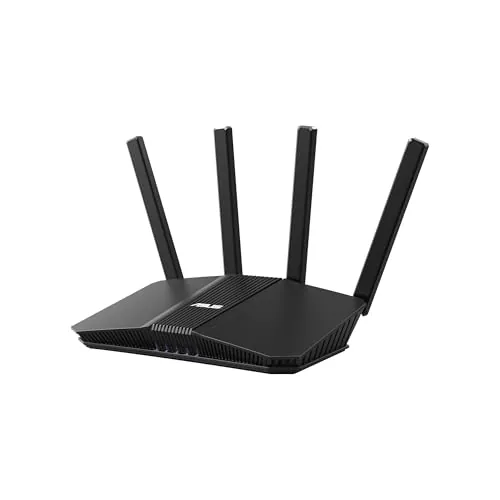
ASUS RT-BE58U Dual-Band Wi-Fi 7 Router · RT-BE58U
ASUS RT-BE58U Dual-Band Wi-Fi 7 Router
TP-Link Archer AX21 V5 AX1800 Dual-Band Wi-Fi 6 Router · Archer AX21 V5
TP-Link Archer AX21 V5 AX1800 Dual-Band Wi-Fi 6 Router

ASUS RT-BE58U vs Archer AX21 V5: Wi-Fi 7 Readiness and Wired Port Layout

The assigned ASUS RT-BE58U is a dual-band Wi-Fi 7 router with 2.4 and 5 GHz bands, MLO, one 2.5G WAN/LAN port, one 1G WAN/LAN port and three 1G LAN ports. The TP-Link Archer AX21 V5 is dual-band Wi-Fi 6 with a fixed Gigabit WAN and four Gigabit LAN ports. The ASUS's MLO only applies with Wi-Fi 7-capable client devices; the TP-Link's port labels make the wired layout simple when four Gigabit LAN connections are enough. Both models are 2.4/5 GHz dual-band routers, not 6 GHz routers. Check the device's TP-Link hardware-version label before downloading the matching documentation.

Read comparison
TP-Link Archer BE600 BE9700 Tri-Band Wi-Fi 7 Router · Archer BE600
TP-Link Archer BE600 BE9700 Tri-Band Wi-Fi 7 Router
TP-Link Archer BE400 BE6500 Dual-Band Wi-Fi 7 Router · Archer BE400
TP-Link Archer BE400 BE6500 Dual-Band Wi-Fi 7 Router

TP-Link Archer BE600 vs BE400: 6 GHz and Multi-Gig Port Fit

The Archer BE600 is tri-band with a 6 GHz radio and three dedicated 2.5 Gbps LAN ports, plus two shared WAN/LAN ports. The Archer BE400 is dual-band and has one 2.5 Gbps WAN, one 2.5 Gbps LAN, and three gigabit LAN ports. Check your client radios and draw your modem-to-router-to-device connections before choosing.

Read comparison