
Products compared
ASUS
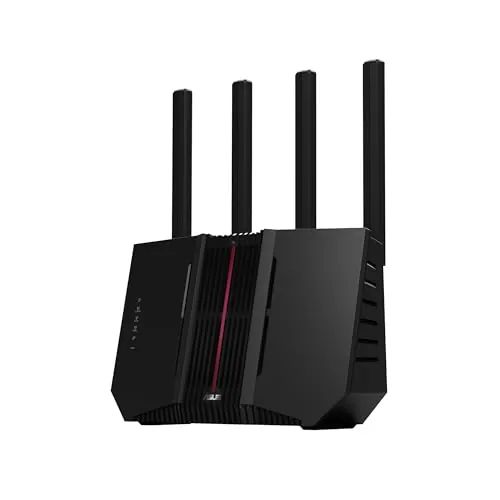
ASUS RT-BE9700 Tri-Band WiFi 7 Router
ASUS USA lists a tri-band Wi-Fi 7 router with a 10Gbps WAN/LAN port, flexible 2.5Gbps WAN/LAN role, three 2.5Gbps LAN ports on its technical-spec page, and four external antennas. The product overview describes the 2.5Gbps connections differently; check the exact hardware label and manual when port assignment is decisive.
Model RT-BE9700
Amazon ASIN B0GJX8NKVR
ASUS ROG
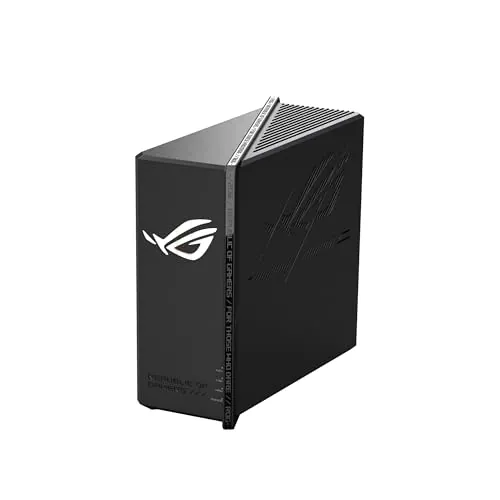
ROG Strix GS-BE12000 Tri-Band WiFi 7 Gaming Router
ROG USA lists one dedicated 2.5Gbps WAN port and seven 2.5Gbps LAN ports. Two of those LAN ports are designated gaming ports. The unit uses eight internal antennas and ASUS describes a ROG Gaming Network feature set; these are configuration and placement facts, not proof of lower latency or faster Wi-Fi.
Model GS-BE12000
Amazon ASIN B0FTP4PMYX
Differences that matter
What matters most to you?
Choose a priority to see what it changes.
Sources for Wi-Fi bands and client match
Sources for WAN and wired-device port map
Sources for Gaming and home-network configuration
Sources for Room, shelf and mounting plan
Map the modem and cables first
Write down your modem's Ethernet port speed, the router's WAN choice, and each wired device you want to connect. The RT-BE9700's U.S. technical specs list a 10Gbps WAN/LAN option. The GS-BE12000 lists a 2.5Gbps WAN plus seven 2.5Gbps LAN ports, including two ports designated for gaming. Reserve the WAN connection before you decide how many LAN positions remain for a desktop, NAS, console, access point or switch.
ASUS's RT-BE9700 marketing overview and detailed specification do not describe the 2.5Gbps ports identically. If your modem must use a 2.5Gbps WAN port while a specific 2.5Gbps LAN position remains available, confirm the port labels and role in the exact unit's manual or router settings before purchase.
Read the band list against the devices you own
The RT-BE9700 page lists 2.4GHz 3×3, 5GHz 2×2 and 6GHz 2×2 radios. The GS-BE12000 page lists 2.4GHz 2×2, 5GHz 4×4 and 6GHz 2×2. Both list up to 320MHz bandwidth on 6GHz. Count this as a specification comparison only: it does not show which router reaches farther or performs faster through your walls.
Check the actual client models and operating systems for their supported bands and Wi-Fi modes. ASUS notes supported Multi-Link Operation modes and bands can vary by device, and the RT-BE9700 product guide notes that actual throughput and coverage vary with network and environmental conditions. Do not use the combined BE class number as a household speed prediction.
Choose settings you will actually use
RT-BE9700 is listed with ASUSWRT and the ASUS Router app; its overview describes Smart Home Master networks for IoT setup, VPN access and parental controls. GS-BE12000 lists Gaming Network, Game Boost/Acceleration and Mobile Game Mode. ROG identifies two of its LAN ports as gaming-designated and describes them as a way to prioritize connected gaming traffic.
These features point to different configuration preferences: household/IoT network setup on the RT model or ROG's gaming-oriented grouping and port labels on the GS model. They do not establish better security, lower ping or improved results for a particular game. Match features to the settings you want to administer, not to promotional outcome language.
Measure placement and verify the retail details
ASUS lists the RT-BE9700 at 247.18 × 101.59 × 287.47mm with four external antennas and a wall-mount kit on its technical-spec page. ROG lists the GS-BE12000 at 225 × 90 × 225mm with eight internal antennas. Measure the intended shelf and confirm clearance for the router, ports and power connection. The listed body dimensions are not a prediction of wireless coverage.
Before checkout, match the product label and model name to the exact listing. The GS-BE12000 technical page has a package field that says GS-BE18000 and lists two possible adapter current values; this guide does not treat that field as a verified box checklist. If adapter, wall-mount or other included hardware determines your setup, check the seller's exact package details and current model documentation.
Product details
ASUS RT-BE9700 Tri-Band WiFi 7 Router
- Published Wi-Fi radio layout
- 2.4GHz 3×3 up to 1032Mbps; 5GHz 2×2 up to 2882Mbps; 6GHz 2×2 up to 5764Mbps. Listed rates and stream counts are specifications, not test results. Source
- Detailed-spec port roles
- 1×10Gbps WAN/LAN; 1×2.5Gbps WAN/LAN; 3×2.5Gbps LAN; USB 3.2 Gen 1. The overview page's wording about four 2.5Gbps LAN ports differs, so verify the exact WAN assignment before buying around it. Source
- Placement dimensions and antennas
- 247.18 × 101.59 × 287.47 mm; four external antennas. ASUS lists a wall-mount kit on its technical specification page; measure the intended position and clearance rather than assuming the router's orientation will suit the shelf. Source
ROG Strix GS-BE12000 Tri-Band WiFi 7 Gaming Router
- Published Wi-Fi radio layout
- 2.4GHz 2×2 up to 688Mbps; 5GHz 4×4 up to 5764Mbps; 6GHz 2×2 up to 5764Mbps. Listed rates and stream counts are specifications, not test results. Source
- Wired port plan
- 1×2.5Gbps WAN, 7×2.5Gbps LAN, including 2 LAN ports designated for gaming, plus USB 3.2 Gen 1. Source
- Placement dimensions and antennas
- 225 × 90 × 225 mm; eight internal antennas. These published body dimensions do not establish wall-mount support or an installation clearance requirement; verify the exact package and manual if mounting matters. Source
Before you buy
Community discussions
A router buyer wants one more 2.5 Gbps port
ASUS RT-BE9700 Tri-Band WiFi 7 Router
The OP is looking for an additional 2.5 Gbps port and is comparing ASUS RT-BE92U BE9700 with a Netgear Nighthawk RS280S. This is the OP’s endpoint-count requirement; the BE92U name is not treated as proof about the exact RT-BE9700 listing in this guide.
What to check
Count wired endpoints after reserving the WAN connection, then compare that layout with the exact RT-BE9700 and GS-BE12000 port maps. Check whether a switch is already part of the plan; this post does not establish any router’s throughput.
Common questions
Which model has a 10Gbps WAN option?
The RT-BE9700 specifications list one 10Gbps WAN/LAN port. The GS-BE12000 specifications list one 2.5Gbps WAN port and seven 2.5Gbps LAN ports. Check the modem port and the exact RT-BE9700 port assignment; the feature page describes its 2.5Gbps ports differently from the technical-spec table.ASUS RT-BE9700 - Tech SpecsASUS RT-BE9700 - Product OverviewROG Strix GS-BE12000 - Tech Specs
Does the GS-BE12000 have eight 2.5Gbps LAN ports?
No: ROG lists eight 2.5Gbps Ethernet ports total, split into one WAN and seven LAN ports. The two gaming-designated ports are included within the seven LAN ports, not extra ports.ROG Strix GS-BE12000 - Tech SpecsROG Strix GS-BE12000 - Product Overview
Do the matching 6GHz specifications mean their real-world Wi-Fi is the same?
No. Both U.S. spec pages list a 2×2 6GHz radio and support for 320MHz channels, but ASUS's published specifications do not establish equal coverage, speed or compatibility in your home. Check your clients, local 6GHz availability and configuration.ASUS RT-BE9700 - Tech SpecsROG Strix GS-BE12000 - Tech Specs
Does the ROG Gaming Network prove lower latency?
No. ROG documents gaming-oriented network settings and designated LAN ports, but no controlled comparison of latency or gaming results for these exact routers in your network was used here.ROG Strix GS-BE12000 - Product OverviewROG Strix GS-BE12000 - Tech Specs
Sources and scope
This is a feature-fit comparison, not a test of wireless speed, range, latency, gaming, stability or security. Radio streams and advertised rates are manufacturer specifications, not measured outcomes; matching bands do not guarantee compatibility or equivalent coverage. ASUS's RT-BE9700 technical page lists one 10Gbps WAN/LAN, one 2.5Gbps WAN/LAN and three 2.5Gbps LAN ports; its product overview also describes four 2.5Gbps Ethernet LAN ports. Confirm the WAN assignment using the exact unit's rear labels, manual and firmware. The GS-BE12000 technical page's package-content field says GS-BE18000 and gives two possible adapter current ratings, so this guide makes no exact box or adapter claim from that field. The hardware revision and firmware of the selected retail units are unconfirmed.
Related comparisons
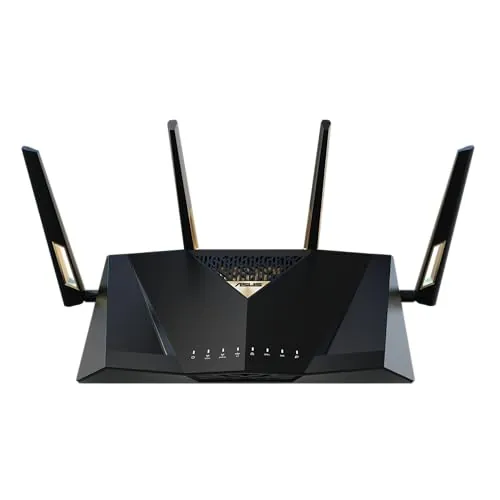
ASUS RT-BE9700 vs RT-BE88U: 6GHz Wi-Fi or a Wired-First Setup?
Both are ASUS Wi-Fi 7 routers with AiMesh and a 10Gbps WAN/LAN interface. The RT-BE9700 adds a 6GHz radio and lists up to 320MHz channels there; the dual-band RT-BE88U has no listed 6GHz radio but adds a 10Gbps SFP+ port and four 1Gbps LAN ports. Match the router to the Wi-Fi bands, WAN handoff, wired endpoints and SFP+ equipment in your actual plan. ASUS's RT-BE9700 U.S. product page and technical-spec page differ on the role of its four 2.5Gbps ports, so verify port assignment before finalizing a LAN map.
Read comparison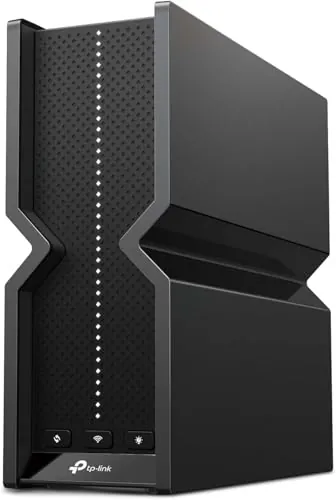
ASUS RT-BE9700 vs TP-Link Archer BE550: Plan the Ports and Mesh First
Both are U.S. tri-band Wi-Fi 7 routers with listed 2.4, 5 and 6 GHz operation. The RT-BE9700 adds a 10 Gbps WAN/LAN option and AiMesh support; the Archer BE550 has one fixed 2.5 Gbps WAN port, four fixed 2.5 Gbps LAN ports and EasyMesh. Check your modem, wired-device count, existing mesh nodes and the BE550 hardware version before ordering.
Read comparison