
Products compared
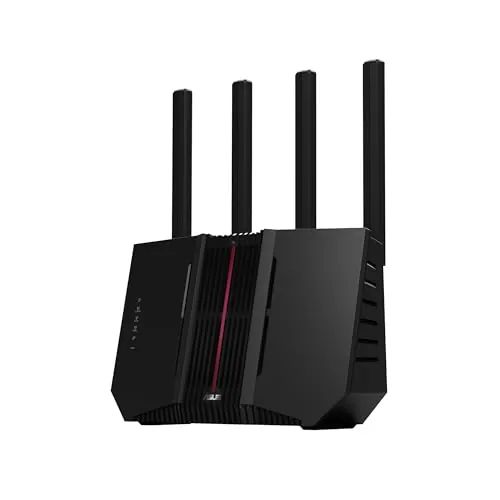
ASUS
ASUS RT-BE9700 Tri-Band WiFi 7 Router
Assigned U.S. listing; exact listed model and part number RT-BE9700. The selected Amazon.com ASIN B0GJX8NKVR listing title identifies RT-BE9700; ASUS U.S. specifications identify its tri-band radio configuration.
Model RT-BE9700
Amazon ASIN B0GJX8NKVR
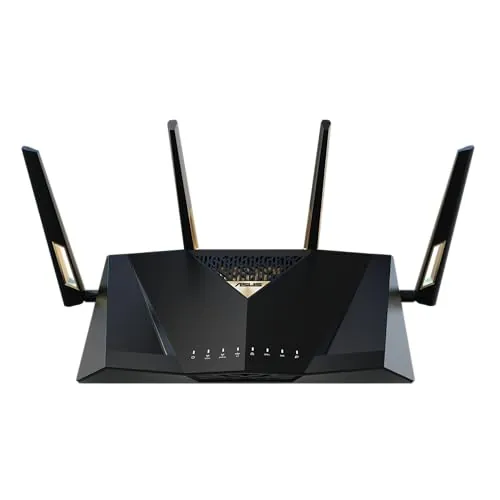
ASUS
ASUS RT-BE88U Dual-Band WiFi 7 Router
Assigned U.S. listing; exact listed model and part number RT-BE88U. The selected Amazon.com ASIN B0D55SWRSM listing identifies RT-BE88U; ASUS U.S. specifications identify its dual-band configuration.
Model RT-BE88U
Amazon ASIN B0D55SWRSM
Differences that matter
What matters most to you?
Choose a priority to see what it changes.
Sources for Wi-Fi bands and client fit
Sources for WAN handoff and Ethernet port map
Sources for SFP+ connection needs
Start with the Wi-Fi devices you expect to use
The RT-BE9700's clearest wireless distinction is its listed third band: 6GHz, alongside 2.4GHz and 5GHz. ASUS lists 320MHz channel support on 6GHz. The RT-BE88U is dual-band and lists 2.4GHz and 5GHz only. If you own Wi-Fi 6E or Wi-Fi 7 devices, check their exact band support before treating 6GHz as useful; ASUS notes the client must support 6GHz to connect to that band.
Do not read the BE9700 or BE7200 class label as a result for one laptop. ASUS's own class figures add rates across bands. They do not establish what one client will achieve at your distance, through your walls or over your internet service.
Choose RT-BE88U only when its wired options match your inventory
RT-BE88U lists a 10Gbps SFP+ port in addition to a 10Gbps WAN/LAN port, plus 2.5G and 1G ports. The user guide labels its 2.5G WAN/LAN1, 2.5G LAN 2–4 and 1G LAN 5–8. That can matter when you have an SFP+ switch/NAS link or several wired clients, but the far-end device, cable/module and port role still need to fit.
ASUS maintains a model-specific compatibility list for RT-BE88U's SFP+ interface. Check the exact part number there and verify the link requirements at the other end. The existence of an SFP+ port does not mean any module, GPON device, DAC or switch will work.
Resolve the RT-BE9700 port-role discrepancy before ordering around it
ASUS's RT-BE9700 U.S. technical-spec table says one 2.5Gbps port is WAN/LAN and three are LAN. The official U.S. product overview says the router has four 2.5G LAN ports but also says 2.5G WAN/LAN is available. Those are different descriptions of the same model family, so this guide does not assume four dedicated 2.5G LAN sockets. If your network needs a precise count, ask ASUS or confirm the port assignment in the current model documentation/configuration before choosing.
The safer comparison is the high-level trade: RT-BE9700 is the only one here listing 6GHz, while RT-BE88U is the one listing SFP+ and four 1Gbps LAN sockets. Neither distinction replaces a port-by-port check for your topology.
Check MLO and AiMesh as one setup decision
ASUS lists AiMesh support for both routers and MLO for its Wi-Fi 7 products. MLO is client-dependent: supported modes and bands vary by connected device. If your Wi-Fi 7 clients are the reason for upgrading, check their supported mode and OS/driver details rather than assuming all bands are combined.
If reusing older ASUS mesh nodes, check the exact node and firmware too. ASUS warns that enabling MLO on a Wi-Fi 7 primary can affect 6GHz broadcasting on an AiMesh node that does not support MLO. Review the current setup guidance before changing the primary router or turning MLO on.
A five-minute pre-buy network map
Before opening the listing, write down: (1) your modem or ONT Ethernet handoff and internet tier; (2) every wired endpoint and its port speed; (3) whether a switch uplink is RJ45 or SFP+; (4) exact Wi-Fi clients that need 6GHz or MLO; and (5) your current AiMesh node models and firmware. Compare that list with the technical specifications and ask ASUS to resolve any port-role dependency. This checklist helps determine feature fit; it does not predict speed or guarantee component compatibility.
Product details
ASUS RT-BE9700 Tri-Band WiFi 7 Router
- Wi-Fi bands
- Tri-band Wi-Fi 7: 2.4GHz, 5GHz and 6GHz; ASUS lists up to 320MHz channel bandwidth. Source
- Wired interfaces
- ASUS U.S. technical specifications list 1×10Gbps WAN/LAN plus four 2.5Gbps ports: 1×WAN/LAN and 3×LAN. The U.S. product overview instead calls the four 2.5G ports LAN; verify port roles with ASUS before relying on a specific LAN count. Source
- Mesh
- ASUS lists AiMesh primary-router and node modes; verify existing node model, firmware and MLO behavior for a planned mesh. Source
ASUS RT-BE88U Dual-Band WiFi 7 Router
- Wi-Fi bands
- Dual-band Wi-Fi 7: 2.4GHz and 5GHz; no 6GHz radio is listed. Source
- Wired interfaces
- 1×10Gbps WAN/LAN, 1×10Gbps SFP+, 1×2.5Gbps WAN/LAN, 3×2.5Gbps LAN and 4×1Gbps LAN, per ASUS U.S. technical specifications and user guide. Source
- SFP+ verification
- ASUS publishes a model-specific QVL of SFP+ cables, modules and GPON devices; that list is a starting point and does not certify every transceiver, peer or network configuration. Source
- Mesh
- ASUS lists AiMesh support; verify the exact node model, firmware and MLO behavior for a planned mesh. Source
Before you buy
Community discussions
Mixing existing nodes with an RT-BE88U
ASUS RT-BE88U Dual-Band WiFi 7 Router
An RT-BE88U owner reported Wi-Fi connection trouble in a wired AiMesh network with existing ASUS nodes, while Ethernet continued to work.
What to check
If you are keeping older nodes, verify the exact models and supported settings, then test your main Wi-Fi clients at each node.
A two-floor installation with wired backhaul
ASUS RT-BE88U Dual-Band WiFi 7 Router
An RT-BE88U owner put one router on each floor, connected them over Ethernet and wired a PC and TV to the nearby units. They found the placement options in their rental limited.
What to check
Sketch where each router can sit and which devices need jacks nearby. Plan the cable path as well as where the Wi-Fi coverage is needed.
Common questions
Does the RT-BE9700's BE9700 rating mean one laptop gets 9.7Gbps?
No. ASUS's rating combines listed theoretical rates across the router's bands. It is not a single-client speed test. Client radio capability, channel width, signal conditions, configuration and the internet or peer connection all affect actual throughput.ASUS RT-BE9700 U.S. technical specifications
Can older Wi-Fi devices still connect to these routers?
ASUS says older devices can still use traditional 2.4GHz or 5GHz bands. To use 6GHz on RT-BE9700, the client must support 6GHz. Compatibility with a specific older device or security configuration still depends on its software and settings.ASUS support: Wi-Fi 7 and existing router/client compatibilityASUS RT-BE9700 U.S. technical specificationsASUS RT-BE88U U.S. technical specifications
Will any 10Gbps SFP+ transceiver work in RT-BE88U?
ASUS publishes a QVL for selected cables, modules, GPON devices and RJ45 modules. Use it to check the exact part, then confirm the peer equipment and configuration; listing a 10Gbps SFP+ port does not prove universal compatibility.ASUS support: RT-BE88U 10Gbps SFP+ QVLASUS RT-BE88U U.S. technical specifications
How many 2.5Gbps LAN ports does the RT-BE9700 have?
ASUS's U.S. technical-spec page lists one 2.5Gbps WAN/LAN and three 2.5Gbps LAN ports. The U.S. product overview describes four 2.5G ports as LAN while also mentioning a 2.5G WAN/LAN option. Because those official pages conflict on port roles, verify the current model's configuration with ASUS before relying on a precise LAN count.ASUS RT-BE9700 U.S. technical specificationsASUS RT-BE9700 U.S. product overview
Sources and scope
ASUS publishes different descriptions of the RT-BE9700’s four 2.5Gbps ports. Check the port labels and confirm which can remain LAN after you choose an internet uplink. For RT-BE88U, check ASUS’s compatibility list for the specific SFP+ cable or module. Client support determines which Wi-Fi bands and MLO features you can use.
- ASUS RT-BE9700 U.S. technical specifications
- ASUS RT-BE9700 U.S. product overview
- ASUS RT-BE88U U.S. technical specifications
- ASUS RT-BE88U U.S. product overview
- ASUS RT-BE88U User Guide
- ASUS support: RT-BE88U 10Gbps SFP+ QVL
- ASUS support: Wi-Fi 7 MLO operation and client modes
- ASUS support: Wi-Fi 7 and existing router/client compatibility
- Amazon.com listing for ASUS RT-BE9700, ASIN B0GJX8NKVR
- Amazon.com listing for ASUS RT-BE88U, ASIN B0D55SWRSM
Related comparisons

ASUS RT-BE88U vs TP-Link Archer BE400: Plan Your Wired Network First
The RT-BE88U is the fit to investigate for a 10G WAN, SFP+ link or several multi-gig wired devices. The Archer BE400 covers a simpler 2.5G WAN, one 2.5G LAN device and three gigabit clients. Both are dual-band Wi-Fi 7 routers, so neither adds a 6GHz band.
Read comparison
ASUS RT-BE58U vs RT-BE88U: Check the Port Map Before You Choose
Both are dual-band Wi-Fi 7 routers, and ASUS lists AiMesh support for both. The RT-BE88U is the clearer fit for a home that needs 10G Ethernet or SFP+ and several multi-gig wired links. ASUS's RT-BE58U U.S. spec page and user guide disagree on its Ethernet layout, while the selected listing listing does not identify A1 versus V2; check the box label and matching documentation before planning its wired roles.
Read comparison