
Products compared
ASUS
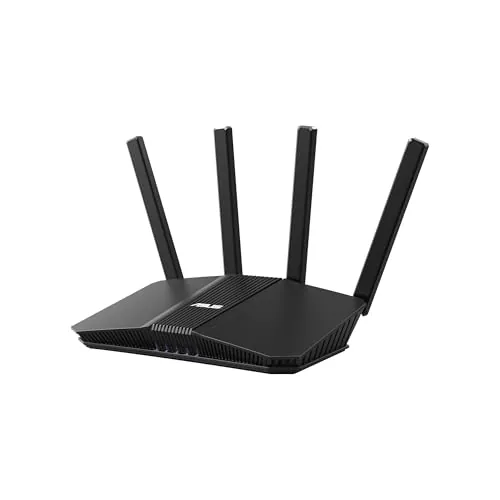
ASUS RT-BE58U WiFi 7 Router
selected U.S. listing identifies RT-BE58U but does not specify hardware revision A1 versus V2. ASUS's U.S. spec page lists a five-jack Ethernet layout, while its official user guide labels four Ethernet jacks. Verify the revision on the delivered box/unit and use its corresponding documentation before depending on a particular port count or WAN/LAN assignment.
Model RT-BE58U
Amazon ASIN B0DHWBS9G6
ASUS
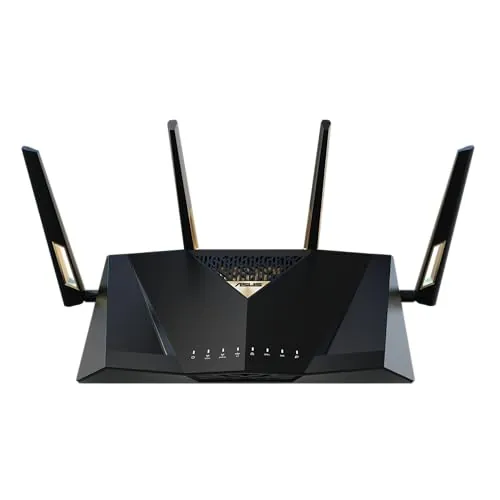
ASUS RT-BE88U WiFi 7 Router
selected U.S. listing identifies the RT-BE88U. ASUS U.S. specifications and its model-specific user guide document the 10G, SFP+, 2.5G and Gigabit interface layout. Map each port to the ISP handoff and wired devices; the nominal interface rates are not measured end-to-end speeds.
Model RT-BE88U
Amazon ASIN B0D55SWRSM
Differences that matter
I need 10G Ethernet or SFP+ for a wired device
ASUS RT-BE88U WiFi 7 Router · ASUS lists both a 10G WAN/LAN port and a 10G SFP+ port on the RT-BE88U; no such port appears in the RT-BE58U U.S. specification.
View RT-BE88U on Amazon (paid link)Sources for 10G and SFP+ connectivity
Sources for 2.5G and Gigabit port planning
Sources for Wi-Fi bands and published class rates
Start with the devices that will be wired
Sketch the network before comparing router class labels: modem or ONT, switch, NAS and each directly wired device. Mark the connection speed and whether each socket must be WAN or LAN. The RT-BE88U is the clearer match when that drawing calls for 10G copper, SFP+ or multiple 2.5G LAN connections; its physical interfaces are documented by ASUS's U.S. specification and setup guide.
The RT-BE58U needs an extra verification step. ASUS's U.S. specification page lists five Ethernet sockets, including a 1G WAN/LAN socket, but the official user guide labels LAN 2–4 and LAN1/2.5G WAN, which is four Ethernet jacks. ASUS support has distinct A1 and V2 firmware entries, while the assigned Amazon/listing identity does not say which revision is in the box. Check the exact box or product label and follow its matching documentation before you rely on a specific port count or assign WAN/LAN roles.
Wi-Fi class is not a client speed test
ASUS lists both as dual-band Wi-Fi 7 routers: the RT-BE58U is BE3600 and the RT-BE88U is BE7200, with 2.4 GHz and 5 GHz rates shown separately. Neither U.S. spec page lists a 6 GHz radio. The class figures add published band rates; they do not tell you what one laptop or phone will achieve at a particular distance, through your walls or across your internet connection.
So if your main requirement is 6 GHz, neither assigned model matches it. If the models otherwise fit, choose by the wired connections you actually need and verify each client and ISP interface rather than treating the larger aggregate label as a measured outcome.
If you plan to use AiMesh
ASUS lists both model names for AiMesh router and node use and advises making the highest-spec unit the AiMesh router. That makes an RT-BE88U-primary / RT-BE58U-node setup a reasonable configuration to check when the BE88U's extra wired options are useful at the core and a BE58U is being considered for another location.
Treat that as model-level role guidance, not proof that this exact pair will deliver a specific wireless-backhaul rate, stable roaming result or feature parity. Confirm the revision printed on each unit, firmware compatibility and whether your planned backhaul is wired or wireless with ASUS before making mesh performance a purchase condition.
A practical pre-order check
1. Record the modem/ONT handoff speed and list every wired client with its required link rate. 2. Circle the RT-BE88U ports that match those devices, including whether an SFP+ cable/module and the far-end port are compatible. 3. If considering RT-BE58U, ask the seller for a photo of the unit/box hardware label if the revision determines your setup; once received, match that label to ASUS's manual and firmware page. 4. If using AiMesh, designate the primary router and check both revisions and firmware before purchase.
Product details
ASUS RT-BE58U WiFi 7 Router
- Wi-Fi bands
- ASUS lists dual-band 2.4 GHz and 5 GHz Wi-Fi 7; no 6 GHz band is listed. Source
- Published Ethernet layout (conflicted across ASUS documents)
- The U.S. technical-spec page lists 1 × 2.5G WAN/LAN, 1 × 1G WAN/LAN and 3 × 1G LAN. The official user guide instead labels LAN 2–4 plus LAN1/2.5G WAN. The selected listing does not resolve A1 versus V2; confirm the exact unit and port map before wiring around a specific count. Source
- AiMesh
- ASUS lists AiMesh primary-router and node capability for the RT-BE58U model; the exact retail unit revision and firmware still need confirmation. Source
ASUS RT-BE88U WiFi 7 Router
- Wi-Fi bands
- ASUS lists dual-band 2.4 GHz and 5 GHz Wi-Fi 7; no 6 GHz band is listed. Source
- Wired interfaces
- ASUS lists 1 × 10 Gbps WAN/LAN, 1 × 10 Gbps SFP+, 1 × 2.5 Gbps WAN/LAN, 3 × 2.5 Gbps LAN and 4 × 1 Gbps LAN. The user guide labels the 10G WAN/LAN, 10G SFP+, 2.5G WAN/LAN1, 2.5G LAN 2–4 and 1G LAN 5–8 sockets. Source
- AiMesh
- ASUS lists the RT-BE88U in primary AiMesh router and node modes. Source
Before you buy
Community discussions
Reusing older AiMesh nodes
ASUS RT-BE88U WiFi 7 Router
An owner used the RT-BE88U as the main router with several wired AiMesh nodes, including an RT-BE58U. They reported Wi-Fi connectivity trouble on those two devices while Ethernet still worked.
What to check
List the nodes and clients you want to reuse, then check them against the supported firmware and features. Verify that a client can connect at the locations you use most.
Common questions
Does RT-BE88U have more wired port options than RT-BE58U?
ASUS's U.S. RT-BE88U page lists 10G WAN/LAN, 10G SFP+, 2.5G WAN/LAN, three 2.5G LAN and four 1G LAN interfaces. ASUS's RT-BE58U U.S. tech-spec page lists one 2.5G WAN/LAN, one 1G WAN/LAN and three 1G LAN, but its official user guide lists four Ethernet jacks. Confirm the RT-BE58U box/unit hardware label and applicable manual before planning around its port count.RT-BE58U U.S. Technical SpecificationsRT-BE58U Official User GuideRT-BE88U U.S. Technical Specifications
Which router should be the AiMesh router?
ASUS advises using the highest-spec router as the AiMesh router. That points to the RT-BE88U as the primary in a planned pair, by listed model features. Confirm the exact units, revisions, firmware and intended backhaul with ASUS; the guidance does not certify throughput or stability for this pair.ASUS AiMesh Guidance: Choosing the Primary RouterRT-BE58U U.S. Technical SpecificationsRT-BE88U U.S. Technical Specifications
Does either router provide a 6 GHz Wi-Fi band?
No 6 GHz band is listed for either assigned model. ASUS's U.S. specifications list 2.4 GHz and 5 GHz for both RT-BE58U and RT-BE88U. If 6 GHz is required, compare a tri-band router instead.RT-BE58U U.S. Technical SpecificationsRT-BE88U U.S. Technical Specifications
Does BE7200 mean one RT-BE88U client will reach 7.2 Gbps?
No. ASUS lists separate 2.4 GHz and 5 GHz rates that sum to the BE7200 class label. Those published figures are not a matched client test or a single-device speed guarantee. The same distinction applies to the RT-BE58U BE3600 label.RT-BE88U U.S. Technical SpecificationsRT-BE58U U.S. Technical Specifications
Sources and scope
No matched independent test for these exact U.S. retail ASINs establishes Wi-Fi throughput, coverage, latency, stability or reliability; published Wi-Fi class rates are not test results.,The current ASUS U.S. RT-BE58U specification page lists a 2.5G WAN/LAN port, a 1G WAN/LAN port and three 1G LAN ports, while the official RT-BE58U user guide identifies LAN 2–4 plus LAN1/2.5G WAN (four Ethernet jacks total). ASUS publishes separate RT-BE58U A1 and V2 support/firmware entries, and the assigned Amazon/listing identity does not identify the hardware revision. Do not assume which port map applies to the delivered unit; check its box/product label and the matching manual.,ASUS model pages establish AiMesh capability, but not exact-configuration firmware parity or real-world performance for this pair.
Related comparisons

ASUS RT-BE88U vs TP-Link Archer BE400: Plan Your Wired Network First
The RT-BE88U is the fit to investigate for a 10G WAN, SFP+ link or several multi-gig wired devices. The Archer BE400 covers a simpler 2.5G WAN, one 2.5G LAN device and three gigabit clients. Both are dual-band Wi-Fi 7 routers, so neither adds a 6GHz band.
Read comparison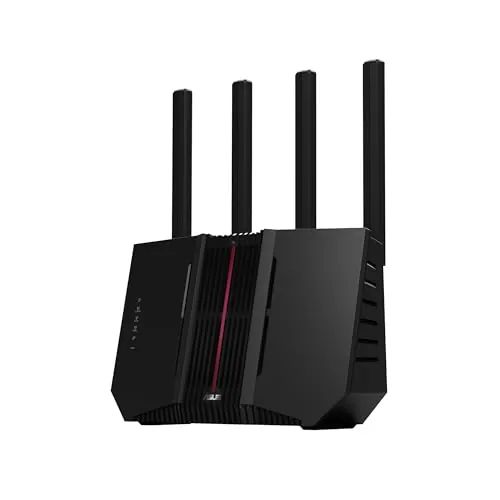
ASUS RT-BE9700 vs RT-BE88U: 6GHz Wi-Fi or a Wired-First Setup?
Both are ASUS Wi-Fi 7 routers with AiMesh and a 10Gbps WAN/LAN interface. The RT-BE9700 adds a 6GHz radio and lists up to 320MHz channels there; the dual-band RT-BE88U has no listed 6GHz radio but adds a 10Gbps SFP+ port and four 1Gbps LAN ports. Match the router to the Wi-Fi bands, WAN handoff, wired endpoints and SFP+ equipment in your actual plan. ASUS's RT-BE9700 U.S. product page and technical-spec page differ on the role of its four 2.5Gbps ports, so verify port assignment before finalizing a LAN map.
Read comparison