
Products compared
ASUS
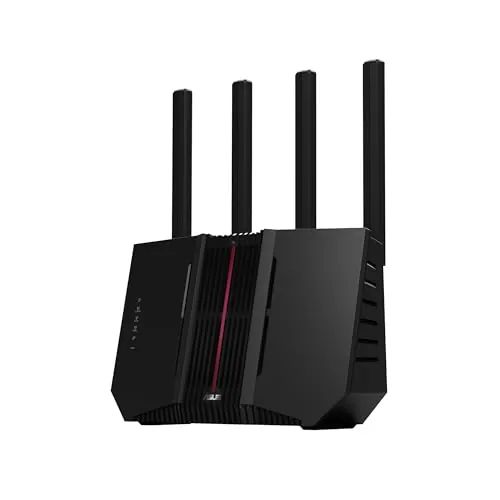
ASUS RT-BE9700 WiFi 7 Router
U.S. black tri-band Wi-Fi 7 router; one 10 Gbps WAN/LAN port, one 2.5 Gbps WAN/LAN port and three fixed 2.5 Gbps LAN ports.
Model RT-BE9700
Amazon ASIN B0GJX8NKVR
TP-Link
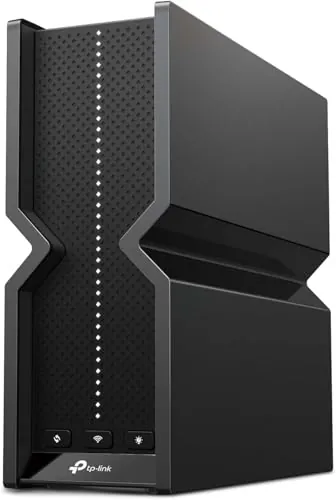
TP-Link Archer BE550 BE9300 Tri-Band Wi-Fi 7 Router
U.S. black Archer BE550 router; one fixed 2.5 Gbps WAN port and four fixed 2.5 Gbps LAN ports. The selected ASIN does not resolve the unit's hardware version.
Model Archer BE550
Amazon ASIN B0CJSNSVMR
Differences that matter
Sources for Ethernet port roles
Sources for Mesh ecosystem and peer checks
Sources for Listed Wi-Fi bands
Sources for Initial setup path
Map the Ethernet ports to your actual network
The RT-BE9700 offers one 10 Gbps port marked WAN/LAN and a second 2.5 Gbps WAN/LAN port, plus three fixed 2.5 Gbps LAN ports. This gives you a 10 Gbps-capable connection option, but the two dual-role ports still need to be assigned to the network plan. Label the modem or ONT connection first, then count the wired devices or switch that remain.
The BE550 uses one fixed 2.5 Gbps WAN port and four fixed 2.5 Gbps LAN ports. That fixed split is easier to count when your internet handoff is no faster than the WAN port and you want four directly connected wired devices. Neither port diagram is a claim about the service speed your ISP delivers.
Treat AiMesh and EasyMesh as separate compatibility checks
ASUS lists the RT-BE9700 for AiMesh router and node roles. Its setup instructions call for two AiMesh-supported ASUS routers and ask the owner to assign one as the router and one as the node. ASUS explicitly says another brand cannot be added to an AiMesh system.
TP-Link describes the BE550 as EasyMesh-compatible. EasyMesh still depends on the exact partner device and software: TP-Link notes that firmware differences can cause failed connections and that some models may lack EasyMesh in access-point mode. Check the exact peer's current support page and firmware notes before choosing a mesh path.
The bands are shared; the BE550 revision is not identified by this ASIN
Both U.S. specification sets list 2.4, 5 and 6 GHz operation. That shared tri-band listing is not a reason by itself to pick either router, and the advertised combined Wi-Fi class should not be treated as a speed test. Check your client-device support and the room-by-room result you actually need; this guide has no controlled coverage or throughput measurements.
The selected BE550 listing information and Amazon ASIN identify the model name but do not say whether the offer is V1, V1.6, V2, V2.26, V2.6 or another region-specific revision. TP-Link publishes separate BE550 manuals, datasheets and firmware choices by hardware version. Its versioned V1 and V2 datasheets agree on the five-port layout and EasyMesh, but this does not establish every revision-specific feature or firmware behavior for the offered unit. Read the unit's label and match the U.S. support page before relying on those details.
Use the setup workflow as a final fit check
For an AiMesh plan, check the compatible-model list for both ASUS routers, then follow the maker's router/node assignment steps. TP-Link lists the Tether mobile app and the web interface as BE550 setup and management routes. This difference helps you plan onboarding; it does not replace checking whether your intended EasyMesh peer and firmware are supported.
Product details
ASUS RT-BE9700 WiFi 7 Router
- Ethernet ports
- 1× 10 Gbps WAN/LAN; 1× 2.5 Gbps WAN/LAN; 3× 2.5 Gbps LAN Source
- Listed operating bands
- 2.4 GHz, 5 GHz and 6 GHz Source
- Mesh support
- ASUS AiMesh router and node roles; confirm the other router is on ASUS's compatible-model list Source
- Setup roles
- ASUS AiMesh requires two supported ASUS routers, with one assigned as router and the other as node Source
TP-Link Archer BE550 BE9300 Tri-Band Wi-Fi 7 Router
Before you buy
Community discussions
Guest and IoT access on a second BE550
TP-Link Archer BE550 BE9300 Tri-Band Wi-Fi 7 Router
An owner connected two BE550 routers over Ethernet. They could see the satellite and its clients in EasyMesh, but the guest and IoT network names did not show up on that satellite.
What to check
If a guest or smart-home device needs coverage from a satellite, check whether that network name will be available on the exact router, node and firmware combination.
A household considers replacing an existing ASUS mesh
TP-Link Archer BE550 BE9300 Tri-Band Wi-Fi 7 Router
A household with two ASUS mesh nodes, several wired devices and newer wireless clients is considering an Archer BE550 for its next setup.
What to check
Check which existing mesh units you can reuse and how many wired devices each new router can connect directly.
Common questions
Does the Archer BE550 have a 10 Gbps Ethernet port?
TP-Link lists one 2.5 Gbps WAN port and four 2.5 Gbps LAN ports for the Archer BE550. Its U.S. product specifications do not list a 10 Gbps Ethernet port.TP-Link Archer BE550 U.S. product page
Can an ASUS AiMesh system include the TP-Link Archer BE550?
ASUS says another brand's router cannot build an AiMesh system with an ASUS router. TP-Link separately documents EasyMesh support for compatible devices; that does not make EasyMesh and AiMesh interoperable.ASUS AiMesh cross-brand compatibility FAQTP-Link Archer BE550 U.S. product page
How do I identify the Archer BE550 hardware revision?
TP-Link says the version is printed on the product label, commonly on the bottom or back, and may also appear in the web management interface. Its U.S. download page offers multiple BE550 hardware versions, so select the version that matches your unit when checking version-specific documentation or firmware.TP-Link: find your product hardware versionTP-Link Archer BE550 U.S. downloads by hardware version
Do both routers list 6 GHz Wi-Fi?
Yes. ASUS's RT-BE9700 specification lists 2.4, 5 and 6 GHz; TP-Link lists the Archer BE550 as tri-band with the same three bands. This is a listed capability, not a measured speed or coverage comparison.ASUS RT-BE9700 Tech Specs (U.S.)TP-Link Archer BE550 U.S. product page
Sources and scope
This is a specification and setup-fit comparison, not a measured speed, latency, coverage or reliability test. The listing data ASIN for Archer BE550 does not identify a hardware revision, and version-specific features or firmware should be checked against the label on the exact unit.
- ASUS RT-BE9700 Tech Specs (U.S.)
- ASUS AiMesh setup with the ASUS Router App
- ASUS AiMesh cross-brand compatibility FAQ
- TP-Link Archer BE550 U.S. product page
- TP-Link Archer BE550 V1 datasheet
- TP-Link Archer BE550 V2 datasheet
- TP-Link: find your product hardware version
- TP-Link mesh compatibility and firmware notes
- TP-Link Archer BE550 U.S. downloads by hardware version
Related comparisons

TP-Link Archer BE400 vs BE550: Will You Use 6 GHz and Four 2.5G LAN Ports?
The assigned US listings are one Archer BE400 (ASIN B0DVBP5L6Y) and one Archer BE550 (ASIN B0CJSNSVMR). TP-Link's US pages describe BE400 as dual-band Wi-Fi 7 on 2.4/5GHz with one 2.5Gbps WAN, one 2.5Gbps LAN and three 1Gbps LAN ports. BE550 is tri-band Wi-Fi 7 with 2.4/5/6GHz, one 2.5Gbps WAN and four 2.5Gbps LAN ports. Choose BE550 if you have clients whose exact specifications support 6GHz or need multiple multi-gig wired endpoints. BE400 can fit a 2.4/5GHz household with at most one 2.5G LAN device. Before ordering BE550, verify the hardware revision and confirm your client supports 6GHz; Wi-Fi 7 alone is not enough. The BE400 listing still has a captured BE400-vs-BE230 box-field mismatch that must be confirmed with its seller.
Read comparison
TP-Link Archer BE230 vs BE550: Plan Your 6 GHz and Wired Devices
The Archer BE230 is a dual-band Wi-Fi 7 router with one 2.5 Gbps WAN, one 2.5 Gbps LAN and three 1 Gbps LAN ports. The Archer BE550 adds a 6 GHz band and four 2.5 Gbps LAN ports behind a separate 2.5 Gbps WAN. Choose with a port-by-port device list, then check which household devices can use 6 GHz.
Read comparison