
Products compared
TP-Link
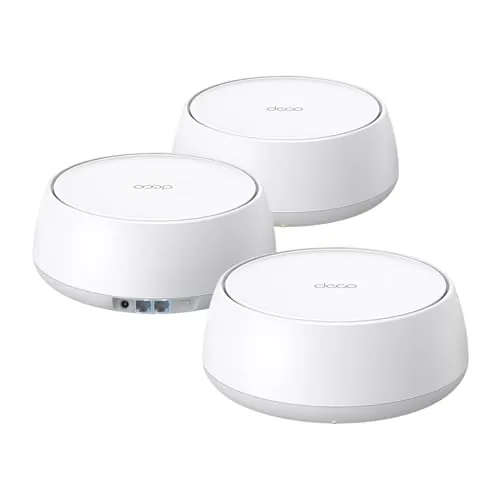
TP-Link Deco BE25 Wi-Fi 7 Mesh System (3-Pack)
The assigned US Amazon listing identifies a 3-count BE25 package. TP-Link's US product page lists three BE25 units, one Ethernet cable, three power adapters and a quick installation guide. Hardware revision is not shown on the offer.
Model Deco BE25 (3-Pack)
Amazon ASIN B0DKVDZXSN

TP-Link
TP-Link Archer BE230 BE3600 Dual-Band Wi-Fi 7 Router
The assigned US Amazon listing identifies one black Archer BE230 router with power adapter, quick guide and Ethernet cable. Hardware revision is not shown on the offer.
Model Archer BE230
Amazon ASIN B0DC99N2T8
Differences that matter
What matters most to you?
Choose a priority to see what it changes.
Sources for Included network units
Sources for Wireless standard and bands
Sources for Ethernet port layout
Decide how many network points you want in the box
The assigned Deco BE25 ASIN is listed as a three-pack, and TP-Link's US page describes that package as three BE25 units, one Ethernet cable, three power adapters and a quick guide. Archer BE230 is a single router offer. If you already know you want mesh units in different locations, the Deco box supplies three matching nodes at once. If one router at the modem is what you want now, the BE230 starts with that one unit and lists an EasyMesh expansion route.
Three units do not guarantee a signal in every room. Their usefulness depends on where the modem and power outlets are, whether you can connect units by Ethernet, and the home's construction. Choose by your planned topology, not a coverage estimate from a product title.
Map wired devices before choosing a port layout
BE230 has fixed roles at one location: one 2.5 Gbps WAN, one 2.5 Gbps LAN and three 1 Gbps LAN ports. That makes it straightforward to count four local wired clients, provided their link needs fit those ports and the WAN port is reserved for the modem or upstream connection.
Each Deco BE25 node has two 2.5 Gbps ports that can serve as WAN or LAN. The port roles shift with the mesh setup; the main unit uses one for the modem, and a wired backhaul or local client can take another. Remote-node ports are physically distributed rather than grouped at the modem. Draw a small map of the modem, each node, Ethernet links and wired clients before you assume how many LAN sockets remain.
Keep future expansion inside one TP-Link mesh family
The BE25 is set up and managed with the Deco app and supports optional Ethernet backhaul between Deco units. The Archer BE230 uses Tether app or web management and is listed as EasyMesh-compatible. TP-Link's compatibility FAQ says Deco Mesh and Archer EasyMesh are separate systems that cannot combine into one unified mesh network. Do not buy one as a promised satellite for the other.
The manufacturer support pages list multiple US hardware revisions for both models. The assigned Amazon offers identify the model and bundle but not the shipped revision. If a particular mode, firmware feature or compatibility entry matters, ask for the unit label and use the matching revision's datasheet and support notes.
Product details
TP-Link Deco BE25 Wi-Fi 7 Mesh System (3-Pack)
This bundle supplies three Deco BE25 units up front. It is the clearer starting point if you plan to place a coordinated mesh at multiple points; room coverage is not guaranteed by the node count.
- Wireless generation and bands
- Wi-Fi 7 (802.11be), dual-band 2.4 GHz and 5 GHz; no 6 GHz band is listed on the US product page Source
- Ethernet per node
- Two 2.5 Gbps WAN/LAN auto-sensing ports per Deco unit; port role depends on the topology Source
- Mesh setup
- Deco app-managed system; optional Ethernet backhaul between Deco units Source
TP-Link Archer BE230 BE3600 Dual-Band Wi-Fi 7 Router
The BE230 is one router with four fixed LAN ports and an EasyMesh expansion path. Its mesh family is separate from Deco Mesh, so it cannot join the BE25 system as one unified Deco network.
- Wireless generation and bands
- Wi-Fi 7 (802.11be), dual-band 2.4 GHz and 5 GHz; no 6 GHz band is listed on the US product page Source
- Fixed Ethernet port roles
- One 2.5 Gbps WAN, one 2.5 Gbps LAN and three 1 Gbps LAN ports Source
- Setup and expansion
- Tether app and web management; listed as EasyMesh-compatible with compatible devices Source
Before you buy
Community discussions
Adding an Archer BE230 when you already own Deco nodes
TP-Link Archer BE230 BE3600 Dual-Band Wi-Fi 7 Router
A fiber subscriber in Canada had three Deco M4 units and an Archer BE230. They asked how to use the units across three floors for streaming and work calls. The thread does not establish a compatible shared mesh configuration.
What to check
Mark the floors or rooms that need coverage and where Ethernet already runs. If you want to reuse existing nodes, confirm their exact role before deciding how many BE25 nodes to buy or where to place one BE230.
Counting Ethernet connections for a second access point
TP-Link Archer BE230 BE3600 Dual-Band Wi-Fi 7 Router
A shopper in South Africa considered buying two Archer BE230 routers and using a wired link between them. They also wanted traffic prioritization for their PC and asked how the setup would compare with an ASUS option.
What to check
Count the available Ethernet ports after you connect each wired access point. This matters if you also want a wired PC at the router.
Common questions
Does the Deco BE25 three-pack mean six available LAN ports?
There are six physical 2.5 Gbps WAN/LAN ports across three BE25 units, but their roles depend on topology. One node connects to the modem, Ethernet backhaul may use ports between units, and TP-Link says only one port can act as WAN at a time. Plan the cable map before counting client connections.Deco BE25 | Deco 7 BE5000 Whole Home Mesh WiFi 7 System (US)
Can I add a Deco BE25 unit to the Archer BE230 mesh, or use the BE230 as a Deco node?
No unified mesh is documented. TP-Link says Deco Mesh and Archer EasyMesh are separate systems that cannot interoperate into a single mesh network. Choose one family for coordinated roaming and expansion.TP-Link Mesh Compatibility: Deco, OneMesh, EasyMesh & Omada
Do either of these Wi-Fi 7 systems include 6 GHz?
The checked US pages describe both as dual-band and list 2.4 GHz and 5 GHz operation; neither page lists a 6 GHz band. Recheck the exact hardware version's datasheet if that band is a requirement.Deco BE25 | Deco 7 BE5000 Whole Home Mesh WiFi 7 System (US)Archer BE230 | BE3600 Dual-Band Wi-Fi 7 Router (US)
Do the assigned offers identify the hardware revision?
The listings identify Deco BE25 (3-Pack) and Archer BE230 but do not state hardware revision. TP-Link's US support pages list multiple versions for each model, so check the delivered unit label when revision-specific support or features matter.Download for Deco BE25: US hardware versions and support filesDownload for Archer BE230: US hardware versions and support files
Sources and scope
TP-Link lists multiple U.S. hardware revisions for both models. Check the label and matching support page. Available ports on a Deco node depend on the modem, wired backhaul and devices already attached.
- Deco BE25 | Deco 7 BE5000 Whole Home Mesh WiFi 7 System (US)
- Archer BE230 | BE3600 Dual-Band Wi-Fi 7 Router (US)
- Download for Deco BE25: US hardware versions and support files
- Download for Archer BE230: US hardware versions and support files
- TP-Link Mesh Compatibility: Deco, OneMesh, EasyMesh & Omada
- TP-Link EasyMesh Devices (US compatibility list)
Related comparisons

TP-Link Archer BE400 vs BE230: Match Wi-Fi Tier to Your Wired Setup
The assigned US listings are Archer BE400 ASIN B0DVBP5L6Y (one unit) and Archer BE230 ASIN B0DC99N2T8 (one unit). TP-Link's US pages show the same port count on both: one 2.5Gbps WAN, one 2.5Gbps LAN, and three 1Gbps LAN ports, plus USB 3.0. The main published distinction is wireless class: BE400 is BE6500 dual-band Wi-Fi 7 with six external antennas; BE230 is BE3600 dual-band Wi-Fi 7 with four. Before choosing, draw the modem-to-router connection and list each wired endpoint by link rate. The BE400 Amazon page's captured model fields identify BE400, but a separate box field names BE230; confirm the shipped item with the seller. Neither Amazon listing establishes the unit's hardware revision.
Read comparison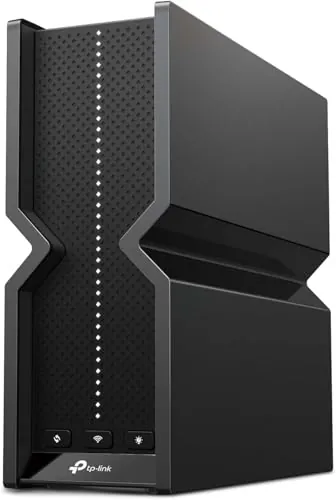
TP-Link Archer BE230 vs BE550: Plan Your 6 GHz and Wired Devices
The Archer BE230 is a dual-band Wi-Fi 7 router with one 2.5 Gbps WAN, one 2.5 Gbps LAN and three 1 Gbps LAN ports. The Archer BE550 adds a 6 GHz band and four 2.5 Gbps LAN ports behind a separate 2.5 Gbps WAN. Choose with a port-by-port device list, then check which household devices can use 6 GHz.
Read comparison