
Products compared
ASUS
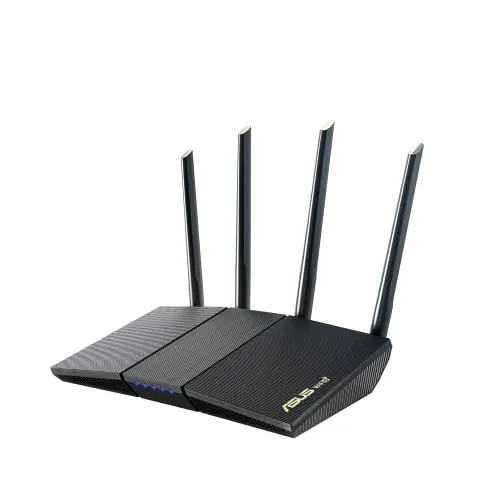
ASUS RT-AX1800S Dual-Band WiFi 6 Router
The selected listing identifies the black RT-AX1800S. ASUS’s U.S. model page describes it as dual-band Wi-Fi 6 and says compatible 802.11ax client devices are needed to use Wi-Fi 6 benefits. It lists one Gigabit WAN and four Gigabit LAN ports.
Model RT-AX1800S
Amazon ASIN B09M9477NS

TP-Link
TP-Link Archer BE230 BE3600 Dual-Band Wi-Fi 7 Router
The selected listing identifies the black Archer BE230. TP-Link’s U.S. page calls it a dual-band Wi-Fi 7 router, lists the 2.4 and 5 GHz bands and names MLO and other Wi-Fi 7 features. The page says client devices must support corresponding Wi-Fi features. Its port layout is one 2.5 Gbps WAN, one 2.5 Gbps LAN and three 1 Gbps LAN ports; the exact offer’s hardware revision is not present in listing data data.
Model Archer BE230
Amazon ASIN B0DC99N2T8
Differences that matter
What matters most to you?
Choose a priority to see what it changes.
Sources for Wi-Fi generation and client support
Sources for WAN uplink and remaining wired LAN ports
Sources for Band choice
Sources for Mesh family and hardware revision
Choose by client radios and cable plan
The RT-AX1800S is the Wi-Fi 6 option; ASUS identifies 2.4 GHz and 5 GHz bands and says the Wi-Fi 6 benefits require compatible 802.11ax clients. TP-Link labels the BE230 dual-band Wi-Fi 7, lists 2.4 and 5 GHz, and says the client must support the specific Wi-Fi 7 features to use them. Neither page gives a basis for predicting your home's actual speed or coverage from the model name alone.
For wired setup, first reserve a WAN port for the modem. ASUS then leaves four Gigabit LAN jacks. BE230 leaves four LAN jacks too, but one is 2.5 Gbps and three are Gigabit. To use the faster-rated connection, the other endpoint and the service or network path must also support it; this does not promise an end-to-end rate.
Check the mesh family and the TP-Link hardware label
ASUS says AiMesh works with selected ASUS router models. TP-Link lists EasyMesh compatibility for BE230, while its page cautions that firmware differences can affect connections between vendors. If mesh expansion is part of the purchase, confirm your exact existing node and firmware against the maker's compatibility information first.
TP-Link's U.S. download page currently exposes several BE230 hardware versions, and the selected listing does not say which revision the exact retail offer ships. Check the hardware-version label and choose the corresponding regional support material before relying on revision-specific settings or firmware.
Product details
ASUS RT-AX1800S Dual-Band WiFi 6 Router
- Wireless standard and bands
- Dual-band Wi-Fi 6 (802.11ax), 2.4 GHz and 5 GHz; ASUS notes Wi-Fi 6 benefits require compatible 802.11ax clients. Source
- Ethernet ports
- One Gigabit WAN port and four Gigabit LAN ports. Source
- Mesh ecosystem
- ASUS says AiMesh builds a network from selected ASUS router models; model compatibility and firmware requirements should be checked before adding this router to an existing mesh. Source
TP-Link Archer BE230 BE3600 Dual-Band Wi-Fi 7 Router
- Wireless standard and bands
- Dual-band Wi-Fi 7 (802.11be); the U.S. specification lists 5 GHz and 2.4 GHz. TP-Link says clients must support the corresponding Wi-Fi features to use them. Source
- Ethernet ports
- One 2.5 Gbps WAN, one 2.5 Gbps LAN and three 1 Gbps LAN ports. Any realized link rate also depends on compatible equipment and service; listed port rate is not a speed result. Source
- Mesh ecosystem and revision check
- TP-Link lists EasyMesh compatibility. Its U.S. support page has several BE230 hardware versions; the offer listing data does not state which version is shipped, so check the unit label and matching support materials if firmware or revision-specific functions matter. Source
Before you buy
Community discussions
Checking the Archer BE230 hardware version on the offer
TP-Link Archer BE230 BE3600 Dual-Band Wi-Fi 7 Router
A shopper found several hardware revisions listed for the Archer BE230 and asked whether the revision would affect their choice.
What to check
Match the hardware version shown on the exact listing to the regional TP-Link documentation before relying on a version-specific feature.
Common questions
How many wired LAN ports remain after connecting the WAN?
Both list four LAN ports after the WAN port is used. ASUS lists four Gigabit LAN ports. TP-Link lists one 2.5 Gbps LAN and three 1 Gbps LAN ports alongside its 2.5 Gbps WAN.RT-AX1800S | WiFi Routers | ASUS USAArcher BE230 | BE3600 Dual-Band Wi-Fi 7 Router | TP-Link
Does the Archer BE230 have a 6 GHz band?
TP-Link’s U.S. specification lists it as dual-band with 2.4 GHz and 5 GHz. If your plan requires 6 GHz, compare a tri-band model instead.Archer BE230 | BE3600 Dual-Band Wi-Fi 7 Router | TP-Link
Do Wi-Fi 7 features work with every client?
TP-Link says Wi-Fi 7 and features including MLO, 4K-QAM and Multi-RUs require client devices that support the corresponding features. Check the exact client specifications before choosing on that basis.Archer BE230 | BE3600 Dual-Band Wi-Fi 7 Router | TP-Link
Can I add either router to a mesh I already own?
Check the exact router and firmware against the maker’s supported mesh models. ASUS says AiMesh works with selected ASUS routers; TP-Link lists EasyMesh compatibility and notes that firmware conflicts may affect compatible-device connections.RT-AX1800S | WiFi Routers | ASUS USAArcher BE230 | BE3600 Dual-Band Wi-Fi 7 Router | TP-Link
Sources and scope
This is a U.S. model-feature and connection-planning comparison, not a speed, range, security or reliability test. ASUS identifies RT-AX1800S as a dual-band Wi-Fi 6 model and lists one Gigabit WAN plus four Gigabit LAN ports. TP-Link’s U.S. Archer BE230 page lists dual-band Wi-Fi 7 on 2.4 and 5 GHz, feature-specific client requirements and one 2.5 Gbps WAN, one 2.5 Gbps LAN and three Gigabit LAN ports. TP-Link lists multiple BE230 hardware revisions on its support page; the listing information and offer title do not state the shipped revision. Confirm the unit label and corresponding regional support page if revision-specific firmware or features matter. No speed, coverage, security outcome or price claim is made.
Related comparisons

TP-Link Archer BE400 vs BE230: Match Wi-Fi Tier to Your Wired Setup
The assigned US listings are Archer BE400 ASIN B0DVBP5L6Y (one unit) and Archer BE230 ASIN B0DC99N2T8 (one unit). TP-Link's US pages show the same port count on both: one 2.5Gbps WAN, one 2.5Gbps LAN, and three 1Gbps LAN ports, plus USB 3.0. The main published distinction is wireless class: BE400 is BE6500 dual-band Wi-Fi 7 with six external antennas; BE230 is BE3600 dual-band Wi-Fi 7 with four. Before choosing, draw the modem-to-router connection and list each wired endpoint by link rate. The BE400 Amazon page's captured model fields identify BE400, but a separate box field names BE230; confirm the shipped item with the seller. Neither Amazon listing establishes the unit's hardware revision.
Read comparison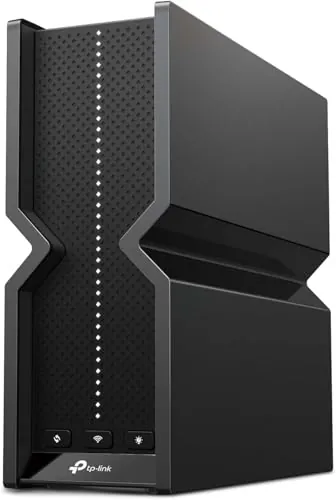
TP-Link Archer BE230 vs BE550: Plan Your 6 GHz and Wired Devices
The Archer BE230 is a dual-band Wi-Fi 7 router with one 2.5 Gbps WAN, one 2.5 Gbps LAN and three 1 Gbps LAN ports. The Archer BE550 adds a 6 GHz band and four 2.5 Gbps LAN ports behind a separate 2.5 Gbps WAN. Choose with a port-by-port device list, then check which household devices can use 6 GHz.
Read comparison