
Products compared
ASUS
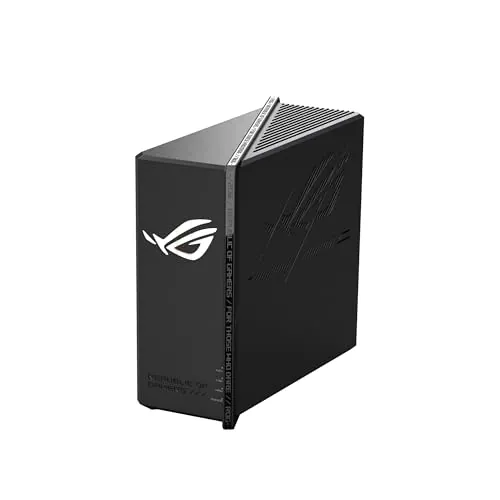
ASUS ROG Strix GS-BE12000
ASUS's U.S. product and specification pages identify GS-BE12000, list one 2.5GbE WAN port and seven 2.5GbE LAN ports, and list AiMesh router/node operation. The specification page has a conflicting GS-BE18000 label in its package-content field; this guide does not infer what is in the retail box.
Model GS-BE12000
Amazon ASIN B0FTP4PMYX
TP-Link
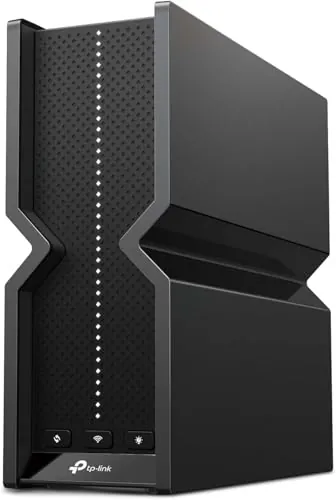
TP-Link Archer BE550
TP-Link's U.S. product page lists one 2.5GbE WAN port and four 2.5GbE LAN ports, EasyMesh compatibility, 6 GHz and MLO. TP-Link's U.S. support site lists multiple BE550 hardware revisions; the listing information does not establish which revision corresponds to this ASIN.
Model Archer BE550
Amazon ASIN B0CJSNSVMR
Differences that matter
What matters most to you?
Choose a priority to see what it changes.
Sources for 2.5GbE LAN ports after the WAN uplink
Sources for 6 GHz, MLO and client feature support
Sources for Mesh expansion and TP-Link hardware revision
Sources for Management features and exact bundle boundary
Count wired devices after the WAN connection
Start with the port map, not a Wi-Fi speed headline. ASUS lists one 2.5GbE WAN port and seven 2.5GbE LAN ports for GS-BE12000; TP-Link lists one 2.5GbE WAN and four 2.5GbE LAN for Archer BE550. The WAN port connects upstream to the modem or Internet handoff, leaving the listed LAN jacks for local wired devices.
If you have a NAS, desktop, work dock, wired access point or switch uplink, count the ports they need at the router. Five to seven direct LAN connections point to the ASUS-listed capacity. At four or fewer, port count alone does not decide the pair. Adding a separate switch changes the wiring plan but does not change either router's published physical port count.
Treat 6 GHz and MLO as client-dependent features
Both manufacturers list tri-band radios including 6 GHz and describe Wi-Fi 7/MLO features. ASUS states that supported MLO modes and bands may vary by client. TP-Link says Wi-Fi 7 and features such as MLO require corresponding client support and warns that 320 MHz channel availability in 6 GHz can be region-limited.
Before buying for a laptop, phone or console, check that exact client's Wi-Fi specification for the band and mode you actually want. The router's published band/features are not a promise that every client will connect to 6 GHz, use MLO or achieve a stated speed. Neither page is a matched test of wireless throughput, coverage or latency.
Match mesh equipment to its documented system
The ASUS specification lists the GS-BE12000 as an AiMesh router and AiMesh node. TP-Link calls Archer BE550 EasyMesh-compatible. These names identify each maker's documented mesh ecosystem; the reviewed pages do not establish that an ASUS AiMesh node pairs with a TP-Link EasyMesh router or vice versa.
If you already own a mesh system, search the exact model numbers on the manufacturer's compatibility page before buying. TP-Link's U.S. support page lists BE550 revisions V1, V1.60, V2, V2.26 and V2.60 and says regional availability can vary. The selected listing does not identify the ASIN's shipped hardware revision, so verify the unit label or seller confirmation and use the matching revision's support files.
Pick the controls you expect to configure
ASUS lists ASUSWRT web and ASUS Router app administration, along with ROG_FIRST, OpenNAT, Game Boost/Acceleration and Adaptive QoS entries. TP-Link lists Tether app and webpage management, device-based QoS, VPN client/server options and an IoT network. These are published control sets; they do not demonstrate easier setup, stronger security or better game performance.
TP-Link says the BE550 includes HomeShield Free Basic and that fees apply for Pro; its product page also warns that feature availability may vary by model/software version. Confirm the exact function and plan in the app. For ASUS, the specification's package-content field says GS-BE18000 even though the page's model fields identify GS-BE12000, so use the exact retailer offer or ASUS confirmation for box contents.
Product details
ASUS ROG Strix GS-BE12000
Consider this router if your wiring plan needs more than four 2.5GbE LAN ports or your existing expansion node is explicitly compatible with ASUS AiMesh.
TP-Link Archer BE550
Consider the BE550 if four direct 2.5GbE LAN connections are enough and you can verify that its shipped hardware revision works with the EasyMesh devices and client features you intend to use.
Before you buy
Community discussions
Planning which routers join a mesh
TP-Link Archer BE550
An Archer BE550 owner with older Deco units described changing their plan and buying a second BE550 to build the household mesh.
What to check
If you already own mesh units, check their supported combinations before you choose the main router. Reserve any Ethernet port you plan to use for the link.
Checking the port assigned to each wired device
TP-Link Archer BE550
An Archer BE550 owner said two of their wired devices connected through another LAN port after having trouble on LAN port 1.
What to check
Match your devices to the ports that remain available after the uplink. Test those connections during initial setup.
Common questions
Which router has more 2.5GbE LAN ports after WAN?
The ASUS specification lists one 2.5GbE WAN and seven 2.5GbE LAN ports. TP-Link lists one WAN and four LAN ports on Archer BE550. Reserve the WAN port, then count your wired LAN devices; this does not predict actual network throughput.ROG STRIX GS-BE12000 - Tech SpecsArcher BE550 | BE9300 Tri-Band Wi-Fi 7 Router | TP-Link
Can I mix AiMesh and EasyMesh nodes?
The reviewed manufacturer pages document AiMesh for ASUS and EasyMesh for TP-Link but do not establish a cross-brand pairing. Verify the exact models with both manufacturers before planning a mixed system.ROG STRIX GS-BE12000 - Tech SpecsArcher BE550 | BE9300 Tri-Band Wi-Fi 7 Router | TP-Link
Will Wi-Fi 7 MLO or 6 GHz work with all of my devices?
Do not assume so. TP-Link says clients need to support the relevant Wi-Fi features and warns that 320 MHz channel availability varies by region. ASUS notes that MLO modes and bands vary by client. Check the exact client model and intended band before choosing for this feature.ROG STRIX GS-BE12000 | Networking | ROG USAROG STRIX GS-BE12000 - Tech SpecsArcher BE550 | BE9300 Tri-Band Wi-Fi 7 Router | TP-Link
Which Archer BE550 hardware version is tied to ASIN B0CJSNSVMR?
The current listing information identifies the model as Archer BE550 but does not give a revision. TP-Link's U.S. support page lists multiple BE550 revisions. Confirm the revision on the unit or with the seller, then use the matching regional support materials.Download for Archer BE550 | TP-Link
Does the ASUS spec page confirm what's in the GS-BE12000 box?
Its model and specification fields identify GS-BE12000, but the package-content field says GS-BE18000. This guide does not assert box contents from that conflicted field; verify the exact retail offer if included accessories matter.ROG STRIX GS-BE12000 - Tech Specs
Sources and scope
This is a model-specification and feature-fit comparison, not a throughput, coverage, latency, gaming, security or reliability test. ASUS's U.S. technical specifications page names GS-BE12000 in its product/model fields but has a package-content line that names GS-BE18000; package contents are therefore not claimed. TP-Link's U.S. support page lists multiple BE550 hardware revisions, but the current listing data record for the selected ASIN does not identify which revision is shipped. Do not assume cross-brand AiMesh/EasyMesh compatibility or that every client supports 6 GHz/MLO modes.
Related comparisons

TP-Link Archer BE400 vs BE550: Will You Use 6 GHz and Four 2.5G LAN Ports?
The assigned US listings are one Archer BE400 (ASIN B0DVBP5L6Y) and one Archer BE550 (ASIN B0CJSNSVMR). TP-Link's US pages describe BE400 as dual-band Wi-Fi 7 on 2.4/5GHz with one 2.5Gbps WAN, one 2.5Gbps LAN and three 1Gbps LAN ports. BE550 is tri-band Wi-Fi 7 with 2.4/5/6GHz, one 2.5Gbps WAN and four 2.5Gbps LAN ports. Choose BE550 if you have clients whose exact specifications support 6GHz or need multiple multi-gig wired endpoints. BE400 can fit a 2.4/5GHz household with at most one 2.5G LAN device. Before ordering BE550, verify the hardware revision and confirm your client supports 6GHz; Wi-Fi 7 alone is not enough. The BE400 listing still has a captured BE400-vs-BE230 box-field mismatch that must be confirmed with its seller.
Read comparison
TP-Link Archer BE230 vs BE550: Plan Your 6 GHz and Wired Devices
The Archer BE230 is a dual-band Wi-Fi 7 router with one 2.5 Gbps WAN, one 2.5 Gbps LAN and three 1 Gbps LAN ports. The Archer BE550 adds a 6 GHz band and four 2.5 Gbps LAN ports behind a separate 2.5 Gbps WAN. Choose with a port-by-port device list, then check which household devices can use 6 GHz.
Read comparison