
Products compared
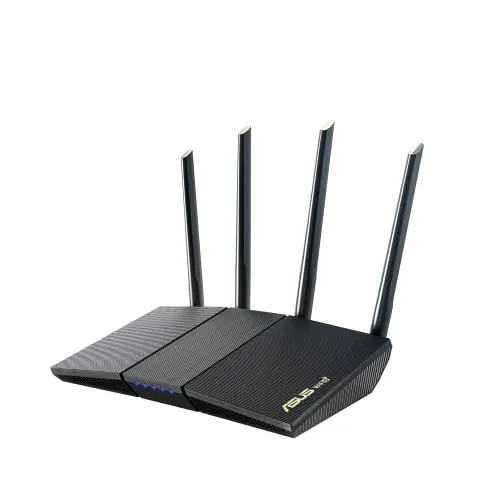
ASUS
ASUS RT-AX1800S Dual Band WiFi 6 Router
Black U.S. RT-AX1800S. ASUS lists dual-band Wi-Fi 6 (802.11ax), one gigabit WAN port and four gigabit LAN ports.
Model RT-AX1800S
Amazon ASIN B09M9477NS
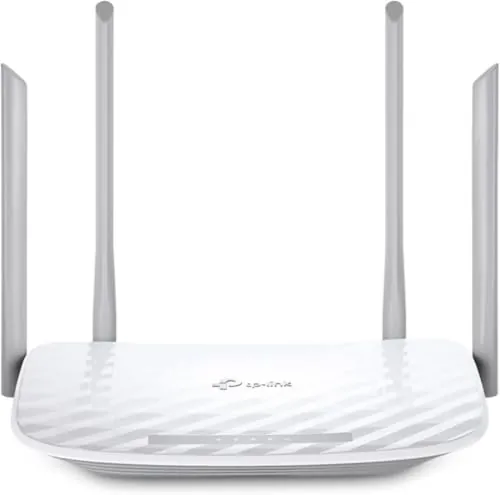
TP-Link
TP-Link Archer A54 AC1200 Dual-Band Wi-Fi Router
White U.S. Archer A54. TP-Link lists multiple U.S. hardware revisions, and the revision of the unit offered on Amazon is not identified.
Model Archer A54
Amazon ASIN B09G5Y1HWZ
Differences that matter
What matters most to you?
Choose a priority to see what it changes.
Sources for WAN and LAN link-rate ceiling
Sources for Wi-Fi generation and bands
Sources for Mesh ecosystem and revision check
Sources for Phone app and alternate operating modes
Start with the internet handoff and wired gear
The practical wired difference is not how many devices can be plugged in: both manufacturers list one WAN port and four LAN ports. The RT-AX1800S ports are gigabit-rated; TP-Link lists all five A54 ports as 10/100 Mbps. If your modem or ONT negotiates a faster Ethernet link than 100 Mbps to the A54, that WAN interface is a router-side rate ceiling. A wired PC, console, TV or switch connected to an A54 LAN port also uses a 10/100 link. This describes the interface rating, not the speed you will measure online.
Before choosing, check the service tier and the Ethernet port speed shown for the modem or ONT, then list which wired devices you want connected directly. Choose the ASUS if gigabit-rated links are a requirement. The A54 can fit a wired setup that does not need more than 100 Mbps on those links, but it will not provide gigabit Ethernet just because the ISP plan or client supports it.
For either model, an internet plan, compatible modem/ONT, Ethernet cabling and network conditions also affect results. TP-Link specifically notes that router port rate, cable rate and ISP factors can limit actual network speed; ASUS says actual throughput and coverage vary with network and environmental conditions. No test was performed here.
Match the Wi-Fi generation to your client devices
ASUS identifies the RT-AX1800S as a dual-band Wi-Fi 6 router using 802.11ax on the 2.4 and 5 GHz bands. TP-Link lists the Archer A54 as a dual-band Wi-Fi 5 router using 802.11ac on 5 GHz and 802.11b/g/n on 2.4 GHz. Start with the phones, laptops and other wireless devices you actually intend to connect; the ASUS says compatible 802.11ax clients are needed for Wi-Fi 6 features.
This is a protocol-generation comparison, not a measured-speed claim. Published radio-rate totals are not the same as the speed an app, ISP service or individual client will achieve. Walls, interference, channel use, client hardware, and the router's location can change actual results.
Do not buy a mesh label without checking the platform and revision
ASUS identifies the RT-AX1800S as an AiMesh router and node. ASUS support says routers from another brand cannot be members of an AiMesh system. TP-Link’s Archer A54 U.S. page lists router, access-point and range-extender modes, and a separate U.S. A54 V1.26 datasheet also advertises EasyMesh. However, TP-Link’s U.S. support page offers V1, V1.26 and V1.60 documentation; the V1 and V1.6 datasheets reviewed here do not mention EasyMesh, and the Amazon listing does not identify the A54 hardware version.
Treat the A54 mesh claim as unresolved for the unit you would receive. If mesh matters, check the hardware version on the router's label and the corresponding regional support and firmware page before buying. Do not plan an AiMesh system around the TP-Link, and do not infer a cross-brand mesh pairing from the EasyMesh name; check both vendors' exact compatibility documentation. If you only need a separate access point, both product families document an access-point mode, but that is a different setup from unified mesh roaming.
Compare management and setup modes
The ASUS RT-AX1800S quick-start guide shows setup through the ASUS Router app or a web browser, and its specifications list router, access-point, repeater/media-bridge and AiMesh roles. TP-Link documents the Tether app and web interface for the Archer A54, with router, access-point and range-extender modes on its U.S. product page. Check the exact A54 hardware version and its matching manual before relying on a feature associated with a newer datasheet.
If you are replacing an existing router, decide whether you need a primary router, a wired access point, or an extender. Then check the current modem/ONT connection, existing mesh system and how you prefer to administer the network. Similar mode names do not mean that the two brands share one mesh controller or roaming system.
Product details
ASUS RT-AX1800S Dual Band WiFi 6 Router
- Wireless standard
- Dual-band Wi-Fi 6 (802.11ax), with 2.4 GHz and 5 GHz radios; Wi-Fi 6 features require compatible client devices. Source
- Ethernet ports
- 1 × gigabit WAN and 4 × gigabit LAN. Source
- Setup and modes
- ASUS lists router, access-point, repeater/media-bridge and AiMesh router/node modes; the quick-start guide offers ASUS Router app or browser setup. Source
TP-Link Archer A54 AC1200 Dual-Band Wi-Fi Router
- Wireless standard
- Wi-Fi 5 / IEEE 802.11ac on 5 GHz with 802.11b/g/n on 2.4 GHz; advertised AC1200 rates are theoretical physical rates, not measured throughput. Source
- Ethernet ports
- 1 × 10/100 Mbps WAN and 4 × 10/100 Mbps LAN on the U.S. product page and the opened U.S. revision datasheets. Source
- Revision-sensitive mesh support
- The U.S. A54 V1.26 datasheet advertises EasyMesh; opened V1 and V1.6 datasheets do not. Verify the label and matching support page for the offered unit. Source
- Setup and modes
- TP-Link lists router, access-point and range-extender modes and Tether app/web management; revision and firmware can affect feature availability. Source
Before you buy
Community discussions
Counting the Ethernet runs you want to connect
TP-Link Archer A54 AC1200 Dual-Band Wi-Fi Router
A new homeowner considering an Archer A54 wanted to wire a work computer and televisions to a central network point.
What to check
Count the devices and room jacks you intend to wire, then compare that count with the router’s available LAN ports.
Keeping a computer wired in a distant room
TP-Link Archer A54 AC1200 Dual-Band Wi-Fi Router
An apartment resident considering an Archer A54 wanted Wi-Fi in a distant room with an Ethernet wall jack while keeping the computer wired.
What to check
Check how many wired ports you need in that room and confirm the operating mode you plan to use for the exact router.
Planning wired devices across two floors
ASUS RT-AX1800S Dual Band WiFi 6 Router
A household with two RT-AX1800S routers had a console, soundbar and lighting bridge in the upstairs area and used a separate switch for some devices.
What to check
Sketch which devices are near each router and count the LAN ports you need in each location. Include any switch you plan to keep.
Common questions
Does the Archer A54 have fewer wired LAN sockets than the ASUS?
No. ASUS lists four gigabit LAN ports and TP-Link lists four 10/100 Mbps LAN ports. The count matches; the stated port rate differs. The ASUS also lists one gigabit WAN, while the A54 lists one 10/100 WAN.RT-AX1800S Tech Specs - ASUS USAArcher A54 - AC1200 Wireless Dual Band Router - TP-Link U.S.
Can the A54's 100 Mbps ports limit a faster internet plan?
The A54's listed WAN Ethernet interface is 10/100 Mbps, so that router-side link is rated at up to 100 Mbps. Actual internet throughput can be lower and depends on the modem or ONT, ISP, cabling and other conditions. The LAN ports have the same 10/100 rating for wired clients.Archer A54 - AC1200 Wireless Dual Band Router - TP-Link U.S.Archer A54 (US) V1.26 Datasheet - TP-Link
Can I use the TP-Link A54 as an AiMesh node with the ASUS?
No. ASUS says routers from other brands cannot join an AiMesh system. TP-Link's A54 documentation describes its own modes, and EasyMesh is documented for the U.S. V1.26 revision but not in the opened V1 and V1.6 datasheets. Check the exact unit version; do not assume the two mesh labels mean the systems interoperate.Can I build an AiMesh system with another brand of router? - ASUS SupportArcher A54 (US) V1.26 Datasheet - TP-LinkArcher A54 (US) V1.6 Datasheet - TP-LinkArcher A54 (US) V1 Datasheet - TP-Link
Does Wi-Fi 6 guarantee that the ASUS will be faster or reach farther?
No. Wi-Fi 6 is the listed wireless standard, not a measured result. ASUS notes actual throughput and Wi-Fi coverage vary with network conditions, building materials, traffic and other factors. This comparison did not test either router.RT-AX1800S Tech Specs - ASUS USA
Sources and scope
This guide compares official product specifications and setup modes; it is not a speed, coverage, reliability, security, or mesh-roaming test. The Amazon Archer A54 listing does not identify its hardware revision. TP-Link’s U.S. support page offers A54 V1, V1.26 and V1.60 documentation; its V1.26 datasheet advertises EasyMesh while the U.S. product page and opened V1/V1.6 datasheets do not. Do not assume the unit you receive includes EasyMesh or that EasyMesh and ASUS AiMesh interoperate. Confirm the router’s hardware label and matching regional support page before buying.
- RT-AX1800S Tech Specs - ASUS USA
- ASUS RT-AX1800S Quick Start Guide
- Can I build an AiMesh system with another brand of router? - ASUS Support
- Archer A54 - AC1200 Wireless Dual Band Router - TP-Link U.S.
- Download for Archer A54 - TP-Link U.S. Support
- Archer A54 (US) V1.26 Datasheet - TP-Link
- Archer A54 (US) V1.6 Datasheet - TP-Link
- Archer A54 (US) V1 Datasheet - TP-Link
Related comparisons
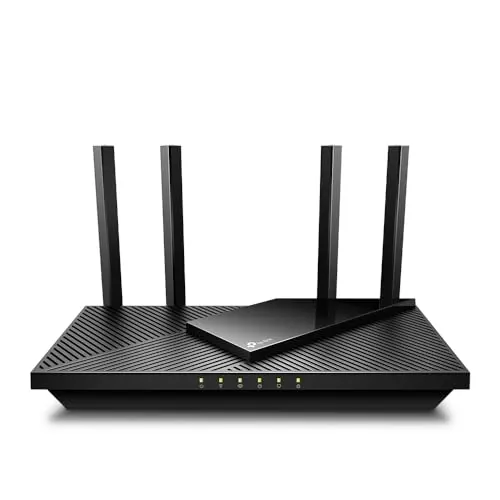
TP-Link Archer AX21 V5 vs Archer A54: Wi-Fi 6 or Wi-Fi 5 and Gigabit or Fast Ethernet?
The U.S. Archer AX21 V5 and Archer A54 are both dual-band routers, but their listed standards and ports differ: the AX21 V5 is Wi-Fi 6 with one Gigabit WAN and four Gigabit LAN ports; the A54 is Wi-Fi 5 with one 10/100 WAN and four 10/100 LAN ports. Check your client standards, internet plan and wired devices before buying. Treat mesh support as revision-specific: the listings do not identify every hardware subrevision, and TP-Link's AX21 page mixes EasyMesh and OneMesh references.
Read comparison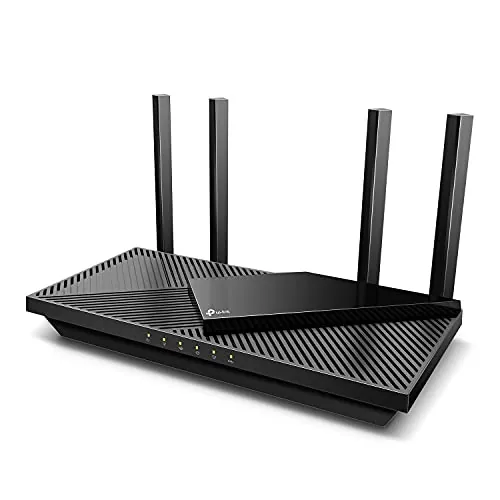
ASUS RT-AX1800S vs TP-Link Archer AX55: Mesh Fit and Wired Ports
Both U.S. model pages list one Gigabit WAN and four Gigabit LAN ports, so neither is the fit for a multi-gig wired WAN requirement. RT-AX1800S is listed as an AiMesh router and node. Archer AX55's U.S. product page lists OneMesh and EasyMesh with compatible devices plus a USB 3.0 storage port. TP-Link lists several U.S. AX55 hardware revisions and says availability varies by region; this listing information does not identify which revision is in the selected retail unit. Check the box label and exact compatibility page before buying for mesh expansion.
Read comparison