
Products compared
ASUS
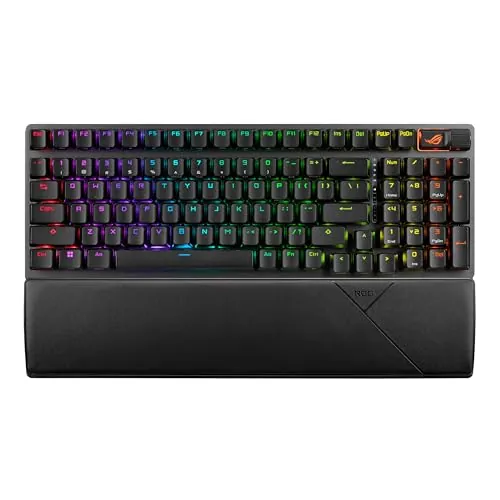
ASUS ROG Strix Scope II 96 Wireless Mechanical Gaming Keyboard (Black)
The black Scope II 96 Wireless listing uses model string X901 STRIX SCOPE II 96 WL/NXSW/CA/PBT and is listed as NX Snow linear. ASUS lists a compact 96% layout, Bluetooth, 2.4 GHz RF and wired USB, plus a receiver, extender, cable, wrist rest and puller in its U.S. family specifications. Confirm key legends and package contents on the exact seller listing.
Model X901 STRIX SCOPE II 96 WL/NXSW/CA/PBT
Amazon ASIN B0C7KFZ5TL
ASUS
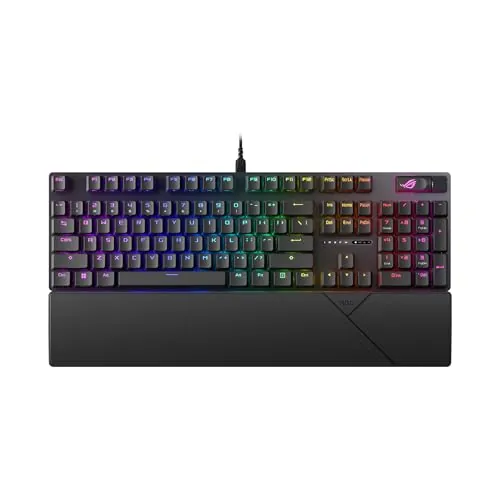
ASUS ROG Strix Scope II X Wired USB Mechanical Gaming Keyboard (Black)
The black Scope II X listing uses model string XA14 ROG STRIX SCOPE II X/NXSWV2/CA/PBT and is listed as NX Snow V2 linear. ASUS lists a full-size layout and USB Type-C-to-A connection. Check the exact seller listing for key legends and included pieces.
Model XA14 ROG STRIX SCOPE II X/NXSWV2/CA/PBT
Amazon ASIN B0FGGZK4X7
Differences that matter
What matters most to you?
Choose a priority to see what it changes.
Sources for Layout and key placement
Sources for Desk width and footprint
Sources for Selected NX Snow switch generation
Sources for Connection and host workflow
Sources for In-box setup pieces
Start with how much width your desk can spare
ASUS calls the Scope II 96 Wireless a 96% layout that retains function and number keys in a more compact arrangement. Its US specification lists 377 mm width and 131 mm depth. ASUS describes the Scope II X as a full-size 100% layout; its US specification lists 436 mm width and 129 mm depth. Based on those listed values, the X is wider by 59 mm while the 96 Wireless is slightly deeper.
Measure the clear area on the keyboard tray, then add space for the mouse and decide whether you will use the detachable wrist rest. This turns the layout into a usable desk check; it does not claim that one board is more comfortable or faster to type on. The CA/PBT listing data suffixes should prompt a separate check of the key legends shown on the exact listing.
Compare the selected Snow switch generations without treating specs as a test
The black Scope II 96 Wireless listing identifies NX Snow linear switches; the black Scope II X listing identifies NX Snow V2 linear switches. ASUS describes both product families as hot-swappable and says the V2 adds an LED lens while retaining a walled stem. The listed actuation and force figures are manufacturer specifications, not evidence of a feel, noise or speed difference.
That gives buyers a concrete generation/lighting distinction, but no basis to claim that either feels quieter, more comfortable or faster. If switch customization is your goal, ASUS says both boards support hot-swapping; follow the manufacturer safety instructions and do not swap switches while the keyboard is on.
Choose between wireless options and a USB-only listed setup
ASUS lists Bluetooth, 2.4 GHz RF and wired USB for Scope II 96 Wireless, and says Bluetooth can connect to up to three devices. Its Scope II X U.S. specifications list USB Type-C-to-A. Choose the 96 Wireless if you want the documented wireless options; choose X for the listed cable-first setup.
The X specification page listing USB does not prove that no other configuration exists. If wireless is essential, confirm the exact model code of the unit being sold. Also confirm the host has the necessary USB port/adapter and software support for functions you expect to configure.
A simple pre-buy check for the exact keyboard listing
Before buying, compare the exact model strings: X901 … NXSW/CA/PBT for Scope II 96 Wireless and XA14 … NXSWV2/CA/PBT for Scope II X. Check the seller photos for your required legends and language, measure keyboard-tray width and depth, and leave room for a mouse and optional wrist rest. Confirm the connection mode you need and the exact box contents, including whether the 96 Wireless offer includes its receiver and whether the X cable reaches your host.
These checks match documented model-family features to your desk and host. They do not predict typing sound, switch feel, performance, reliability or a universal winner.
Product details
ASUS ROG Strix Scope II 96 Wireless Mechanical Gaming Keyboard (Black)
- Layout and size
- 96% layout retaining function and number keys; ASUS US specifications list 377 × 131 × 40 mm Source
- Connectivity
- Bluetooth 5.1, RF 2.4GHz and wired USB Type-C to Type-A; ASUS product page says Bluetooth can connect to up to three devices Source
- Selected switch variant
- listed variants code identifies NXSW; ASUS describes Scope II 96 Wireless with hot-swappable pre-lubed NX Snow linear and NX Storm clicky options. The selected NX Snow version is not presented as Snow V2. Source
ASUS ROG Strix Scope II X Wired USB Mechanical Gaming Keyboard (Black)
- Layout and size
- ASUS calls the Scope II X a full-size 100% keyboard; US specifications list 436 × 129 × 37 mm Source
- Connection and package
- USB 2.0 Type-C-to-Type-A wired connection; ASUS lists a 2m cable, wrist rest, keycap/switch puller and themed spacebar keycap in the package Source
- Selected switch variant
- listed variants code identifies NXSWV2; ASUS describes the Scope II X as hot-swappable and its NX Snow V2 as linear, with an added LED lens and 1.8mm actuation point, 40gf initial force and 53gf total force Source
Before you buy
Community discussions
Deciding whether to keep a number pad
ASUS ROG Strix Scope II 96 Wireless Mechanical Gaming Keyboard (Black)
A ROG Strix Scope II 96 owner is considering a smaller tenkeyless layout after using the 96-key board.
What to check
List the number-pad and navigation keys you use. Compare where those keys sit on each board and how much room the board leaves for the mouse.
Keeping full-size keys and a volume control
ASUS ROG Strix Scope II X Wired USB Mechanical Gaming Keyboard (Black)
A shopper replacing an older keyboard wants a full number pad and music controls. A reply points them to the ROG Strix Scope II X.
What to check
Decide which media controls must stay within reach. Compare the layout and controls of the exact full-size and 96% boards.
Common questions
Does the 96 Wireless keep a number pad?
Yes. ASUS describes the Scope II 96 Wireless as a 96% layout retaining its function and number keys in a more compact arrangement. It is still not the same physical width as the full-size Scope II X, so check the published dimensions and your tray.ROG Strix Scope II 96 Wireless - FeaturesROG Strix Scope II 96 Wireless - Tech Specs
What is different about NX Snow and NX Snow V2?
The two offer model strings identify NX Snow on Scope II 96 Wireless and NX Snow V2 on Scope II X. ASUS describes Snow V2 as adding an LED lens while retaining the wall-stem design; for Snow V2 ASUS lists 1.8 mm actuation, 40 gf initial force and 53 gf total force. Those specifications do not prove a better typing feel or measured speed.ROG Strix Scope II 96 Wireless - FeaturesROG Strix Scope II X Gaming Keyboard - Features
Can the Scope II X connect wirelessly?
The ASUS US Scope II X technical specification page lists USB Type-C-to-A connectivity. It does not list Bluetooth or 2.4GHz on that page. If wireless is essential, confirm the exact unit with ASUS or the seller rather than assuming from the family name or concluding that an unlisted mode is impossible.ROG Strix Scope II X Gaming Keyboard - Tech Specs, US black PBT configuration
Will the CA/PBT versions have US ANSI key legends?
The compared product strings end in CA/PBT, but the ASUS family pages do not connect those strings to the exact Amazon listings or confirm the selected key legends. Inspect the seller photos or ask the seller to confirm the language and physical layout before buying.ROG Strix Scope II 96 Wireless - FeaturesROG Strix Scope II X Gaming Keyboard - Tech Specs, US black PBT configuration
Sources and scope
This comparison uses ASUS ROG U.S. product and specification pages, plus an ASUS Singapore description of the Scope II X layout and NX Snow V2 switch. The black listing strings end in CA/PBT, but ASUS's family pages do not confirm the exact key legends for either listing. Check the seller's photos, layout language and box contents. This guide compares documented layout and connections; it does not rank typing feel, sound, latency, durability or measured speed.
Related comparisons
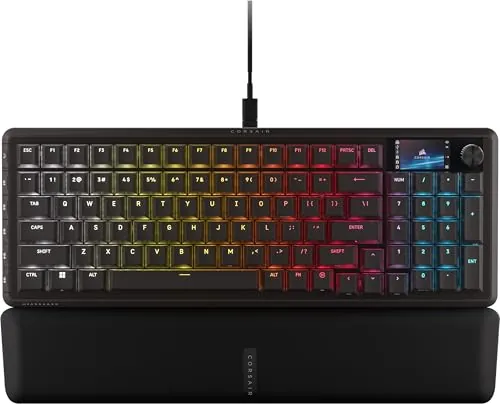
ASUS ROG Strix Scope II 96 Wireless vs CORSAIR VANGUARD 96: Connection and Controls
ASUS ROG Strix Scope II 96 Wireless and CORSAIR VANGUARD 96 both retain a number pad in compact layouts. The ASUS offers Bluetooth, 2.4 GHz RF and wired USB; the base wired VANGUARD 96 SKU CH-91E901F-NA adds six G-keys, an LCD and a rotary dial. If ASUS switch type or key labels matter, check the exact X901 … NXSW/CA/PBT listing because U.S. documentation describes family options and regional differences. Confirm current CORSAIR support before buying for a specific Stream Deck workflow.
Read comparison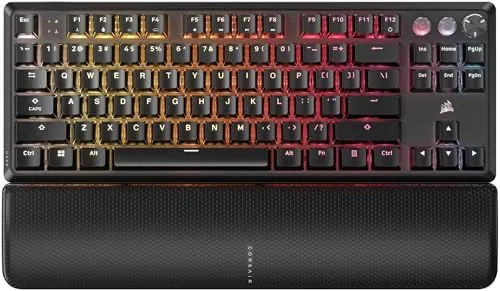
Corsair K70 PRO TKL vs K70 CORE: Adjustable Keys or a Full-Size Numpad?
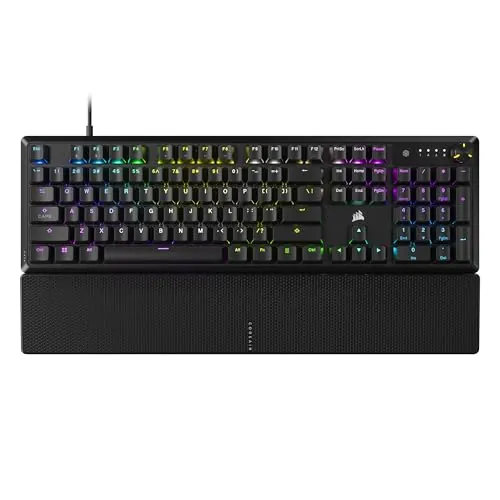
Both are wired, North American-layout Corsair keyboards with a rotary dial and FlashTap support. The decision turns on layout and switch controls: K70 CORE keeps a full-size number pad and uses pre-lubed MLX Red linear mechanical switches; K70 PRO TKL removes the numpad and adds adjustable actuation and Rapid Trigger on its supported MGX magnetic keys. Neither spec sheet proves a faster, quieter or more comfortable typing experience.
Read comparison