Pickagu

Keyboards

Find your model below to compare what is included and how the differences affect everyday use.

55 comparisons

Keyboards comparisons

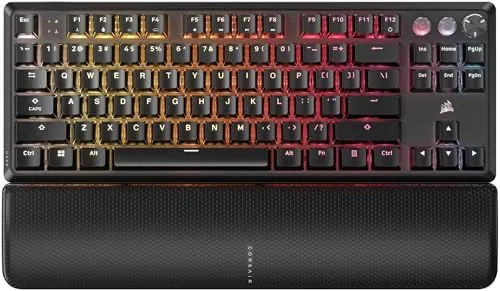
CORSAIR K70 PRO TKL RGB · CH-911911G-NA
CORSAIR K70 PRO TKL RGB
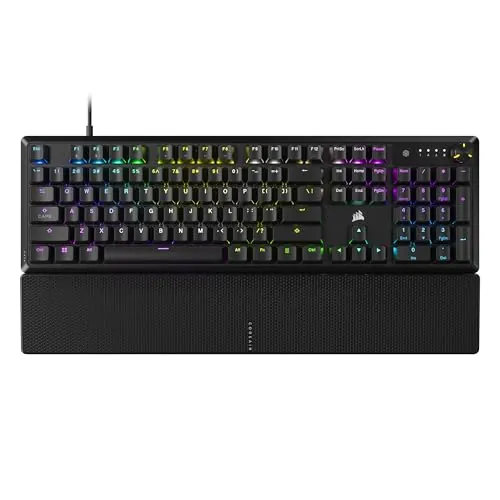
CORSAIR K70 CORE RGB · CH-910981E-NA
CORSAIR K70 CORE RGB

Corsair K70 PRO TKL vs K70 CORE: Adjustable Keys or a Full-Size Numpad?

Both are wired, North American-layout Corsair keyboards with a rotary dial and FlashTap support. The decision turns on layout and switch controls: K70 CORE keeps a full-size number pad and uses pre-lubed MLX Red linear mechanical switches; K70 PRO TKL removes the numpad and adds adjustable actuation and Rapid Trigger on its supported MGX magnetic keys. Neither spec sheet proves a faster, quieter or more comfortable typing experience.

Read comparison


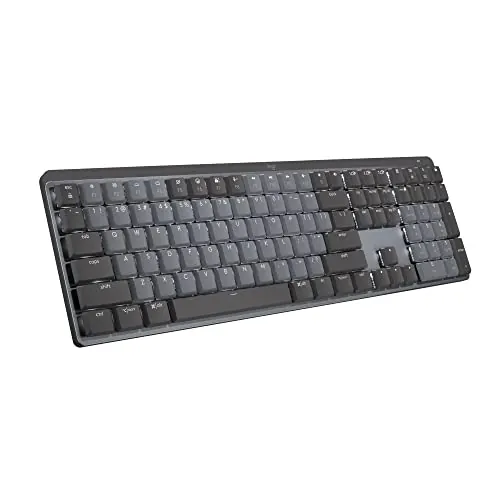
Logitech MX Keys S Wireless Keyboard · 920-011558
Logitech MX Keys S Wireless Keyboard
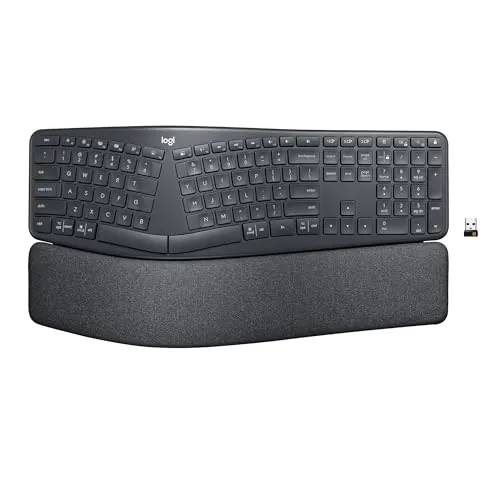
Logitech Wave Keys Ergonomic Wireless Keyboard · 920-011898
Logitech Wave Keys Ergonomic Wireless Keyboard

Logitech MX Keys S vs Wave Keys: Choose by Lighting, Layout and Power

These two Logitech keyboards share Bluetooth, an included Logi Bolt receiver and Easy-Switch workflows, so connection alone does not settle the choice. MX Keys S (920-011558) has a low-profile layout, adaptive backlighting and a USB-C charging port you can use while typing. Wave Keys (920-011898) has a wave-shaped layout with an attached cushioned palm rest, uses two included AAA batteries, and its Logitech consumer FAQ says its keys are not backlit. Check your lighting, desk layout, host operating systems and power preference before choosing; neither model is a universal comfort winner.

Read comparison
Logitech MX Keys S Wireless Keyboard, Graphite · 920-011558
Logitech MX Keys S Wireless Keyboard, Graphite
Logitech MX Mechanical Full-Size Tactile Quiet Keyboard, Graphite · 920-010547
Logitech MX Mechanical Full-Size Tactile Quiet Keyboard, Graphite

Logitech MX Keys S vs MX Mechanical: Scissor or Tactile Quiet?

The Graphite MX Keys S uses scissor keys; the assigned full-size MX Mechanical is the Tactile Quiet low-profile mechanical version. Logitech lists 1.8 mm total travel for MX Keys S and 3.2 mm for MX Mechanical. Both support lighting, Bluetooth LE or a Logi Bolt receiver, and switching among up to three devices. Choose by a typing style you already know you want; these specifications do not establish typing speed, comfort or sound superiority.

Read comparison
Logitech ERGO K860 Split Ergonomic Keyboard, Graphite · 920-009166
Logitech ERGO K860 Split Ergonomic Keyboard, Graphite
Logitech Wave Keys Ergonomic Wireless Keyboard, Graphite · 920-011898
Logitech Wave Keys Ergonomic Wireless Keyboard, Graphite

Logitech ERGO K860 vs Wave Keys: Layout, Receiver, and Desk Fit

The Graphite Logitech ERGO K860 (920-009166) and Wave Keys (920-011898) both include an integrated palm-rest area, Bluetooth, three-device switching, and two AAA batteries. The K860 has a curved split keyframe, adjustable palm lift, and a Unifying receiver path; Wave Keys has a compact wave-shaped layout and an included Logi Bolt receiver. The receiver families do not pair with one another, so match the keyboard to the receiver already used by your computer or use Bluetooth where supported. This is a layout and setup comparison, not a medical or measured comfort result.

Read comparison
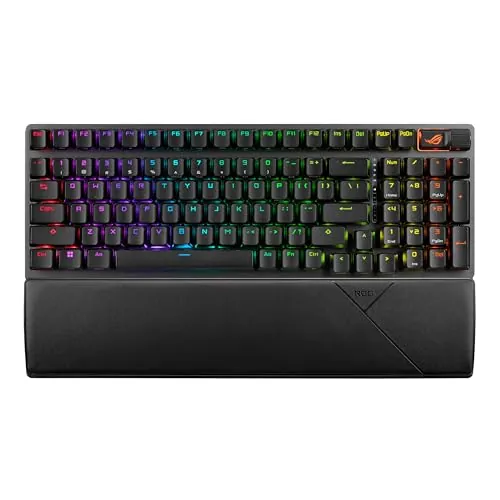
ASUS ROG Strix Scope II 96 Wireless Mechanical Gaming Keyboard (Black) · X901 STRIX SCOPE II 96 WL/NXSW/CA/PBT
ASUS ROG Strix Scope II 96 Wireless Mechanical Gaming Keyboard (Black)
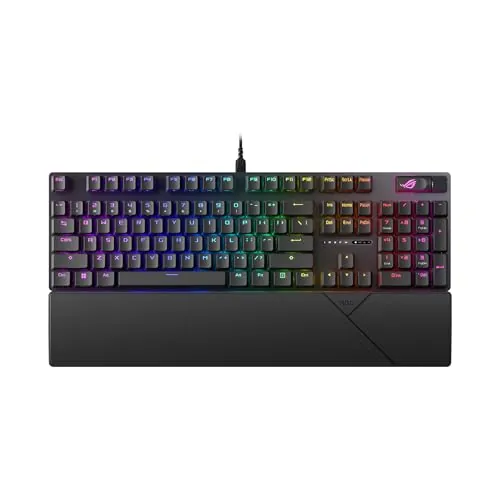
ASUS ROG Strix Scope II X Wired USB Mechanical Gaming Keyboard (Black) · XA14 ROG STRIX SCOPE II X/NXSWV2/CA/PBT
ASUS ROG Strix Scope II X Wired USB Mechanical Gaming Keyboard (Black)

ASUS ROG Strix Scope II 96 Wireless vs Scope II X: Layout, NX Snow Switches and USB Fit

For the black X901 … NXSW/CA/PBT and XA14 … NXSWV2/CA/PBT listings, the main choice is a compact 96% board with wireless options or a wider full-size USB keyboard. ASUS lists function and number keys on the 96 Wireless and Bluetooth, 2.4 GHz RF and USB; Scope II X is full-size and USB. The listings identify NX Snow and NX Snow V2 linear variants, but do not confirm their exact CA/PBT legends. Measure your desk and check the seller's exact listing before ordering.

Read comparison
Corsair K70 PRO TKL RGB Wired Gaming Keyboard · CH-911911G-NA
Corsair K70 PRO TKL RGB Wired Gaming Keyboard
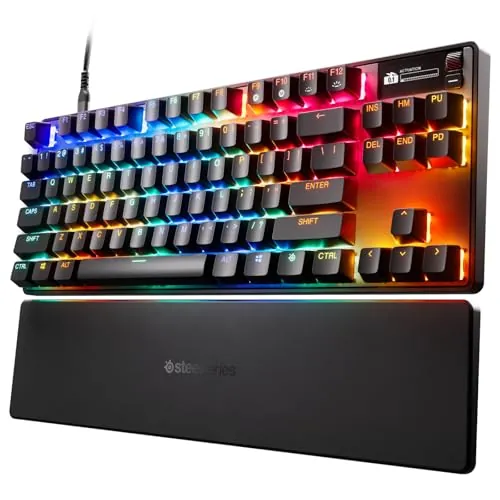
SteelSeries Apex Pro TKL Gen 3 Gaming Keyboard · 64740
SteelSeries Apex Pro TKL Gen 3 Gaming Keyboard

Corsair K70 PRO TKL vs SteelSeries Apex Pro TKL Gen 3: Which Key Controls Fit Your Game?

Both are wired tenkeyless magnetic keyboards with 61 adjustable keys. The Corsair K70 PRO TKL adds A/D FlashTap priority settings and up to five manually saved device-memory profiles. SteelSeries' Apex Pro TKL Gen 3 adds Rapid Tap, Protection Mode, an OLED adjustment menu and game-linked QuickSet. These are different control workflows, not evidence of a speed or accuracy winner.

Read comparison
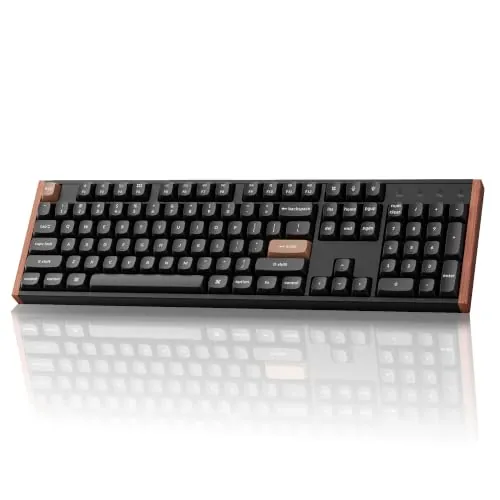
Keychron K10 HE Full-Size Wireless Keyboard, Black Wood Edition · K10H-F1
Keychron K10 HE Full-Size Wireless Keyboard, Black Wood Edition
SteelSeries Apex Pro TKL Gen 3 Wired Gaming Keyboard, Black · 64740
SteelSeries Apex Pro TKL Gen 3 Wired Gaming Keyboard, Black

Keychron K10 HE vs SteelSeries Apex Pro TKL Gen 3: Full-Size or TKL?

This comparison covers the black Keychron K10 HE (model K10H-F1) and the black wired SteelSeries Apex Pro TKL Gen 3 (model 64740). The K10 HE is full-size and supports Bluetooth pairing for up to three devices, 2.4 GHz, and wired USB-C modes. The Apex is tenkeyless and wired; its manual documents actuation changes from the OLED menu or hotkeys, with per-key settings in SteelSeries GG. Keychron's current page describes adjustable actuation for two switch versions, but does not confirm which version is included with K10H-F1. Check the exact listing before comparing actuation ranges. These are layout, connection, and setup differences, not typing or gaming results.

Read comparison
Keychron K10 HE Wireless Magnetic Switch Keyboard · K10H-F1
Keychron K10 HE Wireless Magnetic Switch Keyboard
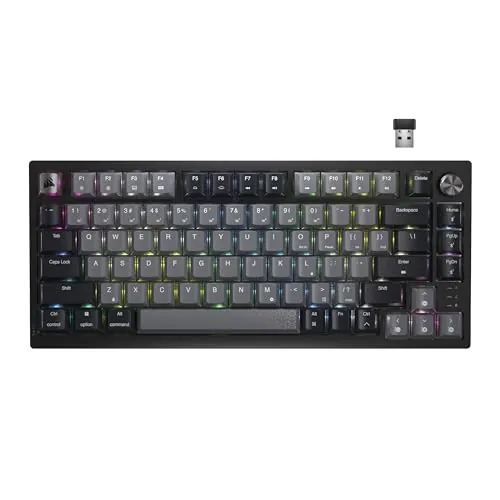
CORSAIR K65 Plus Wireless 75% RGB Mechanical Gaming Keyboard · CH-91D401L-NA
CORSAIR K65 Plus Wireless 75% RGB Mechanical Gaming Keyboard

Keychron K10 HE vs CORSAIR K65 Plus Wireless: Full-Size or 75%?

The Keychron K10 HE is a full-size magnetic keyboard with tri-mode connection and browser-based Launcher; the CORSAIR K65 Plus is a 75% mechanical keyboard with MLX Red switches and tri-mode connection. Keychron's actuation range depends on switch version, and its selector does not identify the version included with K10H-F1. Check that exact configuration before choosing by travel range.

Read comparison
CORSAIR K65 PLUS WIRELESS 75% RGB Mechanical Gaming Keyboard - Black/Gray · CH-91D401L-NA
CORSAIR K65 PLUS WIRELESS 75% RGB Mechanical Gaming Keyboard - Black/Gray
CORSAIR K70 CORE RGB Mechanical Gaming Keyboard with Palm Rest - Black · CH-910981E-NA
CORSAIR K70 CORE RGB Mechanical Gaming Keyboard with Palm Rest - Black

Corsair K65 Plus Wireless vs K70 CORE: Layout, Switches and Connection Modes

The black/gray Corsair K65 Plus Wireless (CH-91D401L-NA) keeps arrow and utility keys in a 75% layout and switches among 2.4GHz, Bluetooth and wired USB modes. The black Corsair K70 CORE with palm rest (CH-910981E-NA) is full-size with a 104-key matrix and wired USB Type-A. Both use Corsair MLX Red linear switches, but the K65 page explicitly describes its switches as hot-swappable and calls them MLX Red, while K70's page calls its switches MLX Red v2. Both support iCUE; choose by layout and host workflow rather than an untested typing-feel claim.

Read comparison
CORSAIR K65 PLUS WIRELESS 75% Mechanical Gaming Keyboard — Black/Gray · RGP0156 / SKU CH-91D401L-NA
CORSAIR K65 PLUS WIRELESS 75% Mechanical Gaming Keyboard — Black/Gray
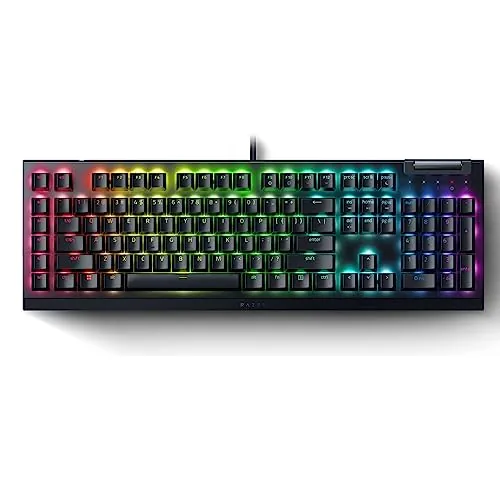
Razer BlackWidow V4 X Mechanical Gaming Keyboard — Black, Yellow Switch, US Layout · RZ03-04701900-R3U1
Razer BlackWidow V4 X Mechanical Gaming Keyboard — Black, Yellow Switch, US Layout

CORSAIR K65 PLUS Wireless vs Razer BlackWidow V4 X: Layout and Controls

The CORSAIR K65 PLUS (CH-91D401L-NA, Black/Gray) is a compact 75% keyboard with 2.4 GHz, Bluetooth and USB wired modes. The BlackWidow V4 X (RZ03-04701900-R3U1, Black, Yellow switches, U.S. layout) is a full-size wired board with six dedicated macro keys. Compare your desk layout and whether you want physical macro keys or software-programmed macros before buying.

Read comparison
Logitech MX Keys S Wireless Illuminated Keyboard — Graphite · 920-011558
Logitech MX Keys S Wireless Illuminated Keyboard — Graphite
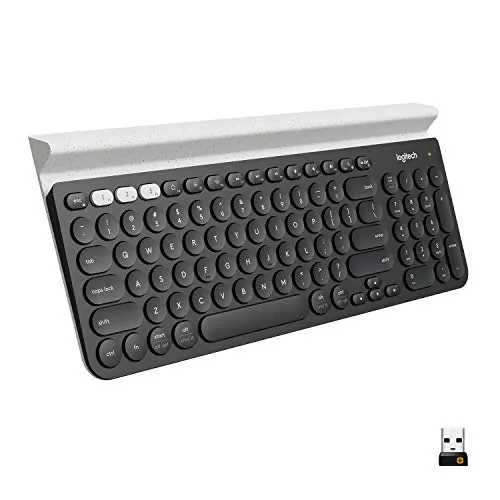
Logitech K780 Multi-Device Wireless Keyboard — Speckled White · 920-008025
Logitech K780 Multi-Device Wireless Keyboard — Speckled White

Logitech MX Keys S vs K780: Desk Footprint, Receiver and Phone Cradle

This U.S. comparison covers the Graphite Logitech MX Keys S (920-011558) and Speckled White Logitech K780 (920-008025). MX Keys S is 430.20 mm wide and 131.63 mm deep, uses Bluetooth or a Logi Bolt USB receiver, and its rechargeable battery can charge over USB-C while you continue typing. K780 is 380 mm wide and 153 mm deep, uses Bluetooth or Logitech's Unifying receiver, and its built-in cradle holds phones through a 12-inch iPad class; Logitech lists a maximum device thickness of 11.3 mm. K780 uses two replaceable AAA cells and has no backlight. The practical choice is whether your desk and phone/tablet routine benefit more from an integrated cradle or from illumination and rechargeable upkeep—not a typing-quality verdict.

Read comparison
CORSAIR K65 PLUS WIRELESS 75% RGB Mechanical Gaming Keyboard, Black/Gray · CH-91D401L-NA
CORSAIR K65 PLUS WIRELESS 75% RGB Mechanical Gaming Keyboard, Black/Gray
SteelSeries Apex Pro TKL Gen 3 Gaming Keyboard, Black, Wired · 64740
SteelSeries Apex Pro TKL Gen 3 Gaming Keyboard, Black, Wired

Corsair K65 Plus Wireless vs SteelSeries Apex Pro TKL Gen 3: Connections and Switch Controls

This U.S. comparison differs in host connection and key customization. CORSAIR K65 Plus Wireless (U.S. SKU CH-91D401L-NA) supports 2.4 GHz, Bluetooth and USB wired modes, stores up to three Bluetooth pairings, and has a hot-swappable PCB. SteelSeries Apex Pro TKL Gen 3 (64740, black, wired) uses a detachable USB-C-to-USB-A cable and lets you adjust actuation on 61 OmniPoint keys through SteelSeries GG or onboard controls; other listed keys use regular red switches. Compare the layout and software workflow you want, not an assumed gaming or typing-performance winner.

Read comparison
Logitech Wave Keys Ergonomic Wireless Keyboard — Graphite · 920-011898
Logitech Wave Keys Ergonomic Wireless Keyboard — Graphite
Logitech MX Mechanical Wireless Illuminated Keyboard, Tactile Quiet — Graphite · 920-010547
Logitech MX Mechanical Wireless Illuminated Keyboard, Tactile Quiet — Graphite

Logitech Wave Keys vs MX Mechanical: Layout, Receiver, and Charging

The Graphite Logitech Wave Keys (920-011898) uses a compact wave-shaped plunger layout with a cushioned palm rest and two replaceable AAA batteries. The Graphite MX Mechanical Tactile Quiet (920-010547) is a wider, full-size low-profile mechanical keyboard with a numpad, a rechargeable battery, white smart backlighting, and a USB-C charging cable. Logitech lists a Logi Bolt USB receiver and Bluetooth for both. Pick by the layout and maintenance routine you actually want; the manufacturer battery estimates use different test conditions and do not prove one lasts longer in comparable use.

Read comparison
Corsair K70 CORE RGB Mechanical Gaming Keyboard with Palm Rest — Black · CH-910981E-NA
Corsair K70 CORE RGB Mechanical Gaming Keyboard with Palm Rest — Black
SteelSeries Apex Pro TKL Gen 3 Gaming Keyboard — Black, Wired U.S. English · 64740
SteelSeries Apex Pro TKL Gen 3 Gaming Keyboard — Black, Wired U.S. English

Corsair K70 CORE vs SteelSeries Apex Pro TKL Gen 3: Layout, Switches, and Setup

The Corsair K70 CORE (CH-910981E-NA) is the straightforward pick if your routine depends on a full-size 104-key layout and linear MLX Red v2 switches. The SteelSeries Apex Pro TKL Gen 3 (64740) removes the dedicated numpad and adds adjustable actuation on 61 OmniPoint 3.0 keys through SteelSeries GG. Its other listed keys use regular Red switches, so the adjustable behavior does not apply to every key. Decide by the layout and key-level configuration you will actually use; the cited sources do not establish a typing or gaming-performance winner.

Read comparison
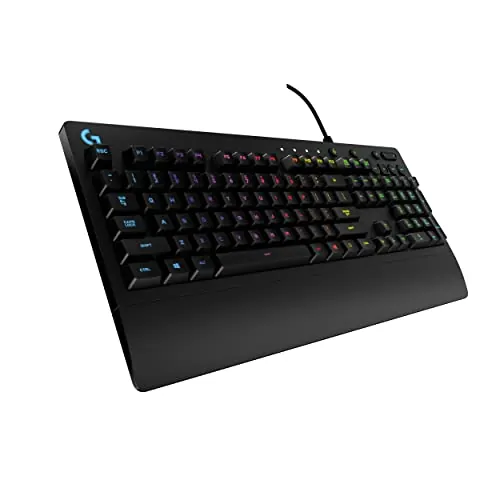
Logitech G213 Prodigy RGB Gaming Keyboard · 920-009284
Logitech G213 Prodigy RGB Gaming Keyboard
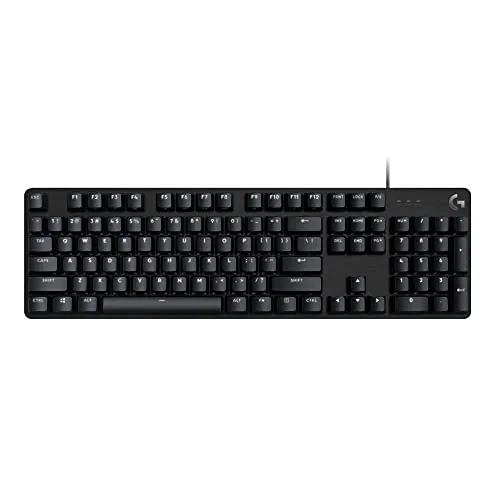
Logitech G413 SE Full-Size Mechanical Gaming Keyboard · 920-010433
Logitech G413 SE Full-Size Mechanical Gaming Keyboard

Logitech G213 Prodigy vs G413 SE: Key Type, Lighting and Desk Fit

The G213 combines Logitech's Mech-Dome design, five customizable RGB zones, dedicated media controls and an integrated palm rest. The G413 SE is a full-size wired keyboard with tactile mechanical switches and white LED lighting. Pick by the key mechanism and lighting workflow you actually want; use the pre-buy checklist to check footprint, cable reach and the exact seller model.

Read comparison
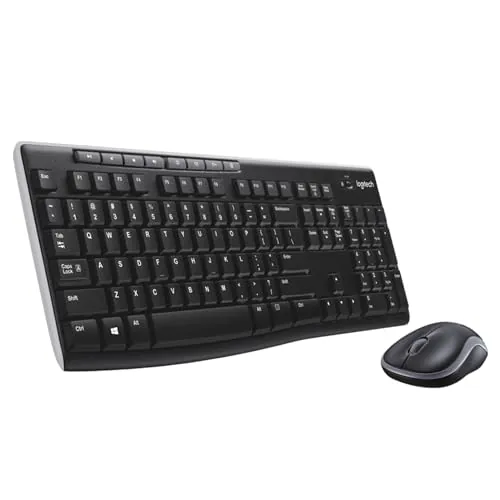
Logitech MK270 Wireless Keyboard and Mouse Combo, Black · 920-008813
Logitech MK270 Wireless Keyboard and Mouse Combo, Black
Logitech MK295 Silent Wireless Keyboard and Mouse Combo, Graphite · 920-009782
Logitech MK295 Silent Wireless Keyboard and Mouse Combo, Graphite

Logitech MK270 vs MK295 Silent: Receiver, Keys and Power Setup

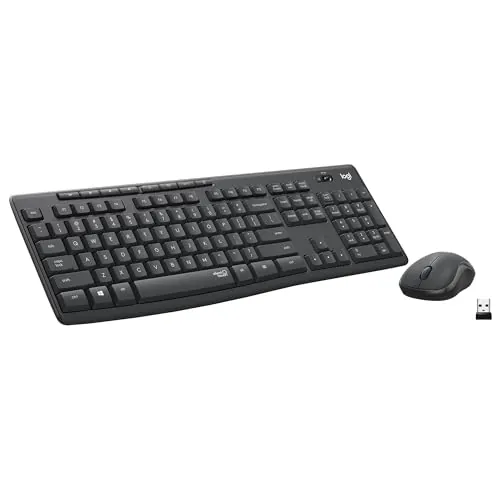
For these exact U.S. bundles, the choice is about how the keyboard and mouse fit your desk and receiver setup, plus whether you value Logitech's SilentTouch claim. MK270 920-008813 is a black full-size combo with eight media controls and an included 2.4 GHz USB receiver. MK295 Graphite 920-009782 is also full-size with a number pad and eight shortcuts; Logitech specifies its receiver as non-Unifying USB-A and positions the combo around reduced typing and clicking noise. Both use two AAA batteries in the keyboard and one AA in the mouse. Check your host's port, exact model code and your preferred shortcut layout before ordering.

Read comparison
Logitech K585 Slim Multi-Device Wireless Keyboard · 920-011479
Logitech K585 Slim Multi-Device Wireless Keyboard
Logitech MX Keys S Wireless Illuminated Keyboard · 920-011558
Logitech MX Keys S Wireless Illuminated Keyboard

Logitech K585 vs MX Keys S: Phone Cradle, Device Switching, and Charging

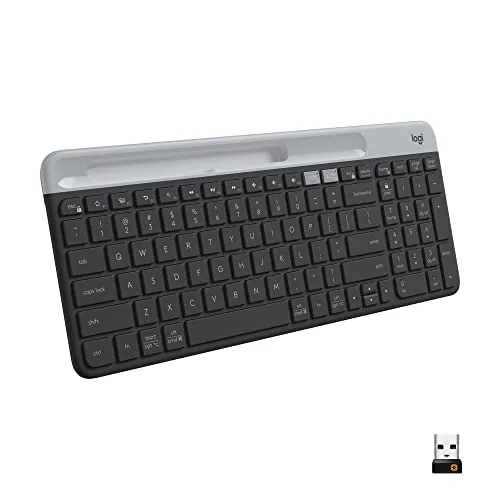
Both are Graphite wireless keyboards with Bluetooth and a Logitech USB receiver, but the documented workflows differ: K585 combines a compact number-pad layout, phone cradle, two device channels, and replaceable AAA batteries; MX Keys S supports up to three paired computers, adaptive backlighting, and USB-C charging. Confirm the exact part number and the receiver your computer can use.

Read comparison
Logitech MX Keys S Wireless Illuminated Keyboard, Graphite · 920-011558
Logitech MX Keys S Wireless Illuminated Keyboard, Graphite
Logitech ERGO K860 Wireless Split Keyboard, Graphite (consumer model) · 920-009166
Logitech ERGO K860 Wireless Split Keyboard, Graphite (consumer model)

Logitech MX Keys S vs ERGO K860: Desk Fit, Palm Support and Setup

These Graphite Logitech keyboards serve different desk routines. MX Keys S (920-011558) has a low-profile layout, smart backlighting and a rechargeable USB-C battery; the support spec lists its keyboard body at 430.2 × 131.63 mm and notes that some package configurations include a separate palm rest. ERGO K860 (920-009166) has a curved split keyframe, integrated palm rest, and 0°, −4° or −7° tilt options; its listed footprint is 456 × 233 mm. They also use different USB receivers—Logi Bolt versus Unifying—which are incompatible, though both support Bluetooth. Choose by key layout, desk space, port/OS setup and power routine, not an assumed comfort or health result.

Read comparison
CORSAIR K70 CORE RGB Mechanical Gaming Keyboard with Palm Rest — Black · CH-910981E-NA (NA layout)
CORSAIR K70 CORE RGB Mechanical Gaming Keyboard with Palm Rest — Black
Logitech MX Keys S Wireless Illuminated Keyboard, Graphite · 920-011558
Logitech MX Keys S Wireless Illuminated Keyboard, Graphite

Corsair K70 CORE vs Logitech MX Keys S: Wired Mechanical or Wireless Multi-Host?

The K70 CORE RGB (CH-910981E-NA) is a full-size, 104-key NA-layout mechanical keyboard with CORSAIR MLX Red v2 switches, a multi-function dial and a wired USB Type-A connection. The Graphite MX Keys S (920-011558) is a low-profile scissor-key wireless keyboard that can pair with up to three hosts through Bluetooth or its included Logi Bolt receiver, then switch channels from the keyboard. Before buying, check the computers and ports at your desk: these two solve different connection routines, and no matched typing or latency test is represented.

Read comparison
Logitech MX Keys S Advanced Wireless Illuminated Keyboard, Graphite · 920-011558
Logitech MX Keys S Advanced Wireless Illuminated Keyboard, Graphite
Logitech K400 Plus Wireless Touch Keyboard, Black · 920-007119
Logitech K400 Plus Wireless Touch Keyboard, Black

Logitech MX Keys S vs K400 Plus: Desk Typing or TV Control?

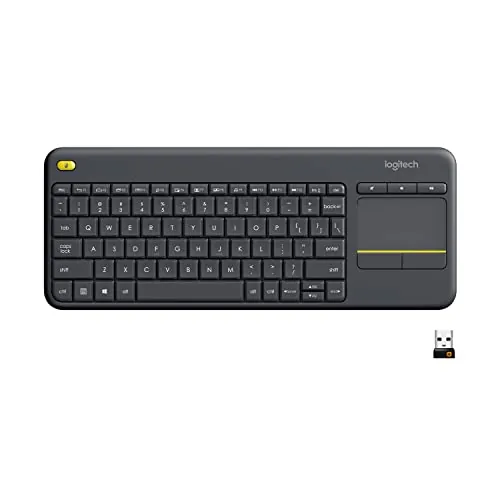
These are different kinds of wireless keyboard. The Graphite MX Keys S has backlighting, USB-C charging, Bluetooth or a Logi Bolt receiver, and Easy-Switch for up to three paired computers. The K400 Plus adds a built-in touchpad and media keys for controlling a PC-connected TV, but connects through its included Unifying USB receiver and runs on two replaceable AA batteries. Check the host's USB and operating-system requirements before buying; Bolt and Unifying receivers are not interchangeable.

Read comparison
CORSAIR K65 PLUS WIRELESS 75% RGB Mechanical Gaming Keyboard (Original Midnight Grey) · CH-91D401L-NA
CORSAIR K65 PLUS WIRELESS 75% RGB Mechanical Gaming Keyboard (Original Midnight Grey)
Logitech MX Keys S Wireless Illuminated Keyboard (Graphite) · 920-011558
Logitech MX Keys S Wireless Illuminated Keyboard (Graphite)

Corsair K65 Plus Wireless vs Logitech MX Keys S: Layout, Shortcuts and Multi-Device Setup

The Original Midnight Grey K65 Plus Wireless (CH-91D401L-NA) is a 320 mm-wide 75% mechanical keyboard with arrows and function keys but no number pad. It supports USB wired, 2.4 GHz and three Bluetooth host profiles, plus a Windows/Mac switch. The Graphite MX Keys S (920-011558) keeps a full-size number pad, uses low-profile scissor keys, and can switch among up to three paired devices over Bluetooth or its Logi Bolt receiver. Check desk width, numeric-entry habits, mobile pairing and whether your computer permits the software features you want.

Read comparison
Logitech K585 Slim Multi-Device Wireless Keyboard · K585 (920-011479)
Logitech K585 Slim Multi-Device Wireless Keyboard
Logitech K400 Plus Wireless Touch Keyboard · K400 Plus (920-007119)
Logitech K400 Plus Wireless Touch Keyboard

Logitech K585 vs K400 Plus: Phone Cradle or Built-In Touchpad?

These Logitech keyboards solve different input problems. K400 Plus combines typing with a touchpad and connects through a USB Unifying receiver, a practical layout for a compatible computer connected to a TV. K585 adds a built-in phone cradle, number pad and Easy-Switch between two paired devices; it connects by Bluetooth or its included Unifying receiver, but has no built-in touchpad. Check your actual host, ports and whether you need a separate pointer before choosing.

Read comparison
Logitech MX Mechanical Wireless Illuminated Keyboard, Graphite, Tactile Quiet · MX Mechanical / 920-010547
Logitech MX Mechanical Wireless Illuminated Keyboard, Graphite, Tactile Quiet
Logitech Alto Keys K98M Wireless Mechanical Keyboard, Graphite · Alto Keys K98M / 920-013575
Logitech Alto Keys K98M Wireless Mechanical Keyboard, Graphite

Logitech MX Mechanical vs Alto Keys K98M: Full-Size or 98-Key, Fixed or Swappable?

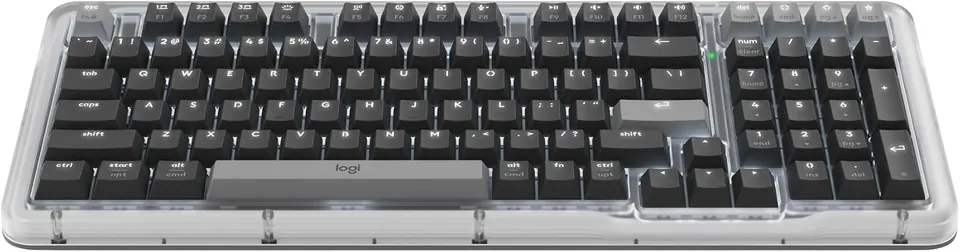
The MX Mechanical is Logitech’s full-size, low-profile board with an integrated numpad; model 920-010547 uses Tactile Quiet switches. The Alto Keys K98M has a 98-key layout and a hot-swappable linear Marble switch. Pick the MX if you want its full-size layout and to choose among Logitech’s switch styles when ordering; pick the K98M if a 98-key arrangement or the documented switch-replacement path matters more. Neither source set establishes a typing or sound winner.

Read comparison
Logitech K585 Slim Multi-Device Wireless Keyboard · 920-011479
Logitech K585 Slim Multi-Device Wireless Keyboard
Logitech ERGO K860 Wireless Split Keyboard · 920-009166
Logitech ERGO K860 Wireless Split Keyboard

Logitech K585 vs ERGO K860: Phone-First Desk or Split Workstation?

The Logitech K585 Slim Multi-Device (Graphite, 920-011479) and consumer ERGO K860 (Graphite, 920-009166) solve different desk tasks. K585 keeps a conventional full-size key layout with a number pad, built-in phone cradle and two-device switching. K860 has a curved split layout, attached padded palm rest with 0°, −4° and −7° lift settings, and channels for up to three computers. Both can connect over Bluetooth or a Unifying receiver and both use two AAA batteries; Logitech estimates 24 months for each, with battery life varying by use. Decide by key layout, device mix and desk space, not by claims that either keyboard improves health or typing performance.

Read comparison