
Products compared
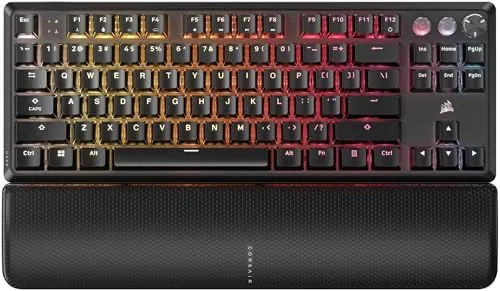
Corsair
Corsair K70 PRO TKL RGB Wired Gaming Keyboard
Black U.S. ANSI wired tenkeyless configuration.
Model CH-911911G-NA
Amazon ASIN B0D83TJ5RB
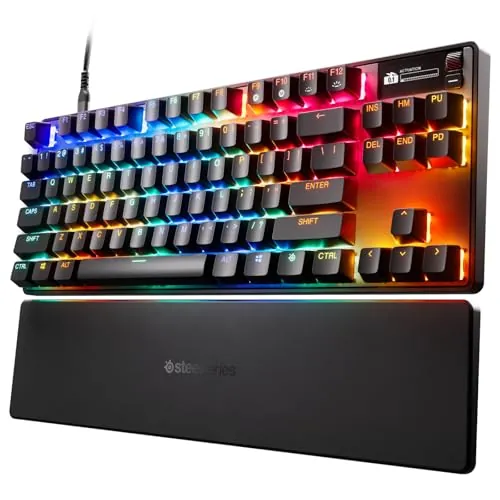
SteelSeries
SteelSeries Apex Pro TKL Gen 3 Gaming Keyboard
Black, wired, English U.S. tenkeyless configuration; not the wireless TKL or full-size model.
Model 64740
Amazon ASIN B0DGZLHN8G
Differences that matter
What matters most to you?
Choose a priority to see what it changes.
Sources for A/D and repeated-key behavior
Start with the directional-input behavior you want
The K70's FlashTap is specifically documented for A and D. In iCUE, you can choose first, neutral, or last priority for simultaneous opposing inputs; hardware mode offers last priority. Corsair's manual says FlashTap is disabled by default and recommends installing current firmware through iCUE before first use.
SteelSeries describes Rapid Tap as following the latest key press and says it is built for strafing keys. Protection Mode is a separate setting: it dynamically lowers sensitivity on physically surrounding keys. These descriptions answer different setup questions, so choose the behavior you actually want to configure instead of treating the names as competing performance claims.
Check which keys have adjustable magnetic switches
Both manufacturers document 61 adjustable keys, but the key maps matter. Corsair's manual lists 61 ANSI MGX magnetic keys and identifies 23 other keys as fixed-travel MLX. SteelSeries says 61 keys are adjustable through GG; its switch guide identifies the main QWERTY cluster as OmniPoint 3.0 and the arrow, function, and certain navigation keys as regular Red switches.
Before buying, mark the exact keys you want to tune. If the target is outside the main typing cluster, use the maker's switch map rather than the general 61-key count.
Decide where you want to adjust and keep profiles
The K70 can be configured in iCUE; its manual describes hardware mode with up to five device-memory profiles and manual saving. The same manual advises installing the latest firmware via iCUE before first use. This makes the number of profiles and the save step practical checks if you plan to switch between prepared settings away from the software screen.
The Apex TKL Gen 3 guide documents actuation changes through the OLED menu or hotkeys, profile switching from the keyboard, and per-key configuration in SteelSeries GG Engine. The product page says settings remain saved onboard, and SteelSeries lists the TKL Gen 3 among QuickSet-compatible devices. If a game-specific profile is central to your choice, confirm the exact game and settings in GG before relying on auto-launch.
Product details
Corsair K70 PRO TKL RGB Wired Gaming Keyboard
- Adjustable-key range
- The manual lists 61 ANSI MGX magnetic keys adjustable from 0.1 to 4.0 mm in 0.1 mm steps; it identifies 23 other keys as fixed-travel MLX. Source
- A/D input handling
- FlashTap handles A and D; iCUE offers first, neutral, or last priority, while hardware mode offers last priority. Source
- Device-memory profiles
- Hardware mode supports up to five device-memory profiles that must be saved manually. Source
SteelSeries Apex Pro TKL Gen 3 Gaming Keyboard
- Adjustable-key range
- SteelSeries lists 61 keys adjustable through GG from 0.1 to 4.0 mm; its switch guide distinguishes OmniPoint 3.0 QWERTY keys from regular switches on several other key groups. Source
- Additional key behavior
- Rapid Tap follows the latest key press; Protection Mode dynamically lowers sensitivity on physically surrounding keys. Source
- On-keyboard setup
- The product page describes OLED settings saved onboard; the TKL Gen 3 guide documents OLED and hotkey actuation adjustment, with per-key setup in SteelSeries GG Engine. Source
Before you buy
Community discussions
A casual player asks which TKL Gen 3 controls matter
SteelSeries Apex Pro TKL Gen 3 Gaming Keyboard
A buyer asked whether the Apex Pro TKL Gen 3 made sense for casual play. A wired-model owner said they used the on-keyboard actuation settings. Their keyboard had a UK layout.
What to check
Decide whether you would actually change actuation or use the listed game-related controls before treating them as a buying reason. Do not transfer a feel impression from the Apex 9 to the TKL Gen 3 or infer a speed result from this question.
Common questions
Are FlashTap and Rapid Tap equivalent?
No equivalence is documented. Corsair's FlashTap is an A/D simultaneous-opposing-input control with first, neutral, or last priority in iCUE and last priority in hardware mode. SteelSeries says Rapid Tap follows the latest key press. This comparison does not measure which behavior performs better.K70 PRO TKL Manual and Quick Start GuideApex Pro TKL Gen 3 — U.S. black, wired, English TKL selection
Can every key be adjusted on both keyboards?
No. Corsair lists 61 ANSI MGX adjustable keys and 23 other fixed-travel MLX keys. SteelSeries lists 61 adjustable keys and identifies OmniPoint 3.0 on the main QWERTY cluster, with regular switches on specified other groups. Check your intended keys rather than assuming every key has adjustable actuation.K70 PRO TKL Manual and Quick Start GuideWhich keys can be adjusted? Apex Pro Gen 3 TKL / TKL WirelessWhat type of switches does Apex Pro Gen 3 have?
Can I set up either keyboard without desktop software?
Both document some keyboard-side controls, but do not assume every setting is interchangeable between software and hardware modes. Corsair says hardware profiles must be saved manually and supports up to five in device memory. SteelSeries documents OLED/hotkey actuation changes, while GG Engine handles per-key setup and QuickSet handles game-linked configurations. Verify the settings you need on your own host before purchase.K70 PRO TKL Manual and Quick Start GuideApex Pro TKL Gen 3 Product Information GuideWill QuickSet work with my device?
Does either keyboard have a proven speed or accuracy advantage?
The official sources describe features and configuration, not a controlled head-to-head test of these exact models. This guide therefore does not rank movement speed, accuracy, sound, feel, or long-term reliability.K70 PRO TKL Manual and Quick Start GuideApex Pro TKL Gen 3 — U.S. black, wired, English TKL selection
Sources and scope
Manufacturer-document comparison for the exact U.S. Corsair CH-911911G-NA and black wired English-U.S. SteelSeries Apex Pro TKL Gen 3 configuration associated with 64740. No hands-on or controlled pair test was performed, so the sources do not establish faster play, accuracy, sound, feel, durability, or which control suits a specific game. Feature and software behavior may depend on firmware, GG/iCUE versions, the host, and game support; verify the precise settings and keys you plan to use.
- K70 PRO TKL Hall Effect Programmable Keyboard — U.S. product page
- K70 PRO TKL Manual and Quick Start Guide
- Apex Pro TKL Gen 3 — U.S. black, wired, English TKL selection
- Apex Pro TKL Gen 3 Product Information Guide
- Which keys can be adjusted? Apex Pro Gen 3 TKL / TKL Wireless
- What type of switches does Apex Pro Gen 3 have?
- What is Protection Mode?
- Will QuickSet work with my device?
Related comparisons
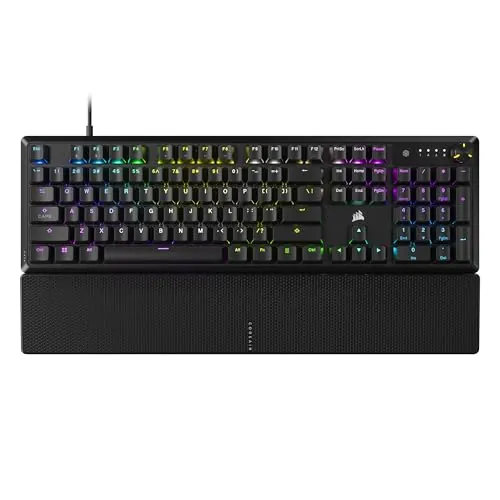
Corsair K70 PRO TKL vs K70 CORE: Adjustable Keys or a Full-Size Numpad?
Both are wired, North American-layout Corsair keyboards with a rotary dial and FlashTap support. The decision turns on layout and switch controls: K70 CORE keeps a full-size number pad and uses pre-lubed MLX Red linear mechanical switches; K70 PRO TKL removes the numpad and adds adjustable actuation and Rapid Trigger on its supported MGX magnetic keys. Neither spec sheet proves a faster, quieter or more comfortable typing experience.
Read comparison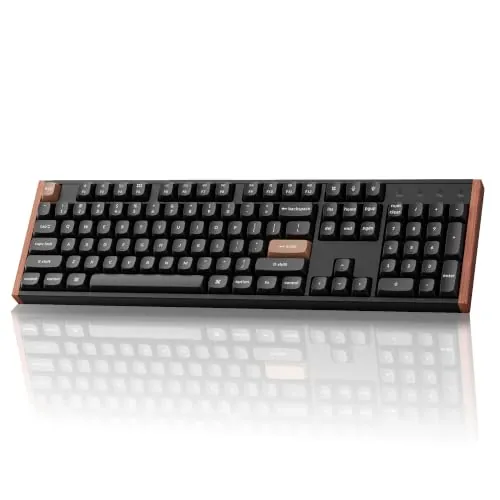
Keychron K10 HE vs SteelSeries Apex Pro TKL Gen 3: Full-Size or TKL?
This comparison covers the black Keychron K10 HE (model K10H-F1) and the black wired SteelSeries Apex Pro TKL Gen 3 (model 64740). The K10 HE is full-size and supports Bluetooth pairing for up to three devices, 2.4 GHz, and wired USB-C modes. The Apex is tenkeyless and wired; its manual documents actuation changes from the OLED menu or hotkeys, with per-key settings in SteelSeries GG. Keychron's current page describes adjustable actuation for two switch versions, but does not confirm which version is included with K10H-F1. Check the exact listing before comparing actuation ranges. These are layout, connection, and setup differences, not typing or gaming results.
Read comparison