
Products compared
Corsair
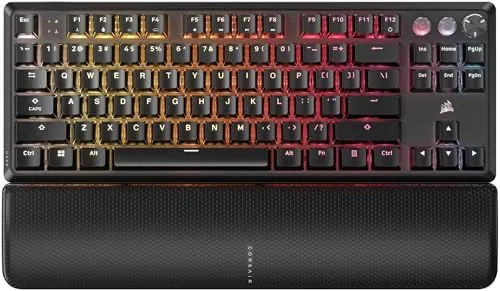
CORSAIR K70 PRO TKL RGB
Black, North American layout; 87-key tenkeyless wired keyboard with magnetic palm rest.
Model CH-911911G-NA
Amazon ASIN B0D83TJ5RB
Corsair
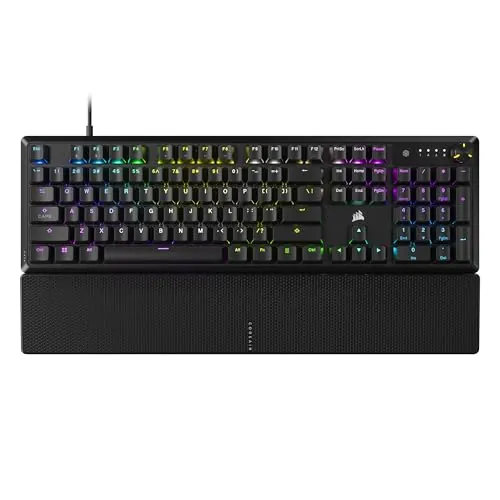
CORSAIR K70 CORE RGB
Black, North American layout; full-size 104-key wired keyboard with included magnetic palm rest.
Model CH-910981E-NA
Amazon ASIN B0CH3MRGK7
Differences that matter
What matters most to you?
Choose a priority to see what it changes.
Sources for FlashTap and remapping
Sources for Cable and desk setup
Start with your layout, not a speed claim
The K70 CORE is the straightforward choice if your work or shortcuts rely on a dedicated number pad: Corsair lists it as a 104-key full-size North American board. The K70 PRO TKL is 87-key tenkeyless and removes that keypad section while retaining the function and arrow keys. Decide how often you actually use the keypad before trading it away for the TKL arrangement.
This row-count and layout evidence can guide a desk check, but it is not an ergonomic test. Corsair publishes the PRO TKL body dimensions as 366 × 135 × 39.8 mm; the checked exact CORE product page does not publish its body dimensions, so measure the current listing or the actual keyboard if width is critical.
What the K70 PRO TKL's magnetic controls apply to
The PRO TKL's differentiating switch controls are specific: for the ANSI layout, Corsair's manual names 61 MGX Hyperdrive magnetic switches plus 23 standard MLX Plasma mechanical switches. MGX actuation can be configured in iCUE across the documented range, and Rapid Trigger is available on supported MGX keys. That is a configuration option, not evidence that this keyboard is faster or more accurate for every player.
The CORE uses pre-lubed MLX Red v2 linear mechanical switches. Corsair documents iCUE remapping and macros for the CORE, so this is not a choice between configurable and non-configurable keyboards; it is a choice between the PRO TKL's magnetic actuation controls and the CORE's conventional switch setup.
A practical check before ordering
Write down three things before choosing: whether you use a numpad weekly, how much desk width you can spare, and whether you will actually configure magnetic-key actuation. If you answer yes to the numpad question and no to the magnetic-controls question, the K70 CORE matches those priorities. If the numpad is unnecessary and you will use adjustable actuation or Rapid Trigger on the MGX keys, the K70 PRO TKL matches those features.
Both are wired. The PRO TKL manual describes a detachable USB-C-to-USB-A cable and asks users to update firmware through iCUE before first use; the CORE's exact listing is wired USB Type-A and includes a magnetic palm rest. Recheck the exact product code, current firmware requirements, and any game/event restrictions before relying on special key behavior.
Product details
CORSAIR K70 PRO TKL RGB
- Layout
- 87-key tenkeyless; no dedicated numpad Source
- Switch layout
- For the ANSI layout, 61 MGX Hyperdrive magnetic keys plus 23 conventional MLX Plasma linear mechanical keys Source
- Actuation controls
- MGX keys support adjustable actuation from 0.1–4.0 mm in 0.1 mm steps; Rapid Trigger is a supported MGX feature Source
- Wired setup
- Wired; detachable USB-C-to-USB-A cable Source
- Published body dimensions
- 366 × 135 × 39.8 mm (length × width × height) Source
Before you buy
Community discussions
A K70 Core RGB owner wants a more padded wrist rest
CORSAIR K70 CORE RGB
A K70 Core RGB owner wanted a softer rest after using the one that came in their box.
What to check
Check whether the specific package includes a palm rest and whether its material is what you want for longer sessions.
Common questions
Does every key on the K70 PRO TKL use a magnetic switch?
No. Corsair's manual lists 61 MGX Hyperdrive magnetic keys and 23 conventional MLX Plasma linear mechanical keys for the ANSI layout. The adjustable magnetic actuation and Rapid Trigger distinction applies to supported MGX keys.K70 PRO TKL Manual | Quick Start Guide
Is FlashTap unique to the K70 PRO TKL?
No. Corsair documents FlashTap on both exact models. It is disabled by default, and the PRO TKL manual distinguishes hardware-mode behavior from iCUE options. Check the current firmware and rules for your specific game or event.K70 PRO TKL Manual | Quick Start GuideK70 CORE RGB Mechanical Gaming Keyboard with Palm Rest — Black, CH-910981E-NA
Which model should I pick for frequent spreadsheet number entry?
Start with the K70 CORE: it is the 104-key full-size model. The K70 PRO TKL has an 87-key layout without a dedicated numpad. If the CORE's full-size layout is a fit question, measure your available desk space; the checked official product page does not publish the CORE's body dimensions.K70 PRO TKL High-Performance Hall Effect Programmable Gaming Keyboard with Rapid Trigger — CH-911911G-NAK70 CORE RGB Mechanical Gaming Keyboard with Palm Rest — Black, CH-910981E-NAKeyboard Sizes & Layouts Explained: Which is best for you?
Are either of these keyboards wireless?
No. Corsair specifies a wired USB connection for both models. Confirm that your computer or console has a compatible port and plan the cable route at the desk.K70 PRO TKL Manual | Quick Start GuideK70 CORE RGB Mechanical Gaming Keyboard with Palm Rest — Black, CH-910981E-NA
Sources and scope
This is a specifications-and-manual comparison of the exact black North American SKUs CH-911911G-NA and CH-910981E-NA. No hands-on typing, acoustic, latency, durability or head-to-head gaming test was performed. Adjustable actuation and Rapid Trigger apply to the K70 PRO TKL's MGX keys, not its separately listed conventional MLX Plasma keys; Corsair's manual does not reconcile those switch counts to the 87-key total, so this guide does not claim a complete switch-by-switch breakdown. Confirm the exact SKU, current firmware/software behavior and any game or event rules before relying on FlashTap or Rapid Trigger.
- K70 PRO TKL High-Performance Hall Effect Programmable Gaming Keyboard with Rapid Trigger — CH-911911G-NA
- K70 CORE RGB Mechanical Gaming Keyboard with Palm Rest — Black, CH-910981E-NA
- K70 PRO TKL Manual | Quick Start Guide
- K70 CORE Manual | Quick Start Guide
- Keyboard Sizes & Layouts Explained: Which is best for you?
Related comparisons
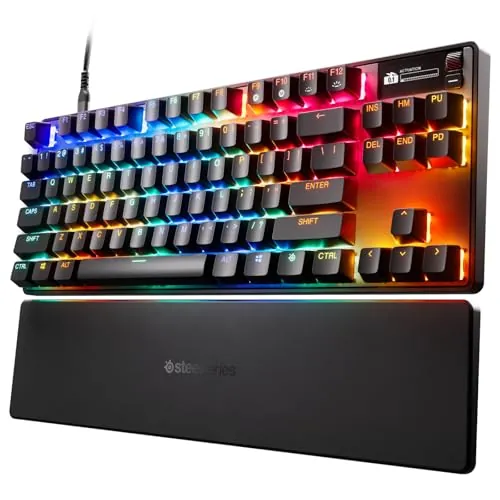
Corsair K70 PRO TKL vs SteelSeries Apex Pro TKL Gen 3: Which Key Controls Fit Your Game?
Both are wired tenkeyless magnetic keyboards with 61 adjustable keys. The Corsair K70 PRO TKL adds A/D FlashTap priority settings and up to five manually saved device-memory profiles. SteelSeries' Apex Pro TKL Gen 3 adds Rapid Tap, Protection Mode, an OLED adjustment menu and game-linked QuickSet. These are different control workflows, not evidence of a speed or accuracy winner.
Read comparison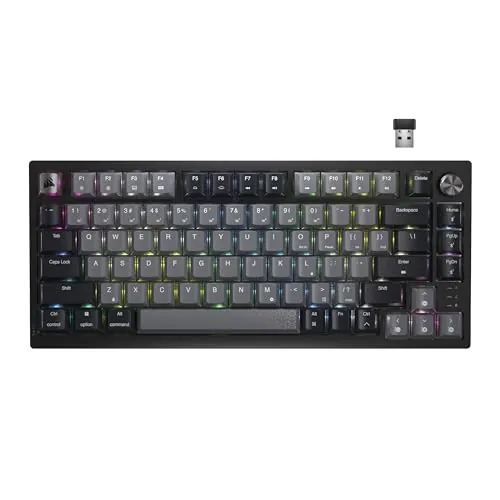
Corsair K65 Plus Wireless vs K70 CORE: Layout, Switches and Connection Modes
The black/gray Corsair K65 Plus Wireless (CH-91D401L-NA) keeps arrow and utility keys in a 75% layout and switches among 2.4GHz, Bluetooth and wired USB modes. The black Corsair K70 CORE with palm rest (CH-910981E-NA) is full-size with a 104-key matrix and wired USB Type-A. Both use Corsair MLX Red linear switches, but the K65 page explicitly describes its switches as hot-swappable and calls them MLX Red, while K70's page calls its switches MLX Red v2. Both support iCUE; choose by layout and host workflow rather than an untested typing-feel claim.
Read comparison