
Products compared
Corsair
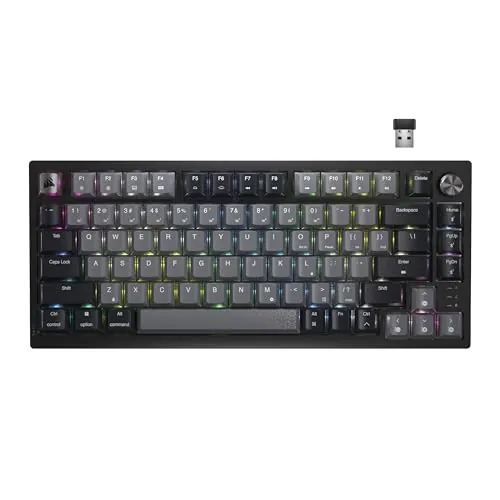
CORSAIR K65 PLUS WIRELESS 75% RGB Mechanical Gaming Keyboard - Black/Gray
U.S. Black/Gray K65 Plus Wireless 75% QWERTY keyboard, exact SKU CH-91D401L-NA.
Model CH-91D401L-NA
Amazon ASIN B0CQ31VFT4
Corsair
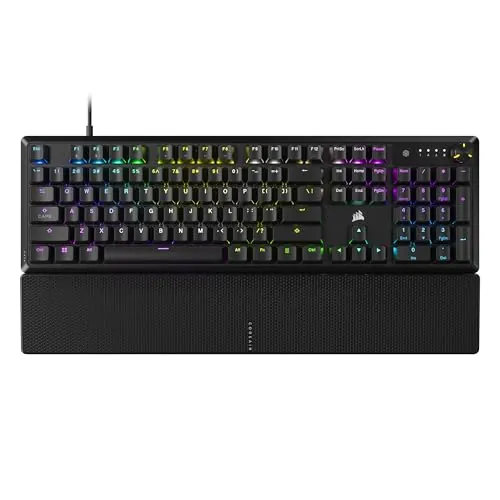
CORSAIR K70 CORE RGB Mechanical Gaming Keyboard with Palm Rest - Black
U.S. Black K70 CORE full-size QWERTY keyboard with magnetic palm rest, exact SKU CH-910981E-NA.
Model CH-910981E-NA
Amazon ASIN B0CH3MRGK7
Differences that matter
What matters most to you?
Choose a priority to see what it changes.
Sources for Desk layout and key access
Sources for Connection modes and physical selector
Sources for Switches and physical switch customization
Pick the layout before weighing connection features
K65 Plus is 75% and Corsair says it keeps arrow and utility keys while leaving more room for mouse movements. K70 CORE is a full-size 104-key board. Decide whether you need the K70's full matrix before comparing modes; the K65's smaller footprint is useful only if its retained keys fit your everyday shortcuts.
For a desk with a dedicated number pad workflow, review the exact key matrix and your usual shortcuts before switching to a compact layout. Corsair's pages describe these two formats but do not claim that one improves typing or gaming performance.
Check whether you will use the K65 Plus mode switch
The K65 Plus offers 2.4GHz, Bluetooth and USB wired modes. Its rear three-way selector chooses 2.4GHz, Bluetooth, or Off for wired operation; connecting a cable while the selector remains in a wireless position does not change the active connection. The guide also documents up to three saved Bluetooth hosts and a separate Windows/Mac selector.
The K70 CORE product page specifies a wired USB Type-A connection. If the board will stay attached to one USB-A computer, its workflow is straightforward. If you plan to move between computers or a tablet, choose the K65 Plus only if you expect to use its wireless host options.
Compare switch details and iCUE setup without guessing feel
Corsair lists pre-lubed MLX Red linear switches on the K65 Plus and MLX Red v2 linear switches on the K70 CORE. The K65 product page explicitly says its switches are hot-swappable; the reviewed K70 page does not specify switch replacement, so check with Corsair if hot-swapping matters.
Both product pages list iCUE support. K65's guide describes software mode on Windows PC or Mac and hardware mode with onboard saved settings when software is not running; K70's product page lists iCUE lighting, macros, remapping and up to five onboard profiles. This comparison does not claim the two boards sound or feel different in use.
Product details
CORSAIR K65 PLUS WIRELESS 75% RGB Mechanical Gaming Keyboard - Black/Gray
The K65 Plus is the compact, flexible setup: its 75% layout retains arrow and utility keys, and its rear mode switch chooses 2.4GHz, Bluetooth or USB wired operation. The separate Windows/Mac switch and up-to-three Bluetooth host slots are useful when moving between supported desk devices.
- Layout and connections
- 75% layout with arrow and utility keys; 2.4GHz, Bluetooth and USB wired modes. Source
- Physical mode and OS switches
- Three-way mode switch selects 2.4GHz, Off for USB wired, or Bluetooth; a separate Win/Mac switch selects Windows or macOS. The keyboard stores up to three Bluetooth host pairings. Source
- Switch and iCUE workflow
- Pre-lubed CORSAIR MLX Red linear switches; Corsair describes the board as hot-swappable. iCUE on Windows PC or Mac controls lighting and macros; without iCUE it uses onboard hardware mode. Source
CORSAIR K70 CORE RGB Mechanical Gaming Keyboard with Palm Rest - Black
The K70 CORE is the documented fit if you want a full-size 104-key board and a wired USB-A connection that stays at the desk. Its exact black listing includes a magnetic palm rest and advertises iCUE key lighting and macros.
- Layout and connection
- Full-size 104-key matrix with wired USB Type-A connectivity. Source
- Switches
- Corsair lists pre-lubed CORSAIR MLX Red v2 linear mechanical switches. Source
- iCUE controls and included palm rest
- iCUE can configure per-key RGB, macros and key remapping; the exact black product page lists the magnetic palm rest in the box. Product specifications list PC/Mac compatibility with a USB 3.0/3.1 Type-A port. Source
Before you buy
Community discussions
Trying the dial on the intended connection
CORSAIR K65 PLUS WIRELESS 75% RGB Mechanical Gaming Keyboard - Black/Gray
One K65 Plus Wireless owner said the volume dial did not work through the wireless receiver even though they had selected volume control in their setup.
What to check
Check how you select the connection mode and try the dial over both it and the cable. Test the media controls you use most.
Common questions
Does the K65 Plus become wired just because I plug in its cable?
No. Corsair says the three-way switch positions select 2.4GHz, Bluetooth or Off; Off is wired mode. In the wireless positions, plugging in a cable does not change the keyboard from wireless mode.K65 PLUS WIRELESS Manual | Quick Start Guide
How many Bluetooth devices can the K65 Plus store?
Corsair's guide says up to three Bluetooth host pairings can be stored and switched via Fn shortcuts. The K70 CORE page lists wired USB Type-A rather than Bluetooth modes.K65 PLUS WIRELESS Manual | Quick Start GuideK70 CORE RGB Mechanical Gaming Keyboard with Palm Rest - Black U.S. product page
Do both keyboards use the same switches?
Corsair lists pre-lubed MLX Red linear switches for K65 Plus and MLX Red v2 linear switches for K70 CORE. The product pages do not establish a measured feel or sound difference, so try the exact switch version if that is important to you.K65 PLUS WIRELESS 75% RGB Mechanical Gaming Keyboard - U.S. product pageK70 CORE RGB Mechanical Gaming Keyboard with Palm Rest - Black U.S. product page
Can I hot-swap the K70 CORE switches?
Corsair's reviewed K70 CORE page does not state whether its switches are hot-swappable. The K65 Plus page explicitly advertises hot-swapping; confirm K70 CORE replacement compatibility with Corsair before buying for that feature.K65 PLUS WIRELESS 75% RGB Mechanical Gaming Keyboard - U.S. product pageK70 CORE RGB Mechanical Gaming Keyboard with Palm Rest - Black U.S. product page
Sources and scope
This guide covers the U.S. Corsair K65 Plus Wireless black/gray SKU CH-91D401L-NA and K70 CORE Black with palm rest SKU CH-910981E-NA. Corsair identifies the K65 as MLX Red and hot-swappable; it identifies K70 CORE switches as MLX Red v2. The reviewed K70 CORE page does not state that switches are hot-swappable, so this guide does not claim they cannot be replaced. No hands-on typing, acoustic, gaming-performance, latency, reliability, or comfort comparison was performed.
Related comparisons
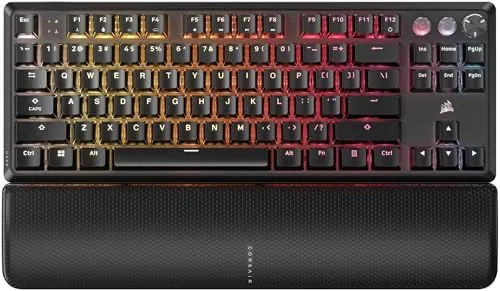
Corsair K70 PRO TKL vs K70 CORE: Adjustable Keys or a Full-Size Numpad?
Both are wired, North American-layout Corsair keyboards with a rotary dial and FlashTap support. The decision turns on layout and switch controls: K70 CORE keeps a full-size number pad and uses pre-lubed MLX Red linear mechanical switches; K70 PRO TKL removes the numpad and adds adjustable actuation and Rapid Trigger on its supported MGX magnetic keys. Neither spec sheet proves a faster, quieter or more comfortable typing experience.
Read comparison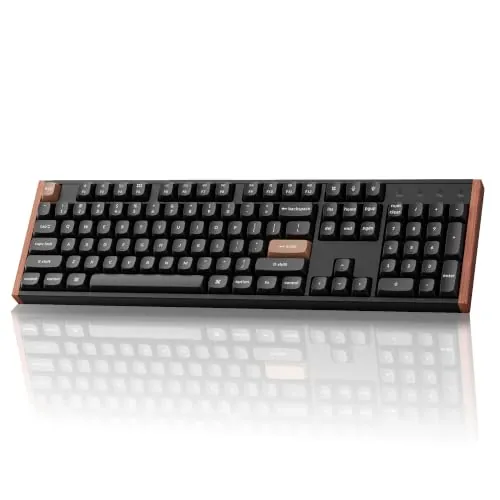
Keychron K10 HE vs CORSAIR K65 Plus Wireless: Full-Size or 75%?
The Keychron K10 HE is a full-size magnetic keyboard with tri-mode connection and browser-based Launcher; the CORSAIR K65 Plus is a 75% mechanical keyboard with MLX Red switches and tri-mode connection. Keychron's actuation range depends on switch version, and its selector does not identify the version included with K10H-F1. Check that exact configuration before choosing by travel range.
Read comparison