
Products compared
Logitech
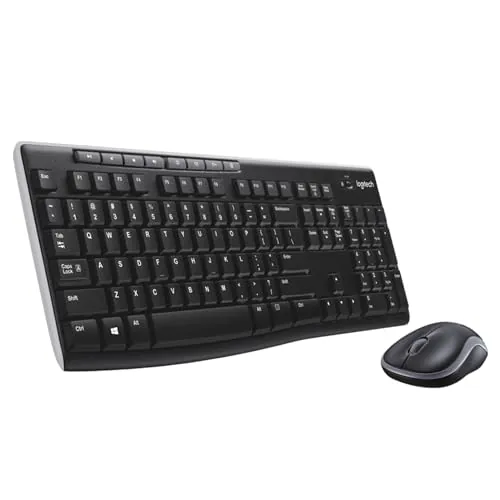
Logitech MK270 Wireless Keyboard and Mouse Combo, Black
U.S. black combo; Logitech's data sheet lists part number 920-008813, a full-size 103-key U.S. keyboard, and a 2.4 GHz USB receiver.
Model 920-008813
Amazon ASIN B079JLY5M5
Logitech
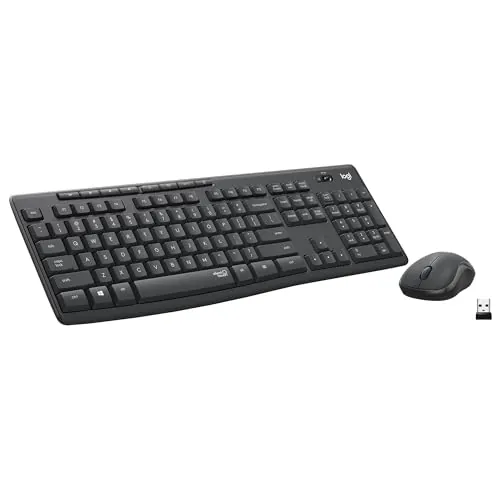
Logitech MK295 Silent Wireless Keyboard and Mouse Combo, Graphite
U.S. Graphite variant; Logitech's U.S. model list identifies part 920-009782 as MK295 Silent Graphite.
Model 920-009782
Amazon ASIN B089KV4YYX
Differences that matter
What matters most to you?
Choose a priority to see what it changes.
Sources for Receiver and host connection
Sources for Keyboard layout and shortcut routine
Sources for Power and battery replacement
Sources for Exact variant, package and OS check
The useful distinction is setup, not keyboard size
Both are full-size Logitech keyboard-and-mouse combos with number pads. Logitech's exact MK270 part sheet lists a U.S. 103-key layout and eight media controls; the MK295 page lists eight shortcuts and a full number pad. So if number entry is central to your desk work, both appear to meet the basic layout need; check the key legends for your preferred shortcuts.
The MK295 adds Logitech's SilentTouch positioning, including the company's claim of reduced typing and clicking noise compared with MK270. That is a manufacturer claim, not a sound test. Choose it if that feature is what you want, while keeping expectations tied to the evidence rather than an assumed room-specific result.
Check the receiver and the computer you will plug it into
The exact MK270 920-008813 sheet calls out a 2.4 GHz USB receiver. MK295's Logitech support specification identifies a 2.4 GHz non-Unifying receiver with a USB-A connector. Both therefore need you to account for a receiver in the host setup; a USB-C-only computer may need an adapter that is not listed in the reviewed bundle documents.
Do not assume an existing Logitech dongle will pair with either combo. Logitech's MK270 support page describes several hardware revisions with different receiver models and protocols, while the exact 920-008813 data sheet does not identify a receiver pairing standard. Check the code on the exact offer and device before purchasing if reuse is important.
Plan for batteries and confirm the exact bundle
The MK270 sheet lists two AAA keyboard batteries and one AA mouse battery; the MK295 spec lists the same battery types and marks them replaceable. Each combo therefore uses three cells across the keyboard and mouse. Logitech's general MK270 support page covers more than one hardware revision and reports different battery estimates, so do not treat a family-wide number as definitive for part 920-008813.
Before checkout, verify the part code and color—MK270 920-008813 Black or MK295 920-009782 Graphite—and make sure the listing says keyboard, mouse, receiver and documentation are included. Logitech's product pages describe manufacturer configurations, not the contents of every current marketplace seller offer.
Product details
Logitech MK270 Wireless Keyboard and Mouse Combo, Black
Before you buy
Community discussions
Checking the key layout by the kit number
Logitech MK295 Silent Wireless Keyboard and Mouse Combo, Graphite
An MK295 shopper wanted a particular Shift and Enter layout, so they checked the U.S. kit number 920-009782 while looking at other regional listings.
What to check
Check the full part number and a layout photo for the kit you plan to order.
Buying a combo when you already own a mouse
Logitech MK295 Silent Wireless Keyboard and Mouse Combo, Graphite
Someone who uses an MK295 at work wanted the same keyboard at home and already had a mouse.
What to check
If you want to keep your own mouse, decide whether you still want both pieces in the keyboard kit.
Common questions
Do both combos use a USB receiver?
Yes. Logitech's exact MK270 920-008813 data sheet lists an Advanced 2.4 GHz USB receiver. Logitech specifies the MK295 receiver as 2.4 GHz, non-Unifying and USB-A. If receiver sharing matters, verify the exact receiver model—Logitech documents multiple MK270 family hardware revisions.MK270 Wireless Combo Data Sheet — Logitech U.S. part/layout and product specificationsLogitech Wireless Combo MK270 Technical Specifications — model-revision and receiver variantsSpecification — MK295 Silent Wireless Combo, Logitech Support
Which one is full-size?
Both product descriptions identify a full-size keyboard with a number pad. The MK270 data sheet further lists a 103-key U.S. layout, arrow keys and eight media controls; the MK295 page lists eight shortcuts and a full number pad.MK270 Wireless Combo Data Sheet — Logitech U.S. part/layout and product specificationsMK295 Silent Wireless Combo — Logitech U.S. product page
Is the MK295 independently proven to be 90% quieter than MK270?
No independent measurement is presented here. Logitech describes MK295 SilentTouch as reducing typing and clicking noise compared with MK270; treat that as Logitech's claim rather than a measured result for your room.MK295 Silent Wireless Combo — Logitech U.S. product pageLess Noise, More Focus with the New Logitech MK295 Silent Wireless Combo
How should I compare battery life?
Both combos specify two AAA batteries for the keyboard and one AA for the mouse. Logitech's exact MK270 920-008813 data sheet and its broader MK270 support page report different estimates for some listed revisions, so this guide does not rank that SKU against MK295 on runtime. Check the hardware revision and its manual.MK270 Wireless Combo Data Sheet — Logitech U.S. part/layout and product specificationsLogitech Wireless Combo MK270 Technical Specifications — model-revision and receiver variantsSpecification — MK295 Silent Wireless Combo, Logitech Support
Sources and scope
This is a manufacturer-document comparison for the two U.S. variants. Logitech's MK270 support page covers several hardware revisions and reports differing battery-life estimates; those estimates are not used to rank the listed SKU. Logitech's SilentTouch noise reduction is a manufacturer claim, not an independent measurement. No listening, typing, latency, or comfort testing was performed.
- MK270 Wireless Combo Data Sheet — Logitech U.S. part/layout and product specifications
- Logitech Wireless Combo MK270 Technical Specifications — model-revision and receiver variants
- Specification — MK295 Silent Wireless Combo, Logitech Support
- MK295 Silent Wireless Combo — Logitech U.S. product page
- Logitech U.S. Product List — MK295 Graphite part 920-009782
- Less Noise, More Focus with the New Logitech MK295 Silent Wireless Combo
Related comparisons
Corsair K70 PRO TKL vs K70 CORE: Adjustable Keys or a Full-Size Numpad?
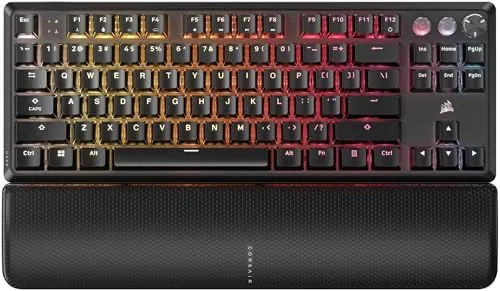
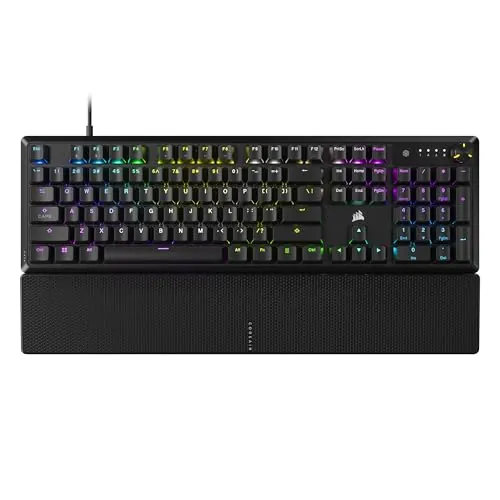
Both are wired, North American-layout Corsair keyboards with a rotary dial and FlashTap support. The decision turns on layout and switch controls: K70 CORE keeps a full-size number pad and uses pre-lubed MLX Red linear mechanical switches; K70 PRO TKL removes the numpad and adds adjustable actuation and Rapid Trigger on its supported MGX magnetic keys. Neither spec sheet proves a faster, quieter or more comfortable typing experience.
Read comparison

Logitech MX Keys S vs Wave Keys: Choose by Lighting, Layout and Power
These two Logitech keyboards share Bluetooth, an included Logi Bolt receiver and Easy-Switch workflows, so connection alone does not settle the choice. MX Keys S (920-011558) has a low-profile layout, adaptive backlighting and a USB-C charging port you can use while typing. Wave Keys (920-011898) has a wave-shaped layout with an attached cushioned palm rest, uses two included AAA batteries, and its Logitech consumer FAQ says its keys are not backlit. Check your lighting, desk layout, host operating systems and power preference before choosing; neither model is a universal comfort winner.
Read comparison