
Products compared
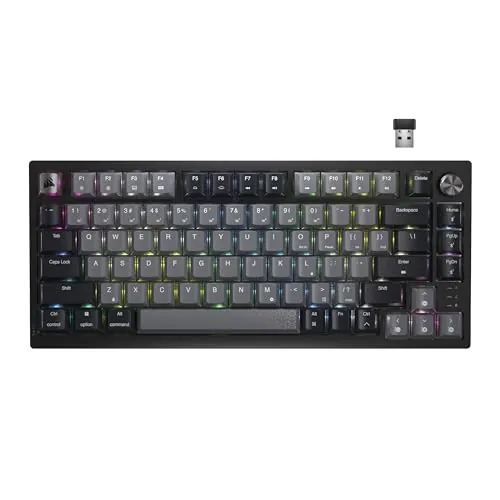
CORSAIR
CORSAIR K65 PLUS WIRELESS 75% RGB Mechanical Gaming Keyboard, Black/Gray
Black/gray North American QWERTY listing; CORSAIR's U.S. manufacturer page identifies the corresponding product SKU as CH-91D401L-NA.
Model CH-91D401L-NA
Amazon ASIN B0CQ31VFT4
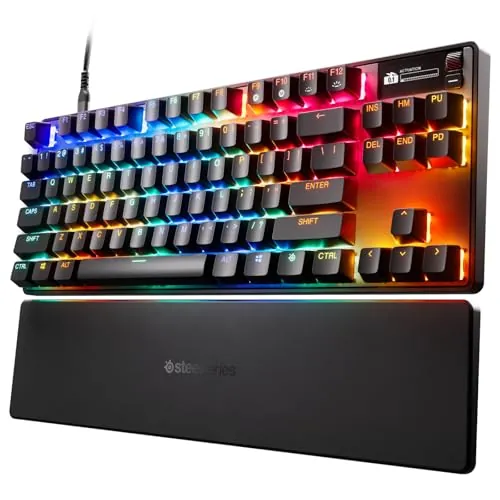
SteelSeries
SteelSeries Apex Pro TKL Gen 3 Gaming Keyboard, Black, Wired
Black U.S. wired TKL Gen 3 configuration, not the separately documented Apex Pro TKL Wireless Gen 3 or another Gen 3 color variant.
Model 64740
Amazon ASIN B0DGZLHN8G
Differences that matter
Sources for Connection to your host devices
Sources for Physical switch change or actuation adjustment
Sources for Macro recording and software workflow
Decide whether you need a cable or multiple host routes
The K65 Plus has a rear three-way mode switch for 2.4GHz, Bluetooth and wired USB. Its guide shows the receiver and USB cable, plus up to three saved Bluetooth pairings selected with Fn shortcuts. This is the more flexible documented connection set if you move the same keyboard among computers or a phone/tablet.
The Apex Pro TKL Gen 3 configuration compared here is wired model 64740. Its detachable USB-C-to-USB-A cable is included, and SteelSeries lists a separate guide for the TKL Wireless Gen 3. If wireless connection is required, verify that you are looking at the separate wireless model.
Pick the switch change you actually want
On the K65 Plus, the documented route is physical: remove and replace switches. CORSAIR's guide names CHERRY MX RGB mechanical switches and cautions that other 3-pin and 5-pin third-party switches are not guaranteed to work.
On the Apex Pro TKL Gen 3, the documented route changes actuation settings on supported OmniPoint keys. SteelSeries says 61 keys can be set from 0.1 to 4.0 mm through GG, and the guide shows OLED and hotkey controls. The rest of the listed keys use regular red switches, so check the key positions you want to tune. Neither customization method proves better typing or game performance.
Check software, macro and desk workflows before ordering
Both guides describe macro recording, but with different workflows. CORSAIR documents FN+M and restricts hardware recordings to standard keyboard functions; SteelSeries documents an on-the-fly macro recording key and Engine inside GG for software customization. CORSAIR also identifies iCUE for its programmable dial and per-key RGB.
If you prefer on-board actuation changes, SteelSeries documents OLED and hotkey controls on the Apex. Its guide cautions that not all software features are supported on Mac. For layout, CORSAIR calls the K65 Plus 75% and says it keeps arrows and utility keys; compare the exact key maps with the Apex TKL and check which included accessories matter at your desk.
Product details
CORSAIR K65 PLUS WIRELESS 75% RGB Mechanical Gaming Keyboard, Black/Gray
- Host connection modes
- 2.4GHz wireless with the USB receiver, Bluetooth, and USB wired. The rear three-way switch selects modes; Bluetooth stores up to three host pairings that can be switched with Fn shortcuts. Source
- Switch replacement
- Hot-swappable PCB. The quick-start guide specifies CHERRY MX RGB mechanical switches; it says third-party 3-pin and 5-pin switches may be compatible but are not guaranteed. Source
- Macro and app controls
- FN+M starts and stops hardware macro recording; only standard keyboard functions can be recorded. CORSAIR identifies iCUE for per-key RGB and programmable dial controls. Source
SteelSeries Apex Pro TKL Gen 3 Gaming Keyboard, Black, Wired
- Host connection and included items
- The wired TKL Gen 3 guide lists a detachable braided USB-C-to-USB-A cable, magnetic wrist rest, and keycap puller. The same guide lists PC, Mac, Xbox and PlayStation; some software features are not supported on Mac. Source
- Adjustable keys
- SteelSeries says 61 keys can have actuation adjusted from 0.1 to 4.0 mm through SteelSeries GG. The main QWERTY keys use OmniPoint 3.0; arrow, function and other listed keys use regular red switches. Source
- Macro and onboard control workflow
- The product guide documents on-the-fly macro recording, OLED menu and actuation controls, a multimedia volume roller, and SteelSeries GG Engine for lighting and macros. Source
Before you buy
Community discussions
A casual player asks which TKL Gen 3 controls matter
SteelSeries Apex Pro TKL Gen 3 Gaming Keyboard, Black, Wired
The OP is considering the Apex Pro TKL Gen 3 for World of Warcraft and says an Apex 9 they tried felt too light. That weight reference is a different model; the post does not show how the OP would use the Gen 3's adjustable controls or establish a competitive advantage.
What to check
Before choosing the wired Apex over the K65 Plus's connection options, check which hosts you use and whether changing actuation is part of your routine. This post does not establish a gaming benefit or compare either keyboard directly.
A renewed Gen 3 buyer notes the wrist-rest angle
SteelSeries Apex Pro TKL Gen 3 Gaming Keyboard, Black, Wired
The OP says they bought a renewed Apex Pro TKL Gen 3 and, in the first days after delivery, wished its wrist rest sat at a steeper angle. The post does not state a wired/wireless SKU or region and offers no long-term reliability assessment.
What to check
If the wrist rest matters, confirm the exact Gen 3 version and included items on the listing, then check whether the rest's angle fits your desk and typing position. For a renewed unit, review the seller's condition and return terms; this post does not establish long-term quality.
Common questions
Is the Apex Pro TKL Gen 3 model 64740 wireless?
The Apex Pro TKL Gen 3 in this comparison is wired model 64740. Its product guide describes a detachable USB-C-to-USB-A cable, and SteelSeries lists a separate Apex Pro TKL Wireless Gen 3 manual. Do not use features from that wireless model as specifications for 64740.SteelSeries Apex Pro TKL Gen 3 Product Information GuideSteelSeries Apex Pro Gen 3 support index
Can I adjust the actuation on every Apex Pro TKL Gen 3 key?
No. SteelSeries says the Gen 3 TKL has 61 adjustable keys, and identifies its main QWERTY keys as OmniPoint 3.0. Arrow, function and other listed keys use regular red switches.What type of switches does Apex Pro Gen 3 have?Which Keys Can Be Adjusted? Apex Pro Gen 3/TKL/TKL Wireless
Can I use any replacement switch in the K65 Plus?
CORSAIR's quick-start guide says the switches can be replaced with CHERRY MX RGB mechanical switches. It says other third-party 3-pin and 5-pin switches may be compatible but are not guaranteed because of physical differences.CORSAIR K65 PLUS WIRELESS Manual | Quick Start Guide
Which one supports Bluetooth host switching?
CORSAIR documents up to three saved Bluetooth pairings for the K65 Plus, selectable with Fn shortcuts. SteelSeries' wired 64740 guide documents a USB connection; it lists a separate manual for the TKL Wireless Gen 3.CORSAIR K65 PLUS WIRELESS Manual | Quick Start GuideSteelSeries Apex Pro TKL Gen 3 Product Information GuideSteelSeries Apex Pro Gen 3 support index
Sources and scope
This guide covers documented hardware, connection, macro and software workflows for CORSAIR K65 Plus Wireless U.S. SKU CH-91D401L-NA and SteelSeries Apex Pro TKL Gen 3 model 64740. It does not test latency, gaming results, typing feel, sound or reliability. Apex actuation adjustment applies to the 61 supported OmniPoint keys, not every key. CORSAIR says some third-party switches may not work, and does not guarantee compatibility beyond its stated switch families.
- CORSAIR K65 PLUS WIRELESS 75% RGB Mechanical Gaming Keyboard, U.S. product page
- CORSAIR K65 PLUS WIRELESS Manual | Quick Start Guide
- SteelSeries Apex Pro TKL Gen 3 Product Information Guide
- What type of switches does Apex Pro Gen 3 have?
- Which Keys Can Be Adjusted? Apex Pro Gen 3/TKL/TKL Wireless
- SteelSeries Apex Pro Gen 3 support index
- SteelSeries Apex Pro TKL Gen 3, wired, black, U.S. product page
Related comparisons
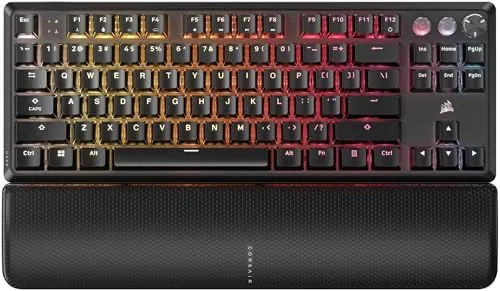
Corsair K70 PRO TKL vs SteelSeries Apex Pro TKL Gen 3: Which Key Controls Fit Your Game?
Both are wired tenkeyless magnetic keyboards with 61 adjustable keys. The Corsair K70 PRO TKL adds A/D FlashTap priority settings and up to five manually saved device-memory profiles. SteelSeries' Apex Pro TKL Gen 3 adds Rapid Tap, Protection Mode, an OLED adjustment menu and game-linked QuickSet. These are different control workflows, not evidence of a speed or accuracy winner.
Read comparison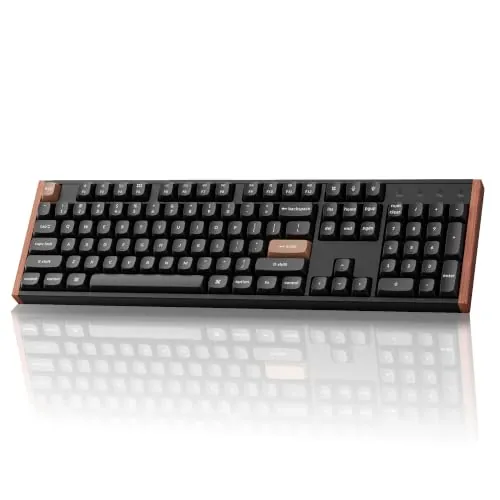
Keychron K10 HE vs SteelSeries Apex Pro TKL Gen 3: Full-Size or TKL?
This comparison covers the black Keychron K10 HE (model K10H-F1) and the black wired SteelSeries Apex Pro TKL Gen 3 (model 64740). The K10 HE is full-size and supports Bluetooth pairing for up to three devices, 2.4 GHz, and wired USB-C modes. The Apex is tenkeyless and wired; its manual documents actuation changes from the OLED menu or hotkeys, with per-key settings in SteelSeries GG. Keychron's current page describes adjustable actuation for two switch versions, but does not confirm which version is included with K10H-F1. Check the exact listing before comparing actuation ranges. These are layout, connection, and setup differences, not typing or gaming results.
Read comparison