
Products compared
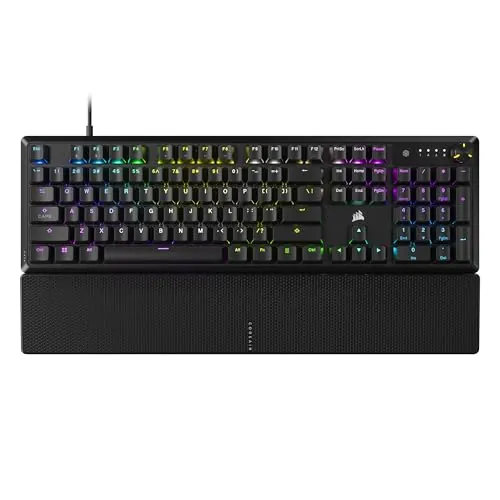
Corsair
Corsair K70 CORE RGB Mechanical Gaming Keyboard with Palm Rest — Black
U.S. black wired North American layout; full-size 104-key version with included magnetic palm rest.
Model CH-910981E-NA
Amazon ASIN B0CH3MRGK7
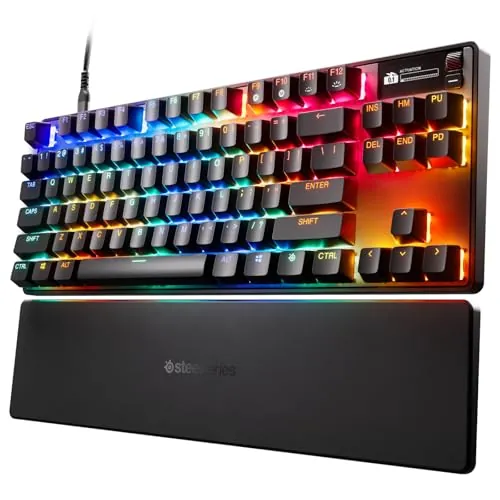
SteelSeries
SteelSeries Apex Pro TKL Gen 3 Gaming Keyboard — Black, Wired U.S. English
Black, wired TKL U.S. English version; tenkeyless layout without a dedicated numpad.
Model 64740
Amazon ASIN B0DGZLHN8G
Differences that matter
Sources for Switch behavior and adjustable-key coverage
Sources for Configuration software and platform check
What the switch comparison actually tells you
These are different switch workflows, not a proven speed ranking. Corsair specifies linear MLX Red v2 mechanical switches for the exact K70 CORE SKU and describes iCUE remapping, macros and RGB control. SteelSeries gives the Apex Pro TKL Gen 3 a mixed key map: 61 adjustable OmniPoint 3.0 keys plus named groups with regular Red switches.
That coverage detail matters more than the headline word 'adjustable.' If you want a custom actuation point on a particular key, confirm that key belongs to the 61-key set and that SteelSeries GG supports the setting on your operating system.
Make a before-you-buy setup check
List the key groups and shortcuts you use every day: numpad entry, arrow or function-row commands, remapped keys, or custom actuation on selected QWERTY keys. Compare that list to the K70 CORE's full-size layout and Corsair iCUE options, then to SteelSeries' explicit adjustable-key map.
Finally, check the machine that will host the configuration software. The exact K70 CORE page specifies USB Type-A plus PC/Mac OS requirements for iCUE download; SteelSeries states that not all GG software features are available on Mac. This checklist resolves whether the documented configuration fits your setup; it cannot predict which switch feel you will prefer.
Product details
Corsair K70 CORE RGB Mechanical Gaming Keyboard with Palm Rest — Black
SteelSeries Apex Pro TKL Gen 3 Gaming Keyboard — Black, Wired U.S. English
- Adjustable keys
- SteelSeries says 61 keys on the Apex Pro TKL Gen 3 have adjustable actuation in SteelSeries GG, from 0.1 to 4 mm Source
- Switch coverage
- Main QWERTY keys use adjustable OmniPoint 3.0; numpad, arrow, function and Insert/Home/Page Up keys use regular Red switches Source
- Software compatibility
- Windows 10 and above; Mac OS 11 and above, with some software features unsupported on Mac Source
Before you buy
Community discussions
A casual player asks which TKL Gen 3 controls matter
SteelSeries Apex Pro TKL Gen 3 Gaming Keyboard — Black, Wired U.S. English
The OP is considering the Apex Pro TKL Gen 3 for World of Warcraft and says an Apex 9 they tried felt too light. That weight reference is a different model; the post does not show how the OP would use the Gen 3's adjustable controls or establish a competitive advantage.
What to check
Compare the need for a dedicated number pad with the specific Apex keys you expect to configure. The post does not show that adjustable actuation is useful for this buyer or establish a typing or gaming result.
Common questions
Can I adjust actuation on every Apex Pro TKL Gen 3 key?
No. SteelSeries says 61 keys on the Gen 3 TKL can be adjusted through GG from 0.1 to 4 mm. Its switch explanation says the main QWERTY keys use OmniPoint 3.0, while the numpad, arrow, function and Insert/Home/Page Up keys use regular Red switches.Which Keys Can Be Adjusted? Apex Pro Gen 3/TKL/TKL WirelessWhat type of switches does Apex Pro Gen 3 have?
Does the K70 CORE use an adjustable switch setting like the Apex?
Corsair identifies the exact CH-910981E-NA SKU as using MLX Red v2 linear mechanical switches and documents iCUE features such as remapping, macros and RGB. The cited SKU page does not document adjustable actuation, so confirm with Corsair if that feature is a purchase requirement.K70 CORE RGB Mechanical Gaming Keyboard with Palm Rest — Black (SKU CH-910981E-NA)
Which should I choose if I use a Mac?
Check the exact feature, not just basic keyboard compatibility. Corsair lists macOS 10.15+ and internet access for downloading iCUE on the K70 CORE page. SteelSeries lists Mac OS 11+ for the Apex Pro TKL Gen 3 and notes that not all software features are supported on Mac.K70 CORE RGB Mechanical Gaming Keyboard with Palm Rest — Black (SKU CH-910981E-NA)Apex Pro TKL Gen 3 — U.S. black, wired, English TKL configuration
Sources and scope
This is a model-specific feature and workflow comparison, not a hands-on test. No typing feel, sound, latency, durability or in-game performance winner is established. SteelSeries documents adjustment for 61 keys on this TKL model; confirm exact software support for your operating system before relying on software-only settings.
- K70 CORE RGB Mechanical Gaming Keyboard with Palm Rest — Black (SKU CH-910981E-NA)
- Apex Pro TKL Gen 3 — U.S. black, wired, English TKL configuration
- Which Keys Can Be Adjusted? Apex Pro Gen 3/TKL/TKL Wireless
- What type of switches does Apex Pro Gen 3 have?
- Apex Pro TKL Gen 3 Product Information Guide and User Manual
Related comparisons
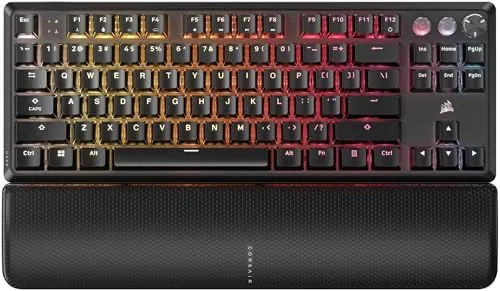
Corsair K70 PRO TKL vs K70 CORE: Adjustable Keys or a Full-Size Numpad?
Both are wired, North American-layout Corsair keyboards with a rotary dial and FlashTap support. The decision turns on layout and switch controls: K70 CORE keeps a full-size number pad and uses pre-lubed MLX Red linear mechanical switches; K70 PRO TKL removes the numpad and adds adjustable actuation and Rapid Trigger on its supported MGX magnetic keys. Neither spec sheet proves a faster, quieter or more comfortable typing experience.
Read comparisonCorsair K70 PRO TKL vs SteelSeries Apex Pro TKL Gen 3: Which Key Controls Fit Your Game?
Both are wired tenkeyless magnetic keyboards with 61 adjustable keys. The Corsair K70 PRO TKL adds A/D FlashTap priority settings and up to five manually saved device-memory profiles. SteelSeries' Apex Pro TKL Gen 3 adds Rapid Tap, Protection Mode, an OLED adjustment menu and game-linked QuickSet. These are different control workflows, not evidence of a speed or accuracy winner.
Read comparison