
Products compared
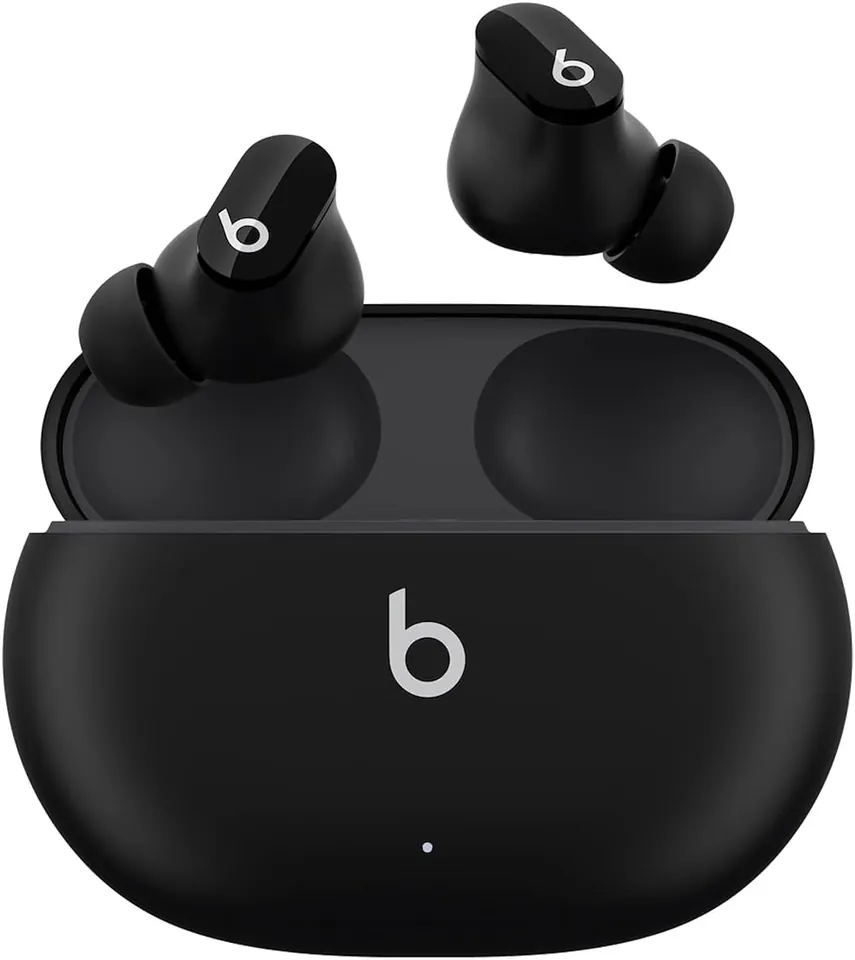
Beats
Beats Studio Buds (Black, original)
Original Studio Buds in Black; distinct from the later Studio Buds+.
Model MJ4X3LL/A
Amazon ASIN B096SV8SJG
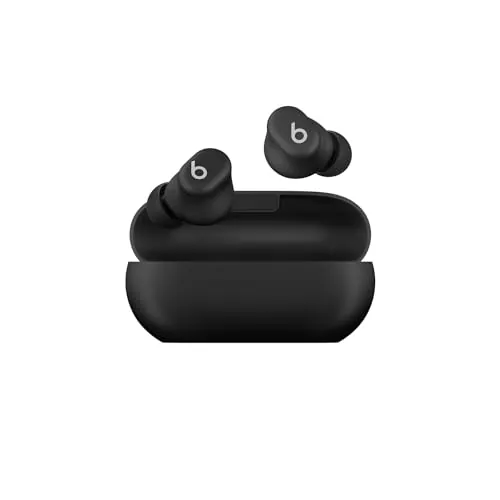
Beats
Beats Solo Buds (Matte Black)
Matte Black Solo Buds; their included case is a carrying case and does not charge earbuds without a connected USB-C power source.
Model MUVW3LL/A
Amazon ASIN B0D3J85SX4
Differences that matter
What matters most to you?
Choose a priority to see what it changes.
Sources for What the case does between charging sessions
Sources for Noise-control options and their button path
Sources for What the on-earbud controls can be set to do
Sources for Host pairing and charging accessories
Start with noise modes and how you recharge
The original Black Studio Buds (MJ4X3LL/A) and Matte Black Solo Buds (MUVW3LL/A) solve different daily-use questions. Studio Buds add selectable Active Noise Cancelling and Transparency modes, and their case can store additional charges for the earbuds. Solo Buds do not include ANC, and their carrying case needs a connected USB-C source to charge the earbuds.
That makes the first question simple: do you want those Studio Buds listening modes or case top-ups away from a cable? If neither matters and a plugged-in charging routine works for you, Solo Buds may fit. This is a feature comparison; it does not say how well ANC blocks sound or how either pair sounds.
The case changes the charging routine
Studio Buds' charging case can replenish the earbuds when you are away from a cable. When the case needs power, Beats says to use the included USB-C-to-USB-C cable; a USB-C power adapter is sold separately.
Solo Buds have a carrying case, but the case does not charge the earbuds by itself. Connect it to USB-C power with the earbuds seated inside. Beats lists both the cable and adapter as separate purchases. The product page also lists phone, tablet, or laptop charging via USB-C, subject to its stated iPhone 15 or supported Android requirement.
Check what each earbud button controls
Both models use a button on each earbud. Beats says Studio Buds' multi-function button can be configured for ANC mode toggling or a voice assistant, with tap patterns for playback. Solo Buds use a “b” button for playback and calls; the press-and-hold behavior can be set for volume or a voice assistant in iOS settings or the Beats app.
If you already have a preferred button gesture, compare it with the maker's setup steps before ordering. A listed control option is not a sound-quality or comfort result.
A short pre-purchase checklist
1. Confirm you are looking at the original Studio Buds Black or Solo Buds Matte Black model named above. 2. Decide whether ANC/Transparency and a case that holds earbud charges are useful in your routine. 3. Check which USB-C cables and power adapters you already have. 4. If charging Solo Buds from a phone, tablet, or laptop, verify the specific host is supported by Beats. 5. Pair first, then set the button action you prefer in the supported device settings or Beats app.
Product details
Beats Studio Buds (Black, original)
- Listening modes
- Active Noise Cancelling and Transparency; the multi-function button can toggle modes or call the voice assistant. Source
- Case and cable
- The case can store additional earbud charges; the USB-C-to-USB-C charging cable is included, while the USB-C power adapter is sold separately. Source
- Host pairing
- Beats documents pairing to iPhone and to standard Bluetooth devices; Android users can configure the product with the Beats app. Source
Beats Solo Buds (Matte Black)
- Listening modes
- Beats says Solo Buds do not include Active Noise Cancelling. Source
- Case and cable
- To charge the earbuds, place them in the case and connect it to USB-C power; the USB-C cable and power adapter are sold separately. Source
- Host pairing and charging
- The product page lists iOS and Android compatibility and USB-C charging from a phone, tablet, or laptop; direct-device charging requires iPhone 15 or a supported Android device. Source
Before you buy
Community discussions
Plan how you will recharge away from an outlet
Beats Solo Buds (Matte Black)
An owner of Solo Buds and Studio Buds carries a portable charger and finds it handy that their Studio Buds can recharge from the case.
What to check
List where you would top up the earbuds during a long day. Check whether you want a case with its own battery or would normally have power nearby.
Common questions
Does the Solo Buds case charge the earbuds when it is unplugged?
No. Beats describes it as a carrying case; to charge the earbuds, place them in the case and connect the case to USB-C power. The cable and adapter are sold separately.Beats Solo Buds SupportBeats Solo Buds — Matte Black product page
Do original Studio Buds and Solo Buds both have ANC?
No. The original Studio Buds offer ANC and Transparency modes. Beats says Solo Buds do not feature ANC.Beats Studio Buds SupportBeats Solo Buds Support
Which model includes a USB-C charging cable?
Beats says a USB-C-to-USB-C cable is included with Studio Buds and its power adapter is sold separately. For Solo Buds, both the USB-C cable and power adapter are sold separately.Beats Studio Buds SupportBeats Solo Buds Support
Can I use either pair with an Android phone?
Beats documents Android setup for both models: Studio Buds use the Beats app for Android configuration, while Solo Buds support Android pairing and use the Beats app for additional device settings. Check your phone's Bluetooth and operating-system requirements before purchase.Beats Studio Buds SupportBeats Solo Buds Support
Sources and scope
This guide compares the original Black Studio Buds with Matte Black Solo Buds. It does not cover Studio Buds+, make sound, noise-blocking, comfort, call-quality, durability, or listening-time rankings, or report testing for this guide. The recommendation is limited to features and setup documented by Beats.
Related comparisons
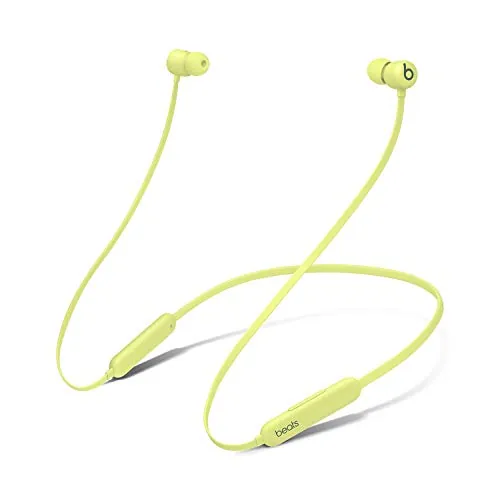
Beats Solo Buds vs Beats Flex: Case Charging or Cable-Linked Earbuds?
The Beats Solo Buds are two separate earbuds with a small storage case, but that case has no battery: to charge, seat the buds inside and connect the case to USB-C power. Its charging cable and adapter are sold separately. Beats Flex keeps the earbuds joined by a flexible cable, includes a USB-C charging cable, and has a separate playback-volume rocker and multifunction button. Solo Buds can reassign press-and-hold to volume, but that replaces the voice-assistant action.
Read comparison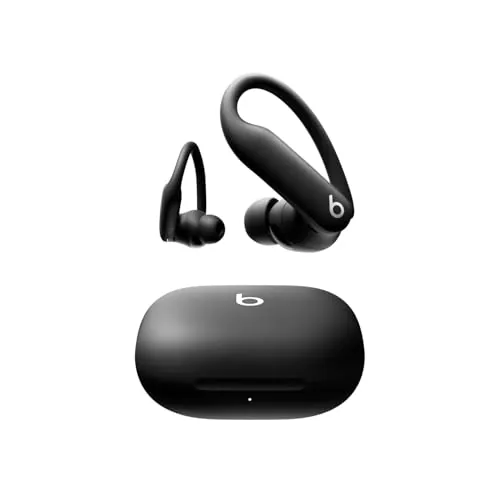
Beats Studio Buds vs Powerbeats Pro 2: Ear Hooks, Controls and Charging
The original Beats Studio Buds use eartips and a multifunction button on each earbud. Powerbeats Pro 2 adds an ear hook and a separate up/down volume rocker on each side. Both have buttons and Beats-documented phone setup paths; the main practical differences are how they sit at the ear, the controls you can reach, and what charging hardware you need. Beats’ battery estimates use different settings, so they are not a direct same-mode comparison.
Read comparison