
Products compared
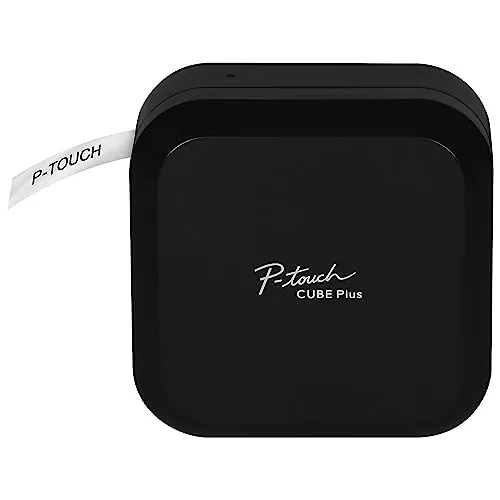
Brother
Brother P-touch CUBE Plus PT-P710BT Bluetooth Label Maker, Black
Black listed variants. The exact U.S. model page lists a built-in Li-ion battery, USB cable, and two 24 mm starter tapes. Brother’s model-specific guide documents mobile Bluetooth use and a USB-connected computer workflow.
Model PT-P710BT
Amazon ASIN B07HB8LNSY
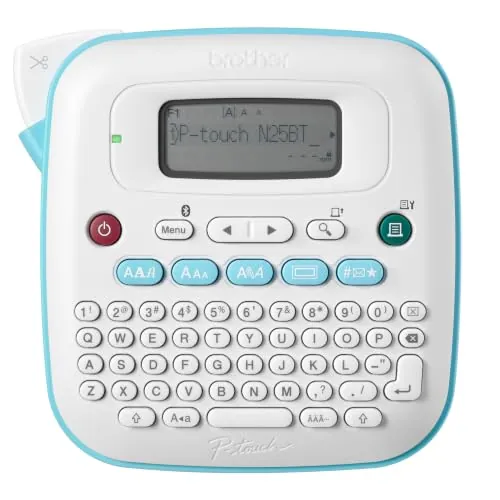
Brother
Brother P-touch PT-N25BT Personal Connected Label Maker, White and Blue
White-and-blue listed variants. Brother lists a full QWERTY keyboard, one-line 16-character preview, Bluetooth Design&Print 2 access, and exclusive use of 12 mm Btag tapes. The page identifies one sample tape but gives conflicting lengths.
Model PT-N25BT
Amazon ASIN B0DFFHQPSC
Differences that matter
What matters most to you?
Choose a priority to see what it changes.
Sources for Where you compose and preview
Sources for Tape family and maximum width
Sources for Power and what is listed in the box
Sources for Computer connection check
Start with the way you write labels
The PT-N25BT is the one of these two Brother models with keys on the machine: it has a QWERTY keyboard and a one-line, 16-character preview. The PT-P710BT has no keyboard or LCD, so its label creation starts in software. Both are listed for Brother Design&Print 2 on a mobile device, which makes on-device entry—not app access—the useful distinction.
For desktop layouts, the PT-P710BT user guide describes P-touch Editor over the included USB cable and says the computer connection must be USB, not Bluetooth. That is more specific than the product page’s general laptop-Bluetooth wording. If wireless laptop use is essential, ask Brother to confirm the exact current workflow before choosing.
Match the tape family and width to your labels
Brother’s PT-P710BT guide lists TZe cassette widths of 3.5, 6, 9, 12, 18 and 24 mm. The PT-N25BT page says that model uses Btag tape exclusively at about 12 mm and lists 12 mm as its maximum. These are different named tape families; check the cartridge you already own rather than buying on width alone.
If most planned labels fit 12 mm Btag and direct entry matters, the PT-N25BT is the more natural match. If a label layout needs one of the wider TZe sizes listed for the PT-P710BT, that tape-width requirement decides the pair regardless of keyboard preference.
Check the power and starter package
Brother lists a built-in rechargeable Li-ion battery and USB cable with the PT-P710BT, together with 24 mm starter tapes in two colors and lengths. The PT-N25BT product page lists six AAA cells or an AC adapter as power options and marks both as not included; it also says there is no USB cable in the package.
The PT-N25BT page identifies one Btag-233 blue-on-white sample but gives inconsistent lengths in its box and consumables rows. Treat the sample as included, not as a confirmed length, and check the exact offer if that amount of tape matters.
Product details
Brother P-touch CUBE Plus PT-P710BT Bluetooth Label Maker, Black
- Input and connection
- No keyboard or LCD. The model guide documents Bluetooth pairing with mobile devices and requires the supplied USB cable for computer printing with P-touch Editor. Source
- Tape family and widths
- Brother TZe cassettes in 3.5, 6, 9, 12, 18, or 24 mm widths. Source
- Power and listed box contents
- Built-in rechargeable Li-ion battery and USB cable; Brother lists black-on-white 24 mm × 4 m and black-on-premium-glitter-gold 24 mm × 2 m starter tapes. Source
Brother P-touch PT-N25BT Personal Connected Label Maker, White and Blue
- Input and preview
- On-device QWERTY keyboard, 16-character display and Bluetooth access to the Brother Design&Print 2 app. Source
- Tape family and width
- Works exclusively with Brother Btag tape, approximately 12 mm wide; 12 mm is the listed maximum label width. Source
- Power and box
- Brother lists six AAA batteries or a separate AC adapter as power options, and says neither is included. No USB cable is included. One Btag sample is listed, but its length is inconsistent across the page. Source
Before you buy
Community discussions
Adapt labels for mixed drawer contents
Brother P-touch CUBE Plus PT-P710BT Bluetooth Label Maker, Black
A PT-P710BT owner says they edit labels to remove the element number and make versions for mixed pieces stored in drawers.
What to check
List the drawer labels you need. If one drawer holds several kinds of items, decide whether you want one editable label or separate labels for each compartment.
Compare tape width with your label layouts
Brother P-touch CUBE Plus PT-P710BT Bluetooth Label Maker, Black
A PT-P710BT owner found 24 mm tape ideal for their own shop labels.
What to check
Check whether your planned labels fit within the PT-N25BT’s 12 mm Btag maximum or would benefit from the wider tape option on the PT-P710BT.
Common questions
Can I print from Brother Design&Print 2 with either model?
Brother documents Design&Print 2 with both models. The difference is the PT-N25BT’s on-device keyboard and screen versus the PT-P710BT’s software-led workflow; for a computer, the PT-P710BT guide requires the included USB connection.P-touch CUBE Plus PT-P710BT Bluetooth Connected Label MakerP-touch PTN25BT Personal Connected Label MakerPT-P710BT User’s Guide (English)
Are TZe and Btag tapes interchangeable?
Brother lists the PT-P710BT for TZe tapes and says the PT-N25BT works exclusively with Btag tape. The manufacturer pages do not establish interchangeability, so match the cassette family to the exact model.PT-P710BT User’s Guide (English)P-touch PTN25BT Personal Connected Label Maker
What comes in the PT-N25BT box?
Brother lists the PT-N25BT and one Btag-233 blue-on-white sample tape, plus the guides; it lists no USB cable, AAA cells, or AC adapter in the box. The same product page gives conflicting sample-tape lengths, so check the precise offer if length matters.P-touch PTN25BT Personal Connected Label Maker
Sources and scope
This is a manufacturer-documented setup and consumables comparison, not a print-quality, speed, adhesion, durability, or ease-of-use test. The exact PT-N25BT page conflicts about the length of its included Btag sample tape, so this guide does not state a length. Brother’s PT-P710BT product page mentions laptop Bluetooth, while its exact-model user guide says computers must connect by USB; if wireless laptop printing is essential, confirm that path with Brother before purchase. Current app and operating-system support can change.
Related comparisons
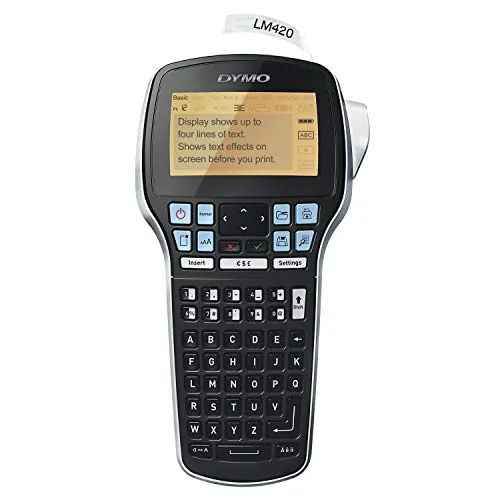
DYMO LabelManager 420P vs Brother P-touch CUBE Plus PT-P710BT: Keyboard or App?
The DYMO LabelManager 420P has its own keyboard and display for standalone label entry, uses D1 tape up to 19 mm, and its current U.S. product page lists a rechargeable battery, charging adapter and USB cable. Brother's keyboard-less PT-P710BT uses phone or tablet apps over Bluetooth and P-touch Editor over USB, with TZe tapes up to 24 mm. Choose by how you compose labels, the tape already on your shelf, and the width you need.
Read comparison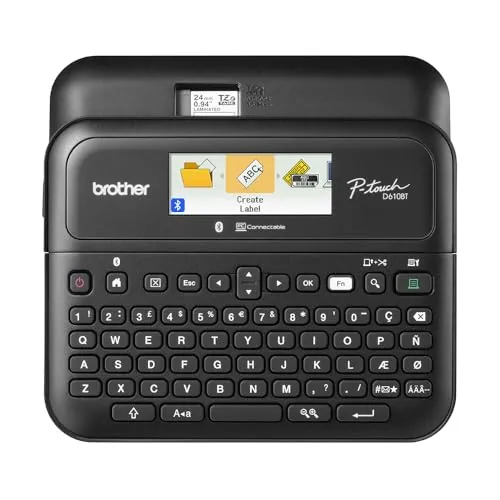
Brother PT-D610BT vs PT-P710BT: On-Printer Keyboard or App-First Labels?
Both exact US Brother models use TZe tape up to 24 mm. The practical choice is where you compose a label: the PT-D610BT has a QWERTY keyboard and two-line color display, while the PT-P710BT has no screen or keyboard and is driven from Brother mobile apps or P-touch Editor on a computer. Their Brother US standard-box contents and power paths also differ; check the seller's carton before assuming it matches Brother's standard list.
Read comparison