
Products compared
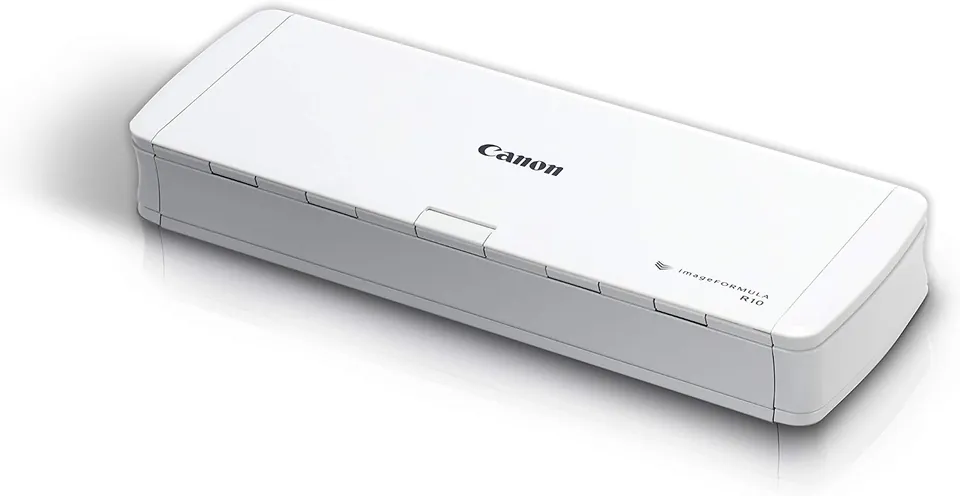
Canon
Canon imageFORMULA R10 Personal Document Scanner
Canon U.S. identifies the white imageFORMULA R10 as model/SKU 4861C001. It is a standalone-feed document scanner, not a printer or copier.
Model 4861C001
Amazon ASIN B08FBHTD9B
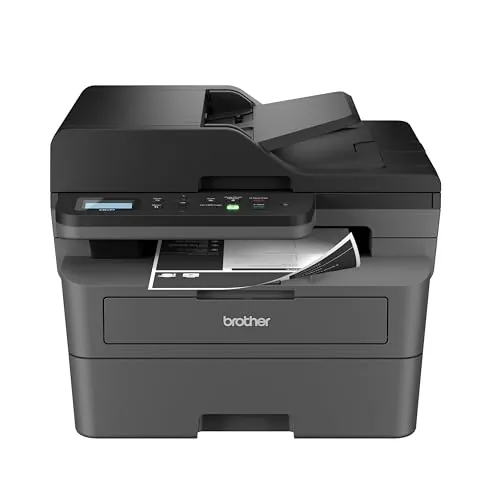
Brother
Brother DCP-L2640DW Monochrome Laser All-in-One
Brother U.S. lists this exact model as a monochrome print/copy/scan all-in-one with a flatbed, 50-page ADF and automatic duplex printing. Its listed duplex scanning feature is No.
Model DCP-L2640DW
Amazon ASIN B0CPLFTPCV
Differences that matter
What matters most to you?
Choose a priority to see what it changes.
Sources for What each device does
Sources for Two-sided originals versus two-sided output
Sources for Feeder and paper workflow
Sources for Connection and setup
First decide whether you need a scanner or an all-in-one
The Canon imageFORMULA R10 is a dedicated document scanner: Canon’s U.S. product page identifies the white 4861C001 model, and its brochure describes computer-connected document capture. It does not provide printing or copying.
The Brother DCP-L2640DW combines monochrome printing, copying and scanning. If those output jobs matter, compare the full office workflow—not just scanner specifications. Brother lists a flatbed, ADF and paper tray for this exact model.
Keep duplex scanning separate from duplex printing
For two-sided originals, the R10 is the clearer fit in the published specifications: Canon says it scans both sides at once through its document-feeding workflow.
The Brother page lists automatic duplex printing but explicitly marks duplex scanning as not supported. A duplex-print label does not mean its ADF will scan both sides of an original automatically. If a repeated batch contains duplex originals, confirm the exact scanner’s scan-side behavior before ordering.
Plan the feed, connection and desk setup
Canon lists up to 20 sheets in the R10 feeder and USB bus power from the connected computer; its brochure also lists a supplied USB cable and CaptureOnTouch Lite. Canon’s manual gives closed dimensions of 11.22 × 3.74 × 1.57 inches. Measure the open-tray area as well as the stored footprint.
Brother lists a 50-page ADF, flatbed and 250-sheet tray, with USB, Ethernet and dual-band wireless connections. Its broader placement options suit a print/copy desk or shared network setup; it uses AC power. Those features do not imply a scan-speed advantage.
Before buying either, verify current operating-system support, required software and the exact marketplace bundle. The Canon brochure names older operating-system versions and should not be treated as confirmation for a newer computer.
Product details
Canon imageFORMULA R10 Personal Document Scanner
- Document feed and duplex
- Up to 20 sheets in the feeder; scans both sides at once. Source
- Connection and power
- USB connection and bus power from the connected computer; the brochure lists a supplied USB cable. Source
- Closed dimensions
- 11.22 × 3.74 × 1.57 inches (W × D × H) with the trays closed. Source
Brother DCP-L2640DW Monochrome Laser All-in-One
Before you buy
Community discussions
Comparing a feeder scan with the flatbed
Brother DCP-L2640DW Monochrome Laser All-in-One
A Brother DCP-L2640DW owner saw skewed scans through the automatic feeder in macOS Image Capture but reported straight scans on the flatbed. They saw similar skew on the replacement unit, with the cause unresolved.
What to check
Check which originals you would feed and which you would put on a flatbed. Use a two-sided receipt or form to see how many passes the all-in-one would take.
Checking the scan application on Windows 11
Brother DCP-L2640DW Monochrome Laser All-in-One
A DCP-L2640DW owner said Brother iPrint&Scan did not launch normally on Windows 11. They could start it from Task Manager and had not resolved the normal launch issue.
What to check
Before deciding which scanner can travel with your laptop, install the supported scanning software on that computer and verify it can save a multipage file locally.
Common questions
Does the Brother DCP-L2640DW scan both sides automatically?
Brother’s U.S. product specifications list duplex scanning as No. It does list automatic duplex printing. If automatic two-sided scanning is essential, verify that the exact model explicitly supports duplex scan through its ADF.DCP-L2640DW Product Specifications (Brother U.S.)
Can the Canon R10 print or make copies?
No. Canon identifies the R10 as a personal document scanner. It connects to a computer by USB; the brochure does not describe it as a printer or copier.imageFORMULA R10 Personal Document Scanner White (Canon U.S.)imageFORMULA R10 Brochure (Canon U.S.)
Which has the larger feeder?
Brother lists a 50-page ADF for the DCP-L2640DW; Canon lists up to 20 sheets for the R10. Feeder capacity alone does not establish speed or scan quality.imageFORMULA R10 Brochure (Canon U.S.)DCP-L2640DW Product Specifications (Brother U.S.)
Will the R10 work with my current computer?
The supplied R10 brochure names older Windows and macOS versions. Check Canon’s current support/download page for your exact operating-system release and the scan app you plan to use before ordering.imageFORMULA R10 Brochure (Canon U.S.)
Sources and scope
Check the operating-system version and USB connection for your computer. For a stack of two-sided originals, the R10 documents simultaneous scanning. The DCP-L2640DW can print on both sides but requires a separate workflow for two-sided originals.
Related comparisons
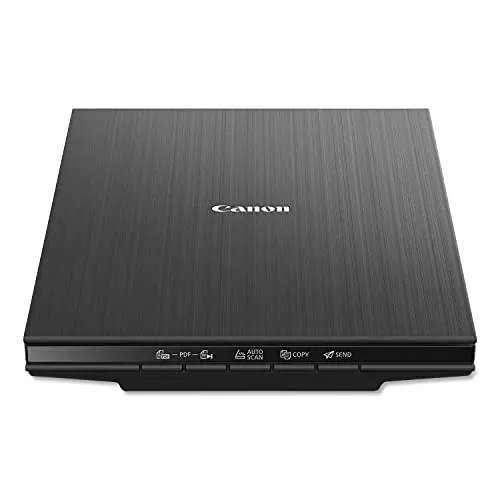
Canon LiDE 400 vs imageFORMULA R10: Photos, Paper Stacks and Setup
The Canon CanoScan LiDE 400 (2996C002) is a USB-C flatbed with Photo Scan software and five EZ buttons. The Canon imageFORMULA R10 (4861C001) is a portable document feeder with automatic or manual feed, up to 20 sheets, and two-sided capture. Canon says the R10 is not intended for photo paper or photographic media. Both are computer-powered over USB, so the practical choice is what you scan: handled originals and prints on a flatbed, or paper batches through a feeder. Canon's software listings include older operating-system versions; check current drivers for your exact computer before buying.
Read comparison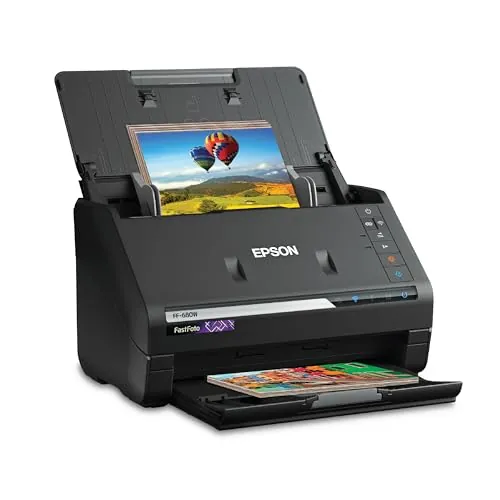
Canon CanoScan LiDE 400 vs Epson FastFoto FF-680W: Flatbed Placement or Photo Batches?
The CanoScan LiDE 400 is a USB-connected flatbed with five EZ buttons; the FastFoto FF-680W is built around a photo feeder, USB or Wi-Fi, and capture of photo fronts and backs. For a mixed archive, first separate ordinary prints from fragile, irreplaceable, irregular or otherwise unsupported items: Epson says some photos require its carrier sheet and one-at-a-time handling. Neither maker evidence establishes a scan-quality winner.
Read comparison