
Products compared
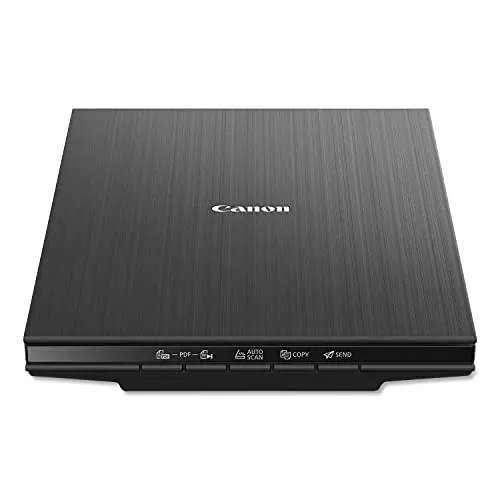
Canon
Canon CanoScan LiDE 400 Color Image Scanner — 2996C002, Black
Canon U.S.A. lists the LiDE 400 as a flatbed with photo-scanning software, five EZ buttons and one USB Type-C cable connection for data and power.
Model 2996C002
Amazon ASIN B07G5YBS1W
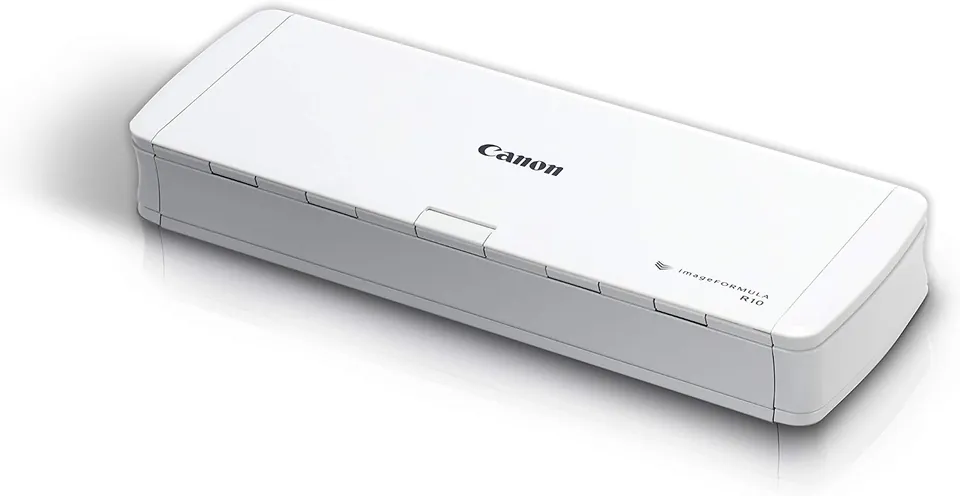
Canon
Canon imageFORMULA R10 Portable Document Scanner — 4861C001, White
Canon U.S.A. describes the R10 as a mobile document scanner with automatic or manual feeding, an up-to-20-sheet feeder and duplex scanning. Canon's brochure identifies item 4861C001 and excludes photographic media.
Model 4861C001
Amazon ASIN B08FBHTD9B
Differences that matter
What matters most to you?
Choose a priority to see what it changes.
Sources for What you place on the scanner
Sources for One original at a time or a document batch
Sources for Starting a scan on your computer
The quick choice: flatbed originals or a document feeder
For photo paper or photographic media, start with the Canon LiDE 400: Canon lists a flatbed and Photo Scan software, while its R10 brochure says that model is not intended for photographic media. That is a supported media-fit distinction, not a claim about which scanner makes a better-looking image.
For paper-document batches, the R10 is the documented feeder option. Canon lists automatic or manual feeding, up to 20 sheets, and both sides scanned at once. If you usually place one original at a time or need a glass bed for a print, the LiDE 400's format is the relevant difference.
Match the feeder to the papers you actually handle
The R10 brochure gives a feeder capacity up to 20 sheets and automatic or manual feeding. For a typical invoice or records batch, count the pages you tend to scan and check the exact sheet sizes, weight and media limits in Canon's brochure before relying on the feeder. Duplex capture is documented, so the scanner can capture both sides without you manually turning each page between passes.
The LiDE 400 is listed as a flatbed with a Letter/A4 maximum document size. Canon also lists Photo Scan software. Use the LiDE's format when your originals call for a flat surface; ordinary text documents can also be scanned on a flatbed, so paper alone does not decide the purchase.
Choose the scan-start workflow and check the computer first
The LiDE 400 has five EZ buttons for Auto Scan, Copy, two PDF functions and Send; Canon lists IJ Scan Utility for Windows and IJ Scan Utility Lite for Mac. The R10 has built-in CaptureOnTouch Lite, which Canon says starts on connection without installation on the computer. Its U.S. page lists a USB cable in the box.
Both products connect to a computer and draw power over USB in Canon's documentation. The LiDE 400 specifies USB Type-C for data and power; Canon says the R10 gets power from the connected computer. Check your computer's port and Canon's current downloads before ordering. The pages cited here include legacy operating-system listings, so they are not a guarantee of support for a current OS version.
A pre-buy checklist for the exact scanner
Write down whether you scan photographic media, individual flat originals, or stacks of paper, and whether duplex capture would remove a step from your batch routine. Then choose the LiDE 400 for the documented flatbed/photo workflow or the R10 for its feeder and two-sided document path.
Before checkout, match the model on the seller offer, verify your computer's current Canon driver support and required USB connection, and confirm the R10 offer is the white imageFORMULA R10 you intend to buy. Canon's sources do not establish an image-quality, speed or reliability winner.
Product details
Canon CanoScan LiDE 400 Color Image Scanner — 2996C002, Black
Canon imageFORMULA R10 Portable Document Scanner — 4861C001, White
- Document handling
- Automatic or manual feeding, up to 20 sheets, and simultaneous two-sided scanning; Canon says it is not intended for photo paper or photographic media. Source
- Computer setup and power
- Canon lists a supplied USB cable, built-in CaptureOnTouch Lite software that needs no computer installation, and computer-powered operation. Source
Before you buy
Community discussions
Count the pages in your typical two-sided batch
Canon imageFORMULA R10 Portable Document Scanner — 4861C001, White
A shopper with packets of one- and two-sided documents considered the Canon imageFORMULA R10 after asking for a scanner that could feed pages into a PDF workflow.
What to check
Count the pages in a typical packet and check the feeder capacity and supported paper sizes. Decide which fragile or bound originals would still need a flatbed.
Common questions
Which Canon model should I choose for scanning photo prints?
The LiDE 400 is the documented fit here: Canon lists it as a flatbed and includes Photo Scan software. Canon's R10 brochure says the R10 is not intended for photo paper or photographic media. This does not establish a scan-quality ranking.Canon Support for CanoScan LiDE 400 — U.S. technical specifications and downloadsimageFORMULA R10 Portable Document Scanner Brochure — Canon U.S.A.
Can the R10 scan a stack of two-sided documents?
Canon lists automatic or manual feeding, a feeder capacity up to 20 sheets and simultaneous two-sided capture for the R10. The actual fit depends on your originals meeting Canon's listed media limits.Canon U.S.A. imageFORMULA R10 Portable Document Scanner — WhiteimageFORMULA R10 Portable Document Scanner Brochure — Canon U.S.A.
Does either scanner need a separate power adapter?
Canon specifies one USB Type-C cable for LiDE 400 data and power. Canon says the R10 gets power from the connected computer and lists a USB cable in its box contents. Confirm the required ports and current host support for your setup.Canon Support for CanoScan LiDE 400 — U.S. technical specifications and downloadsCanon U.S.A. imageFORMULA R10 Portable Document Scanner — White
Will these scanners work with my current operating system?
Check Canon's latest support/download page for the exact computer and operating-system version before buying. The pages cited here contain older OS listings, so this guide does not promise current compatibility based on a broad Windows or Mac label.Canon Support for CanoScan LiDE 400 — U.S. technical specifications and downloadsCanon U.S.A. imageFORMULA R10 Portable Document Scanner — White
Sources and scope
This guide compares Canon's documented handling, controls, connection and software workflow, not tested scan quality or speed. It does not establish which scanner produces better-looking images, handles a particular fragile original safely, or is faster in your real workflow. Canon's R10 brochure excludes photo paper and photographic media; the LiDE 400 is a flatbed with Photo Scan software, but the sources do not provide a matched image-quality test. Both connect to and draw power from a computer over USB. Canon's current support/product pages show legacy operating-system listings that should be rechecked against the host computer and latest driver availability before purchase.
Related comparisons
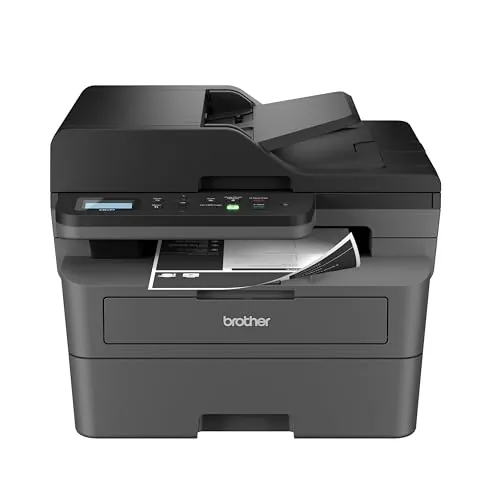
Canon imageFORMULA R10 vs Brother DCP-L2640DW: Duplex Scanning or an Office All-in-One?
These products solve different desk workflows. Canon’s imageFORMULA R10 is a USB-powered document scanner with a 20-sheet feeder and simultaneous two-sided scanning. Brother’s DCP-L2640DW adds monochrome printing and copying, a flatbed and 50-page ADF, but its U.S. product specifications say duplex scanning is not supported. Its automatic duplex feature applies to printing. Check your operating-system support and exact retailer bundle before ordering.
Read comparison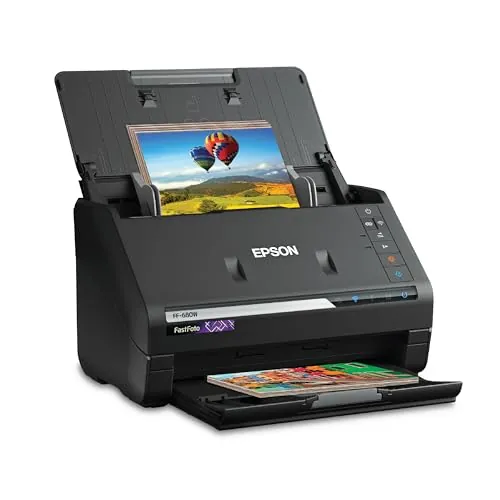
Canon CanoScan LiDE 400 vs Epson FastFoto FF-680W: Flatbed Placement or Photo Batches?
The CanoScan LiDE 400 is a USB-connected flatbed with five EZ buttons; the FastFoto FF-680W is built around a photo feeder, USB or Wi-Fi, and capture of photo fronts and backs. For a mixed archive, first separate ordinary prints from fragile, irreplaceable, irregular or otherwise unsupported items: Epson says some photos require its carrier sheet and one-at-a-time handling. Neither maker evidence establishes a scan-quality winner.
Read comparison