
Products compared
Canon
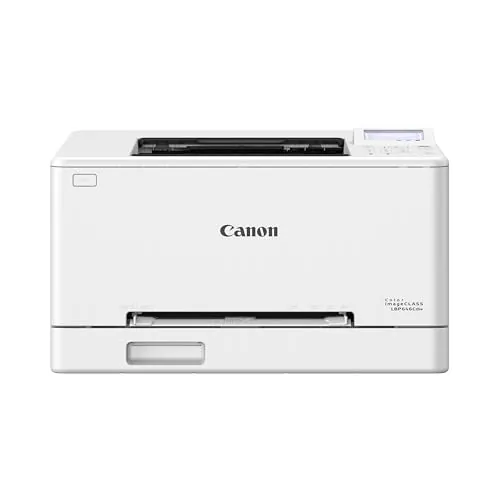
Canon Color imageCLASS LBP646Cdw
White U.S. color laser model. Canon describes it as a print-only printer; treat it as the output choice when color must appear on the physical page.
Model LBP646Cdw (Canon SKU 6929C008)
Amazon ASIN B0FMBVCX6S
Brother
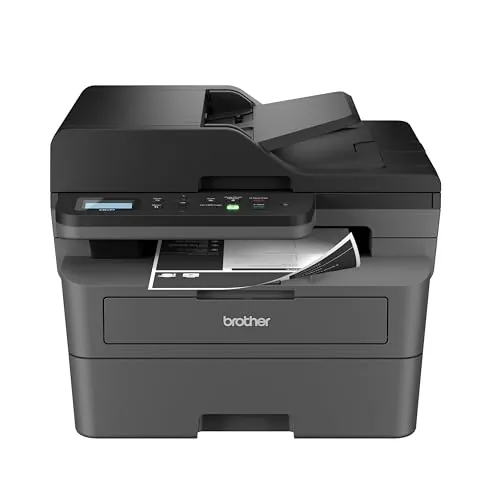
Brother DCP-L2640DW
U.S. monochrome multi-function model with print, copy and scan functions. Its scanning capability includes color, but its printing and copying are black and white.
Model DCP-L2640DW (listing data part DCPL2640DW)
Amazon ASIN B0CPLFTPCV
Differences that matter
What matters most to you?
Choose a priority to see what it changes.
Sources for Scanning, copying and color originals
Sources for Multi-page and two-sided originals
First decide where color must go
If color must appear on a handout or chart, the Canon LBP646Cdw is the match in this pair: Canon calls it a color printer and lists the model function as Print. It is print-only, so plan to use another device for scans and copies.
If the color is needed in a digital file rather than on paper, do not assume you need a color print engine. Brother lists color scanning for the DCP-L2640DW, even though it is a monochrome printer. Its copies are black and white, so a color scan saved to a file and a color photocopy are not equivalent needs.
Map paperwork capture before choosing the Brother
Brother supplies the capture hardware Canon does not list: a flatbed for individual originals, standalone black-and-white copying, and a 50-page ADF for multi-page scan and copy jobs. That is useful when paper arrives in batches and monochrome output is acceptable.
The ADF does not make two-sided capture automatic. Brother lists Duplex Scanning as No and Duplex Copying as No. For originals printed on both sides, plan on manually handling the pages if you need to capture both sides. Canon cannot fill this role because Canon lists the LBP646Cdw as print-only.
Check trays and connections against your routine
Both manufacturers list a 250-sheet main paper supply. Canon also lists a one-sheet manual feed slot; Brother lists a 50-page ADF for originals, which is a separate input path from its print-paper tray. Keep the feeder’s scan/copy role separate from the cassette’s print role when deciding whether Brother fits your desk workflow.
Canon lists USB, Ethernet, Wi-Fi and Wi-Fi Direct. Brother lists USB 2.0, Ethernet and dual-band wireless, with AirPrint, Brother Mobile Connect, Mopria and Wi-Fi Direct. Canon’s cited mobile feature is printing; Brother lists mobile print and scan. Verify your host and network compatibility on the exact support page before buying.
Pre-buy task check
List your three routine jobs: print a color page, scan an original, and make a copy. Mark each as required. Canon covers color printing only. Brother covers monochrome printing, color or black-and-white scanning, and black-and-white copying.
If every required job maps to one machine, compare the remaining setup details such as your network and document handling. If you require both printed color and in-device scan/copy, or automatic two-sided scanning, stop this pair comparison: neither model satisfies the entire requirement as documented.
Product details
Canon Color imageCLASS LBP646Cdw
Brother DCP-L2640DW
- Functions
- Monochrome print, scan and black-and-white copy; flatbed plus 50-page ADF Source
- Color handling
- Scans black-and-white and color originals; printer output and copies are black and white Source
- Two-sided originals
- Duplex scanning: No; duplex copying: No Source
- Connections
- Dual-band Wi-Fi, Ethernet, USB 2.0; AirPrint, Brother Mobile Connect, Mopria and Wi-Fi Direct listed Source
Before you buy
Community discussions
Testing a scan after adding the printer on Windows
Brother DCP-L2640DW
One Windows 11 user could print a few test pages after adding a DCP-L2640DW, then the printer appeared offline when they tried to scan. They had not found the cause.
What to check
If the Brother’s scanner is part of the purchase decision, confirm a scan from its intended computer as well as a print job. If all your jobs are prints, weigh output color and connection first.
Planning for occasional black-and-white paperwork
Brother DCP-L2640DW
A US home user comparing the DCP-L2640DW with a Canon laser needed to scan and print black-and-white paperwork a few times a month. They wanted to print without internet service.
What to check
Count how many jobs involve scanning or copying. Decide whether your everyday paperwork needs Ethernet or local printing when internet service is unavailable.
Common questions
Can the Brother DCP-L2640DW scan a color original even though it is a monochrome printer?
Yes. Brother lists black-and-white and color scanning capability, while identifying the device as a monochrome printer. Its copy capability is listed as black and white, so a color scan and a color copy are different tasks here.DCP-L2640DW Wireless Monochrome Laser Multi-Function Printer – Brother USA
Can either printer scan both sides of a document automatically?
Canon lists the LBP646Cdw as print-only, so it has no scanner. Brother explicitly lists Duplex Scanning as No and Duplex Copying as No. If hands-off two-sided capture is mandatory, neither model fits that requirement.Canon Support for Color imageCLASS LBP646Cdw – technical specifications and manual libraryDCP-L2640DW Wireless Monochrome Laser Multi-Function Printer – Brother USA
Does the Brother’s 50-page ADF make it a color printer?
No. The ADF is for handling scan and copy originals. Brother lists the DCP-L2640DW as a monochrome printer and separately lists color scanning; the output on paper remains black and white.DCP-L2640DW Wireless Monochrome Laser Multi-Function Printer – Brother USA
Which one can print on both sides of the sheet?
Both are identified as duplex laser printers or list duplex printing. That print feature is separate from scanning: Brother’s official specification says duplex scanning is not supported.Color imageCLASS LBP646Cdw – Canon U.S.A. product pageDCP-L2640DW Wireless Monochrome Laser Multi-Function Printer – Brother USA
Sources and scope
This guide compares documented functions and setup choices, not print quality, image fidelity, speed, reliability, energy use, operating cost or lifespan. Canon is print-only. Brother scans color originals but prints and copies only in monochrome; its ADF is not duplex scanning. Check current software, host and network compatibility on the manufacturers’ exact-model support pages.
Related comparisons
Canon Color imageCLASS MF753Cdw II vs Brother DCP-L2640DW
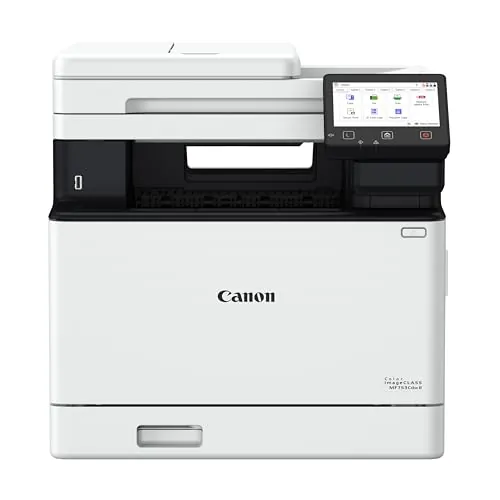
These are different workflows, not interchangeable laser all-in-ones. Canon's MF753Cdw II prints in color, includes fax, and has a 50-sheet one-pass duplex ADF. Brother's DCP-L2640DW is monochrome, prints on both sides automatically, and its 50-page ADF does not scan both sides automatically. Check your actual scan jobs and toner family before choosing.
Read comparisonCanon MF753Cdw II vs LBP646Cdw: All-in-One Tasks, Paper Feed and Toner Fit
Canon's U.S. specs distinguish these by task and paper handling: the MF753Cdw II prints, scans, copies and faxes, with a 50-sheet duplex ADF and 50-sheet multipurpose tray. The LBP646Cdw is print-only, has a one-sheet manual feed, and is shorter and shallower. Both list the same 250-sheet cassette and USB/Ethernet/Wi-Fi options. They use different Canon toner families, so check the exact model before ordering supplies.
Read comparison