Pickagu

Printers

Find your model below to compare what is included and how the differences affect everyday use.

52 comparisons

Printers comparisons

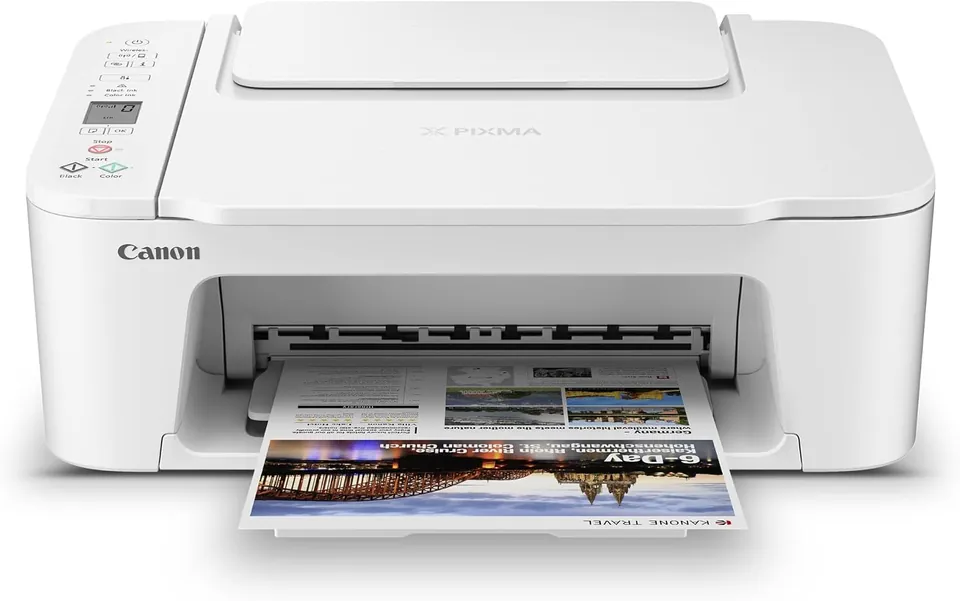
Canon PIXMA TR7120 Wireless Multi-Function Home Printer · TR7120 (7178C002)
Canon PIXMA TR7120 Wireless Multi-Function Home Printer
Canon PIXMA TR8620a Wireless Home Office All-In-One Printer · TR8620a (4451C032)
Canon PIXMA TR8620a Wireless Home Office All-In-One Printer

Canon PIXMA TR7120 vs TR8620a: Ink, Paper Feeds and Scanning

Both printers can automatically print on both sides and use an ADF, but neither automatically scans both sides of an original through that feeder. TR7120 holds up to 35 Letter sheets in its ADF; TR8620a holds 20 and adds fax, five individual ink tanks, a 100-sheet rear feed and Ethernet. Match the exact cartridge family and the paper or scan task you do most.

Read comparison
Canon PIXMA TS3720 Wireless Home All-in-One Printer · TS3720 (6671C022)
Canon PIXMA TS3720 Wireless Home All-in-One Printer
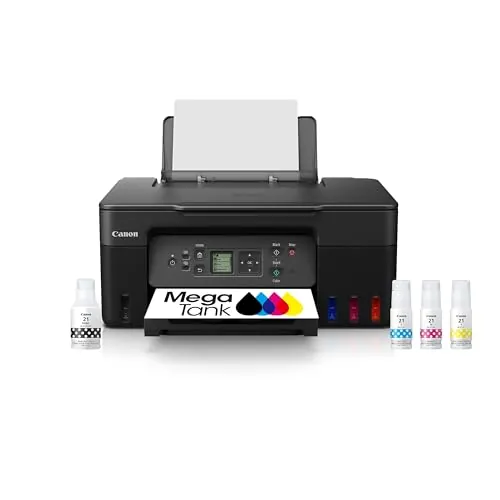
Canon MegaTank PIXMA G3270 Wireless All-in-One Color Printer · G3270 (5805C002)
Canon MegaTank PIXMA G3270 Wireless All-in-One Color Printer

Canon PIXMA TS3720 vs G3270: Cartridge Changes, Tank Refills and Document Handling

The white Canon PIXMA TS3720 (6671C022) uses replaceable PG-275 black and CL-276 color cartridges; the black PIXMA G3270 (5805C002) uses GI-21 bottles and integrated tanks. Both print one side at a time and scan one original at a time on a flatbed, so neither is a fit for automatic duplex or feeder-based handling of a stack of stapled pages. Compare refill habits, rear-tray capacity and the way you process paperwork before choosing.

Read comparison
Canon PIXMA TR7120 Wireless Color Inkjet Printer, White · TR7120 (7178C002)
Canon PIXMA TR7120 Wireless Color Inkjet Printer, White
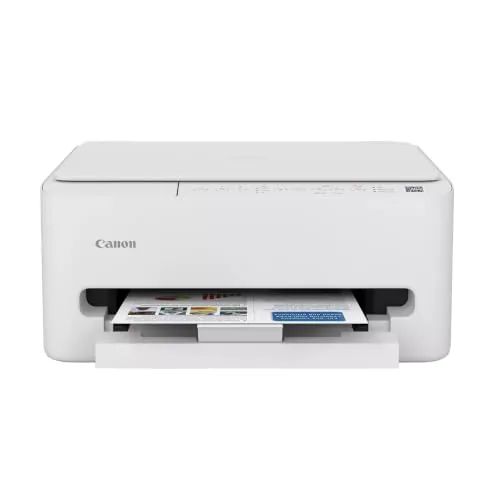
Canon PIXMA TS6520 Wireless Color Inkjet Printer, White · TS6520 (7179C002)
Canon PIXMA TS6520 Wireless Color Inkjet Printer, White

Canon PIXMA TR7120 vs TS6520: ADF, Ink, Duplex & Space Compared

The Canon PIXMA TR7120 adds a 35-sheet letter / 5-sheet legal automatic document feeder (ADF); the TS6520 scans from its flatbed only. Both use PG-295 black and CL-286 color ink, list a 100-sheet plain-paper cassette, and print automatically on both sides. Compare the feeder's real workflow value with the height and access your space allows.

Read comparison
Canon PIXMA TR7120 Wireless Multi-Function Home Printer, White · 7178C002
Canon PIXMA TR7120 Wireless Multi-Function Home Printer, White
Canon PIXMA TS4320 Wireless Multi-Function Home Printer, White · 7181C002
Canon PIXMA TS4320 Wireless Multi-Function Home Printer, White

Canon PIXMA TR7120 vs TS4320: ADF, Ink and Paper Handling

For the exact white U.S. models TR7120 (7178C002) and TS4320 (7181C002), the meaningful difference is document handling: TR7120 has a 35-sheet ADF and 1.42-inch OLED, while TS4320 has a flatbed and no display. Canon lists the same PG-295 black and CL-286 color cartridges, a 100-sheet plain-paper cassette, dual-band Wi-Fi and USB for both. Both print two-sided; that does not establish automatic duplex scanning.

Read comparison
Canon PIXMA TS3720 Wireless All-in-One Printer, White · 6671C022
Canon PIXMA TS3720 Wireless All-in-One Printer, White
Canon PIXMA TS6520 Wireless Multi-Function Home Printer, White · 7179C002
Canon PIXMA TS6520 Wireless Multi-Function Home Printer, White

Canon PIXMA TS3720 vs TS6520: Duplex, Ink and Paper Loading

For the exact white U.S. models TS3720 (6671C022) and TS6520 (7179C002), choose around how you print: the TS6520 adds automatic duplex, borderless output through Letter, and a 100-sheet cassette. The TS3720 lists simplex capability, with manual duplex instructions in Canon's Windows driver; it loads up to 60 plain sheets at the rear. Their ink families differ, and Canon's published yield data is not directly comparable, so this guide does not name a lower-cost printer.

Read comparison
Canon PIXMA TR7120 Wireless Multi-Function Home Printer · TR7120 (7178C002)
Canon PIXMA TR7120 Wireless Multi-Function Home Printer
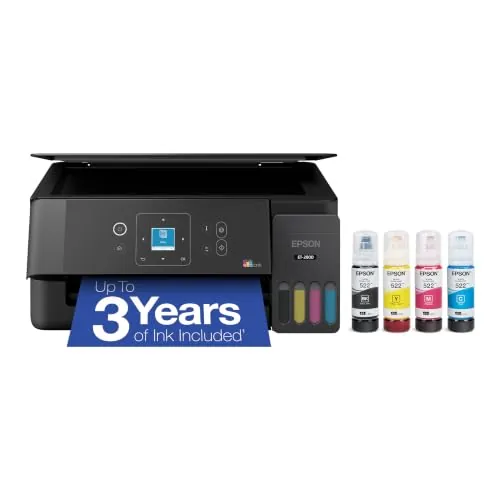
Epson EcoTank ET-2900 Wireless All-in-One Color Supertank Printer – Black · ET-2900 (C11CL63201)
Epson EcoTank ET-2900 Wireless All-in-One Color Supertank Printer – Black

Canon PIXMA TR7120 vs Epson EcoTank ET-2900: Ink, Scanning and Two-Sided Printing

The Canon PIXMA TR7120 (7178C002) and Epson EcoTank ET-2900 (C11CL63201) handle ink and paper differently. Canon replaces PG-295/CL-286 cartridges, feeds stacks of compatible originals through a 35-sheet ADF, and prints two-sided automatically. Epson refills built-in tanks with keyed EcoFit bottles and scans on a flatbed; its computer driver prints odd and even pages separately, asking you to turn the paper between sides. Both list a 100-sheet plain-paper supply, but Canon uses a cassette and Epson a rear feeder.

Read comparison
Canon PIXMA TR7120 Wireless Multi-Function Home Printer — White · TR7120 (7178C002)
Canon PIXMA TR7120 Wireless Multi-Function Home Printer — White
Canon PIXMA TS3720 Wireless Home All-in-One Printer — White · TS3720 (6671C022)
Canon PIXMA TS3720 Wireless Home All-in-One Printer — White

Canon PIXMA TR7120 vs TS3720: Ink, Duplex and Paper Handling

For Canon's documented Windows printer drivers, the TR7120 offers automatic two-sided printing on Letter/A4; the TS3720 manual option asks you to reload sheets, and only supports plain paper and listed layouts. TR7120's documented 35-sheet ADF handles document stacks, while Canon lists a flatbed on the TS3720. Their genuine Canon ink codes differ: PG-295/CL-286 for TR7120 and PG-275/CL-276 for TS3720. The paper feed also differs: a 100-sheet cassette versus a 60-sheet rear tray.

Read comparison
Epson EcoTank ET-2900 Wireless All-in-One Color Supertank Printer (Black) · C11CL63201
Epson EcoTank ET-2900 Wireless All-in-One Color Supertank Printer (Black)
Canon PIXMA TS6520 Wireless Multi-Function Home Printer (White) · 7179C002
Canon PIXMA TS6520 Wireless Multi-Function Home Printer (White)

Epson EcoTank ET-2900 vs Canon PIXMA TS6520: Ink, Duplex, and Desk Fit

The black Epson EcoTank ET-2900 (C11CL63201) uses four refillable tanks and Epson’s keyed EcoFit bottles; its refill routine includes checking the color, filling to the upper line, and resetting the ink estimate. The white Canon PIXMA TS6520 (7179C002) uses black and color FINE cartridges. For supported letter- or A4-size computer print jobs, Canon documents an automatic duplex path, while Epson’s ET-2900 guide describes separate odd/even passes with a paper-turn prompt and says the feature is unavailable for borderless printing. Both are flatbed scan-and-copy machines without an automatic document feeder. Use each maker’s operating dimensions to check shelf space, then allow room to reach the feeder, output area, scanner lid, and controls; neither source establishes a universal extra clearance gap.

Read comparison
Epson EcoTank ET-2900 Wireless All-in-One Color Supertank Printer – Black · C11CL63201
Epson EcoTank ET-2900 Wireless All-in-One Color Supertank Printer – Black
Canon PIXMA TR8620a Wireless Home Office All-in-One Printer · 4451C032
Canon PIXMA TR8620a Wireless Home Office All-in-One Printer

Epson EcoTank ET-2900 vs Canon PIXMA TR8620a: Refill Routine or ADF Workflow?

The black U.S. Epson EcoTank ET-2900 (C11CL63201) uses refillable ink tanks and scans from its flatbed; Epson's shared guide says this model group does not include an ADF or Ethernet. The Canon PIXMA TR8620a (4451C032) uses five individual ink tanks, adds an ADF for supported paper stacks, and lists USB, Wi-Fi, and Ethernet. Pick the workflow that matches your home office; neither maker's documentation establishes lower total ink cost or faster real-world work.

Read comparison
Canon PIXMA TR8620a Wireless All-in-One Printer, Black · 4451C032
Canon PIXMA TR8620a Wireless All-in-One Printer, Black
Canon PIXMA TS6520 Wireless Multi-Function Home Printer, White · 7179C002
Canon PIXMA TS6520 Wireless Multi-Function Home Printer, White

Canon PIXMA TR8620a vs TS6520: Ink Replacement and Document Scanning

The black Canon PIXMA TR8620a (4451C032) has a flatbed plus an ADF that Canon specifies for up to 20 same-size Letter/A4 plain-paper originals or 5 Legal originals within its limits; its ADF does not scan duplex originals automatically. Its five-color system uses separate CLI-281 dye black, cyan, magenta and yellow tanks alongside pigment black. The white PIXMA TS6520 (7179C002) uses a flatbed scanner with multi-page PDF support but no ADF, and a two-tank system whose CL-286 color cartridge combines cyan, magenta, yellow and dye black. Pick by your scan-feed routine and how you prefer to replace dye colors, not claimed print quality or running cost.

Read comparison
Canon PIXMA TR8620a Wireless Home Office All-in-One Printer · 4451C032
Canon PIXMA TR8620a Wireless Home Office All-in-One Printer
Canon PIXMA TS4320 Wireless Multi-Function Home Printer · 7181C002
Canon PIXMA TS4320 Wireless Multi-Function Home Printer

Canon PIXMA TR8620a vs TS4320: Do You Need Separate Ink Tanks and an ADF?

The TR8620a adds five individual ink tanks, a 20-sheet Letter / 5-sheet Legal ADF, a second paper feed, and fax. The TS4320 uses two cartridges and a flatbed. Canon documents automatic two-sided printing for TR8620a. Published TS4320 automatic-duplex records disagree, so verify that feature if it affects your choice.

Read comparison
Canon PIXMA TS6520 Wireless Color Inkjet Printer · 7179C002
Canon PIXMA TS6520 Wireless Color Inkjet Printer
Canon MegaTank PIXMA G3270 Wireless All-in-One Printer · 5805C002
Canon MegaTank PIXMA G3270 Wireless All-in-One Printer

Canon PIXMA TS6520 vs MegaTank G3270: Ink, Duplex, Media, and Scanning

The white PIXMA TS6520 uses black and color FINE cartridges; the black MegaTank G3270 has four integrated ink tanks filled from GI-21 bottles. Canon lists duplex printing for the TS6520 and its Windows driver supports automatic or manual duplex. The G3270 product spec lists simplex printing, while its linked G3070-series Windows manual documents a manual reload-and-confirm two-sided workflow. Compare the refill task, paper handling, and flatbed scanner specs without assuming lower ink cost or better scan output.

Read comparison
Epson EcoTank ET-2900 Wireless All-in-One Color Supertank Printer - Black · C11CL63201
Epson EcoTank ET-2900 Wireless All-in-One Color Supertank Printer - Black
Canon PIXMA TS4320 Wireless Multi-Function Home Printer - White · 7181C002
Canon PIXMA TS4320 Wireless Multi-Function Home Printer - White

Epson ET-2900 vs Canon PIXMA TS4320: Ink, Paper and Duplex

The black Epson ET-2900 C11CL63201 uses keyed EcoFit bottles for its built-in tanks; the white Canon PIXMA TS4320 7181C002 uses PG-295 black and CL-286 color cartridges. Both list a 100-sheet paper supply, but Epson loads from the rear and Canon uses a front cassette. Canon's U.S. pages and Windows driver guide describe automatic duplex for Letter or A4, while an exact-model ENERGY STAR record says it is not automatic-duplex capable. Because those sources conflict, treat duplex as unverified for your exact setup and choose first by the ink routine you prefer.

Read comparison
Canon PIXMA TS3720 Wireless All-in-One Printer, White · 6671C022
Canon PIXMA TS3720 Wireless All-in-One Printer, White
Canon PIXMA TR8620a Wireless Home Office All-in-One Printer, Black · 4451C032
Canon PIXMA TR8620a Wireless Home Office All-in-One Printer, Black

Canon PIXMA TS3720 vs TR8620a: Paper Handling, Duplex and Ink Setup

The white PIXMA TS3720 keeps the workflow simple: one rear paper tray, a black-and-color FINE cartridge pair, and manual duplex on supported Windows jobs. The black PIXMA TR8620a adds a cassette plus rear tray, five separate ink tanks, a 20-sheet Letter or 5-sheet Legal ADF, and automatic print duplex on supported sizes and media. Match the choice to the documents you actually handle; neither the ink layout nor the feature list proves lower running cost or better print results.

Read comparison
Canon PIXMA TR8620a Wireless Home Office All-in-One Printer, Black · 4451C032
Canon PIXMA TR8620a Wireless Home Office All-in-One Printer, Black
Canon MegaTank PIXMA G3270 Wireless All-in-One Printer, Black · 5805C002
Canon MegaTank PIXMA G3270 Wireless All-in-One Printer, Black

Canon PIXMA TR8620a vs MegaTank G3270: Ink, Paper and Scanning Fit

The black U.S. Canon PIXMA TR8620a (4451C032) uses five replaceable ink tanks and combines a flatbed with an ADF for supported document stacks. It can keep plain paper in its front cassette and another supported media type in the rear tray, and its manual documents automatic duplex printing for Letter, A5, A4 and B5 when paper and software settings qualify. The black PIXMA MegaTank G3270 (5805C002) refills integrated tanks from GI-21 bottles, scans from a flatbed, and uses one rear paper tray. Canon's G3270 product specifications say single-sided printing, while the G3070-series Windows driver guide documents a manual two-sided setting; ask Canon to confirm your exact G3270 job before counting on duplex. No page-yield, print-quality or cost winner is claimed.

Read comparison
Canon PIXMA TR7120 Wireless Multi-Function Home Printer · 7178C002
Canon PIXMA TR7120 Wireless Multi-Function Home Printer
Canon MegaTank PIXMA G3270 Wireless All-in-One Printer · 5805C002
Canon MegaTank PIXMA G3270 Wireless All-in-One Printer

Canon PIXMA TR7120 vs MegaTank PIXMA G3270: Cartridge, Refill, and Paper Workflows

The white U.S. PIXMA TR7120 (7178C002) uses PG-295/CL-286 FINE cartridges, has a 35-sheet ADF for supported paper stacks, and prints automatically on both sides. The black U.S. MegaTank PIXMA G3270 (5805C002) uses refillable GI-21 tanks, scans multi-page PDFs by loading each page on its flatbed, and is listed for single-sided printing. Choose by the paper jobs you do and the ink-maintenance steps you prefer; this comparison makes no ink-cost estimate.

Read comparison
Canon Color imageCLASS MF753Cdw II · MF753Cdw II
Canon Color imageCLASS MF753Cdw II
Brother DCP-L2640DW Wireless Compact Monochrome Laser Multi-Function Printer · DCP-L2640DW
Brother DCP-L2640DW Wireless Compact Monochrome Laser Multi-Function Printer

Canon Color imageCLASS MF753Cdw II vs Brother DCP-L2640DW

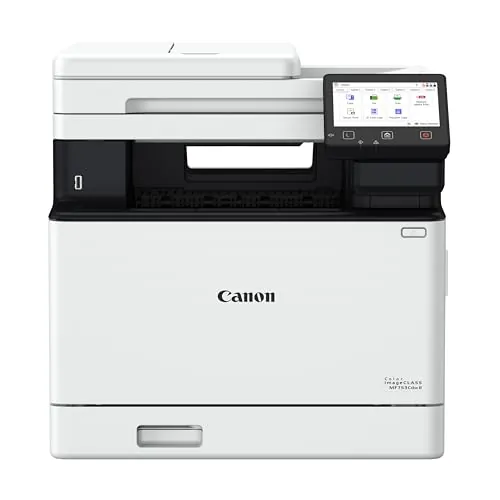
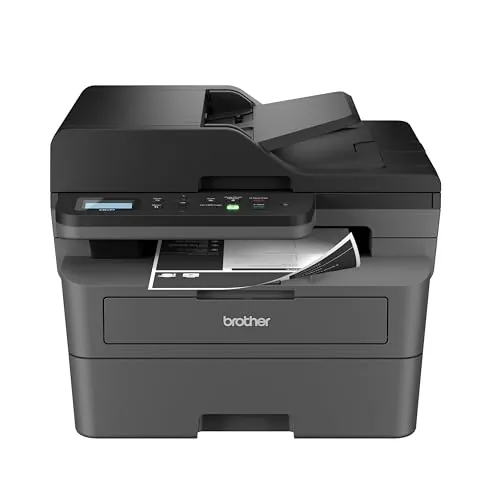
These are different workflows, not interchangeable laser all-in-ones. Canon's MF753Cdw II prints in color, includes fax, and has a 50-sheet one-pass duplex ADF. Brother's DCP-L2640DW is monochrome, prints on both sides automatically, and its 50-page ADF does not scan both sides automatically. Check your actual scan jobs and toner family before choosing.

Read comparison
Canon PIXMA TS3720 Wireless Home All-in-One Printer, White · 6671C022
Canon PIXMA TS3720 Wireless Home All-in-One Printer, White
Canon PIXMA TS4320 Wireless Multi-Function Home Printer, White · 7181C002
Canon PIXMA TS4320 Wireless Multi-Function Home Printer, White

Canon PIXMA TS3720 vs TS4320: Paper, Duplex, and Borderless Sizes

The white PIXMA TS3720 (Canon SKU 6671C022; Amazon ASIN B0D1DV6FV5) is listed for simplex printing, a 60-sheet plain-paper rear tray, and borderless output up to 5 × 7 inches. The white PIXMA TS4320 (SKU 7181C002; ASIN B0FMBGXC2C) is listed with a 100-sheet cassette and borderless output up to Letter. Canon's U.S. product page says the TS4320 has automatic two-sided printing, and Canon's Windows guide limits that mode to Letter and A4; however, an ENERGY STAR record for a TS4320 model number says automatic duplex output capable: No. Treat duplex as a verify-before-buy feature, not a universal guarantee. Both are multifunction printers; check the exact host, cartridge offer and media before checkout.

Read comparison
Canon Color imageCLASS MF753Cdw II Color Laser All-in-One · MF753Cdw II (7185C011)
Canon Color imageCLASS MF753Cdw II Color Laser All-in-One
Canon Color imageCLASS LBP646Cdw Color Laser Printer · LBP646Cdw (6929C008)
Canon Color imageCLASS LBP646Cdw Color Laser Printer

Canon MF753Cdw II vs LBP646Cdw: All-in-One Tasks, Paper Feed and Toner Fit

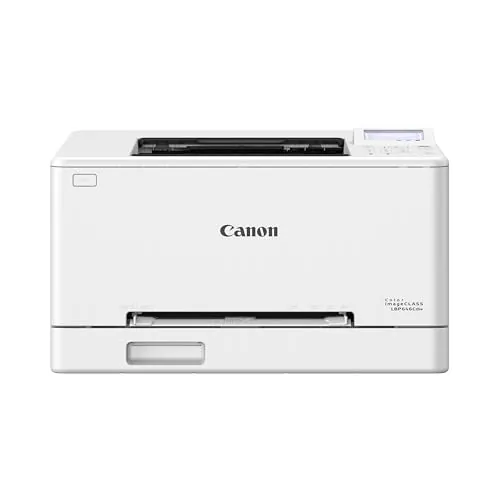
Canon's U.S. specs distinguish these by task and paper handling: the MF753Cdw II prints, scans, copies and faxes, with a 50-sheet duplex ADF and 50-sheet multipurpose tray. The LBP646Cdw is print-only, has a one-sheet manual feed, and is shorter and shallower. Both list the same 250-sheet cassette and USB/Ethernet/Wi-Fi options. They use different Canon toner families, so check the exact model before ordering supplies.

Read comparison
Canon MegaTank PIXMA G3270 · G3270 (5805C002)
Canon MegaTank PIXMA G3270
Canon PIXMA TS4320 · TS4320 (7181C002)
Canon PIXMA TS4320

Canon MegaTank PIXMA G3270 vs PIXMA TS4320: Ink Refills, Duplex, and Paper Handling

The Canon G3270 is a four-color refill-tank all-in-one; the TS4320 is a cartridge all-in-one with documented automatic duplex for Letter or A4 in its Windows driver. Canon's G3270 specifications label printing single-sided while the G3070-family Windows manual that names G3270 documents manual duplex, so confirm your driver workflow before relying on two-sided printing. Both list 100-sheet paper input and flatbed scan/copy functions.

Read comparison
Canon PIXMA TS3720 Wireless Home All-in-One Printer (White) · 6671C022
Canon PIXMA TS3720 Wireless Home All-in-One Printer (White)
Canon PIXMA TR160 Portable Wireless Printer (Black) · 7069C002
Canon PIXMA TR160 Portable Wireless Printer (Black)

Canon PIXMA TS3720 vs TR160: Copy-and-Scan Desk Printer or Battery-Ready Print-Only?

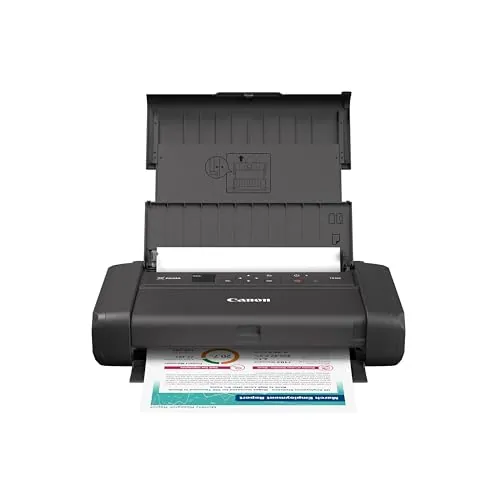
The white PIXMA TS3720 (6671C022) is Canon’s home all-in-one for printing, copying, and scanning near an AC outlet. The black PIXMA TR160 (7069C002) is a smaller print-only model; printing away from an outlet requires its optional LK-72 battery, which Canon says is not included.

Read comparison
Epson EcoTank ET-2900 Wireless All-in-One Color Supertank Printer · C11CL63201
Epson EcoTank ET-2900 Wireless All-in-One Color Supertank Printer
Canon PIXMA TS3720 Wireless Home All-in-One Printer · 6671C022
Canon PIXMA TS3720 Wireless Home All-in-One Printer

Epson EcoTank ET-2900 vs Canon PIXMA TS3720: Refills, Duplex and Scanning

Epson EcoTank ET-2900 Black (C11CL63201) and Canon PIXMA TS3720 White (6671C022) are wireless color all-in-ones, but they replenish ink differently: four separate tanks and Epson 522 bottles versus a PG-275 black and combined-color CL-276 cartridge. Do not compare them as automatic-duplex machines: the cited Windows guides describe manual page reloading, while Canon's product spec labels the TS3720 single-sided. For plain Legal paper, the manuals list one sheet at a time for Epson and about 10 for Canon; the headline Letter-paper capacity does not tell that story.

Read comparison
Canon PIXMA TS6520 Wireless Color Inkjet All-in-One Printer (White) · 7179C002 / TS6520
Canon PIXMA TS6520 Wireless Color Inkjet All-in-One Printer (White)
Brother DCP-L2640DW Wireless Monochrome Laser All-in-One Printer · DCP-L2640DW
Brother DCP-L2640DW Wireless Monochrome Laser All-in-One Printer

Canon PIXMA TS6520 vs Brother DCP-L2640DW: Color Printing or Batch Scanning?

These all-in-ones solve different parts of a home-office workflow. The Canon PIXMA TS6520 prints in color and has automatic two-sided printing, but its scanner is a flatbed with no document feeder, so you place originals one at a time. The Brother DCP-L2640DW prints and copies in black and white, yet it can scan in color and feeds up to 50 pages for multi-page jobs. Its duplex feature is for printing; Brother lists duplex scanning as unavailable. Check both the printed output you need and how you digitize paperwork before choosing.

Read comparison
Epson EcoTank ET-2900 Wireless All-in-One Color Supertank Printer — Black · C11CL63201
Epson EcoTank ET-2900 Wireless All-in-One Color Supertank Printer — Black
Brother DCP-L2640DW Wireless Monochrome Laser Multi-Function Printer · DCPL2640DW
Brother DCP-L2640DW Wireless Monochrome Laser Multi-Function Printer

Epson EcoTank ET-2900 vs Brother DCP-L2640DW: Color Prints or Document Feeder?

The black U.S. Epson EcoTank ET-2900 (C11CL63201) prints in color and uses four refillable Epson 522 ink tanks, but its scanner is a flatbed without an automatic document feeder. The Brother DCP-L2640DW (DCPL2640DW) prints and copies in black and white, can scan color originals, and adds a 50-page automatic document feeder and automatic two-sided printing. Brother's feeder scans one side at a time, so duplex printing is not duplex scanning. Decide first whether you need color output, then match the supply routine and original handling to the jobs you actually do. No print-quality, speed, reliability or ownership-cost winner is established here.

Read comparison