
Products compared
Canon
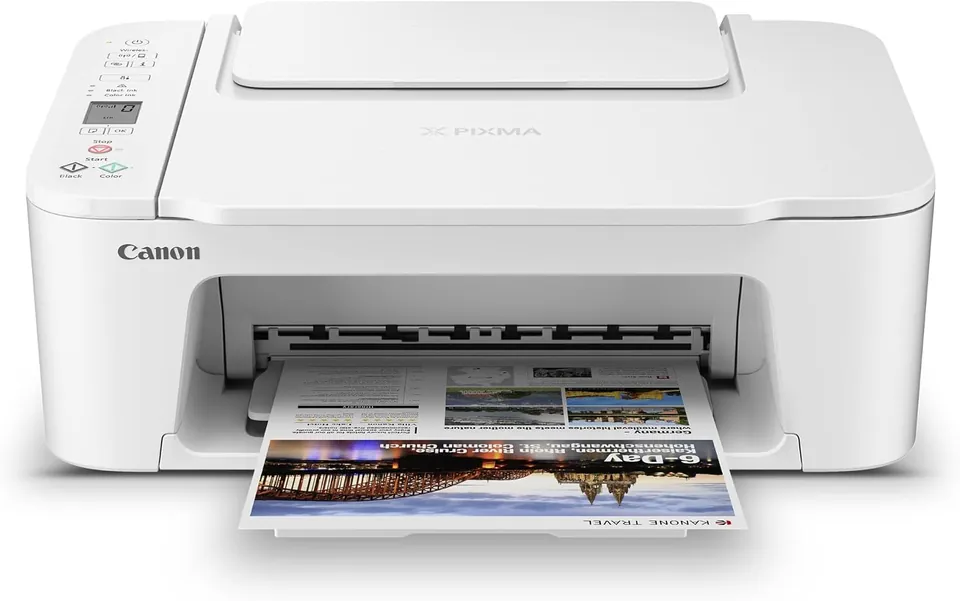
Canon PIXMA TS3720 Wireless Home All-in-One Printer
U.S. white model, SKU 6671C022; two-cartridge FINE hybrid system, 60-sheet rear paper tray, print/copy/scan.
Model TS3720 (6671C022)
Amazon ASIN B0D1DV6FV5
Canon
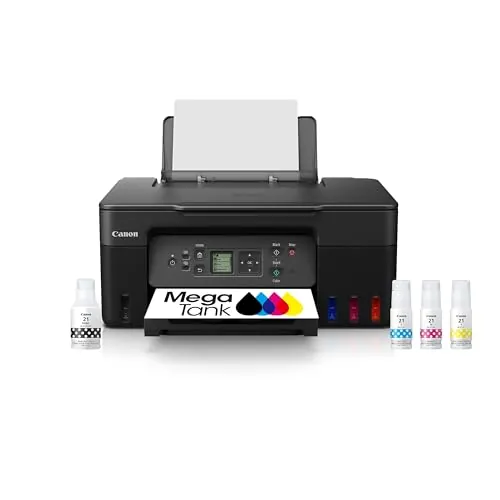
Canon MegaTank PIXMA G3270 Wireless All-in-One Color Printer
U.S. black model, SKU 5805C002; refillable integrated GI-21 ink tanks, rear paper tray, print/copy/scan.
Model G3270 (5805C002)
Amazon ASIN B0BSMSYM9N
Differences that matter
What matters most to you?
Choose a priority to see what it changes.
Sources for Ink handling and maintenance
Sources for Loaded paper batch and paper types
Sources for Two-sided printing and multi-page originals
Sources for Network printing and physical fit
Pick the ink task you want to live with
The white U.S. PIXMA TS3720 in this comparison (SKU 6671C022) uses two FINE cartridges: PG-275 pigment black and CL-276 dye color. Canon's TS3700 manual index lists TS3720 among its applicable models, and its replacement procedure describes changing a cartridge module.
The black G3270 (SKU 5805C002) uses four integrated tanks refilled from GI-21 bottles: pigment black and dye cyan, magenta and yellow. Canon's G3070 manual index lists G3270, and the refill instructions say to check the tank level and refill the corresponding color. Canon also documents print-head cleaning as an ink-consuming maintenance step that depends on available maintenance-cartridge capacity. That is a concrete task to account for; it is not proof of a specific failure rate or total running cost.
Check paper batches and document handling
Both use a rear paper tray, but the listed plain-paper load differs: up to 60 sheets in the TS3720 and 100 in the G3270. Canon lists single-sided printing for each. Although G3270 supports double-sided matte photo paper as a media type, it does not have automatic two-sided document printing.
Each scanner is a flatbed. G3270's feature list includes creating a multi-page PDF, but its scanning capability is still listed as single-sided and its hardware is a flatbed, not a document feeder. For a stack, you place each page separately on the glass and combine the scans. This matters for household paperwork: neither printer automatically processes the two sides of a sheet or a stapled packet.
Measure the real desk space and verify wireless setup
Canon lists the TS3720 closed body at 17.2 × 12.9 × 5.8 inches (L × W × H). For G3270, Canon lists 16.4 × 13.3 × 7 inches closed and 16.4 × 21.9 × 10.6 inches with trays open (W × D × H). These are listed outer dimensions, not a promise that a shelf has enough operating clearance. Measure the exact available surface and include paper loading, scanner-lid movement and the space needed to change cartridges or reach refill tanks.
Both models list wireless printing and Canon PRINT. Canon's TS3720 page specifies 2.4/5 GHz Wi-Fi; the G3270 page lists 2.4/5 GHz Wi-Fi and wireless direct. Check current operating-system and router compatibility from Canon for your devices before purchase.
Product details
Canon PIXMA TS3720 Wireless Home All-in-One Printer
The TS3720 suits a buyer who prefers replacing a black or color cartridge as a module and prints from a modest 60-sheet rear tray. It is single-sided and uses a flatbed scanner, so two-sided pages and multi-page originals require manual handling.
- Ink replacement
- PG-275 pigment black and CL-276 dye color FINE cartridges Source
- Paper handling
- 60-sheet rear tray; single-sided (simplex) printing Source
- Scan workflow
- Flatbed scanner; Letter/A4 maximum; wireless scanning supported Source
- Wireless and mobile
- 2.4/5 GHz Wi-Fi, Canon PRINT app, AirPrint and Mopria listed Source
- Closed footprint
- 17.2 in L × 12.9 in W × 5.8 in H; measure with paper loaded and lid open Source
Canon MegaTank PIXMA G3270 Wireless All-in-One Color Printer
The G3270 suits a buyer who is willing to refill separate tanks from the matching bottles and follow Canon's maintenance instructions. Its rear tray holds more plain paper than the TS3720's, but it still prints single-sided and scans originals on a flatbed rather than through an automatic document feeder.
- Ink refill system
- Integrated tanks with GI-21 pigment black and dye cyan, magenta and yellow ink bottles Source
- Paper handling
- 100-sheet rear tray; single-sided (simplex) printing Source
- Scan workflow
- Flatbed, single-sided scanning; can create a multi-page PDF from separate scans Source
- Wireless and mobile
- 2.4/5 GHz Wi-Fi, wireless direct, Canon PRINT, AirPrint and Mopria listed Source
- Footprint
- Closed: 16.4 × 13.3 × 7 in (W × D × H); trays open: 16.4 × 21.9 × 10.6 in Source
Before you buy
Community discussions
Checking media settings for holographic sticker paper
Canon PIXMA TS3720 Wireless Home All-in-One Printer
A TS3720 owner using holographic sticker stock selected Plain Paper and High quality, then saw the print rub off during handling.
What to check
Check the stock and supported media setting before running a batch. Test the same sheet, app and handling routine you plan to use.
Common questions
Can either printer automatically print both sides of a page?
No. Canon lists single-sided (simplex) printing for both the TS3720 and G3270. For two-sided documents, you need to turn and reload the sheets yourself. Canon's G3270 support page lists double-sided matte paper as a supported media type; that is not automatic duplex printing.PIXMA TS3720 Wireless Home All-in-One Printer (U.S. white SKU 6671C022)Canon Support for MegaTank PIXMA G3270 (U.S. black SKU 5805C002)
Can the G3270 scan a multi-page document if it has no feeder?
Canon lists scan-to-multi-page-PDF, but the G3270's scanning capability is single-sided and the scanner is a flatbed. That workflow combines separate scans; it does not automatically pull in a stack of pages. Place each sheet on the glass yourself.Canon Support for MegaTank PIXMA G3270 (U.S. black SKU 5805C002)
Which ink system does each exact model use?
The U.S. white TS3720 page identifies the PG-275 black and CL-276 color cartridge family. Canon's G3270 support page identifies integrated tanks refilled with GI-21 pigment black and dye-based cyan, magenta and yellow ink bottles. Confirm the exact printer and replacement bottle/cartridge labels before ordering consumables.PIXMA TS3720 Wireless Home All-in-One Printer (U.S. white SKU 6671C022)Canon Support for MegaTank PIXMA G3270 (U.S. black SKU 5805C002)
Does a tank printer mean lower total ink cost for my home?
This comparison does not estimate your ongoing cost. That depends on current compatible ink prices, your mix of black and color pages, usage and maintenance. Canon publishes page-yield figures with model and test conditions; do not compare them without checking those assumptions for your own workload.PIXMA TS3720 Wireless Home All-in-One Printer (U.S. white SKU 6671C022)Canon Support for MegaTank PIXMA G3270 (U.S. black SKU 5805C002)
Sources and scope
This is a feature and workflow comparison, not a test of print quality, reliability, ink economy or lifetime cost. Canon's page-yield claims use different product consumables and stated measurement conditions, so no yield or cost-per-page comparison is made here. TS3720 sources are for U.S. SKU 6671C022 in white; G3270 sources are for U.S. black SKU 5805C002. The online TS3700 and G3070 manuals are family manuals; each index explicitly lists the corresponding comparison model.
- PIXMA TS3720 Wireless Home All-in-One Printer (U.S. white SKU 6671C022)
- Canon TS3700 series Online Manual (applicable-model list includes TS3720)
- Canon TS3700 series: Replacing a FINE Cartridge
- Canon Support for MegaTank PIXMA G3270 (U.S. black SKU 5805C002)
- Canon G3070 series Online Manual (applicable-model list includes G3270)
- Canon G3070 series: Refilling Ink Tanks
- Canon G3070 series: Cleaning the Print Head
Related comparisons

Canon PIXMA TS3720 vs TS6520: Duplex, Ink and Paper Loading
For the exact white U.S. models TS3720 (6671C022) and TS6520 (7179C002), choose around how you print: the TS6520 adds automatic duplex, borderless output through Letter, and a 100-sheet cassette. The TS3720 lists simplex capability, with manual duplex instructions in Canon's Windows driver; it loads up to 60 plain sheets at the rear. Their ink families differ, and Canon's published yield data is not directly comparable, so this guide does not name a lower-cost printer.
Read comparison
Canon PIXMA TR7120 vs TS3720: Ink, Duplex and Paper Handling
For Canon's documented Windows printer drivers, the TR7120 offers automatic two-sided printing on Letter/A4; the TS3720 manual option asks you to reload sheets, and only supports plain paper and listed layouts. TR7120's documented 35-sheet ADF handles document stacks, while Canon lists a flatbed on the TS3720. Their genuine Canon ink codes differ: PG-295/CL-286 for TR7120 and PG-275/CL-276 for TS3720. The paper feed also differs: a 100-sheet cassette versus a 60-sheet rear tray.
Read comparison