
Products compared
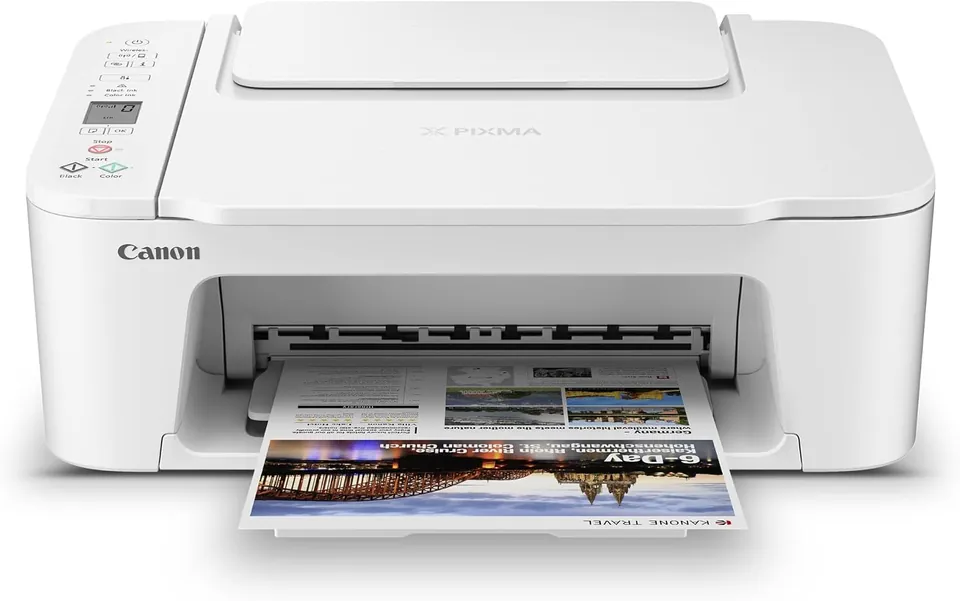
Canon
Canon PIXMA TS3720 Wireless All-in-One Printer, White
White U.S. model; Canon SKU 6671C022.
Model 6671C022
Amazon ASIN B0D1DV6FV5

Canon
Canon PIXMA TS6520 Wireless Multi-Function Home Printer, White
White U.S. model; Canon SKU 7179C002.
Model 7179C002
Amazon ASIN B0FMBTJLX6
Differences that matter
What matters most to you?
Choose a priority to see what it changes.
Sources for Ink supplies and yield information
Sources for Plain-paper capacity and loading access
Sources for Closed footprint and loaded-paper dimensions
Decide whether automatic duplex saves you a real step
The TS6520 is easier to justify when double-sided documents are routine: Canon lists 2-sided printing and specifically calls it automatic on the exact product page. The TS3720 is listed for simplex printing. Its Windows driver manual does give manual duplex steps, but the user must reload the pages for the reverse side; Canon restricts that driver option for some paper types and layouts. If you print double-sided only now and then, this may be a manageable extra task. If it is part of weekly school or office batches, the automatic path is the clearer functional difference.
This is about the print path only. The sources reviewed do not establish automatic duplex scanning, and neither printer's print-side duplex feature should be treated as proof that it can scan both sides of an original automatically.
Check the ink numbers before comparing running cost
The TS3720 uses PG-275 black and CL-276 color cartridges and Canon lists standard and XL capacities. TS6520 uses PG-295 black and CL-286 color tanks, with Canon listing their fill volumes. A person replacing a printer should not assume an old cartridge fits the other model. The available measurements also differ: TS3720's support page lists page yields, while the TS6520 page lists milliliters. Those figures are not a like-for-like yield comparison and cannot show which costs less for a given mix of text, photos and color coverage.
Before buying, identify the cartridge family already in your supply drawer, then compare current exact-SKU replacement offers and yield terms for your usual output. We do not rank ink cost here because no comparable print-volume test or matched yield specification was established.
Match the paper path to the shelf and the way you load paper
TS3720 takes paper from a rear tray: raise the support behind the printer, guide the paper stack, and pull the output tray toward you. Its plain-paper limit is 60 sheets, and Canon lists 20 sheets for 4 × 6 photo paper. TS6520 uses a front cassette with a listed 100-sheet plain-paper capacity; pull it out to load, then extend the output tray before printing. This gives TS6520 the larger listed plain-paper stack, but a drawer or shelf in front of it can make cassette access inconvenient.
Canon lists TS3720 at 17.2 × 12.9 × 5.8 inches closed. TS6520 is listed at 14.8 × 14 × 6.7 inches closed and 14.8 × 21 × 6.7 inches with paper installed. Compare the exact orientation and the path that must open on your desk, rather than selecting by the closed size alone. Neither specification gives safe top, rear or ventilation clearance; use the manual and leave the access needed for loading and output.
Choose by the borderless size you actually print
Canon lists borderless output up to 5 × 7 inches for the TS3720 and from 4 × 6 through Letter for the TS6520. The latter is the relevant option if you need a borderless page larger than 5 × 7. If your photos stay at 4 × 6 or 5 × 7, both models cover those listed sizes, so this distinction may not settle the purchase.
Borderless printing depends on the supported photo media and can trim content at the edge. Check Canon's exact print-area instructions and leave safe margins in artwork or documents where text or labels sit close to the page boundary.
Product details
Canon PIXMA TS3720 Wireless All-in-One Printer, White
The TS3720 fits a mostly one-sided routine where a 60-sheet rear tray and manual page reloading for occasional two-sided jobs are acceptable. Its PG-275/CL-276 cartridge family is distinct from the TS6520's PG-295/CL-286 supplies.
- Print sides
- Canon lists simplex capability. The TS3700-series Windows driver manual documents a manual duplex workflow that requires reloading sheets between sides. Source
- Paper input
- Rear tray: up to 60 sheets of plain paper or 20 sheets of 4 × 6-inch photo paper. Source
- Ink family
- Two-cartridge FINE hybrid system: PG-275 pigment black and CL-276 dye color; Canon lists standard and XL sizes. Source
- Closed size
- 17.2 × 12.9 × 5.8 inches (L × W × H); rear support and output tray open during loading/printing. Source
Canon PIXMA TS6520 Wireless Multi-Function Home Printer, White
The TS6520 is the workflow-oriented choice if you often print both sides or prefer to load a larger plain-paper stack into its cassette. It uses a different cartridge family from the TS3720; Canon's specifications reviewed here do not establish a comparable cost-per-page advantage.
- Print sides
- Canon lists 2-sided duplex printing and identifies Auto 2-Sided Printing for the exact TS6520 product. Source
- Paper input
- Cassette holds up to 100 sheets of plain paper; Canon's TS6500 series manual shows the cassette pulls out from the front for loading. Source
- Ink family
- Two-tank hybrid ink system: PG-295 pigment black and CL-286 dye color; Canon lists 6.7 ml and 9.9 ml tank fill volumes, respectively. Source
- Closed and paper-installed size
- 14.8 × 14 × 6.7 inches closed; Canon separately lists 14.8 × 21 × 6.7 inches with paper installed. These are product dimensions, not operating-clearance guidance. Source
Before you buy
Community discussions
Testing invitation cardstock in the PIXMA TS6520
Canon PIXMA TS6520 Wireless Multi-Function Home Printer, White
A TS6520 owner printed on plain paper but could not feed the 110 lb cardstock they bought for invitations. The post describes that paper and one printer.
What to check
For invitations, check the supported media and loading instructions for the exact printer and try the stock you plan to use before buying it in bulk.
Common questions
Does the TS3720 automatically print on both sides?
Canon's U.S. specification lists simplex capability. Canon's TS3700-series Windows driver manual describes a manual duplex workflow: print one side, reload the sheets as instructed, then print the reverse. The TS6520 is listed for automatic 2-sided printing.Canon Support for PIXMA TS3720 (U.S.; SKU 6671C022)Canon TS3700 Series Online Manual: Duplex Printing (Windows Driver)Canon Shop: PIXMA TS6520 Wireless Multi-Function Home Printer (SKU 7179C002)
Can I use the same ink for both printers?
Canon lists PG-275 black and CL-276 color for TS3720, versus PG-295 black and CL-286 color for TS6520. Check the cartridge number printed on your supplies before ordering; this guide does not compare their live prices or cost per page.Canon Support for PIXMA TS3720 (U.S.; SKU 6671C022)Canon Support for PIXMA TS6520 (U.S.; SKU 7179C002)
Which printer can hold more paper?
Canon lists up to 60 sheets of plain paper in TS3720's rear tray and up to 100 sheets in TS6520's cassette. Photo paper limits differ by size and type; consult Canon's exact paper-load tables before loading a photo stack.Canon Support for PIXMA TS3720 (U.S.; SKU 6671C022)Canon Support for PIXMA TS6520 (U.S.; SKU 7179C002)Canon TS3700 Series Online Manual: Paper Load LimitCanon TS6500 Series Online Manual: Paper Load Limit
Will either fit on a shallow shelf?
Compare the shelf with both the closed and in-use paper paths. Canon lists TS6520 at 14.8 × 14 × 6.7 inches closed and 14.8 × 21 × 6.7 inches with paper installed. TS3720 is listed at 17.2 × 12.9 × 5.8 inches closed, but its paper support opens at the back and its output tray pulls out at the front. These dimensions do not replace operating-clearance guidance.Canon Support for PIXMA TS3720 (U.S.; SKU 6671C022)Canon Support for PIXMA TS6520 (U.S.; SKU 7179C002)Canon TS3700 Series Online Manual: Front View
Does the TS6520 make larger borderless prints?
Yes, Canon lists TS6520 borderless printing through Letter (8.5 × 11 inches), while TS3720 is listed up to 5 × 7 inches. For borderless work, also check media restrictions and leave room for possible edge cropping.Canon Support for PIXMA TS3720 (U.S.; SKU 6671C022)Canon TS3700 Series Online Manual: Print AreaCanon Support for PIXMA TS6520 (U.S.; SKU 7179C002)
Sources and scope
Canon's Windows-driver manual duplex procedure is platform-specific; check the print dialog for another operating system. The TS6500 series manual was checked against Canon's series model list, which includes TS6520; the TS3700 series manual's model list includes TS3720. Canon's page-yield data for TS3720 is not a like-for-like yield comparison with TS6520's listed fill volumes, so no ink-cost winner is claimed. No controlled print-quality, speed, reliability, ink-cost or automatic duplex-scan test was performed. Body dimensions do not establish operating clearance.
- Canon Support for PIXMA TS3720 (U.S.; SKU 6671C022)
- Canon TS3700 Series Online Manual: Duplex Printing (Windows Driver)
- Canon TS3700 Series Online Manual: Print Area
- Canon TS3700 Series Online Manual: Front View
- Canon TS3700 Series Online Manual: Paper Load Limit
- Canon Support for PIXMA TS6520 (U.S.; SKU 7179C002)
- Canon Shop: PIXMA TS6520 Wireless Multi-Function Home Printer (SKU 7179C002)
- Canon TS6500 Series Online Manual: Front View
- Canon TS6500 Series Online Manual: Loading Plain Paper
- Canon TS6500 Series Online Manual: Paper Load Limit
- Canon TS6500 Series Online Manual: Model List
Related comparisons
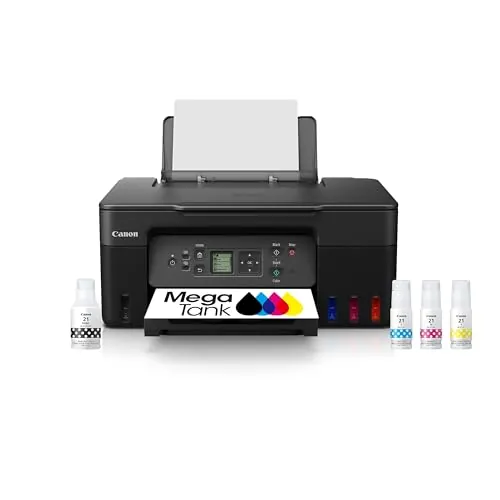
Canon PIXMA TS3720 vs G3270: Cartridge Changes, Tank Refills and Document Handling
The white Canon PIXMA TS3720 (6671C022) uses replaceable PG-275 black and CL-276 color cartridges; the black PIXMA G3270 (5805C002) uses GI-21 bottles and integrated tanks. Both print one side at a time and scan one original at a time on a flatbed, so neither is a fit for automatic duplex or feeder-based handling of a stack of stapled pages. Compare refill habits, rear-tray capacity and the way you process paperwork before choosing.
Read comparison
Canon PIXMA TR7120 vs TS6520: ADF, Ink, Duplex & Space Compared
The Canon PIXMA TR7120 adds a 35-sheet letter / 5-sheet legal automatic document feeder (ADF); the TS6520 scans from its flatbed only. Both use PG-295 black and CL-286 color ink, list a 100-sheet plain-paper cassette, and print automatically on both sides. Compare the feeder's real workflow value with the height and access your space allows.
Read comparison