
Products compared

Canon
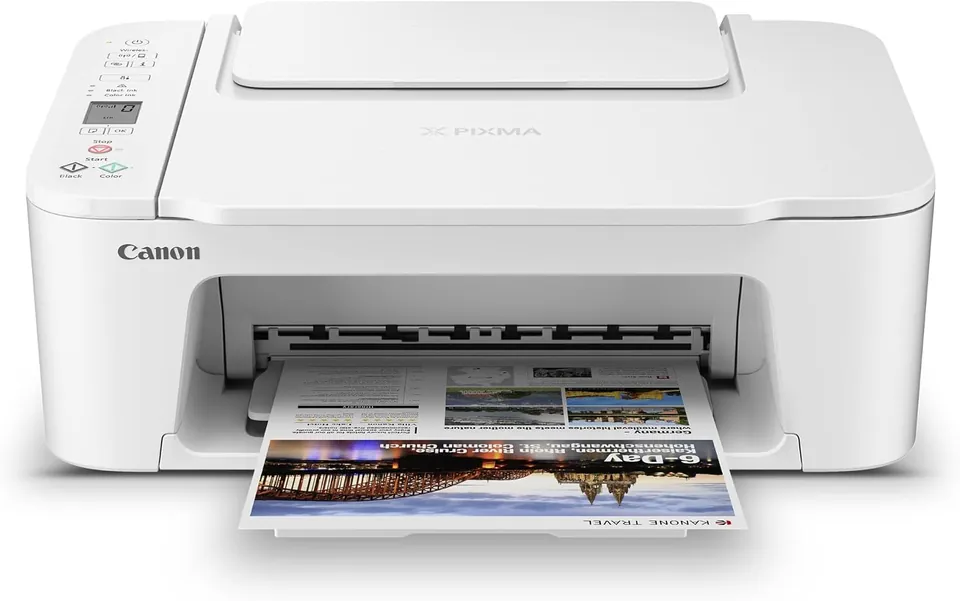
Canon PIXMA TR7120 Wireless Multi-Function Home Printer — White
White US TR7120; Canon lists PG-295 pigment black and CL-286 dye color ink, automatic duplex, a 100-sheet cassette and flatbed plus 35-sheet plain-paper/five-sheet legal ADF.
Model TR7120 (7178C002)
Amazon ASIN B0FMB4JBJ8
Canon
Canon PIXMA TS3720 Wireless Home All-in-One Printer — White
White US TS3720; Canon lists PG-275 pigment black and CL-276 dye color cartridges, a 60-sheet rear tray and flatbed scanner. Canon's Windows driver offers manual duplex with a reload step for supported settings.
Model TS3720 (6671C022)
Amazon ASIN B0D1DV6FV5
Differences that matter
What matters most to you?
Choose a priority to see what it changes.
Sources for Genuine ink codes and replacement check
Sources for Two-sided printing workflow
Sources for Loading ordinary print paper
Sources for Scanning and legal-size originals
Start with the ink already in your cabinet
Both are Canon two-cartridge inkjet all-in-ones, but the code pair differs. Canon identifies PG-295 pigment black and CL-286 dye color for TR7120, versus PG-275 pigment black and CL-276 dye color for TS3720. Canon's US ink pages explicitly list the relevant printer models for each pack. If you already keep spares, read the labels before comparing printer offers; the fact that both are Canon PIXMA models does not tell you which cartridge to buy.
Do not turn the cartridge names or fill volumes into an ink-cost winner. The TS3720 page provides standard/XL fills and stated yield, while Canon's TR7120 page lists different cartridge-volume information and does not supply a matching yield basis in the cited rows. Page coverage and purchase cost depend on print mix and conditions.
Map two-sided printing to your actual driver
For Canon's documented Windows printer driver, TR7120 can print both sides without asking you to turn over each sheet; Canon limits that automatic workflow to Letter and A4. The TS3720 manual describes printing the first side, reloading the paper as prompted, then pressing the printer's OK button. Canon disables that TS3720 manual option for non-plain paper and certain layouts.
This is a useful distinction for recurring school or home-office documents, but only within the documented driver path. The specifications and manuals cited here do not confirm what macOS, mobile printing or another application exposes. Also, printing both sides and scanning both sides are separate features: neither page here establishes duplex scanning.
Decide how pages enter and leave the printer
The TR7120 loads ordinary paper in a 100-sheet cassette. The TS3720 uses a 60-sheet rear tray, which may suit an occasional-printing routine but needs clearance when you access it to reload. Those are published maximum load quantities, not measurements of how long a stack lasts in your household or how often a printer will need attention.
For originals, Canon lists a flatbed and ADF on the TR7120, with space for up to 35 plain sheets or five legal-size sheets. Canon lists a flatbed scanner on the TS3720, which fits placing individual pages on glass; its specification does not state an ADF capacity, so confirm with Canon if a feeder is essential. The TR7120 ADF's Legal-size input applies to scanning originals; its listed print-size set does not include Legal. Canon's TS3720 print-size list does include Legal.
Product details
Canon PIXMA TR7120 Wireless Multi-Function Home Printer — White
A home all-in-one whose documented workflow emphasizes automatic Letter/A4 duplex in Canon's Windows driver, a front cassette, and an ADF for batches of originals.
Canon PIXMA TS3720 Wireless Home All-in-One Printer — White
A simpler paper-loading arrangement with a rear tray and flatbed scanning; its Canon Windows-driver duplex path is manual and setting-dependent.
- Genuine ink
- PG-275 pigment black and CL-276 dye color; Canon lists both for this model Source
- Duplex and paper feed
- Manual duplex in Canon's Windows driver requires reloading; 60-sheet rear tray Source
- Scan originals
- Canon lists a flatbed scanner with an 8.5 x 11.7-inch maximum document size Source
Before you buy
Community discussions
Trying the exact sticker paper you buy
Canon PIXMA TR7120 Wireless Multi-Function Home Printer — White
A PIXMA TR7120 owner said sticker paper that usually fed successfully stopped feeding on a later print attempt.
What to check
If you print labels or stickers, check the manufacturer’s media list for that stock and which tray and settings it needs before buying.
Common questions
Do both Canon printers print on both sides automatically?
No. In Canon's TR7100-series Windows driver, the TR7120 has automatic duplex for Letter or A4. Canon's TS3700-series Windows driver describes manual duplex: reload the sheet after the first side and press OK. The TS3720 option is for plain paper and selected layouts. These manuals do not establish equivalent behavior in other OS or app paths.TR7100 series: Duplex PrintingTS3700 series: Duplex Printing
Which genuine Canon ink codes fit the TR7120 and TS3720?
Canon lists PG-295 pigment black and CL-286 dye color for the TR7120, and PG-275 pigment black plus CL-276 dye color for the TS3720. Match the printer's exact model to Canon's compatibility list before ordering; this guide does not compare per-page ink costs or yields.Canon Support for PIXMA TR7120Canon Support for PIXMA TS3720Canon PG-295/CL-286 Value PackCanon PG-275/CL-276 Value Pack
Can the TR7120 scan Legal-size originals, and does that mean it prints Legal?
Canon specifies a Legal-size document limit for the TR7120 ADF and a capacity of five Legal originals. That is a scanner-feed specification. Canon's listed TR7120 print sizes do not include Legal, so do not infer Legal output from the ADF; verify the intended print size in Canon's exact specs.Canon Support for PIXMA TR7120
How much paper can I leave loaded?
Canon lists a 100-sheet plain-paper cassette for TR7120 and a 60-sheet rear tray for TS3720. The supported quantity can depend on paper type and environmental conditions; check the model manual when loading specialty media.Canon Support for PIXMA TR7120Canon Support for PIXMA TS3720TR7100 series: Paper Load LimitTS3700 series: Paper Load Limit
Sources and scope
This guide uses Canon U.S. specifications and Canon Windows printer-driver manuals. It is not a print-quality, speed, ink-cost or reliability test. The cited duplex workflow is specific to Canon's Windows drivers; equivalent behavior in macOS, mobile apps or other print software is not established here. ADF capacity is documented for originals, not as proof of automatic two-sided scanning. Canon's compatible cartridge lists identify different ink families, but this guide does not compare real-world page yield or cost per page.
- Canon Support for PIXMA TR7120
- Canon Support for PIXMA TS3720
- TR7100 series: Duplex Printing
- TS3700 series: Duplex Printing
- TR7100 series: Paper Load Limit
- TS3700 series: Paper Load Limit
- Canon PG-295/CL-286 Value Pack
- Canon PG-275/CL-276 Value Pack
- Canon Online Manual: TR7100 Series
- Canon Online Manual: TS3700 Series
Related comparisons

Canon PIXMA TR7120 vs TR8620a: Ink, Paper Feeds and Scanning
Both printers can automatically print on both sides and use an ADF, but neither automatically scans both sides of an original through that feeder. TR7120 holds up to 35 Letter sheets in its ADF; TR8620a holds 20 and adds fax, five individual ink tanks, a 100-sheet rear feed and Ethernet. Match the exact cartridge family and the paper or scan task you do most.
Read comparison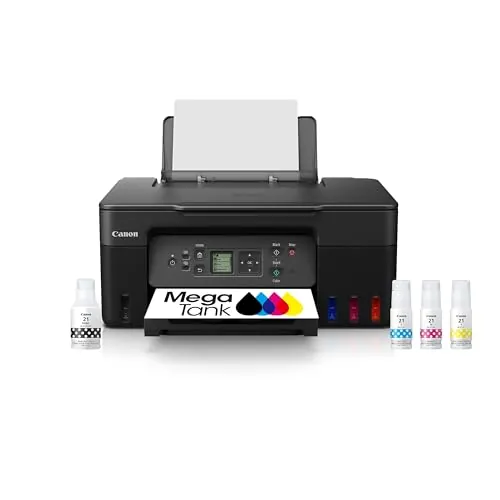
Canon PIXMA TS3720 vs G3270: Cartridge Changes, Tank Refills and Document Handling
The white Canon PIXMA TS3720 (6671C022) uses replaceable PG-275 black and CL-276 color cartridges; the black PIXMA G3270 (5805C002) uses GI-21 bottles and integrated tanks. Both print one side at a time and scan one original at a time on a flatbed, so neither is a fit for automatic duplex or feeder-based handling of a stack of stapled pages. Compare refill habits, rear-tray capacity and the way you process paperwork before choosing.
Read comparison