
Products compared

Canon
Canon PIXMA TS6520 Wireless Color Inkjet All-in-One Printer (White)
A color inkjet for printing documents and photos, with a flatbed scanner and automatic two-sided printing. For a multipage scan, plan to place each sheet on the glass and continue the scan sequence; there is no ADF.
Model 7179C002 / TS6520
Amazon ASIN B0FMBTJLX6
Brother
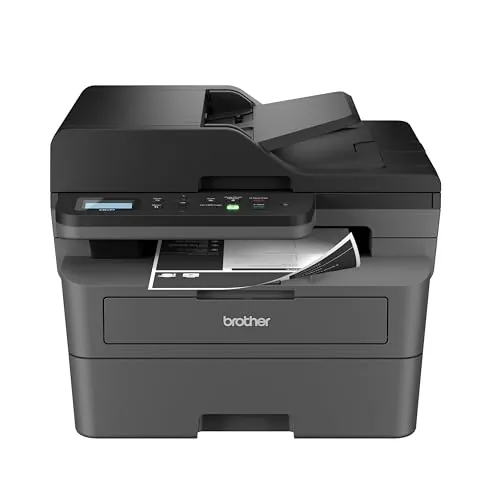
Brother DCP-L2640DW Wireless Monochrome Laser All-in-One Printer
A black-and-white laser printer/copier with an automatic document feeder for suitable loose originals. Scans can be color or monochrome, but duplex scanning is not listed; turn two-sided originals manually if you need both sides digitized.
Model DCP-L2640DW
Amazon ASIN B0CPLFTPCV
Differences that matter
What matters most to you?
Choose a priority to see what it changes.
Sources for Originals to scan
Sources for Paper input and network
Sources for Replacement system
Start with the page you need to print
The decisive split is output: the TS6520 is the color-printing option, while the DCP-L2640DW prints and copies in black and white. Brother's color scanning is still useful for saving a color original digitally, but it does not add color printing. If you print photos, color forms or marked-up documents, keep that distinction ahead of paper capacity or feeder convenience.
A stack of originals changes the scanning workflow
Canon lists a flatbed scanner and no ADF capacity for the TS6520. For a multipage document, Canon's panel-scan instructions start with an original on the platen; its scan sequence is a one-sheet-at-a-time task. Brother adds a 50-page ADF for multipage copy and scan jobs. That is a practical difference for loose pages, but Brother lists duplex scanning as No, so it does not automatically capture both sides of a two-sided sheet. The word “duplex” in the printer description refers to printing both sides.
Paper capacity and desk connections
Canon lists a 100-sheet plain-paper cassette. Brother lists a 250-sheet input tray and Ethernet in addition to dual-band Wi-Fi and USB 2.0; Canon lists dual-band Wi-Fi and Hi-Speed USB. The larger Brother tray gives more input capacity on paper, but actual refill timing depends on the pages and media you use. If a wired network connection matters, the Brother's listed Ethernet port is the distinguishing option; otherwise, confirm your Wi-Fi or direct-USB setup before purchase.
Ink cartridges versus toner and a separate drum
Canon's two-cartridge hybrid ink system uses PG-295 pigment black and CL-286 dye-based color cartridges; the manual describes replacing the black and color cartridges separately. Brother lists TN830-family black toner and a separate DR830 drum, and its product page names a starter toner cartridge and drum unit in the box. These are different replenishment systems, not a running-cost verdict. Check today's exact supply price, stated yields and your expected mix of mono and color pages before deciding.
Before you choose
Write down three things: whether any routine page must print in color, how often you scan a stack, and whether those originals are one- or two-sided. Color plus occasional flatbed scans points toward the Canon; monochrome paperwork plus batches of single-sided scans points toward the Brother. If you need color output and automatic batch feeding together, compare a different color all-in-one with an ADF and inspect its duplex-scan specification separately.
Product details
Canon PIXMA TS6520 Wireless Color Inkjet All-in-One Printer (White)
- Print and scan workflow
- Color inkjet printing; 2-sided printing; flatbed scan, with ADF capacity listed as N/A. Source
- Paper and connection
- 100-sheet plain-paper cassette; dual-band Wi-Fi and Hi-Speed USB are listed. Source
- Ink system
- Two cartridges: PG-295 pigment black and CL-286 dye-based color. Canon lists starter cartridges in the box. Source
Brother DCP-L2640DW Wireless Monochrome Laser All-in-One Printer
- Print and scan workflow
- Monochrome printing and copying; color or monochrome scanning; 50-page ADF; duplex scanning listed as No. Source
- Paper and connection
- 250-sheet standard paper input; Ethernet, dual-band wireless and Hi-Speed USB 2.0 are listed. Source
- Toner and drum
- Brother lists TN830-family black toner and a separate DR830 drum. The box contents list a starter black toner cartridge and drum unit. Source
Before you buy
Community discussions
Checking color on the sticker paper you plan to use
Canon PIXMA TS6520 Wireless Color Inkjet All-in-One Printer (White)
A new PIXMA TS6520 owner reported that color on matte sticker paper and plain paper looked less saturated than they wanted despite trying more than one print source.
What to check
If stickers are the reason you need color, print a sample on the intended media. If your everyday job is black text from a paper stack, prioritize the document-feeder workflow separately.
Comparing a grayscale print with a copy
Canon PIXMA TS6520 Wireless Color Inkjet All-in-One Printer (White)
A TS6520 owner said a black-and-gray image printed lighter than a document copied on the same unit.
What to check
If you need both jobs, test a file and copy an original with the settings you use most. Check the media and driver options for each job.
Finding the printer on a Chromebook
Canon PIXMA TS6520 Wireless Color Inkjet All-in-One Printer (White)
A TS6520 owner said the printer joined their wireless network but they could not add it on a Chromebook, including by IP address.
What to check
If ChromeOS is your main print device, check the manufacturer’s setup steps and test discovery on the network you will use.
Common questions
Can the Brother DCP-L2640DW print in color?
No. Brother identifies this exact model as a monochrome black-and-white printer/copier. Its scanner can capture color, which is a separate function.DCP-L2640DW Wireless Monochrome Laser All-in-One Printer
Does the Brother feeder scan both sides automatically?
No. Brother lists a 50-page ADF but lists Duplex Scanning as No. If an original is printed on both sides, plan to turn or refeed it for the second side.DCP-L2640DW Wireless Monochrome Laser All-in-One Printer
Does the Canon TS6520 have automatic duplex printing or a feeder?
Canon lists two-sided printing, but its exact-model specification identifies a flatbed scanner and ADF capacity N/A. ADF-free multipage scanning means placing sheets on the platen one at a time.PIXMA TS6520 Technical Specifications, Version 1.0TS6500 Series: Using Operation Panel to Scan
Which printer has lower running costs?
This guide does not establish that. The Canon uses black and color ink cartridges, while the Brother uses toner and a separate drum. Compare current supply prices, expected page volume, color needs and each manufacturer's yield conditions for your own use.TS6500 Series: Replacing a FINE CartridgeDCP-L2640DW Wireless Monochrome Laser All-in-One Printer
Sources and scope
This guide covers the assigned U.S. listing data products: Canon PIXMA TS6520 white, model 7179C002 (product 6939 / ASIN B0FMBTJLX6), followed by Brother DCP-L2640DW (product 6940 / ASIN B0CPLFTPCV). It compares manufacturer-listed features and operating workflows, not observed print quality, scan speed, reliability, running cost or hands-on results. The Brother feeder is not duplex; neither machine automates scanning both sides of a two-sided original. Confirm your exact replacement supplies and supported paper before ordering.
Related comparisons

Canon PIXMA TR7120 vs TS6520: ADF, Ink, Duplex & Space Compared
The Canon PIXMA TR7120 adds a 35-sheet letter / 5-sheet legal automatic document feeder (ADF); the TS6520 scans from its flatbed only. Both use PG-295 black and CL-286 color ink, list a 100-sheet plain-paper cassette, and print automatically on both sides. Compare the feeder's real workflow value with the height and access your space allows.
Read comparison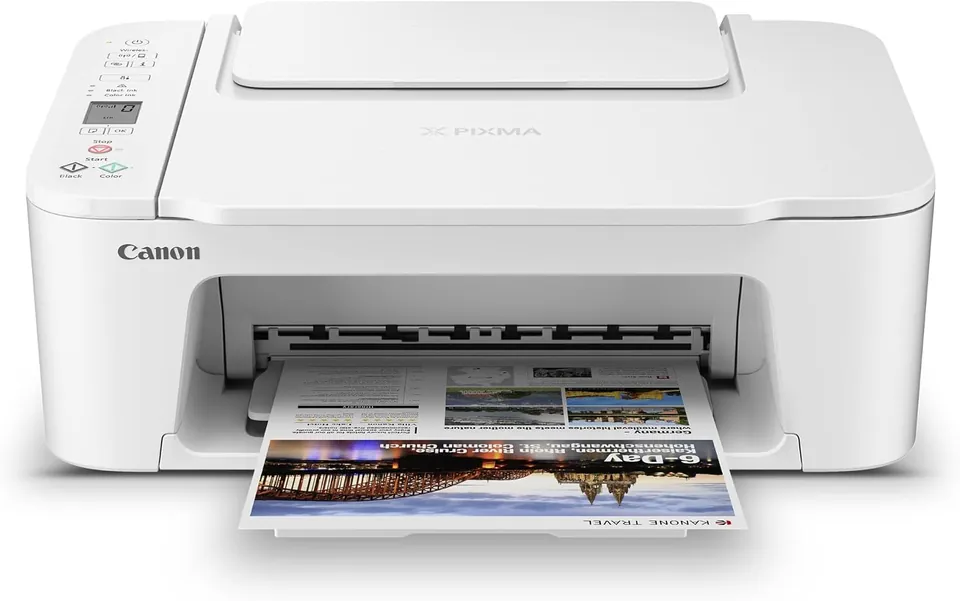
Canon PIXMA TS3720 vs TS6520: Duplex, Ink and Paper Loading
For the exact white U.S. models TS3720 (6671C022) and TS6520 (7179C002), choose around how you print: the TS6520 adds automatic duplex, borderless output through Letter, and a 100-sheet cassette. The TS3720 lists simplex capability, with manual duplex instructions in Canon's Windows driver; it loads up to 60 plain sheets at the rear. Their ink families differ, and Canon's published yield data is not directly comparable, so this guide does not name a lower-cost printer.
Read comparison