
Products compared
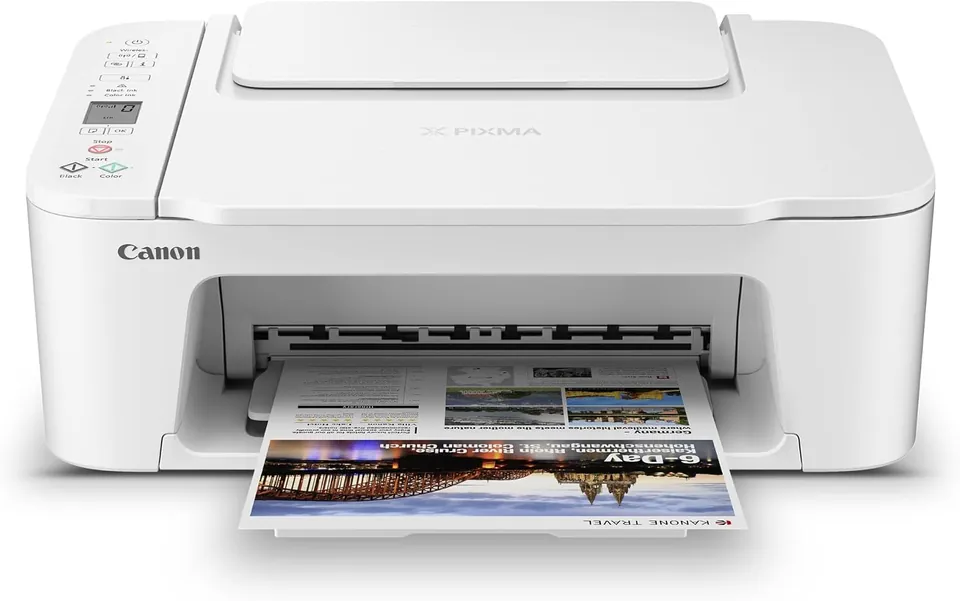
Canon
Canon PIXMA TS3720 Wireless Home All-in-One Printer, White
Canon SKU 6671C022; selected listing and white variant. The Canon U.S. TS3720 product page used by the upstream guide calls it a wireless all-in-one. The exact Amazon offer and box contents should be confirmed at checkout.
Model 6671C022
Amazon ASIN B0D1DV6FV5
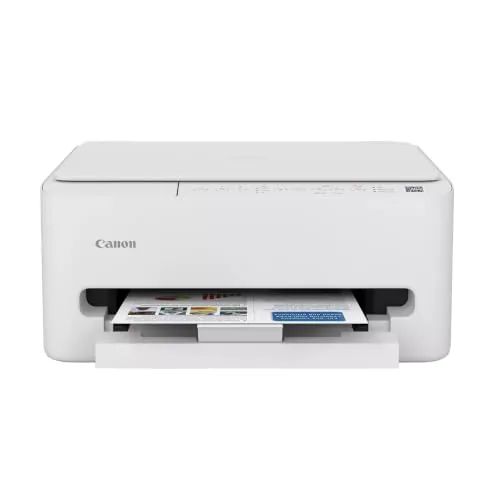
Canon
Canon PIXMA TS4320 Wireless Multi-Function Home Printer, White
Canon U.S. SKU 7181C002, white. Canon describes it as a print/copy/scan model with wireless printing. Its product page lists automatic 2-sided printing, but the exact ENERGY STAR record for model TS4320/K10633 contradicts that field; verify the actual offer and driver before buying for duplex.
Model 7181C002
Amazon ASIN B0FMBGXC2C
Differences that matter
What matters most to you?
Choose a priority to see what it changes.
Sources for Automatic versus manual two-sided printing
Sources for Paper loading for the jobs you repeat
Sources for Ink in the box and ongoing cartridge check
Choose by the page jobs you run, not the word duplex
For the white TS3720 (Canon SKU 6671C022), Canon's U.S. product page lists single-sided/simplex printing and a rear tray for up to 60 sheets of plain paper. The TS3700-series Windows driver manual covers TS3720 and describes a manual two-sided workflow: print one side, reload the paper as prompted, and resume. It is disabled with non-plain media and when Borderless is selected.
Canon's U.S. TS4320 page (SKU 7181C002) lists automatic 2-sided printing and a 100-sheet plain-paper cassette. Its TS4300-series Windows guide says automatic duplex is available when Letter or A4 is selected. But the ENERGY STAR record titled Canon TS4320 / K10633 lists 'Automatic Duplex Output Capable: No.' The available sources do not connect K10633 to Canon SKU 7181C002 or explain the conflict. If duplex is your reason to choose TS4320, verify the exact SKU and current driver before checkout, and don't assume every size, media type or host is covered.
A practical test is to list your common assignments: school forms printed double-sided, plain-paper stack size, and specialty or photo pages. If most jobs are one-sided and within 60 sheets, the TS3720's documented tray and simplex workflow may cover them. If a larger stack or verified automatic duplex matters, check TS4320's exact offer and test the specific Windows/driver setup.
Check the paper size and supported stock before printing borderless
Canon lists TS3720 borderless output up to 5 × 7 inches. The TS3700-series manual, whose model index includes TS3720, identifies supported photo media, says borderless output is unavailable for Letter, Legal, A4, A5 and B5, and warns that slightly enlarging the image may crop edges. On TS4320, Canon lists borderless output from 4 × 6 through Letter; its product page excludes envelopes, High Resolution Paper, T-Shirt Transfer and Photo Stickers from borderless printing.
Before ordering, write down the largest paper size and stock you actually need. Match both size and media to Canon's list, and allow room for the edge-cropping behavior documented for TS3720. The TS4320's listed Letter borderless maximum does not prove that borderless can be combined with duplex for every job.
Verify ink, scanning and the computer or phone you will use
Canon lists PG-295 Black and CL-286 Color in the TS4320 box. The prior TS3720 official page evidence confirms the white 6671C022 model and core print features but does not establish cartridge codes or included consumables for the currently selected Amazon listing. Match the offer's box contents and replacement cartridge codes before comparing costs; this guide does not claim a per-page-cost or yield winner.
Both products are described by Canon as wireless multifunction/all-in-one printers. The TS4300-series manual explicitly identifies TS4320 and gives scan-to-computer and scan-to-smartphone/tablet workflows, as well as supported operating-system families. It also warns that some functions may vary by OS. Available cited evidence does not establish a scan-quality or host-compatibility advantage for TS3720; check Canon's current compatibility information for the exact device you plan to print or scan from.
Product details
Canon PIXMA TS3720 Wireless Home All-in-One Printer, White
- Plain-paper input and listed print capability
- Canon lists simplex/single-sided printing and a rear tray holding up to 60 sheets of plain paper. Source
- Borderless print size
- Canon lists borderless output up to 5 × 7 inches. The TS3700-series manual says supported photo media is required and warns that edge cropping can occur. Source
Canon PIXMA TS4320 Wireless Multi-Function Home Printer, White
- Plain-paper input and listed print capability
- Canon lists a 100-sheet plain-paper cassette and automatic 2-sided printing. The U.S. product page and its driver manual support this feature, while an ENERGY STAR record for TS4320/K10633 says automatic duplex output capable: No; resolve the exact offer/record before relying on duplex. Source
- Borderless print size and media exclusions
- Canon lists borderless output from 4 × 6 through 8.5 × 11 inches. Its product footnote excludes envelopes, High Resolution Paper, T-Shirt Transfer and Photo Stickers from borderless printing. Source
- Starter ink and host details
- Canon lists PG-295 Black and CL-286 Color cartridges in the box. Its TS4300-series manual covers the TS4320 and lists Windows 11/10/8.1/7 SP1, macOS 12–15, iOS/iPadOS, Android and Chrome OS; some functions may vary by OS. Source
Before you buy
Community discussions
A TS4320 owner tests grayscale photos on matte paper
Canon PIXMA TS4320 Wireless Multi-Function Home Printer, White
A new TS4320 owner reported a blue tint in grayscale photos on matte paper and asked what else to check before returning the unit.
What to check
If monochrome photos are important, verify the supported size and media, then try your usual file and paper before committing to a batch.
Common questions
Does the TS4320 definitely support automatic duplex printing?
Canon's U.S. TS4320 page lists Auto 2-Sided Printing, and Canon's TS4300-series Windows driver guide describes automatic duplex for Letter and A4. However, an ENERGY STAR record named Canon TS4320 / K10633 says 'Automatic Duplex Output Capable: No.' The source set does not link that certification number to Canon SKU 7181C002. If duplex is essential, verify the exact offer and driver before buying; do not assume the feature is universal across media and hosts.Shop Canon PIXMA TS4320 Wireless Multi-Function Home Printer (Canon U.S.A.)Canon Inkjet Manuals: TS4300 series Duplex Printing (Windows Printer Driver)ENERGY STAR Certified Imaging Equipment: Canon TS4320 / K10633
Can the TS3720 print two-sided pages?
Canon lists TS3720 as simplex. Its TS3700-series Windows driver manual documents manual duplex that requires reloading paper between sides; it is unavailable for non-plain media and when borderless printing is selected. That is not automatic duplex.Shop Canon PIXMA TS3720 Wireless Home All-in-One Printer (Canon U.S.A.)Canon Inkjet Manuals: TS3700 series Duplex Printing (Windows Printer Driver)
Which model handles a larger borderless print?
Canon lists TS3720 up to 5 × 7 inches and TS4320 from 4 × 6 through Letter. Check the supported paper types: the TS3720 manual specifies photo media, while Canon's TS4320 page excludes envelopes, High Resolution Paper, T-Shirt Transfer and Photo Stickers from borderless printing. Allow for possible edge cropping where the manual warns of it.Shop Canon PIXMA TS3720 Wireless Home All-in-One Printer (Canon U.S.A.)Canon Inkjet Manuals: TS3700 series Print AreaShop Canon PIXMA TS4320 Wireless Multi-Function Home Printer (Canon U.S.A.)
What ink comes in the TS4320 box?
Canon lists PG-295 Black and CL-286 Color cartridges in the TS4320 box. Check the specific seller offer for included consumables; this guide does not estimate cartridge cost or page yield and does not establish the TS3720 offer's included cartridge codes.Shop Canon PIXMA TS4320 Wireless Multi-Function Home Printer (Canon U.S.A.)
Are these printers mainly for scanning or printing?
Canon describes both as multifunction/all-in-one printers. The TS4320 manual includes scan-to-computer and scan-to-smartphone/tablet workflows, but the cited evidence does not establish a comparative scan-quality or workflow winner. Confirm your exact OS and desired scan path with Canon before choosing.Shop Canon PIXMA TS3720 Wireless Home All-in-One Printer (Canon U.S.A.)Shop Canon PIXMA TS4320 Wireless Multi-Function Home Printer (Canon U.S.A.)Canon Inkjet Manuals: TS4300 series Online Manual (TS4320)
Sources and scope
Canon's TS4320 U.S. page and Windows guide describe automatic duplex printing on Letter and A4, while an ENERGY STAR record for TS4320/K10633 says automatic duplex is not supported. The sources do not establish whether K10633 maps to U.S. SKU 7181C002. Before relying on duplex, confirm the exact model and driver on your computer. Check paper and borderless-mode limits for the job you plan to print.
- Shop Canon PIXMA TS3720 Wireless Home All-in-One Printer (Canon U.S.A.)
- Canon Inkjet Manuals: TS3700 series Online Manual
- Canon Inkjet Manuals: TS3700 series Duplex Printing (Windows Printer Driver)
- Canon Inkjet Manuals: TS3700 series Print Area
- Shop Canon PIXMA TS4320 Wireless Multi-Function Home Printer (Canon U.S.A.)
- Canon Inkjet Manuals: TS4300 series Duplex Printing (Windows Printer Driver)
- ENERGY STAR Certified Imaging Equipment: Canon TS4320 / K10633
- Canon Inkjet Manuals: TS4300 series Online Manual (TS4320)
- Canon Inkjet Manuals: TS4300 series Product Specifications
Related comparisons
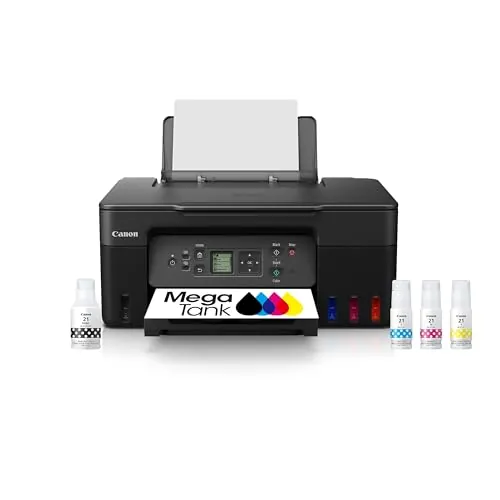
Canon PIXMA TS3720 vs G3270: Cartridge Changes, Tank Refills and Document Handling
The white Canon PIXMA TS3720 (6671C022) uses replaceable PG-275 black and CL-276 color cartridges; the black PIXMA G3270 (5805C002) uses GI-21 bottles and integrated tanks. Both print one side at a time and scan one original at a time on a flatbed, so neither is a fit for automatic duplex or feeder-based handling of a stack of stapled pages. Compare refill habits, rear-tray capacity and the way you process paperwork before choosing.
Read comparison
Canon PIXMA TR7120 vs TS4320: ADF, Ink and Paper Handling
For the exact white U.S. models TR7120 (7178C002) and TS4320 (7181C002), the meaningful difference is document handling: TR7120 has a 35-sheet ADF and 1.42-inch OLED, while TS4320 has a flatbed and no display. Canon lists the same PG-295 black and CL-286 color cartridges, a 100-sheet plain-paper cassette, dual-band Wi-Fi and USB for both. Both print two-sided; that does not establish automatic duplex scanning.
Read comparison