
Products compared

Canon
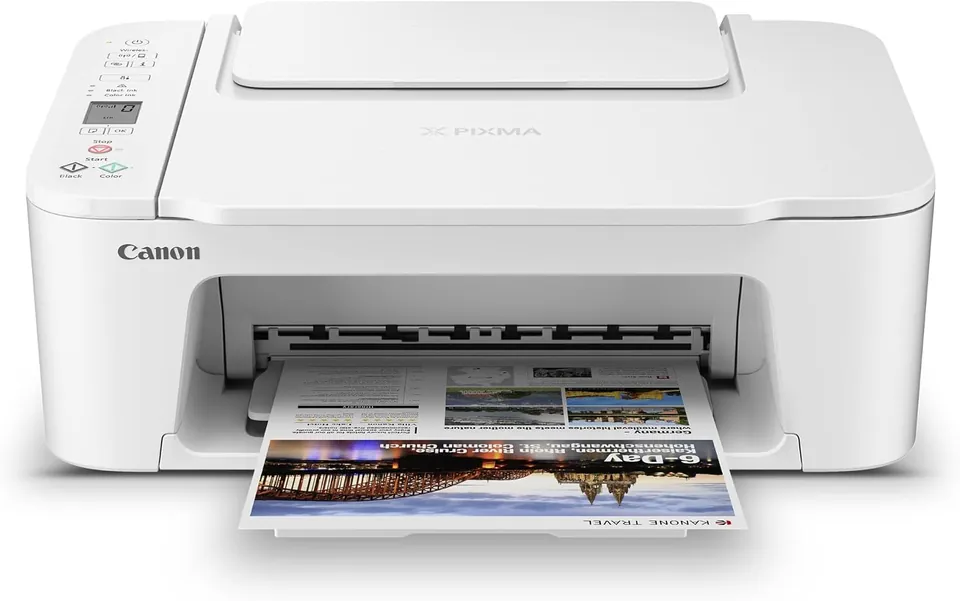
Canon PIXMA TS6520 Wireless Color Inkjet Printer
White U.S. variant; listed model and part number 7179C002.
Model 7179C002
Amazon ASIN B0FMBTJLX6
Canon
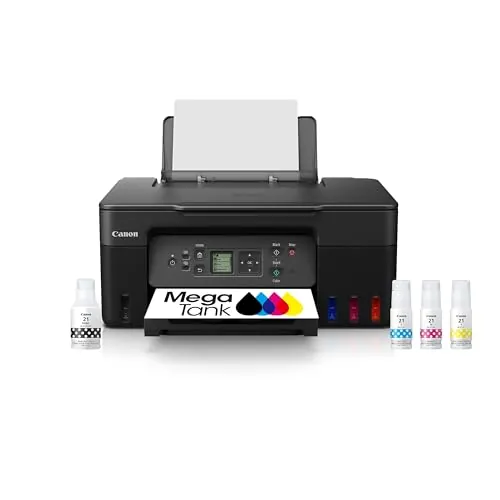
Canon MegaTank PIXMA G3270 Wireless All-in-One Printer
Black U.S. variant; listed model and part number 5805C002. Canon's G3070-series manual explicitly lists G3270 as a covered model.
Model 5805C002
Amazon ASIN B0BSMSYM9N
Differences that matter
What matters most to you?
Choose a priority to see what it changes.
Sources for Ink supply and routine maintenance
Sources for Two-sided printing workflow
Sources for Paper sizes and loading
Sources for Flatbed scanning specifications
The main tradeoff is replacing cartridges or refilling tanks
TS6520 uses two replaceable FINE units: PG-295 pigment black and CL-286 color. Canon's manual describes lifting the scanner cover, removing the used cartridge, and fitting the matching replacement. G3270 has four integrated tanks for black, cyan, magenta, and yellow, filled from corresponding GI-21 bottles.
For G3270, Canon's guide says to refill to the upper line and reset the remaining-ink count after a full refill when the monitoring function is enabled. That is a different maintenance routine, not proof that one printer has lower total ink costs or longer real-world yield. Compare the exact genuine-supply prices and your print mix if cost is the deciding factor.
Treat the duplex documentation as two different workflows
Canon's TS6520 product specification lists 2-sided (duplex) printing. In the TS6500 Windows driver manual, the user can choose automatic duplex or check the manual-duplex option. Confirm supported paper and application settings for your particular job.
Canon's exact G3270 specification says single-sided (simplex), while Canon links the G3070-series manual from the G3270 support page and the manual's supported-model list includes G3270. That Windows guide provides a manual sequence: print one side, reload the sheets when prompted, then press OK. Treat that as a manual workflow for supported driver/media combinations, not automatic duplex or universal platform support.
Check your paper path and original size
TS6520 uses a 100-sheet cassette and Canon lists letter, photo and card sizes, and #10 envelopes. G3270 feeds from a rear tray rated for 100 plain sheets or 20 4 × 6 sheets; its support page also explicitly lists Legal, A4, A5, A6, B5 and custom sizes. Check the exact paper size and media before you depend on duplex, borderless, or specialty-stock behavior.
Both are flatbed scanners with a listed maximum original of 8.5 × 11.7 inches. Canon lists TS6520 at 1200 × 2400 dpi optical and G3270 at 600 × 1200 dpi. Treat these as published specifications; they do not predict the result on your photographs, receipts, or faded documents.
Product details
Canon PIXMA TS6520 Wireless Color Inkjet Printer
TS6520 is the cartridge option in this pair. Canon's U.S. page lists its black PG-295 and color CL-286 FINE units and 2-sided printing. The series driver manual allows automatic or manual duplex; supported media/settings still matter.
- Ink system
- Two replaceable FINE cartridge units: PG-295 pigment black and CL-286 dye color cartridge Source
- Two-sided printing
- Canon lists 2-sided (duplex) printing; the TS6500 Windows driver manual supports automatic or manual duplex selection Source
- Paper feed and scanning
- 100-sheet plain-paper cassette; flatbed optical scan resolution 1200 × 2400 dpi; maximum original 8.5 × 11.7 in Source
Canon MegaTank PIXMA G3270 Wireless All-in-One Printer
G3270 is the refillable-tank option. Canon lists four integrated tanks and matching GI-21 bottles. Its support page lists single-sided printing, and also links the G3070-series manual that covers G3270 and documents manual two-sided printing from Windows.
- Ink system
- Four integrated tanks: GI-21 pigment black and GI-21 dye cyan, magenta, and yellow bottles Source
- Two-sided printing
- Exact G3270 spec lists single-sided (simplex); its linked G3070-series Windows driver guide documents manual two-sided printing that requires paper reloading and pressing OK Source
- Paper feed and scanning
- Rear tray: 100 plain sheets or 20 4 × 6 photo sheets; flatbed optical scan resolution 600 × 1200 dpi; maximum original 8.5 × 11.7 in Source
Before you buy
Community discussions
Streaks during a G3270 sticker run
Canon MegaTank PIXMA G3270 Wireless All-in-One Printer
A G3270 owner reported colored lines after printing about 100 stickers. They said cleaning and alignment did not clear the lines and Canon recommended service.
What to check
If stickers are part of your routine, check the supported media and print a few samples with your actual paper and app before running a larger batch.
Choosing a media setting for matte vinyl
Canon MegaTank PIXMA G3270 Wireless All-in-One Printer
A G3270 user printing stickers on matte vinyl saw ink bleed after selecting Matte Photo Paper and asked which setting matched the stock.
What to check
Check the vinyl maker’s recommended setting against Canon’s supported media, then print one sheet before committing to a larger run.
Checking a heavy cardstock feed
Canon PIXMA TS6520 Wireless Color Inkjet Printer
A household whose TS6520 handled ordinary paper said it would not pick up the 110 lb cardstock they wanted for invitations.
What to check
Check the exact size, weight and media type with Canon. Test your chosen stock in the specified tray before starting a batch.
Common questions
Is the G3270 an automatic duplex printer?
Canon's exact G3270 support page lists single-sided (simplex) printing. Canon also links a G3070-series Windows guide that lists G3270 as a supported model and describes manual two-sided printing with a paper reload and OK-button confirmation. That does not establish automatic duplex, or availability for every driver, application, paper type, or operating system.Canon Support for MegaTank PIXMA G3270 — U.S. specificationsCanon G3070 Series Online Manual — supported modelsCanon G3070 Series Windows Printer Driver — Duplex Printing
What ink does each printer use?
TS6520 uses PG-295 pigment black and a CL-286 dye color FINE cartridge. G3270 uses integrated tanks with GI-21 pigment black and dye cyan, magenta, and yellow bottles. Match replacement supplies to the exact printer and color before ordering.Canon Support for PIXMA TS6520 — U.S. specificationsCanon Support for MegaTank PIXMA G3270 — U.S. specifications
Does G3270 refilling require a reset?
Canon's G3070-series manual covers G3270 and says that when the remaining-ink notification function is enabled, the remaining ink count should be reset after refilling to the upper limit line. Do not reset the count when the tank is not full.Canon G3070 Series Online Manual — supported modelsCanon G3070 Series Online Manual — Refilling Ink TanksCanon G3070 Series Online Manual — Other Device Settings and Ink Count Reset
Which one has the better scanner?
Canon lists flatbed optical scan resolution of 1200 × 2400 dpi for TS6520 and 600 × 1200 dpi for G3270, with the same maximum original size of 8.5 × 11.7 inches. This comparison does not measure scan quality; test the software and settings you expect to use if that is decisive.Canon Support for PIXMA TS6520 — U.S. specificationsCanon Support for MegaTank PIXMA G3270 — U.S. specifications
Sources and scope
This comparison uses Canon U.S. specifications and manuals, not hands-on print or scan tests. Canon's exact G3270 specification page lists simplex printing; the G3270-linked G3070-series Windows driver guide documents a manual two-sided workflow. Treat that as a documented Windows procedure for compatible jobs, not an automatic-duplex specification or a guarantee for every media type, application, OS, or driver. The listed scanner resolutions are specifications, not measured output quality. No comparable lifetime ink cost or yield result is established.
- Canon Support for PIXMA TS6520 — U.S. specifications
- Canon TS6500 Series Online Manual — supported models and maintenance topics
- Canon TS6500 Series Online Manual — Replacing a FINE Cartridge
- Canon TS6500 Series Windows Printer Driver — Page Setup Tab
- Canon Support for MegaTank PIXMA G3270 — U.S. specifications
- Canon G3070 Series Online Manual — supported models
- Canon G3070 Series Online Manual — Refilling Ink Tanks
- Canon G3070 Series Online Manual — Other Device Settings and Ink Count Reset
- Canon G3070 Series Windows Printer Driver — Duplex Printing
Related comparisons
Canon PIXMA TS3720 vs G3270: Cartridge Changes, Tank Refills and Document Handling
The white Canon PIXMA TS3720 (6671C022) uses replaceable PG-275 black and CL-276 color cartridges; the black PIXMA G3270 (5805C002) uses GI-21 bottles and integrated tanks. Both print one side at a time and scan one original at a time on a flatbed, so neither is a fit for automatic duplex or feeder-based handling of a stack of stapled pages. Compare refill habits, rear-tray capacity and the way you process paperwork before choosing.
Read comparison
Canon PIXMA TR7120 vs TS6520: ADF, Ink, Duplex & Space Compared
The Canon PIXMA TR7120 adds a 35-sheet letter / 5-sheet legal automatic document feeder (ADF); the TS6520 scans from its flatbed only. Both use PG-295 black and CL-286 color ink, list a 100-sheet plain-paper cassette, and print automatically on both sides. Compare the feeder's real workflow value with the height and access your space allows.
Read comparison