
Products compared

Canon
Canon PIXMA TR7120 Wireless Multi-Function Home Printer
White U.S. listing data selection; Canon SKU 7178C002. Two-cartridge FINE system, flatbed plus ADF, automatic duplex printing, and wireless connectivity.
Model 7178C002
Amazon ASIN B0FMB4JBJ8
Canon
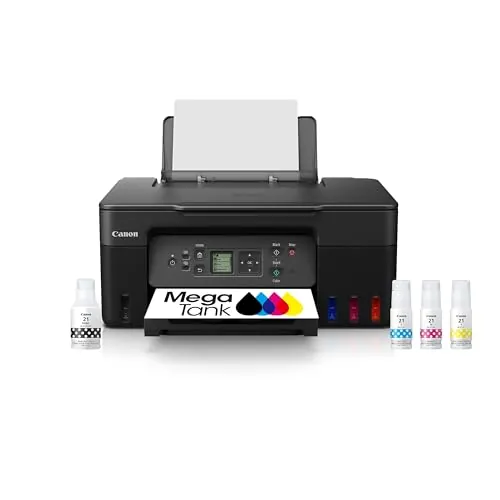
Canon MegaTank PIXMA G3270 Wireless All-in-One Printer
Black U.S. listing data selection; Canon SKU 5805C002. Four-color GI-21 refillable tanks and a flatbed scanner; Canon lists single-sided printing.
Model 5805C002
Amazon ASIN B0BSMSYM9N
Differences that matter
What matters most to you?
Choose a priority to see what it changes.
Sources for Printing on both sides
Choose the ink task you want to handle
The white TR7120 uses two FINE cartridges: PG-295 pigment black and CL-286 dye-based color. Canon's manual describes replacing a FINE cartridge when it runs out. The black G3270 instead has four integrated tanks with GI-21 black and color bottles. Its refill procedure opens the matching tank, aligns the bottle, fills to the upper line, then closes the cap; if remaining-ink notification is enabled, Canon says to reset the count after refilling.
These are different maintenance routines, not a cost comparison. Think about whether you prefer replacing cartridges or handling bottle top-ups and tank-level checks. The listed cartridge and bottle systems do not establish which costs less for your pages or how often you will replenish them.
Test your batch against the TR7120 feeder rules
For supported same-size plain-paper originals, TR7120's ADF accepts up to 35 Letter/A4 sheets or 5 Legal sheets. Canon also specifies thickness and weight limits and excludes several unusual or damaged originals. If a page is a photo, fragile, curled, stapled, or otherwise outside those rules, use the platen instead of forcing it into a stack.
G3270 has a flatbed scanner rather than an ADF. Canon's G3270-family procedure for a multi-page PDF scans the first original on the platen, then asks whether to continue; choose Yes, place the next sheet on the glass, and scan again. For a short occasional packet that may be acceptable. For repeated batches, consider how many times you are willing to lift and reload originals.
Separate two-sided printing from two-sided scanning
TR7120 can automatically print on both sides, according to Canon's specifications. G3270 is listed for single-sided printing. That is a print-output distinction; it does not change what the TR7120 ADF can scan. The feeder still cannot automatically scan both sides of a double-sided original.
If you print school handouts, forms, or reference sheets on both faces, the TR7120 is the documented fit for automatic duplex printing. If your larger need is automatic duplex scanning or copying of stacks, keep comparing: the TR7120 instructions require a manual process for double-sided originals, and the G3270 uses a flatbed.
Product details
Canon PIXMA TR7120 Wireless Multi-Function Home Printer
The TR7120's cartridge routine is to replace a FINE cartridge when it is empty. Its ADF handles a bounded set of same-size plain-paper originals, making it the model to consider when you often scan or copy batches. That does not make it an automatic duplex scanner: Canon says two-sided originals cannot be scanned automatically through the ADF.
- Ink method
- Two FINE cartridges: PG-295 pigment black and CL-286 dye-based color; replace the cartridge that runs out. Source
- Batch scan
- Flatbed plus ADF. Canon supports up to 35 same-size plain-paper Letter/A4 sheets or 5 Legal sheets; double-sided originals cannot be scanned automatically by the ADF. Source
- Print handling
- Canon lists automatic two-sided (duplex) printing. Source
Canon MegaTank PIXMA G3270 Wireless All-in-One Printer
The G3270 uses integrated tanks and bottle refills rather than removable FINE cartridges. Canon's documented multi-page PDF workflow places each original on the platen, scans it, then asks whether to continue with the next page. This can fit occasional batches if page-by-page handling is acceptable; the printer's official specification is single-sided printing.
- Ink method
- Four integrated tanks using GI-21 pigment black and dye-based cyan, magenta, and yellow ink bottles; refill each color to its tank's upper limit line. Source
- Batch scan
- Flatbed scanner only. Canon's G3070-series instructions, which list G3270, create a multi-page PDF by scanning from the platen, then loading the next original and continuing. Source
- Print handling
- Canon lists single-sided (simplex) printing. Source
Before you buy
Community discussions
Check the two-sided print workflow on your computer
Canon MegaTank PIXMA G3270 Wireless All-in-One Printer
A G3270 owner using a Mac reported that automatic duplex and manual odd/even-page options were unavailable in their print workflow after trying the driver and settings.
What to check
If automatic two-sided printing is part of your routine, try a representative job from your own computer and app before deciding between these printers.
Frequent sticker-sheet printing from a G3270
Canon MegaTank PIXMA G3270 Wireless All-in-One Printer
A G3270 owner chose a tank printer for frequent small journal photos on letter-size sticker sheets, but reported less-sharp results than expected and a difference between app and direct-computer printing. Their prior HP 4155e is outside this comparison.
What to check
If you expect repeated photo or sticker-sheet jobs, test a representative sheet from your usual app and computer path before choosing based on the refill routine alone.
Testing the exact paper before a run
Canon PIXMA TR7120 Wireless Multi-Function Home Printer
A PIXMA TR7120 owner reported that a type of sticker paper that usually fed successfully stopped feeding on a later attempt.
What to check
If you print on specialty stock, verify its supported type and feed path for each model. Test a small sample from the pack you plan to use.
Common questions
Does the TR7120 scan batches automatically?
It has an ADF for supported originals: up to 35 same-size plain-paper Letter/A4 sheets or 5 Legal sheets. Check the manual for size, weight, and condition limits. It does not automatically scan double-sided originals.Canon TR7100 series: Supported OriginalsCanon TR7100 series: Loading Documents in the ADF
How does the G3270 make a multi-page PDF?
Canon's G3070-series manual, which lists G3270, says to load the original on the platen, scan it, then choose Yes and load the next original on the platen to continue the same PDF.Canon G3070 Series Online Manual (includes G3270)Canon G3070 series: Sending Scanned Data as E-Mail from Computer
Can either model automatically scan both sides of a document stack?
Canon's TR7120 manual says double-sided originals cannot be scanned automatically by the ADF. The G3270 uses a flatbed with single-sided scan capability, so neither documented setup provides unattended duplex batch scanning.Canon TR7100 series: Loading Documents in the ADFCanon MegaTank PIXMA G3270 support and specifications
Which model can print on both sides automatically?
Canon lists two-sided (duplex) printing for the TR7120. Its G3270 specification lists single-sided (simplex) printing.Canon Support for PIXMA TR7120Canon MegaTank PIXMA G3270 support and specifications
Does a refillable G3270 mean lower ink cost?
This guide does not estimate ink cost or savings. The cited sources document bottle-refill and cartridge-replacement steps but do not compare your page mix, refill frequency, or current consumable prices.Canon Support for PIXMA TR7120Canon TR7100 series: Replacing a FINE CartridgeCanon MegaTank PIXMA G3270 support and specificationsCanon G3070 series: Refilling Ink Tanks
Sources and scope
Official-source workflow comparison, not hands-on testing. Canon documents TR7120 automatic duplex printing and G3270 single-sided printing, but no print-speed/quality comparison is made. The TR7120 ADF is limited to supported originals and cannot automatically scan double-sided sheets. G3270 refill and scanning instructions are from the G3070-series manual, whose official index explicitly includes G3270. No ink cost, savings, refill frequency, or page-yield estimate is included.
- PIXMA TR7120 Wireless Multi-Function Home Printer (SKU 7178C002)
- Canon Support for PIXMA TR7120
- Canon TR7100 Series Online Manual (includes TR7120)
- Canon TR7100 series: Replacing a FINE Cartridge
- Canon TR7100 series: Supported Originals
- Canon TR7100 series: Loading Documents in the ADF
- Canon MegaTank PIXMA G3270 support and specifications
- Canon G3070 Series Online Manual (includes G3270)
- Canon G3070 series: Refilling Ink Tanks
- Canon G3070 series: Sending Scanned Data as E-Mail from Computer
Related comparisons

Canon PIXMA TR7120 vs TR8620a: Ink, Paper Feeds and Scanning
Both printers can automatically print on both sides and use an ADF, but neither automatically scans both sides of an original through that feeder. TR7120 holds up to 35 Letter sheets in its ADF; TR8620a holds 20 and adds fax, five individual ink tanks, a 100-sheet rear feed and Ethernet. Match the exact cartridge family and the paper or scan task you do most.
Read comparison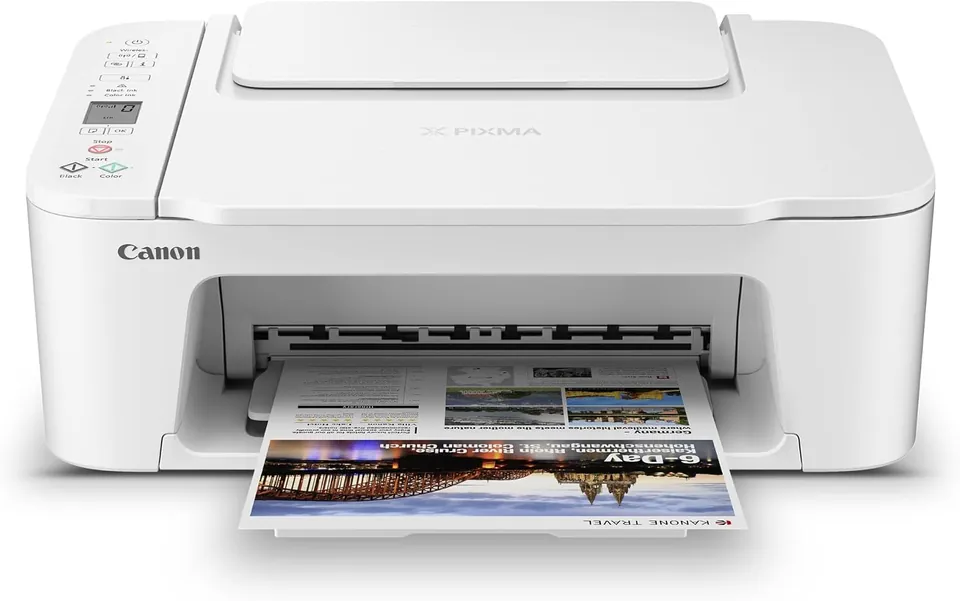
Canon PIXMA TS3720 vs G3270: Cartridge Changes, Tank Refills and Document Handling
The white Canon PIXMA TS3720 (6671C022) uses replaceable PG-275 black and CL-276 color cartridges; the black PIXMA G3270 (5805C002) uses GI-21 bottles and integrated tanks. Both print one side at a time and scan one original at a time on a flatbed, so neither is a fit for automatic duplex or feeder-based handling of a stack of stapled pages. Compare refill habits, rear-tray capacity and the way you process paperwork before choosing.
Read comparison