
Products compared
Canon
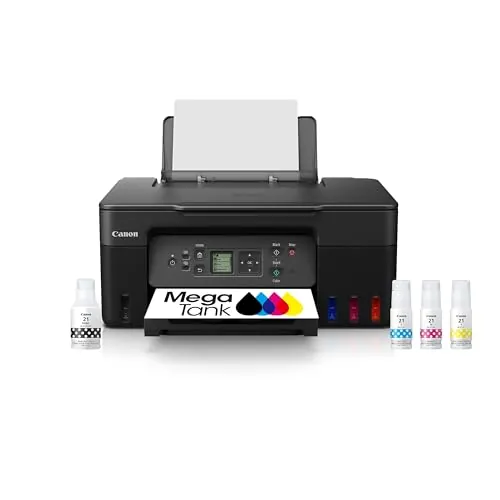
Canon MegaTank PIXMA G3270
Wireless print, copy, and scan all-in-one with four integrated tanks filled from GI-21 bottles. Canon's US standard box list names the four GI-21 bottles. It has a 1.35-inch square LCD and a rear paper tray.
Model G3270 (5805C002)
Amazon ASIN B0BSMSYM9N
Canon
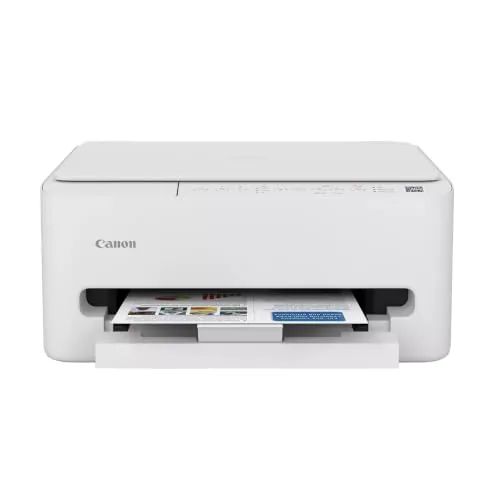
Canon PIXMA TS4320
Wireless print, copy, and scan all-in-one using replaceable black and color FINE cartridge assemblies. Canon's US standard box list names PG-295 black and CL-286 color cartridges. It uses a 100-sheet cassette and has no display listed in the technical specifications.
Model TS4320 (7181C002)
Amazon ASIN B0FMBGXC2C
Differences that matter
What matters most to you?
Choose a priority to see what it changes.
Sources for Ink replenishment and standard box supplies
Sources for Loading plain paper and small jobs
Sources for Flatbed scanning and multi-page handling
Sources for On-printer controls and connection setup
The practical split: refilling versus cartridge replacement
The G3270's replenishment routine means pouring each matching-color GI-21 bottle into its integrated tank. Canon's manual calls for aligning the bottle with the matching tank, filling only to the upper line, removing and recapping the bottle, then closing the tank. If ink-level notification is enabled, Canon says to reset the count after filling to the upper line.
The TS4320 uses black and color FINE cartridge assemblies. Its manual describes opening the scanner cover, removing the depleted unit, fitting color in the left holder and black in the right, locking them, and closing the cover. Canon lists PG-295 and CL-286 cartridges in its standard US package. Choose based on which maintenance action you would rather do; the included supply list does not prove future yield or cost savings.
Two-sided printing: verify the actual driver path
The TS4320 has the clearer automatic-duplex case in Canon's documentation: its Windows driver manual says paper need not be turned, but the automatic setting is limited to Letter or A4 and pauses between sides for ink drying.
For G3270, the product specification says single-sided/simplex printing. The G3070-series Windows driver manual that explicitly lists G3270 also contains a manual duplex option that prints one side, prompts you to reload the sheet, and asks you to press OK. These Canon statements are not fully aligned. Treat the manual procedure as a documented driver route, not proof that all operating systems, media, or workflows support it.
Paper tray and scanning setup
Paper capacity is listed as 100 plain sheets for both printers, but the G3270 takes paper from a rear tray and the TS4320 uses a cassette. Measure the space behind the printer if it will sit close to a wall or shelf, and decide whether a rear feed or front cassette fits how you replenish paper.
Both list flatbed scanning up to 8.5 x 11.7 inches. Canon lists 600 x 1200 dpi optical resolution for G3270 and 1200 x 2400 for TS4320, but those published figures alone do not establish real scan quality. TS4320 lists ADF capacity as N/A. If scanning multi-page originals is routine, verify the model's exact feeding workflow before buying.
Controls and everyday connections
Canon lists a 1.35-inch square LCD for G3270 and no display for TS4320. Both list Hi-Speed USB plus 2.4/5 GHz Wi-Fi and common mobile paths such as Canon PRINT, AirPrint, and Mopria. The connection list is therefore mostly shared; check current OS and app support for your phone or computer instead of choosing based on a generic claim that one is easier to set up.
Product details
Canon MegaTank PIXMA G3270
- Ink system
- Four integrated tanks; GI-21 pigment black and dye cyan, magenta, and yellow bottles. Canon's standard box list includes one bottle of each color. Source
- Paper input
- Rear tray; rated for 100 sheets of plain paper or 20 sheets of 4 x 6 photo paper. Source
- Scanning
- Flatbed; maximum document size 8.5 x 11.7 inches (A4/Letter); listed optical resolution 600 x 1200 dpi. Source
- Connections
- Hi-Speed USB and dual-band 2.4/5 GHz Wi-Fi; Canon lists Canon PRINT, AirPrint, and Mopria options. Source
Canon PIXMA TS4320
- Ink system
- Hybrid black/color FINE cartridge system; PG-295 black and CL-286 color are the cartridges Canon lists in the standard box. Source
- Paper input
- Cassette rated for 100 sheets of plain paper. Source
- Scanning
- Flatbed; maximum document size 8.5 x 11.7 inches (A4/Letter); listed optical resolution 1200 x 2400 dpi; ADF capacity is listed as N/A. Source
- Connections
- Hi-Speed USB and dual-band 2.4/5 GHz Wi-Fi; Canon lists Canon PRINT, AirPrint, and Mopria options. Source
Before you buy
Community discussions
A G3270 shopper asks about wired setup
Canon MegaTank PIXMA G3270
A shopper considering the G3270’s refill tanks asked whether they could use a wired connection.
What to check
Canon lists Hi-Speed USB for both models. Check driver support for your computer and whether you need a separate cable.
Common questions
Which Canon printer refills from bottles?
The G3270 has four integrated tanks and uses GI-21 bottles. The TS4320 uses black and color FINE cartridge assemblies; Canon lists PG-295 black and CL-286 color in the standard box.MegaTank PIXMA G3270 product page and technical specificationsG3070 series Online Manual model listG3070 series Refilling Ink TanksPIXMA TS4320 product page and technical specificationsTS4300 series Online Manual model listTS4300 series Replacing a FINE Cartridge
Does the TS4320 automatically print on both sides?
Canon's TS4300-series Windows driver manual, which names TS4320 in its model list, describes automatic duplex without turning the paper. It limits automatic duplex to Letter or A4 and notes an ink-drying pause between sides.TS4300 series Online Manual model listTS4300 series Duplex Printing
Can I rely on the G3270 for automatic duplex?
Do not assume automatic duplex. Canon's US G3270 specifications say single-sided/simplex, while the G3270-listed G3070-series Windows manual documents a manual reload-and-press-OK duplex procedure. Check the exact operating-system driver and media workflow first.MegaTank PIXMA G3270 product page and technical specificationsG3070 series Online Manual model listG3070 series Duplex Printing
Do these models feed a stack of pages for scanning?
Both are documented with flatbed scanning. Canon lists ADF capacity as N/A for TS4320. Do not assume automatic stack feeding; verify the exact model's specifications if this is a frequent task.MegaTank PIXMA G3270 product page and technical specificationsPIXMA TS4320 product page and technical specifications
Sources and scope
This is a comparison of Canon-published model specifications and manuals, not a print, scan, speed, or long-term cost test. The G3270 US product page calls its print capability single-sided/simplex, while its G3270-listed G3070-series Windows driver manual describes a manual duplex procedure. The TS4320 automatic-duplex manual is Windows-driver documentation and limits the feature to Letter or A4. Check the exact operating system, media, and seller bundle before buying.
- MegaTank PIXMA G3270 product page and technical specifications
- PIXMA TS4320 product page and technical specifications
- G3070 series Online Manual model list
- G3070 series Duplex Printing
- G3070 series Refilling Ink Tanks
- TS4300 series Online Manual model list
- TS4300 series Duplex Printing
- TS4300 series Replacing a FINE Cartridge
Related comparisons
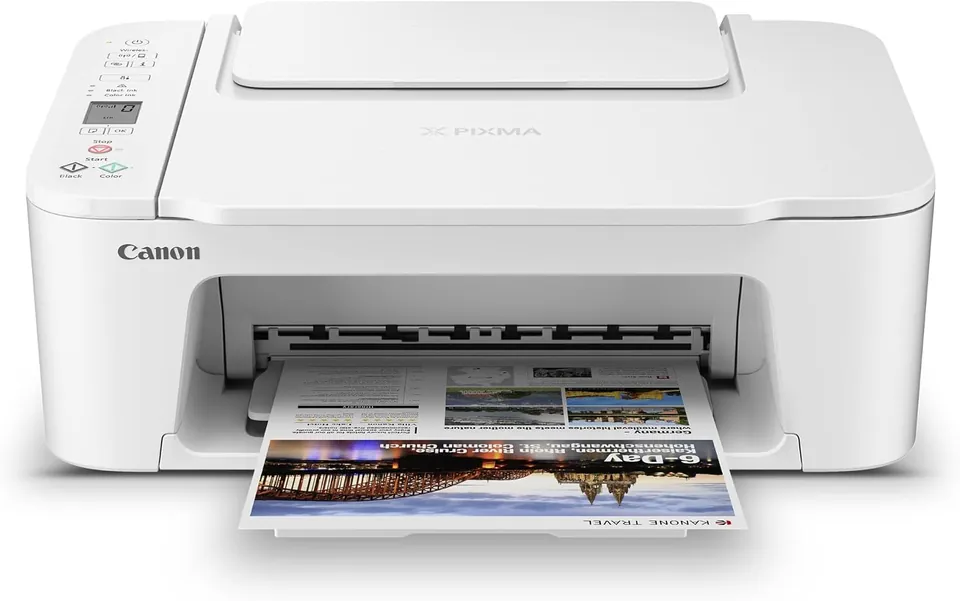
Canon PIXMA TS3720 vs G3270: Cartridge Changes, Tank Refills and Document Handling
The white Canon PIXMA TS3720 (6671C022) uses replaceable PG-275 black and CL-276 color cartridges; the black PIXMA G3270 (5805C002) uses GI-21 bottles and integrated tanks. Both print one side at a time and scan one original at a time on a flatbed, so neither is a fit for automatic duplex or feeder-based handling of a stack of stapled pages. Compare refill habits, rear-tray capacity and the way you process paperwork before choosing.
Read comparison
Canon PIXMA TR7120 vs TS4320: ADF, Ink and Paper Handling
For the exact white U.S. models TR7120 (7178C002) and TS4320 (7181C002), the meaningful difference is document handling: TR7120 has a 35-sheet ADF and 1.42-inch OLED, while TS4320 has a flatbed and no display. Canon lists the same PG-295 black and CL-286 color cartridges, a 100-sheet plain-paper cassette, dual-band Wi-Fi and USB for both. Both print two-sided; that does not establish automatic duplex scanning.
Read comparison