
Products compared

Canon
Canon PIXMA TR8620a Wireless Home Office All-in-One Printer, Black
Black U.S. PIXMA TR8620a (4451C032), the assigned print/copy/scan/fax model.
Model 4451C032
Amazon ASIN B09TRZLPXP
Canon
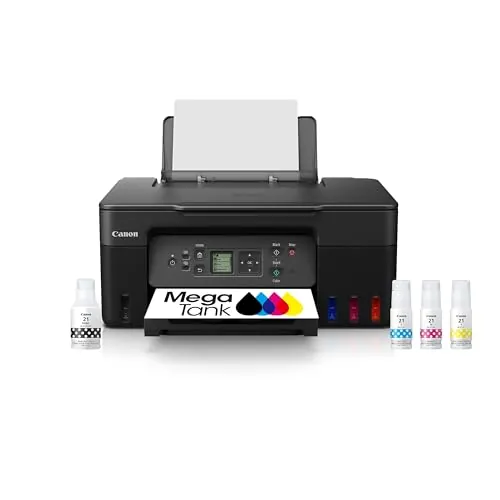
Canon MegaTank PIXMA G3270 Wireless All-in-One Printer, Black
Black U.S. MegaTank PIXMA G3270 (5805C002), the assigned print/copy/scan model.
Model 5805C002
Amazon ASIN B0BSMSYM9N
Differences that matter
What matters most to you?
Choose a priority to see what it changes.
Sources for Paper sources and media changes
Sources for Two-sided printing
Sources for Scanning multi-page or two-sided originals
What the model numbers actually identify
This page follows the assigned black U.S. variants: PIXMA TR8620a, product code 4451C032 and ASIN B09TRZLPXP; MegaTank PIXMA G3270, code 5805C002 and ASIN B0BSMSYM9N. The Canon manual indexes explicitly include TR8620a in TR8600 and G3270 in G3070. Check the exact code when shopping because similar PIXMA names can refer to different machines.
Choose by what you handle: bottles, media or paper originals
The TR8620a replaces individual PGI-280/CLI-281 tanks; the G3270 refills integrated tanks with matching GI-21 bottles. Canon's instructions describe the practical difference—remove and replace a depleted tank versus open the matching tank and bottle, fill to the upper line and close it. They do not prove either printer has lower lifetime supply cost.
The TR8620a has a front cassette and a rear tray. Canon describes keeping plain paper in the cassette while loading photo or other media at the rear. G3270 has one rear paper tray; verify its paper and driver settings for each stock. If you switch between document and photo media often, the separate TR sources may reduce reloading.
Duplex output needs an extra check on the G3270
For the TR8620a, the TR8600 manual documents automatic two-sided printing for Letter, A5, A4 and B5 when the media type and application settings permit it. This is a feature workflow, not a claim about speed or paper savings for your workload.
For the G3270, Canon's U.S. specification page says single-sided (simplex) printing. A separate Windows driver manual for the G3070 series lists manual 2-sided printing and paper reload steps, and the series index includes G3270. Because those statements do not align, do not depend on G3270 duplex until Canon confirms the exact driver, OS, paper and job you plan to use.
For document stacks, compare feeder limits before buying
The TR8620a adds an ADF to its flatbed. Canon's manual says its feeder accepts same-size plain-paper documents in A4, Letter or Legal; the limit is up to 20 Letter/A4 sheets or 5 Legal sheets, with defined thickness and weight ranges. Photos, coated or other unsuitable originals should go on the glass instead. Canon's computer scan utility documents an ADF Manual Duplex source option for two-sided originals; the copier manual separately documents an ADF duplex-scan setting in copying.
The G3270 is flatbed-only and Canon lists simplex scanning. It supports multi-page PDF, but that is not a feeder: place each original on the glass, then check Canon's scan software workflow for your file destination and two-sided source. If you process stacks each week, the repeated page placement is a practical difference to account for; no scan-quality winner is implied.
Product details
Canon PIXMA TR8620a Wireless Home Office All-in-One Printer, Black
A better fit when supported stacks of paper originals, a second loaded paper source or automatic two-sided printing are regular parts of the job. Check the ADF's size and plain-paper restrictions before relying on it for originals such as photos, coated sheets or mixed-size stacks.
- Ink arrangement
- Five individual tanks: PGI-280 pigment black plus CLI-281 dye black, cyan, magenta and yellow. Source
- Paper path
- 100-sheet front cassette plus 100-sheet rear tray; Canon describes keeping plain paper in front and photo or other media in the rear at the same time. Source
- Document scanning
- Flatbed and ADF; the ADF is specified for up to 20 same-size Letter/A4 plain-paper sheets or 5 Legal sheets within the manual's thickness and weight limits. Source
Canon MegaTank PIXMA G3270 Wireless All-in-One Printer, Black
A fit if you prefer refilling the built-in GI-21 reservoirs and are comfortable scanning originals on the flatbed one at a time. Canon's exact G3270 specifications list simplex printing; its G3070-series Windows driver manual separately documents manual duplex, so confirm applicability before planning two-sided output.
- Ink arrangement
- Integrated tanks refill from GI-21 bottles: pigment black plus dye cyan, magenta and yellow; the series manual specifies matching bottle colors and filling to the upper limit line. Source
- Paper path
- One rear tray, specified for 100 sheets of plain paper or 20 sheets of 4 x 6-inch paper; supported media and sizes depend on the selected driver and paper settings. Source
- Document scanning
- Flatbed only; Canon lists simplex scanning and multi-page PDF support, with a maximum flatbed original size of 8.5 x 11.7 inches. Source
Before you buy
Community discussions
A Mac user’s G3270 duplex workflow
Canon MegaTank PIXMA G3270 Wireless All-in-One Printer, Black
A G3270 owner using a Mac reported that automatic duplex and manual odd/even-page options were unavailable in their print workflow after trying the driver and settings.
What to check
If two-sided printing matters, try a representative multi-page job on your own computer and app before deciding which model fits.
Test the paper and driver you plan to use for art prints
Canon MegaTank PIXMA G3270 Wireless All-in-One Printer, Black
A G3270 owner said their Epson matte presentation paper looked duller and more yellow than expected; in that Mac setup, glossy stock did not feed from the rear tray during their test.
What to check
Before choosing for specialty-paper jobs, test your intended stock and media setting from the computer or app you plan to use and confirm the paper feeds in your setup.
Checking the paper setting in the app and print dialog
Canon MegaTank PIXMA G3270 Wireless All-in-One Printer, Black
A G3270 owner reported blurry photo prints. In a follow-up they said they had changed the paper setting in the driver and moved the printer, then saw a better result.
What to check
Try a sheet from the tray you plan to use for photos. Check that the paper type matches in both the app and the system print dialog.
Common questions
Does the TR8620a automatically print on both sides?
Canon's TR8600-series manual lists automatic duplex for Letter, A5, A4 and B5 when the media and application settings are suitable, and the series index explicitly includes TR8620a. Check the paper and driver settings for your job.Canon TR8600 series online manual — model list includes TR8620aCanon TR8600 series manual — Automatic Duplex Printing Problems and media/OS limits
Can I depend on the G3270 for two-sided printing?
Not from the reviewed pages alone. Canon's exact G3270 U.S. specifications say single-sided (simplex), while a G3070-series Windows driver manual lists manual duplex. Confirm with Canon that the driver instructions apply to your exact G3270, computer, paper and print job.Canon MegaTank PIXMA G3270 — U.S. black model product and technical specificationsCanon G3070 series online manual — model list includes G3270Canon G3070 series Windows driver manual — Page Setup and manual duplex setting
Which printer can scan a stack of documents?
The TR8620a has an ADF for supported same-size plain-paper originals: up to 20 Letter/A4 sheets or 5 Legal sheets, within Canon's size, weight and thickness limits. The G3270 is flatbed-only, so multi-page PDF support does not mean it has a document feeder.Canon TR8600 series manual — Supported Originals and ADF limitsCanon PIXMA TR8620a — U.S. product and technical specificationsCanon MegaTank PIXMA G3270 — U.S. black model product and technical specifications
Do these printers use the same ink?
No. The TR8620a uses separate PGI-280 and CLI-281 tanks; the G3270 uses GI-21 bottles to refill integrated black and color tanks. Buy supplies by the exact model's listed ink number.Canon PIXMA TR8620a — U.S. product and technical specificationsCanon MegaTank PIXMA G3270 — U.S. black model product and technical specificationsCanon G3070 series manual — Refilling Ink Tanks
Sources and scope
No matched print or scan tests, output-quality comparison, reliability evidence, or exact supply yield/cost comparison was performed. TR8620a duplex is scoped to listed sizes and suitable media/software. G3270 duplex documentation conflicts: its exact U.S. specifications list simplex printing while the G3070-series Windows driver manual shows a manual duplex setting. Confirm exact applicability with Canon. Scanner workflow descriptions are feature-fit guidance, not scan-quality claims.
- Canon PIXMA TR8620a — U.S. product and technical specifications
- Canon MegaTank PIXMA G3270 — U.S. black model product and technical specifications
- Canon TR8600 series online manual — model list includes TR8620a
- Canon G3070 series online manual — model list includes G3270
- Canon G3070 series manual — Refilling Ink Tanks
- Canon G3070 series manual — Supported Media Types
- Canon TR8600 series manual — Supported Originals and ADF limits
- Canon TR8600 series manual — Automatic Duplex Printing Problems and media/OS limits
- Canon TR8600 series manual — Two-Sided Copying and ADF duplex scan workflow
- Canon IJ Scan Utility — ADF simplex, manual-duplex and platen source choices
- Canon G3070 series Windows driver manual — Page Setup and manual duplex setting
Related comparisons

Canon PIXMA TR7120 vs TR8620a: Ink, Paper Feeds and Scanning
Both printers can automatically print on both sides and use an ADF, but neither automatically scans both sides of an original through that feeder. TR7120 holds up to 35 Letter sheets in its ADF; TR8620a holds 20 and adds fax, five individual ink tanks, a 100-sheet rear feed and Ethernet. Match the exact cartridge family and the paper or scan task you do most.
Read comparison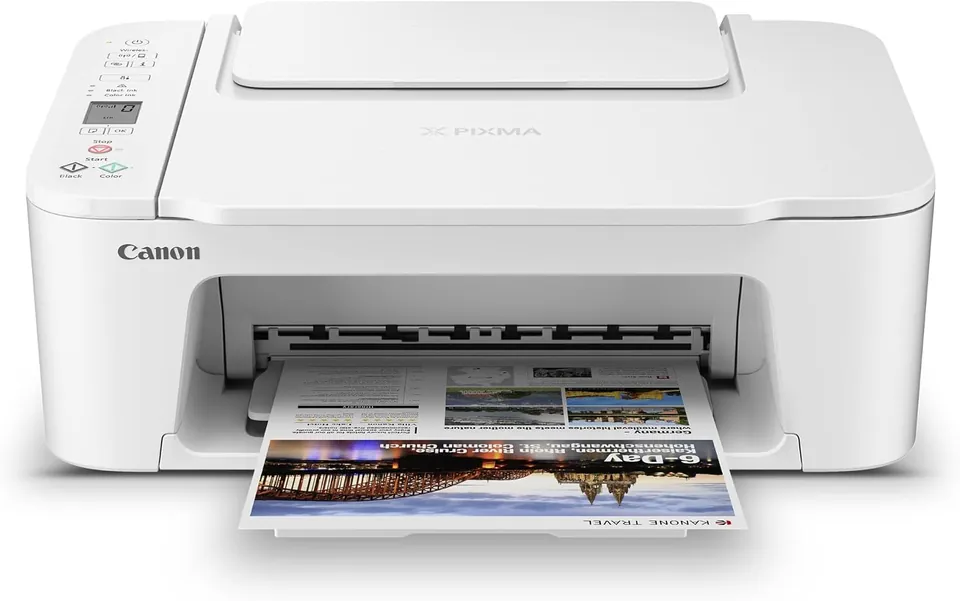
Canon PIXMA TS3720 vs G3270: Cartridge Changes, Tank Refills and Document Handling
The white Canon PIXMA TS3720 (6671C022) uses replaceable PG-275 black and CL-276 color cartridges; the black PIXMA G3270 (5805C002) uses GI-21 bottles and integrated tanks. Both print one side at a time and scan one original at a time on a flatbed, so neither is a fit for automatic duplex or feeder-based handling of a stack of stapled pages. Compare refill habits, rear-tray capacity and the way you process paperwork before choosing.
Read comparison