
Products compared
Canon
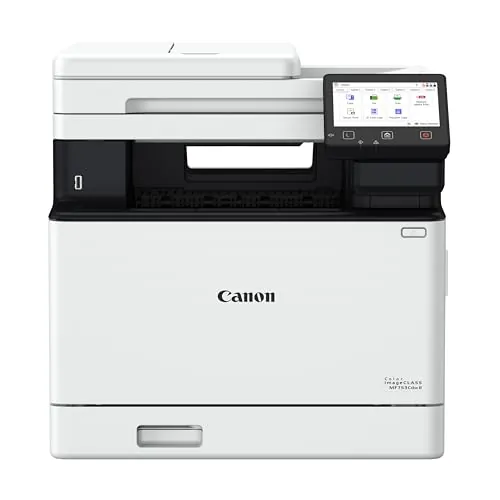
Canon Color imageCLASS MF753Cdw II
Exact U.S. model/SKU 7185C011; color laser all-in-one with print, scan, copy and fax functions. Canon lists a 50-sheet two-sided ADF.
Model 7185C011
Amazon ASIN B0FP3LJ74G
Canon
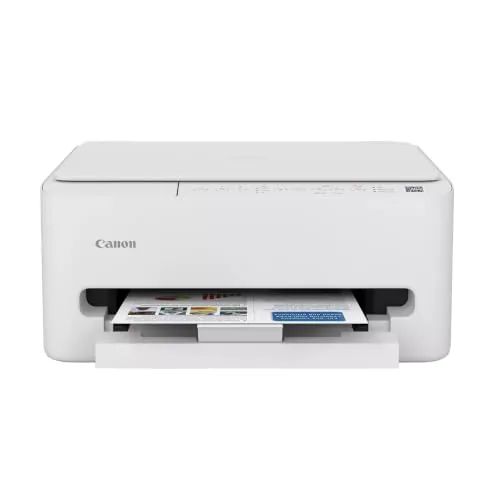
Canon PIXMA TS4320
Exact U.S. model/SKU 7181C002; home-focused inkjet all-in-one with a flatbed scanner and a hybrid system using two ink tanks.
Model 7181C002
Amazon ASIN B0FMBGXC2C
Differences that matter
What matters most to you?
Choose a priority to see what it changes.
Sources for Scanning a batch of originals
Sources for Duplex printing versus duplex scanning
Sources for Supply format and exact replacement codes
Sources for Desk footprint and rated workload context
Make the scan workflow your first decision
The Canon MF753Cdw II's main advantage for office paperwork is concrete: Canon specifies a 50-sheet automatic document feeder and two-sided one-pass scanning. That is designed for feeding a batch of originals rather than placing every page on a glass surface. The PIXMA TS4320's Canon support page lists a flatbed and ADF capacity as N/A.
The TS4320 can save a multi-page PDF, but a file feature does not mean the printer has a feeder. If you routinely scan two-sided forms or multiple pages, distinguish the act of printing both sides from feeding and scanning both sides. For occasional single pages, a flatbed may be enough; compare the supply system and desk footprint as well.
Know what 'duplex' applies to
Canon lists automatic two-sided printing on the TS4320. Its scanner is still listed as flatbed and its ADF capacity as N/A. The MF753Cdw II, by contrast, has a 50-sheet two-sided ADF specification. These are separate operations: a printer can print a sheet on both faces without having hardware to automatically feed a pile of two-sided source pages into a scanner.
If duplex originals are part of your routine, verify the exact ADF steps and supported paper conditions in the current model guide. If you mainly print double-sided handouts and scan single pages, the TS4320's listed duplex-print feature may address that printing task without an ADF.
Compare supply formats, not presumed running costs
Canon identifies the MF753Cdw II as a color laser model and lists Canon Genuine Toner 069 or 069 H. The TS4320 uses a hybrid ink system with two tanks: PG-295 pigment black and CL-286 dye-based color. The codes make it straightforward to check the correct replacement format for each model.
Those labels do not establish which costs less for your mix of pages. The available sources do not provide a matched lifetime-cost calculation, and usage affects how often a buyer replaces supplies. Compare current exact supply prices and your likely print volume separately before treating this as a budget decision.
Check the real workspace and expected volume
Canon lists the MF753Cdw II at 16.8 × 18.2 × 17 inches (W × D × H) and 48.5 lb. For the TS4320, Canon lists 14.8 × 14 × 6.7 inches closed and 14.8 × 21 × 6.7 inches with paper installed, with an 11.4 lb body. Measure the installed footprint and leave room for loading paper and opening the scanner.
The manufacturer also lists a 750–4,000 page recommended monthly volume range for the MF753Cdw II and 500 pages/month for the TS4320. Treat those as Canon's product guidance, not guaranteed maximums or a prediction about speed, quality, wear or cost. Match the dimensions and guidance to the desk and workload you actually have.
Product details
Canon Color imageCLASS MF753Cdw II
- Document feeder
- 50-sheet ADF; Canon lists two-sided (duplex) scanning and a one-pass ADF workflow. Source
- Supply format
- Color laser printer using Canon Genuine Toner 069 or 069 H. Source
- Listed recommended monthly volume
- 750–4,000 pages (Canon's recommended monthly print volume range), not a guaranteed capacity or cost estimate. Source
- Listed unit dimensions and weight
- 16.8 in W × 18.2 in D × 17 in H; 48.5 lb. Source
Canon PIXMA TS4320
- Scanner and two-sided printing
- Canon lists a flatbed scanner, ADF capacity N/A, and automatic 2-sided (duplex) printing. Duplex printing does not feed a stack of originals for scanning. Source
- Supply format
- Hybrid ink system with two tanks: PG-295 pigment-based black and CL-286 dye-based color (cyan, magenta, yellow and black). Source
- Listed recommended monthly volume
- 500 pages (Canon's recommended monthly print volume), not a guaranteed capacity or cost estimate. Source
- Listed closed dimensions and weight
- 14.8 in L × 14 in W × 6.7 in H closed; 11.4 lb. With paper installed Canon lists 21 in for the depth axis. Source
Before you buy
Community discussions
A shopper double-checks duplex scanning across two imageCLASS models
Canon Color imageCLASS MF753Cdw II
A shopper who bought the MF751Cdw II expected it to scan both sides through the feeder. After checking the machine, they called out the distinction between that model and the similarly named MF753Cdw II.
What to check
Look for one-pass, two-sided scanning in the exact model’s manufacturer specifications if you scan double-sided stacks. Check the print and scan features separately.
A home-office buyer needs both sides of a stack scanned
Canon Color imageCLASS MF753Cdw II
A buyer shopping for the Canon MF753Cdw II and a Brother laser model wanted to scan both sides of documents even though the printer would see only a few pages in a typical week.
What to check
Count how often your originals are double-sided and how many pages you scan at once. A feeder can matter even at a low print volume.
Common questions
Does the PIXMA TS4320 scan a stack of pages automatically?
Canon lists the TS4320 scanner as flatbed and its ADF capacity as N/A. The MF753Cdw II has a specified 50-sheet ADF with two-sided scanning. The TS4320 may create multi-page PDF files, but Canon's specification does not list an automatic feeder for loading those pages.Canon Support for PIXMA TS4320Canon Support for imageCLASS MF753Cdw II
Does two-sided printing mean the TS4320 can scan both sides of a page automatically?
No. Canon lists automatic 2-sided printing for the TS4320, but lists its scanner as flatbed and ADF capacity as N/A. Printing on both sides and automatically feeding two-sided originals through a scanner are different workflows.Canon Support for PIXMA TS4320
What supply codes should I check?
Canon identifies the MF753Cdw II as a color laser model and lists Toner 069 or 069 H. Canon lists the TS4320’s two ink tanks as PG-295 pigment black and CL-286 dye-based color. These are supply families, not a comparison of replacement cost or expected frequency.Color imageCLASS MF753Cdw II — Canon U.S. product pageCanon Support for PIXMA TS4320
Which is easier to place on a compact desk?
Canon lists the TS4320 at 14.8 × 14 × 6.7 inches closed and 11.4 lb, versus 16.8 × 18.2 × 17 inches and 48.5 lb for the MF753Cdw II. TS4320's listed depth with paper installed is 21 inches, so measure both closed storage and in-use paper access.Canon Support for PIXMA TS4320Canon Support for imageCLASS MF753Cdw II
Sources and scope
This comparison uses Canon’s specifications rather than print or scan testing. The MF753Cdw II has a documented 50-sheet duplex feeder; the TS4320 has a flatbed and a two-tank ink system. Recommended page volumes and dimensions do not predict your actual supply costs, print quality or speed. Match replacement supplies to the exact printer model and check Canon’s current compatibility information before ordering.
Related comparisons

Canon PIXMA TR7120 vs TS4320: ADF, Ink and Paper Handling
For the exact white U.S. models TR7120 (7178C002) and TS4320 (7181C002), the meaningful difference is document handling: TR7120 has a 35-sheet ADF and 1.42-inch OLED, while TS4320 has a flatbed and no display. Canon lists the same PG-295 black and CL-286 color cartridges, a 100-sheet plain-paper cassette, dual-band Wi-Fi and USB for both. Both print two-sided; that does not establish automatic duplex scanning.
Read comparison
Canon PIXMA TR8620a vs TS4320: Do You Need Separate Ink Tanks and an ADF?
The TR8620a adds five individual ink tanks, a 20-sheet Letter / 5-sheet Legal ADF, a second paper feed, and fax. The TS4320 uses two cartridges and a flatbed. Canon documents automatic two-sided printing for TR8620a. Published TS4320 automatic-duplex records disagree, so verify that feature if it affects your choice.
Read comparison